Auditing Access Logs to Track Who Viewed or Downloaded Private Surveillance Recordings
You should audit access logs to see who viewed or downloaded private surveillance recordings. Check logs weekly for odd-hour access or repeated failed logins, and enable real-time alerts for suspicious activity. Use monitoring tools with dashboards and mobile notifications to track logins and behavior. Keep logs encrypted and stored securely for 30 to 90 days. Generate reports to spot red flags and meet compliance needs-there’s more to contemplate for full protection.
Notable Insights
- Regularly audit access logs to identify who viewed or downloaded surveillance recordings and detect unauthorized access.
- Enable real-time alerts for off-hour access or downloads from unfamiliar devices to respond quickly to threats.
- Use monitoring tools with dashboards to track active sessions and review user behavior for anomalies.
- Retain logs for 30 to 90 days to support incident investigations and meet compliance requirements.
- Generate filtered access reports by user or camera to streamline audits and ensure log integrity.
Audit Access Logs to Protect Surveillance Privacy
While protecting your surveillance system from unauthorized access starts with strong passwords and encryption, regularly auditing access logs is just as critical to maintaining privacy. You need clear log retention policies to keep records long enough for review but not so long they become a liability. Most systems keep logs for 30 to 90 days, but check local laws and your storage capacity. User behavior analysis helps spot unusual patterns-like logins at odd hours or repeated failed attempts. You should review logs weekly, especially after any system changes. Automated tools can help sort entries, but manual checks catch subtle issues. While time-consuming, consistent auditing builds stronger security. Don’t overlook admin accounts-monitor those closely, since they have the most access. Set reminders to review logs and update policies every quarter. Choosing a Best Security DVRs can enhance both recording quality and access control features.
Detect Unauthorized Video Access With Log Alerts
You can strengthen your surveillance system’s security by setting up log alerts to detect unauthorized video access. Real time monitoring lets you catch suspicious activity the moment it happens, so you can respond quickly. When someone views or downloads footage outside normal hours or from an unknown device, alerts notify you instantly. Behavioral analysis helps by learning typical user patterns, like when staff usually check cameras. If someone suddenly accesses multiple recordings in a short time, the system flags it as unusual. This combo of real time monitoring and behavioral analysis reduces false alarms while increasing detection accuracy. Most systems with these features cost a bit more, but the added security is worth it for many homes. Make sure your storage keeps logs for at least 30 days. Turn on alerts for failed login attempts, too. Planning now saves time and risk later.
Use These Tools to Monitor Surveillance Log Activity
Since keeping track of who accesses your surveillance footage is essential for security, using the right monitoring tools makes a big difference. You can rely on real time monitoring to detect access attempts as they happen, allowing quick responses to suspicious activity. Tools with user behavior analysis help you spot unusual patterns, like logins at odd hours or repeated failed attempts. These features work together to highlight potential threats before they become problems. Some systems offer dashboards that show active sessions and recent activity, making it easier to stay informed. While advanced tools can be pricier, the investment often pays off in stronger protection. Make sure any tool you choose integrates with your current setup and supports encryption. Look for options with mobile alerts and customizable settings so you can tailor the monitoring to your needs. Planning around your budget and technical skill helps guarantee long-term success.
Generate Access Log Reports for Compliance and Incidents
When it comes to proving who accessed surveillance recordings and when, generating detailed access log reports isn’t just helpful-it’s often required by law. You’ll need reliable report generation tools to create clear, time-stamped records of every view, download, or modification. These reports support compliance during audits and help investigate security incidents. Log analysis lets you spot unusual patterns, like after-hours access or repeated failed attempts, so you can respond quickly. Most systems let you filter logs by user, date, or camera, making it easier to find relevant data. Good software automates much of this, saving time and reducing errors. Some platforms include built-in templates for common report types, while others require manual formatting. Choose a system that balances ease of use with customization. Make sure your storage setup keeps logs secure and unaltered.
Schedule Weekly Audits to Stay Ahead of Breaches
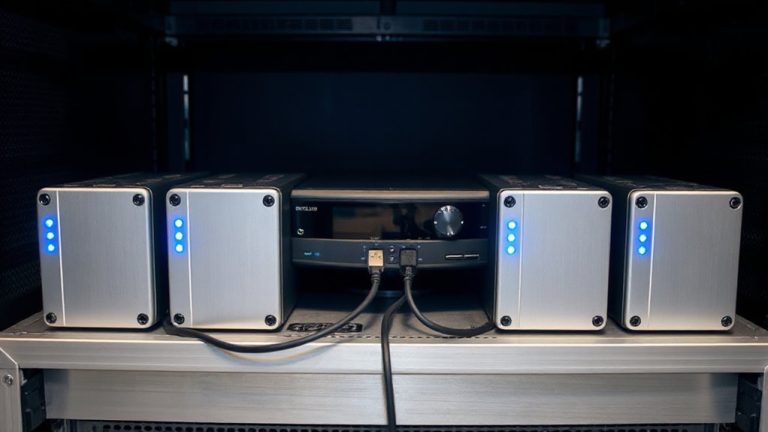
A weekly audit of access logs is a proven way to detect unauthorized activity before it escalates. You should set a consistent log frequency to guarantee no gaps in monitoring. Weekly reviews strike a balance-frequent enough to catch issues, but not so overwhelming that they’re skipped. Your audit timing matters, too: choose a fixed day and time, like every Monday morning, to maintain reliability. This routine makes it easier to spot odd patterns, like after-hours access or repeated failed attempts. Automated alerts can notify you of suspicious entries between audits. While daily logs offer more detail, weekly audits are more practical for most home systems. The key is consistency. Skipping checks, even once, could let breaches slide. Use built-in tools or simple spreadsheet templates to track user activity. Planning a set schedule now saves time and strengthens security down the line. Storing logs on a dedicated NAS devices ensures secure, centralized access for ongoing audits.
On a final note
You should review access logs regularly to catch unauthorized views or downloads of private videos. Set up alerts for unusual activity, use trusted monitoring tools, and generate reports to stay compliant. Weekly audits help spot issues early. Most systems offer logging features, often included at no extra cost, though advanced options may require a subscription. Check your setup, enable encryption, and limit user access to boost security effectively.