How to Protect Yourself From Malware: Essential Tips for Safe Online Activity at Home
Keep your devices safe by updating software regularly to fix security flaws, and enable automatic updates so you don’t miss critical patches. Use strong, unique passwords with a manager like Bitwarden or 1Password-free options available, paid plans $3–$6/month. Spot phishing emails by checking sender addresses and hovering over links. Install antivirus software with real-time scanning-top tools block over 99% of threats, with paid plans at $40–$60/year offering stronger protection. Secure your Wi-Fi with WPA3 encryption or WPA2 and a strong password, update router firmware, and change default login details. Set up two-factor authentication using authenticator apps or biometrics for key accounts. Many breaches start with reused passwords or unpatched systems, so taking these steps now reduces risk markedly-you’ll see how each layer builds stronger defense.
Notable Insights
- Keep all software updated to patch security vulnerabilities and protect against malware exploits.
- Use strong, unique passwords stored in a reputable password manager to prevent credential breaches.
- Avoid phishing scams by checking sender addresses, hovering over links, and never sharing personal data via email.
- Install reliable antivirus software with real-time scanning to detect and block malicious threats automatically.
- Secure home Wi-Fi with strong encryption, updated firmware, and enable two-factor authentication on key accounts.
Update Software to Plug Security Leaks
While it might seem like a minor chore, regularly updating your software is one of the most effective ways to protect your devices from malware. Hackers often exploit known vulnerabilities in outdated programs, but software patches fix these flaws before they can be abused. Security updates are released frequently, addressing bugs and strengthening defenses across operating systems, browsers, and apps. Enabling automatic updates guarantees you don’t miss critical fixes, especially for devices you use daily. Delaying updates increases your risk, even if the update seems small. Most updates include patches based on real-world threat data, making them essential for home cybersecurity. While automatic updates might occasionally cause minor compatibility issues, the benefits far outweigh the risks. Developers issue security updates to keep you safe-not to inconvenience you. Staying current with patches is a simple, proactive step that greatly reduces your exposure to malware.
Use Strong Passwords: And a Password Manager
You’re far more likely to keep your accounts safe if you use strong, unique passwords-something most people struggle with. Weak password strength makes it easy for attackers to guess or crack credentials, putting your data at risk. Equally dangerous is password reuse, where using the same password across multiple sites means one breach can compromise all your accounts. A password manager solves both issues by generating and storing complex, unique passwords for every site. Most tools require only one strong master password to access the vault. Reputable options like Bitwarden, 1Password, and Dashlane offer encryption, cross-device syncing, and even breach alerts. While some charge $3–$6 per month, free versions are available with fewer features. Using a password manager consistently improves long-term security with minimal effort. Enable two-factor authentication for added protection.
Stop Malware: Spot Phishing Emails Instantly
How can you tell if an email is trying to trick you? Phishing emails rely on urgency and deception, but you can stop them with careful email verification and link inspection. Always check the sender’s address-not just the display name-and hover over links to see the real URL before clicking. Below are key signs to watch for:
| Red Flag | What to Do |
|---|---|
| Urgent requests for personal info | Delete the email |
| Mismatched sender address | Verify through official channels |
| Poor grammar or odd phrasing | Treat as suspicious |
| Unexpected attachments | Don’t open; report instead |
| Links that don’t match the site | Perform link inspection |
These steps reduce your risk considerably. Email verification takes seconds and prevents most scams. Link inspection helps you avoid fake login pages designed to steal credentials. Stay alert-many attacks succeed simply because users rush.
Install Antivirus That Actually Blocks Threats
Though many antivirus programs claim to offer protection, not all stop threats effectively-especially newer, more sophisticated malware. You need a solution with real time scanning that continuously monitors files and downloads. This feature detects malicious activity the moment it appears, blocking infections before they spread. Look for software that includes automatic threat quarantine, isolating suspicious files so they can’t harm your system. Independent lab tests show top-tier antivirus tools catch over 99% of known threats. Free versions often lack critical updates or real time scanning, leaving gaps in coverage. Paid plans, typically $40–$60 per year, provide thorough protection across multiple devices. They also include phishing shields and behavior monitoring. Choose a reputable provider with clear privacy policies and regular updates. Avoid overcrowded suites with unnecessary extras. Focus on core security features that deliver measurable results. Best Antivirus Software Picks can help you identify the most effective solutions based on expert testing and user feedback.
Lock Down Your Home Wi-Fi Network
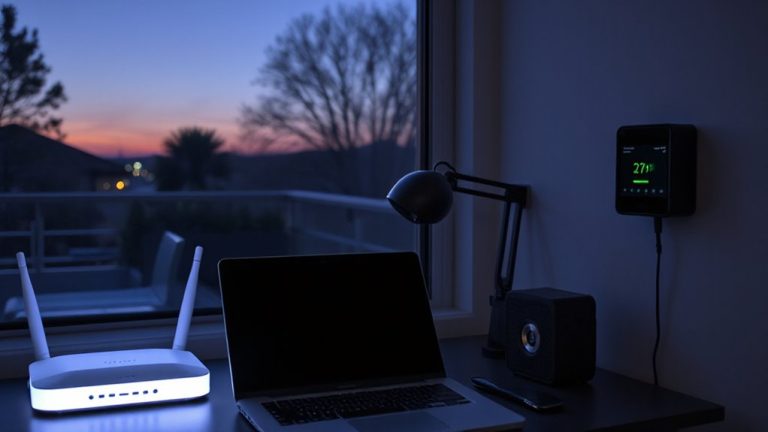
A secure home network starts with a locked-down Wi-Fi router, which acts as the first line of defense against outside intruders. You should enable strong Wi Fi encryption, like WPA3, to protect your data from being intercepted. If your router doesn’t support WPA3, use WPA2 with a strong password. Change the default login credentials to prevent unauthorized access. Set up guest network isolation to keep visitors on a separate connection, limiting their access to your main devices. This reduces the risk if a guest device is compromised. Regularly update your router’s firmware to patch security flaws. Place the router centrally to minimize signal leakage outside your home. Most modern routers support these features, and enabling them takes just minutes. Doing so boosts protection for all connected devices and helps prevent malware from spreading through your network.
Always Turn On Two-Factor Authentication
You’ve secured your home network with strong encryption and updated router settings, but protecting your online accounts requires another layer of defense. Two-factor authentication (2FA) adds that extra step, making it much harder for attackers to gain access. Once enabled, you’ll need both your password and a second verification method, like a code from authenticator apps such as Google Authenticator or Authy. These apps generate time-sensitive codes, reducing reliance on SMS, which can be intercepted. For even stronger security, use biometric verification-like fingerprint or facial recognition-when supported by your device. While 2FA may take a few extra seconds, the protection it offers is well worth it. Most major services offer 2FA for free, and setup usually takes under five minutes. Enable it on email, banking, and social media accounts to stay protected.
On a final note
You can stay safe online by updating software regularly, using strong passwords with a manager, and spotting phishing emails. A good antivirus blocks threats, while two-factor authentication adds extra protection. Secure your home Wi-Fi with a strong password and encryption. These steps are simple but effective, requiring minimal time and cost. Consistent habits reduce risk markedly, based on proven security practices.