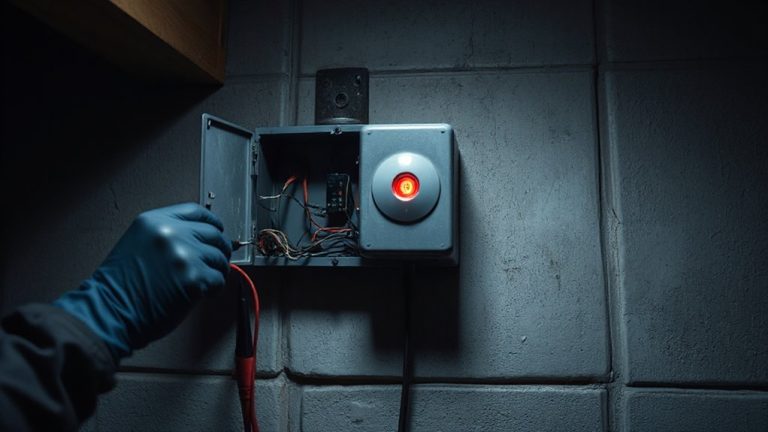
What to Do When Your Alarm Panel Displays “AC Power Lost” or “Check Power Source”
If your alarm panel shows “AC power lost” or “check power source,” start by checking the circuit breaker-trips are common, especially if other devices share the circuit. Inspect the power adapter and cord for damage, and make sure it’s securely plugged in. Test the backup battery, which keeps the system running during outages, and replace it every 4–5 years. If the issue continues after these steps, there may be deeper electrical problems. Consider calling a licensed technician to test voltage, wiring, or grounding-this helps avoid recurring faults and secures your system stays reliable.
Notable Insights
- Check your electrical panel for a tripped circuit breaker and reset it by flipping it off, then on.
- Inspect the power adapter and cord for damage, loose connections, or overheating signs.
- Test the backup battery, as a failing battery can trigger power-related alarms even if AC power is restored.
- Avoid overloading the circuit; unplug high-draw devices sharing the alarm’s power line.
- Call a licensed technician if the issue persists, especially if voltage is low or fluctuating.
Check the Circuit Breaker and Outlet
Start by checking your home’s electrical panel to see if a circuit breaker has tripped-this is often the quickest explanation for an “AC power lost” alarm. If it has, flip it fully off, then back on to reset. This circuit likely powers your alarm panel and shares the line with other devices. Overloading can happen when too many appliances draw power at once, increasing the electrical load beyond safe limits. That strain may cause breakers to trip or lead to voltage fluctuations, both of which interfere with your system’s operation. Check if other outlets on the same circuit are working, as this helps confirm the issue. Avoid plugging high-draw devices into the same circuit as your alarm to prevent recurring problems. A dedicated circuit is ideal, minimizing interference and ensuring stable power delivery for consistent security system performance.
Inspect the Power Adapter and Cord
If the circuit breaker and outlet are functioning properly, the next step is to examine the power adapter and cord that connect your alarm panel to the electrical source. Look closely at the power adapter for signs of damage, overheating, or discoloration-these can indicate failure. Inspect the electrical cord along its entire length, checking for frays, kinks, or crushed sections that might interrupt power flow. A loose connection at either end can also cause issues, so make sure the adapter is firmly plugged into both the outlet and the panel. If the power adapter feels unusually hot or emits a burning smell, replace it immediately. Using a manufacturer-approved replacement ensures compatibility and safety. Don’t rely on makeshift cords, as they may not deliver the correct voltage. A damaged electrical cord or failing power adapter is a common cause of power warnings-replacing them often restores normal operation.
Test Your Alarm’s Backup Battery
One in three homeowners overlooks the backup battery when troubleshooting power issues, yet it’s a critical component for uninterrupted alarm system operation. Your alarm’s backup battery steps in when AC power fails, but it can’t help if battery health is poor. Over time, repeated charging cycles degrade performance, especially in older systems. Most manufacturers recommend testing battery voltage annually-many panels do this automatically and alert you if levels are low. If the battery is more than four to five years old, consider replacing it, even if it seems functional. A weak battery may not support the system during extended outages. Replacement batteries typically cost $20–$40, and installation is usually straightforward. Check your panel’s manual for model-specific guidance. Maintaining good battery health guarantees reliability when you need it most.
Know What Triggers “AC Power Lost
Though it might seem like a random glitch, the “AC Power Lost” alert usually points to a specific disruption in your alarm system’s primary power supply, and recognizing the common triggers can save you time and prevent unnecessary service calls. A power surge or electrical fault often causes this alarm, cutting off AC power unexpectedly. Other times, issues stem from simple causes like a tripped breaker or loose transformer plug. Below are common triggers and their characteristics:
| Trigger | Likely Cause | What to Check First |
|---|---|---|
| Power surge | Lightning or appliance spike | Breaker, surge protector status |
| Electrical fault | Wiring or transformer issue | Wall transformer, outlet voltage |
| Tripped breaker | Overloaded circuit | Electrical panel, connected devices |
Spotting the culprit quickly keeps your system running and your home protected.
Call a Pro: When Power Issues Need Expert Help
When the “AC Power Lost” warning persists despite checking the breaker, outlet, and surge protector, it’s time to call a professional-especially if voltage readings at the transformer are below 16 volts or fluctuate erratically. A consistent low voltage often points to a wiring fault in the circuit or damaged transformer, both needing expert diagnosis. If you’ve recently had an electrical surge from a storm or appliance, internal damage might not be visible but can still disrupt power delivery. Professionals use calibrated tools to test for faults, trace wiring issues, and confirm proper grounding. DIY fixes can risk further damage or safety hazards. Licensed technicians typically charge $75–$150 hourly, but their assessment prevents recurring alarms and guarantees system reliability. Don’t wait-ongoing power problems can shorten your alarm panel’s lifespan and leave your home unprotected.
On a final note
If your alarm panel shows “AC power lost,” first check the outlet and circuit breaker-most outages stem from tripped switches or loose plugs. Inspect the power adapter for damage, and test the backup battery to guarantee it’s functional. Knowing common triggers helps avoid false alarms. When these steps don’t resolve the issue, call a licensed technician-persistent power problems may signal wiring faults or system wear that need professional diagnosis and repair.