Using Mobile Apps to Remotely Monitor Alarm System Health and Receive Diagnostic Alerts
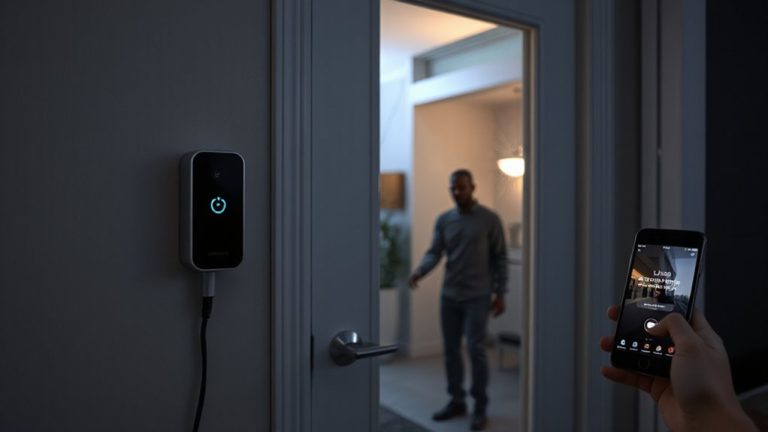
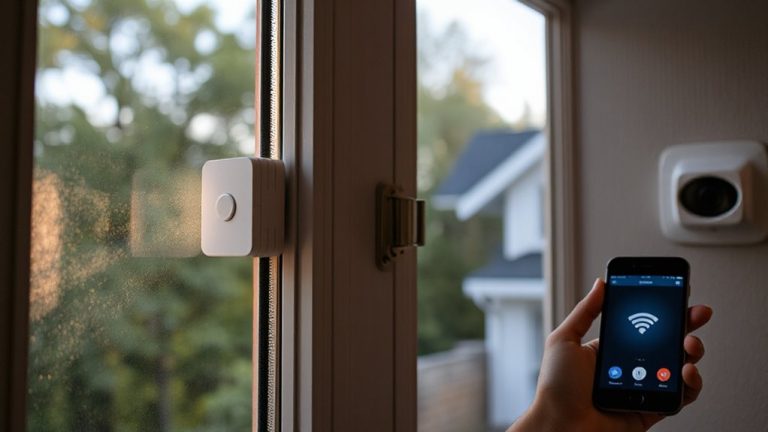
You can monitor your alarm system’s health remotely using a mobile app over Wi-Fi or cellular data, getting real-time diagnostic alerts like low battery, sensor faults, or communication errors. These apps use encryption and two-way authentication for secure access, sending push notifications instantly. Most systems take under 20 minutes to set up and cost $10–$30 monthly for monitoring. Reliable apps include status updates, user controls, and support for smart home integration-helping you stay informed and prepared.
Notable Insights
- Mobile apps use encrypted internet connections to monitor alarm system health in real time via Wi-Fi or cellular networks.
- Real-time diagnostic alerts, like low battery or sensor faults, are instantly pushed to your smartphone for timely action.
- Two-way authentication ensures only authorized users can access system status and receive sensitive health notifications.
- Systems with LTE backup maintain app connectivity and alert delivery even during Wi-Fi outages.
- App logs track alert history and system diagnostics, aiding troubleshooting and ensuring reliable remote monitoring.
How Mobile Apps Connect to Your Alarm System
How exactly does your smartphone talk to your home alarm system from miles away? It uses encrypted internet connections, often through your home Wi-Fi or cellular data. Strong signal strength guarantees reliable communication, so weak signals can delay alerts or block commands. Your alarm system sends status updates to a monitoring center or cloud server, which your app accesses in real time. To stay secure and functional, manufacturers push firmware updates automatically, fixing bugs and improving performance. Always enable these updates-you’ll maintain compatibility and protect against vulnerabilities. Most systems use two-way authentication, so only authorized devices connect. Some apps show signal strength in settings, helping you troubleshoot dead zones. Look for systems with LTE backup if your Wi-Fi fails. Expect monthly fees for remote monitoring, typically $20–$40. Check if your provider includes diagnostic alerts and update logs.
Why Remote Alarm Monitoring Matters
A reliable remote alarm monitoring system gives you real-time updates and control over your home’s security, no matter where you are. With real time awareness, you’ll know instantly if a sensor triggers or a door opens unexpectedly. This constant feedback lets you respond quickly, even if you’re miles away. Remote monitoring also enables proactive maintenance by alerting you to system issues-like low batteries or communication errors-before they become serious problems. You won’t have to guess if your system is functional; the app shows its status clearly. Most systems send diagnostics automatically, reducing the risk of undetected failures. While subscription fees typically apply, starting around $10–$30 monthly, the cost adds value through reliability and peace of mind. Choosing a service with strong encryption and 24/7 support guarantees consistent performance. These features make remote monitoring a practical, data-backed choice for modern home security. Top systems integrate seamlessly with smart home alarm systems for enhanced protection.
Common Alarm Health Alerts on Your Phone
| Alert Type | What It Means |
|---|---|
| Battery Low | Power is low; replace battery soon |
| Sensor Fault | Sensor isn’t communicating properly |
| Communication Error | System can’t reach monitoring center |
Address these promptly to guarantee uninterrupted protection. Ignoring them could compromise security. Most apps log alert history for troubleshooting. Consider pairing your system with one of the best security systems for enhanced reliability and features.
How to Connect Your Alarm to Your Phone
Why should you wait to get alerts on your phone the moment a sensor triggers? Connecting your alarm system now guarantees instant notifications and greater control. First, check alarm compatibility-your system must support mobile integration, often through Wi-Fi or cellular connectivity. Most modern panels work with iOS and Android apps, but older models may need upgrades. Once confirmed, download the manufacturer’s app and create an account. Follow the in-app setup, which usually involves scanning a QR code or entering a system ID. If you’re stuck, don’t worry-many companies offer installation assistance, either through live chat, phone support, or video guides. Some even provide remote setup help at no extra cost. A stable internet connection is essential. This process takes under 20 minutes for most users and gives you real-time oversight of your home’s security status.
Must-Have Features in a Security Monitoring App
What good is an alarm alert if you can’t act on it quickly and confidently? A strong security monitoring app delivers instant push notifications so you know about alarms or system issues the moment they happen. You’ll want reliable user authentication, like PINs or biometrics, to keep your system secure from unauthorized access. Real-time status updates let you check if doors are locked or sensors are active, all from your phone. Look for apps that support multiple users with customizable access levels. Clear layout and simple controls help you respond fast, even under stress. Push notifications should be customizable-filter by event type to avoid overload. Always verify the app syncs with your specific alarm system. Choose one with strong encryption and regular updates to protect your data. These features guarantee you stay informed, secure, and in control.
Fixing App & Connection Problems
How quickly can you respond when your security app won’t connect? Slow reaction times leave your home vulnerable, so address app and connection issues immediately. First, check your app permissions-your system needs access to Wi-Fi, Bluetooth, and background data to function. If permissions are denied, the app can’t communicate with your alarm. Signal interference from microwaves, cordless phones, or thick walls may also block communication. Move closer to your router or consider a Wi-Fi extender for better coverage. Restarting your phone and the app often clears temporary glitches. Confirm your app is updated-outdated versions lack critical fixes. If problems persist, verify your alarm system’s internet connection. Most systems use cellular or broadband backup; confirm which your system relies on and check its status. Quick troubleshooting keeps your monitoring active and reliable.
5 Habits to Keep Your Alarm System in Top Shape
Regularly testing your alarm system guarantees it performs reliably when needed most. Routine testing and consistent system maintenance are essential for peak performance. Check sensors, batteries, and connections monthly to catch issues early. Use your mobile app to review diagnostic alerts and confirm communication between devices and monitoring centers. Update software promptly to maintain security and functionality. Choosing one of the best home alarm systems can simplify maintenance and improve remote monitoring capabilities.
| Scenario | Without Routine Testing | With System Maintenance |
|---|---|---|
| Break-in Attempt | Alarm may fail to trigger | Immediate alert and response |
| Power Outage | Backup battery could be dead | System stays active and secure |
| False Alarm | Frequent, unexplained triggers | Reduced nuisance alerts |
Schedule monthly checks and document results. This small effort guarantees long-term reliability and peace of mind.
On a final note
You can now check your alarm system’s health from anywhere using your phone. Most apps show alerts, system status, and sensor issues in real time. Connect through Wi-Fi and follow setup steps in the app. Look for encryption, easy navigation, and battery alerts. If problems occur, restart your router or update the app. Test monthly and update firmware to keep protection strong.