Accessibility Considerations When Installing Alarm Systems for Elderly or Disabled Users
Assess your mobility, hearing, vision, and cognitive needs first when choosing an alarm system. Pick models with tactile buttons, high-contrast keypads, and audio, visual, and vibrating alerts to meet accessibility standards. Install keypads between 30 and 48 inches high with 30 inches of clear front space for easy access. Use strobe lights, loud alarms above 85 dB, and wearable vibrators to guarantee alerts are noticed. Add voice control with low response latency, and test all features regularly. More details on optimizing each feature follow.
Notable Insights
- Install audio, visual, and vibrating alerts to accommodate hearing, vision, and mobility impairments effectively.
- Mount keypads between 30 and 48 inches high with clear front space for wheelchair access.
- Use high-contrast keypads and tactile buttons to assist users with low vision or dexterity issues.
- Integrate voice control with low-latency response for users with limited mobility or reach.
- Place panic buttons and system controls near entryways and living areas for quick, easy access.
Assess Mobility, Hearing, and Vision Needs First
While every older adult or person with a disability has unique needs, starting with a clear assessment of mobility, hearing, and vision can make the difference between a system that works and one that doesn’t. You’ll want to take into account how cognitive impairments might affect someone’s ability to respond quickly or remember steps during an emergency. If vision is limited, audio cues and tactile buttons help; for hearing loss, visual alerts like strobe lights are essential. Mobility challenges may require panic buttons within easy reach or wearable alerts. Always verify that emergency contacts are updated and able to respond quickly. Systems should allow multiple contact options and automatic alerts if no response is detected. Testing responses with real scenarios guarantees reliability. Planning around these core needs improves safety and reduces false alarms. Accurate assessments lead to better, personalized protection. Consider integrating Top Personal Safety Devices for Seniors to ensure comprehensive coverage across different user needs.
Pick Alarm Systems Designed for Disabilities
If you’re looking for a reliable alarm system, choosing one specifically designed for people with disabilities guarantees it meets real-world accessibility demands. These systems often include tactile feedback, like raised buttons or vibrations, so users with limited vision or dexterity can operate them confidently. Look for keypads with high color contrast-such as yellow buttons on a black background-to help those with low vision distinguish elements quickly. Models with audio, visual, and vibrating alerts support users with hearing or sight impairments. Some include voice commands or smartphone integration, improving ease of use. While these specialized systems may cost 10–20% more upfront, their tailored features reduce errors and response time. Always check for compliance with ADA or similar accessibility standards. Prioritizing these designs secures safety, independence, and faster emergency response for vulnerable users. Top-rated options often feature personal safety devices for seniors that integrate seamlessly with home alarm systems.
Place Keypads Where Users Can Reach
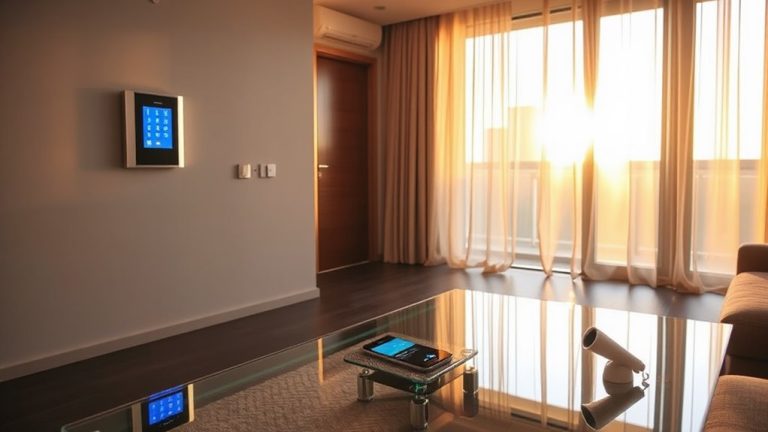
Installing alarm system keypads within easy reach is essential for users with mobility or dexterity challenges, so mount them at a height between 30 and 48 inches from the floor-this range suits most wheelchair users and people standing. You’ll want proper height clearance in front of the unit-leave at least 30 inches of open space so users can approach easily, whether seated or standing. Avoid placing keypads behind doors or in tight corners. Choose a location near main entryways and living areas for quick access. Use a keypad with a non-slip surface texture so fingers don’t slide, especially helpful for those with limited hand strength. A textured surface also improves accuracy during stressful moments. Test reach and visibility with the intended user before finalizing installation. These small adjustments markedly improve usability without raising costs. Consider pairing your keypad with a best personal alarms for seniors system to enhance emergency response capabilities.
Use Lights, Loud Alarms, and Vibrations
Since auditory, visual, and tactile cues support different sensory needs, combining lights, loud alarms, and vibrations makes alert systems more effective for elderly or disabled users. You should include strobe lighting because it grabs attention quickly, especially for those with hearing impairments. These bright flashes are visible from many angles, increasing the chance of detection. Pair strobe lighting with loud, clear alarms that exceed 85 decibels to guarantee auditory alerts penetrate background noise. Also, integrate vibrating alert devices-like under-pillow pads or wearable pagers-that deliver tactile feedback, proving essential for deaf or hard-of-hearing individuals. Using all three alert types reduces missed warnings. Systems with combined features typically cost $200–$400, slightly more than basic models, but the added safety justifies the price. Test all components regularly to confirm they’re working properly.
Add Voice Control and Test System Response
While many alert systems rely on physical controls, adding voice control can make them easier to use-especially for people with limited mobility or dexterity. You should prioritize systems with high voice clarity so commands are understood correctly, reducing errors during emergencies. Check the response latency-delays longer than two seconds can be risky when every moment counts. Look for models tested with diverse speech patterns, including slower speech or regional accents, to guarantee reliability. Test the system yourself by giving clear commands from different distances and rooms. Note how quickly it responds and whether background noise affects performance. Though voice control adds convenience, it shouldn’t replace tactile or visual alerts. Pair it with other alert types for redundancy. Setup may cost more, but the added accessibility often justifies the price. Always confirm compatibility with existing smart home devices.
On a final note
You should assess mobility, hearing, and vision needs before choosing a system. Pick alarms designed for disabilities, with features like flashing lights, loud sounds, and vibrations. Place keypads within easy reach, and consider voice control for ease. Test the system regularly to guarantee it responds correctly. These steps improve safety and independence, supported by evidence showing tailored systems reduce response times. Plan for upfront costs, typically $200–$600, for reliable, accessible protection.