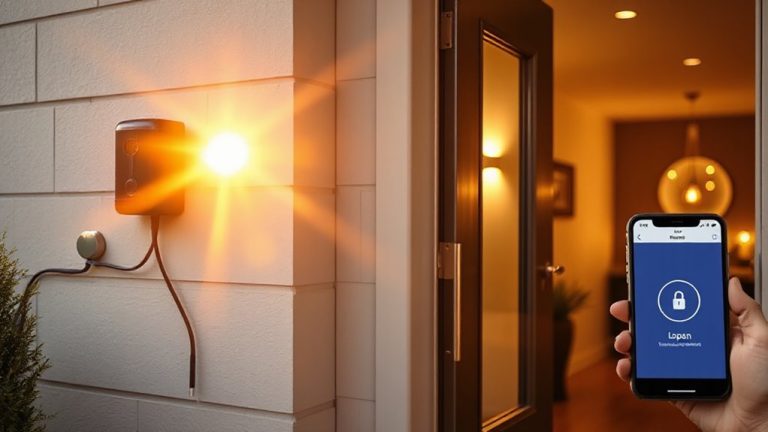
Strategies for Archiving Holiday Season Surveillance Videos Without Losing Data
Enable automatic cloud backups with motion detection to save only important holiday footage securely. Choose encrypted cloud plans ($3–$10/month) or hybrid storage for reliability. Use NAS or external drives for redundancy, but avoid SD cards. Organize videos by date and event in labeled folders, and keep file names consistent. Retain suspicious or memorable clips; delete routine ones. Archive key moments with compression, storing at least 20GB per season. Strong systems prevent data loss-smart planning guarantees nothing critical slips away.
Notable Insights
- Use cloud storage with motion detection to automatically back up important holiday event footage securely.
- Choose high-capacity, redundant storage like NAS or hybrid cloud to prevent data loss during archiving.
- Organize videos with dated folders and descriptive filenames for quick retrieval and accurate identification.
- Apply retention policies to keep critical footage and delete routine recordings to manage storage efficiently.
- Archive memorable or suspicious clips using encryption and compression to save space and ensure long-term protection.
Back Up Holiday Surveillance Footage Automatically
While holiday decorations go up and guests arrive, your surveillance system keeps recording-so don’t wait until something goes wrong to protect that footage. You can automatically back up videos using cloud sync, which saves recordings to a secure online server as they’re captured. This means even if your camera or local storage fails, your holiday footage stays safe. Pair cloud sync with motion triggers to guarantee only relevant events are saved, reducing clutter and storage costs. Motion triggers mean recordings start only when activity is detected, increasing efficiency. Most systems let you adjust motion sensitivity, so holiday pets or swaying lights won’t flood your storage. Reliable cloud plans start around $3 to $10 monthly, depending on video quality and retention length. Choose a service with encryption for privacy. Automatic backups with cloud sync and motion triggers give you consistent, hands-off protection for holiday surveillance-no manual effort required. For those relying on local storage, consider a Security DVR with built-in backup scheduling to mirror footage to an external drive or NAS.
Pick the Right Storage for Holiday Recordings
Since holiday recordings can quickly fill up storage, choosing the right option matters more than you might think. You need both ample storage capacity and reliable data redundancy to keep footage safe. Below is a comparison of common storage solutions:
| Type | Capacity & Redundancy |
|---|---|
| Cloud | Scalable storage, high redundancy |
| External HDD | Large capacity, low redundancy |
| NAS | High capacity, configurable redundancy |
| SD Card | Limited capacity, no redundancy |
| Hybrid Cloud | Balanced capacity, strong redundancy |
Cloud and NAS options offer better protection through data redundancy, reducing risk of loss. External drives provide space but lack backup features. SD cards are convenient but prone to failure. For holiday recordings, prioritize systems that combine strong storage capacity with built-in redundancy. Hybrid and NAS solutions deliver long-term reliability without overspending. Choose wisely to guarantee every clip stays intact. High-endurance micro SD cards for security cameras are designed to handle continuous write cycles and extended recording periods, making them a better choice if local card storage is necessary.
Organize and Label Holiday Video Clips
Start by creating a clear folder structure to store your holiday video clips, because good organization makes it easier to locate footage when you need it. Use folders labeled by date, location, and holiday themes-like Christmas Eve or New Year’s Day-to group related clips. Within each folder, name files with consistent labels that include the date, time, and brief description, such as “FrontDoor_12-25-2023_0700_Carolers.” This improves searchability and recall. Also, note clip durations in the file description or a separate log, since shorter clips are faster to review, while longer ones may capture more context. Avoid generic names like “video1” to prevent confusion. Consistent labeling reduces retrieval time and strengthens your archive’s reliability. Plan this system early in the season, since organizing footage weekly takes less time than doing it all at once.
Decide What Surveillance Footage to Keep
Because not every clip holds long-term value, you’ll want to review your holiday surveillance footage and keep only what’s useful or meaningful. Applying clear retention policies helps manage storage and guarantees compliance with privacy guidelines. Focus on footage relevance-clips showing unusual activity or potential security concerns are worth saving. Short holiday gatherings without incidents might not justify long-term retention. Consider the table below to guide decisions:
| Footage Type | Keep or Delete? |
|---|---|
| Suspicious activity | Keep (high relevance) |
| Routine holiday visits | Delete (low relevance) |
| System malfunctions | Keep (for review) |
Balance retention policies with available storage. Delete low-relevance clips promptly to free up space. Keep a log of retained footage for consistency. This approach guarantees you maintain only what supports security and operational needs, without clutter or unnecessary risk.
Save Holiday Memories and Security Evidence
How often do your holiday recordings capture both cherished moments and critical security details? Your surveillance system might unintentionally document family gatherings and gift unwrapping-events worth preserving for memories and safety verification. Rather than deleting footage after a set period, review clips during peak holiday activity. Flag key segments that include these moments for long-term archiving. Store them in encrypted cloud storage or on an external drive to prevent data loss. Compression tools help reduce file size without sacrificing quality, making storage more affordable. While keeping footage enhances sentimental value and provides evidence if a theft occurs, weigh privacy concerns-especially when minors appear. Share access only with trusted family members. Plan early: allocate at least 20GB per holiday season, and budget $20–$50 annually for backup solutions. Smart archiving balances memory preservation with practical security. For uninterrupted coverage, consider using an indoor camera with continuous recording capability.
On a final note
You should back up holiday videos automatically to avoid losing key footage. Choose reliable storage-like encrypted cloud services or external hard drives-based on cost and capacity. Label clips with dates and events for quick access. Keep recordings that show security threats or special moments, but delete unnecessary files to save space. Plan your system now so you protect both memories and evidence.