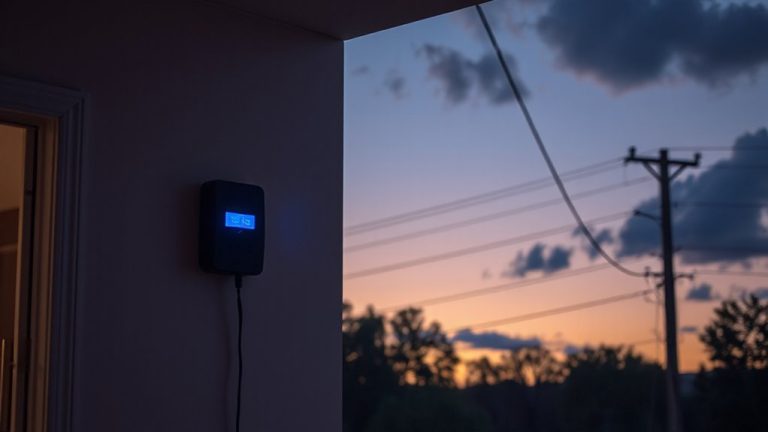
Hardwiring Smart Doorbell Cameras to Trigger Lock Status Alerts Automatically
Hardwire your smart doorbell to a 16–24V AC circuit for reliable power, then pair it with a compatible Z-Wave smart lock via a shared platform like Google Home or SmartThings. Guarantee both devices support 2.4 GHz Wi-Fi and are within strong signal range. Use door sensors to trigger alerts only when motion is detected and the door is open, reducing false notifications. Update firmware and test the system regularly. Missed alerts? Check wiring, reduce interference, or re-pair the devices. A pro installation ($100–$200) guarantees safety and correct setup-consistent performance starts with stable integration. You’ll find even greater efficiency in how alerts sync across devices.
Notable Insights
- Ensure both smart doorbell and lock are compatible with the same smart home platform for seamless automation.
- Hardwire the doorbell to a 16–24V AC transformer to maintain consistent power and reliable operation.
- Use door sensors with the smart lock to detect open/closed status and trigger responsive alerts.
- Integrate doorbell motion detection with the smart lock via a shared hub to automate status alerts.
- Maintain strong 2.4 GHz Wi-Fi coverage and update firmware to prevent sync and connectivity issues.
Choose Compatible Doorbell and Smart Lock Systems
While selecting a smart doorbell and smart lock system, it’s essential to start by ensuring they’re compatible with each other, so you don’t face connectivity issues down the line. Check manufacturer specs to confirm integration with your preferred smart home platform, like Alexa or Google Home. Poor signal strength can disrupt communication between devices, especially if they’re far from your router. For reliable performance, position both the doorbell and lock within strong Wi-Fi range. Device placement affects both signal strength and functionality-mount the doorbell where it captures clear entry views, and install the lock so door alignment doesn’t interfere with motor operation. Choose models that support 2.4 GHz bands for better wall penetration. Systems from the same ecosystem often work more seamlessly. Budget for potential costs like professional installation or upgraded Wi-Fi extenders to improve coverage and reduce dead zones. Consider reviewing the Top Picks for reliable performance and proven interoperability.
Connect Your Doorbell to Your Smart Lock System
Since both your smart doorbell and lock are compatible and properly positioned within range of your Wi-Fi network, you can begin linking them through your chosen smart home platform. Use motion detection from your doorbell to trigger lock status alerts-like when someone approaches while the door is open. Pairing with voice integration allows hands-free checks via smart speakers. A reliable option for seamless integration is choosing a Top Z-Wave Smart Lock that supports your platform’s automation rules. Below are common integration options:
| Platform | Supports Voice Integration & Motion Detection |
|---|---|
| Google Home | Yes, with Nest devices |
| Amazon Alexa | Yes, auto-routines available |
| Apple HomeKit | Yes, requires hub and iOS setup |
| Samsung SmartThings | Yes, but needs rule customization |
Ensure firmware is updated before linking. Test the connection by triggering motion near the doorbell and confirming your lock responds or alerts properly. This setup enhances security through automation without complexity.
Power Your Doorbell to Enable Instant Lock Alerts
When your smart doorbell loses power, the link to your smart lock breaks-meaning you won’t get alerts if someone approaches an opened door. To prevent this, you need a reliable power supply, ideally through hardwiring into your home’s existing doorbell circuit. Hardwiring guarantees continuous operation, unlike batteries that deplete unexpectedly. Make sure your system uses a compatible transformer-typically 16–24 volts AC-to maintain stable performance. When installing, always turn off the power at the breaker to uphold electrical safety. Check wire connections for tightness and insulation to avoid shorts or overheating. A stable power supply not only supports real-time monitoring but also strengthens integration with smart locks. While hardwiring involves more upfront effort and potential electrician costs, around $100–$200, the long-term reliability is worth it. Plan your setup carefully to guarantee lasting, secure functionality. For uninterrupted monitoring without monthly fees, consider models among the best wired doorbell cameras.
Send Alerts Only When the Door Is Unlocked
If your doorbell camera sends alerts every time someone approaches the door, you’re likely getting unnecessary notifications-even when the door is locked and there’s no real risk. You can reduce these distractions by using door sensors to detect the lock state and only trigger alerts when the door is opened. Most smart systems support alert filters, letting you set rules based on sensor data. For example, you can program the system to notify you only when motion is detected at the door *and* the door sensor reports opened status. This cuts down false alarms and keeps your attention on real security concerns. Door sensors are inexpensive and easy to install, typically costing $20–$40 each. When paired with smart hubs or compatible cameras, they make alerts more meaningful. Use alert filters in your app to customize conditions, ensuring you’re informed only when it matters.
Fix Wiring and Sync Issues Causing Missed Alerts
Why are your doorbell alerts not coming through when they should? Faulty wiring or sync problems might be to blame. Loose connections between your smart doorbell and lock system can break communication, so check all wires are secure and properly insulated. Signal interference from thick walls, metal objects, or nearby electronics can weaken your Wi-Fi, disrupting alerts-position your router centrally and avoid overcrowding the 2.4 GHz band. Outdated firmware updates may also cause malfunctions, so regularly check your device’s app for upgrades. These updates often improve sync reliability and fix bugs. If alerts still fail, reset both devices and re-pair them. A stable network, solid wiring, and current firmware greatly reduce missed notifications. Plan annual system checks to maintain performance.
On a final note
You’ve connected your smart doorbell to your smart lock, ensuring alerts trigger only when the door’s opened. Hardwiring provides reliable power, reducing delays. Test the system weekly to catch sync issues early. Use models with proven compatibility, like Ring or Nest, to avoid glitches. While setup may require extra wiring, the security benefits outweigh the initial effort. Budget for professional help if needed, around $100–$200.