How to Prevent Man-in-the-Middle Attacks on Wi-Fi Security Devices
Use strong WPA3 encryption on your Wi-Fi to block data interception, and upgrade to a router that supports it if needed. Always connect through a trusted VPN on public networks-paid options ($5–$12/month) often offer better security and no-logs policies. Keep your router’s firmware updated to fix known flaws, and disable auto-join for unknown networks. Check for HTTPS before logging in, and monitor your network for strange activity-you’ll see how deeper safeguards work in practice.
Notable Insights
- Use WPA3 encryption on your router to secure Wi-Fi traffic and prevent unauthorized access.
- Enable automatic firmware updates to patch vulnerabilities in your Wi-Fi security devices.
- Verify HTTPS and avoid unencrypted websites to protect data from interception.
- Use a trusted VPN with strong protocols like OpenVPN or WireGuard on public networks.
- Regularly check your router’s admin panel for unknown devices or unauthorized setting changes.
Learn How Man-in-the-Middle Attacks Work
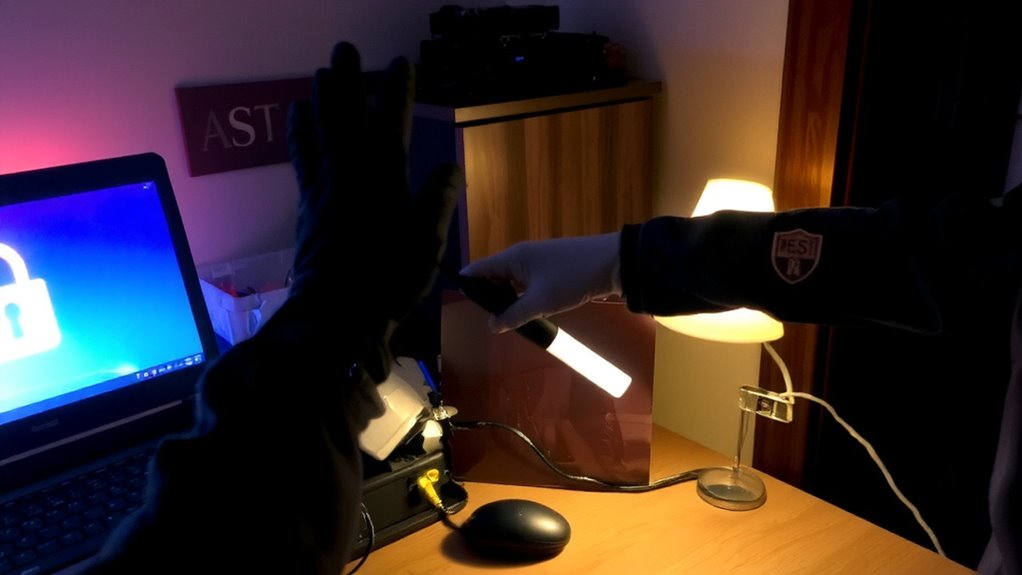
While you’re browsing the web or logging into your email, attackers could be secretly intercepting your data without your knowledge, and that’s exactly how a man-in-the-middle (MitM) attack works. They insert themselves between you and the website you’re connecting to, often using public Wi-Fi. Attackers use packet sniffing to capture unencrypted data traveling across the network, like passwords or messages. Once they’ve collected enough information, they might perform session hijacking by stealing your session cookies, letting them impersonate you on websites. These techniques let them view, modify, or block communications without you noticing. Encryption helps prevent packet sniffing, as does verifying site security (HTTPS). Avoiding unsecured networks reduces risk. Understanding how these attacks unfold lets you take proactive steps, such as enabling two-factor authentication and using trusted connections.
Spot Signs of a MitM Attack on Your Network
How can you tell if someone’s secretly intercepting your network traffic? Watch for unusual network latency-slower connections without clear cause could mean someone’s rerouting your data. You might also notice suspicious device behavior, like devices connecting or disconnecting randomly, or unfamiliar devices appearing on your network. Pop-ups, redirected web pages, or login pages appearing unexpectedly are red flags too. Check your router’s admin panel regularly to verify connected devices. If encryption settings changed without your input, that’s a strong indicator. While not every glitch signals an attack, consistent or multiple symptoms together raise concern. Monitoring performance trends over time helps establish a baseline, making deviations easier to catch. Stay alert, log activity when possible, and act quickly if something feels off. Early detection limits damage.
Stop Mitm Attacks With Strong Wi-Fi Encryption

A locked Wi-Fi network is your first real defense against man-in-the-middle attacks. You should use WPA3 encryption whenever possible, as it’s more secure than older WPA2. If your router doesn’t support WPA3, update it-most modern devices do. Strong encryption prevents hackers from intercepting data between your device and the router. It also helps block signal jamming attempts, which attackers use to force your device onto weaker connections. Watch for rogue repeaters; these fake access points mimic your network and steal information. Always name your network uniquely to spot imposters quickly. Use a strong, unique password and change it regularly. Encryption won’t stop all threats, but it makes attacks far harder and less likely. Verify your router’s firmware is up to date, since patches fix security flaws. This step is essential for long-term protection.
Use a VPN to Secure Public Wi-Fi Sessions
When you connect to public Wi-Fi, your data travels across a network others can easily access, so using a virtual private network (VPN) adds a necessary layer of protection. A VPN encrypts your internet traffic, enabling secure browsing even on untrusted networks. This encryption makes it extremely difficult for attackers to intercept or read your data, reducing the risk of man-in-the-middle attacks. With anonymous surfing, your online activities are hidden from prying eyes, and your IP address is masked. Most reliable VPNs offer strong protocols like OpenVPN or WireGuard, which balance speed and security. While some free services exist, they may log your data or limit bandwidth-paid plans, usually $5–$12 monthly, typically provide better performance and privacy. Choose a provider with a clear no-logs policy and independently audited security. Always activate the VPN before connecting to public hotspots for consistent protection.
Check for HTTPS Protection Every Time
You’ve taken steps to secure your connection on public networks with a VPN, but another key layer of protection starts right in your browser-checking for HTTPS every time you visit a website. HTTPS means the site encrypts data between your device and its server, thanks to SSL/TLS protocols. Always look for the padlock icon and “https://” in the address bar. This guarantees certificate validation has occurred, confirming the site’s identity. Without it, attackers could intercept your data. Some organizations use SSL inspection to monitor traffic, but this should only happen on networks you trust, as it can weaken security if misconfigured. While HTTPS doesn’t guarantee complete safety, it greatly reduces the risk of man-in-the-middle attacks. Enable browser settings that enforce HTTPS where available. Use tools like HTTPS Everywhere for added protection. Regular checking takes seconds and strengthens your overall defense.
Update Router Firmware to Block Exploits
Though often overlooked, keeping your router’s firmware up to date is one of the most effective ways to protect your network from known vulnerabilities. Firmware updates regularly include security patches that fix flaws hackers could exploit. Without these updates, your router remains exposed to attacks, including man-in-the-middle breaches. Most modern routers offer automatic update options-enable them to stay protected effortlessly. If your device doesn’t support auto-updates, check the manufacturer’s website every few months. Look for version numbers and release notes that mention security fixes. Older routers may no longer receive patches, so consider upgrading every three to five years. While newer models often come with stronger encryption and better update support, they may cost more upfront. Consistent firmware updates are a low-cost, high-impact step that strengthens your entire network’s defenses over time.
Turn Off Auto-Join for Unknown Networks
Why take the risk of connecting to a network you don’t recognize? Auto join risks are real, especially in public areas where attackers mimic legitimate Wi-Fi networks. If your device auto-connects, you might unknowingly land on a malicious hotspot designed to intercept your data. That’s why turning off auto-join for unknown networks is essential. You should only connect to networks after manual network verification, ensuring they’re trusted. Most smartphones and laptops let you disable auto-join in Wi-Fi settings, giving you control. It’s a small step with a big impact: it forces you to confirm each connection, reducing exposure to man-in-the-middle attacks. While it might take a few extra seconds to join a network, the security payoff is worth it. Enable this setting at home and on mobile devices, especially if you travel frequently. Prevention starts with smart habits.
On a final note
You can protect your Wi-Fi from man-in-the-middle attacks by using strong encryption like WPA3 and keeping your router’s firmware updated. Always connect through HTTPS, avoid auto-joining unknown networks, and use a trusted VPN on public Wi-Fi. These steps reduce risks markedly, as evidenced by security studies. While a VPN adds cost, the privacy and data protection are worth it for most users. Stay proactive, not reactive.