Step-By-Step Installation of a Doorbell Camera With Built-In Alarm Trigger Alerts
You’ll need a screwdriver, drill, level, and voltage tester, plus a 16–24 VAC transformer for wired models or charged batteries for wireless. Turn off power before handling wires. Mount the camera at 4.5 to 5 feet high, angled slightly down, under cover but with clear motion detection range. Use the app to connect to 2.4 GHz Wi-Fi and pair the device securely with WPA2 encryption. Set motion zones to reduce false alarms from cars or animals. Adjust alarm sensitivity so it detects people without triggering unnecessarily. Test the doorbell and alarm together to confirm immediate alerts and clear video. Proper placement and app calibration improve accuracy over time-fine-tune settings as you observe performance in different lighting and weather conditions.
Notable Insights
- Choose a mounting height of 4.5 to 5 feet and angle the camera slightly downward for optimal face capture and motion detection.
- Use a 16–24 VAC transformer for wired models or ensure battery power is available, verifying voltage compatibility to prevent damage.
- Connect the doorbell to a 2.4 GHz Wi-Fi network via the manufacturer’s app, using WPA2 or WPA3 encryption for secure video transmission.
- Define motion detection zones and adjust alarm sensitivity in the app to reduce false alerts from vehicles or animals.
- Securely mount the camera using provided hardware, anchoring into wood or masonry, and insulate wires to ensure safety and durability.
Check Your Doorbell Camera’s Alarm Features
Why might your doorbell camera’s alarm not work as expected? It could be due to improper alarm sensitivity or motion detection settings. If the alarm sensitivity is too low, real threats may go unnoticed; set too high, it triggers falsely from passing cars or animals. You need to adjust this based on your environment. Motion detection zones let you define where activity should be monitored, reducing false alerts. Test both features during setup to find the right balance. Most systems allow sensitivity adjustments through their app, giving you control in real time. Keep in mind that wide detection angles may capture more motion but increase false alarms. For effective alerts, fine-tune settings after installation. This step guarantees reliable performance without overwhelming notifications. Proper calibration improves security and user experience markedly. Choosing from the best doorbell cameras can provide advanced alarm customization and reliable detection performance.
Gather Tools and Power Requirements First
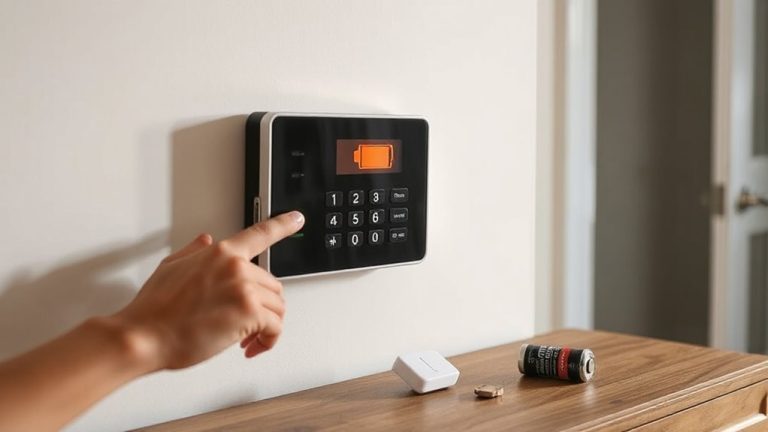
Before you start installing your doorbell camera, take a moment to gather the necessary tools and confirm the power requirements, as skipping this step could lead to delays or improper setup. You’ll typically need a screwdriver, drill, level, wire stripper, and possibly a voltage tester. Check your doorbell’s manual for voltage compatibility-most wired models require 16–24 VAC, and using the wrong transformer can damage the unit. If you’re replacing an existing doorbell, verify that your current transformer meets these specs. For battery-powered models, make certain you have spare batteries or access to a charging station. Always prioritize wiring safety: shut off power before handling wires, and never touch exposed conductors. Confirming these details early helps prevent malfunctions and ensures reliable alarm trigger alerts. Planning now saves time and supports a secure, functional installation. Consider using a POE doorbell camera for a streamlined setup with consistent power and data through a single Ethernet cable.
Pick the Best Spot for Your Doorbell Camera
Where should you place your doorbell camera for ideal coverage and effectiveness? You’ll want a spot that offers clear sightlines of visitors and packages while guaranteeing reliable weather resistance and strong night visibility. Mount it about 4.5 to 5 feet high to capture faces clearly. Avoid placing it under deep awnings-it needs some exposure to detect motion properly, but not so much that it’s exposed to direct rain or snow. Choosing a model with built-in alarm trigger alerts can enhance your home security by notifying you instantly of potential threats.
| Factor | Recommendation |
|---|---|
| Height | 4.5–5 feet above ground |
| Angle | Slightly downward for face capture |
| Weather resistance | Guarantee IP65 or higher rating |
| Night visibility | Pick a spot with minimal glare and near a light source |
This setup guarantees consistent performance day and night.
Mount Your Doorbell Camera the Right Way
You’ve picked the ideal spot for your doorbell camera, balancing height, angle, and environmental protection for maximum coverage. Now, secure it properly to guarantee long-term performance. Use the provided mounting hardware and attach the base firmly to avoid movement. Check structural integrity by anchoring into solid material-like wood or masonry-rather than soft siding or trim that can loosen over time. If hardwiring, turn off power at the breaker and confirm wires are insulated and tucked safely to maintain wiring safety. Avoid pinching cables during installation. Position the camera so the mounting bracket allows full visibility without obstruction. Tighten screws evenly to prevent cracks, especially on fragile surfaces. A stable mount guarantees reliable motion detection and video clarity. Test the alignment before finalizing. This step supports both security effectiveness and device longevity, minimizing maintenance and false alerts down the line.
Connect to Wi-Fi and the Mobile App
How easy is it to get your doorbell camera online? Pretty straightforward, as long as you follow the steps. First, download the manufacturer’s app on your smartphone. The app guides you through Wi Fi encryption setup, ensuring your connection is secure using WPA2 or WPA3 protocols. This protects your video feed from unauthorized access. Once the camera powers on, it creates a temporary network for initial mobile pairing. Connect your phone to this network, then select your home Wi-Fi and enter the password. The app handles the transfer seamlessly. Mobile pairing lets you control settings, view live footage, and receive notifications. Make sure your router uses 2.4 GHz, since most doorbell cameras don’t support 5 GHz. A strong signal near the front door improves performance. Double-check Wi-Fi encryption to avoid vulnerabilities. This step is critical for long-term security and reliable operation.
Set Up Alarm Trigger Alerts
Now that your doorbell camera is online and connected to your home network, you can customize its responsiveness by setting up alarm trigger alerts. Using the app, enable motion detection to determine how sensitive the camera is to movement. You can adjust the detection zones to focus on areas like the front walkway and ignore others, like passing traffic. This helps reduce false alarms. Alert customization lets you choose how you’re notified-via push notification, email, or in-app alert-so you stay informed without being overwhelmed. You can also set schedules, like receiving alerts only during nighttime hours. Most systems support integration with smart home alarms, boosting overall security. While basic features are usually free, advanced motion detection analytics may require a subscription. Plan accordingly based on your needs and budget.
Test the Doorbell and Alarm Together
Once the doorbell and alarm system are linked, it’s important to verify they respond correctly as a team. Stand at the door and press the doorbell button while monitoring both the chime and alarm response. Check that the alarm activates within seconds and the camera feed appears on your device without lag. Repeat the test from different distances and angles to rule out signal interference. You should also simulate motion near the sensor to confirm alerts trigger only when needed, helping reduce false alarms. If the alarm goes off unexpectedly, review the sensitivity settings and check for nearby electronic devices causing signal interference. Avoid placing the doorbell close to microwaves or Wi-Fi routers. Guarantee your Wi-Fi signal is strong and stable, as weak connections can delay alerts or cause malfunctions. Testing thoroughly now prevents reliability issues later.
On a final note
You’ve installed your doorbell camera and set up alarm triggers correctly. Make sure it’s on a strong Wi-Fi signal and check alert settings monthly. Cameras with built-in alarms deter intruders, but test them often to confirm they sync with your phone. Use weatherproof mounts and consider hardwiring for reliable power. While wireless models are easier to install, they need frequent battery checks. Plan placement and power carefully to save time and avoid gaps in coverage.