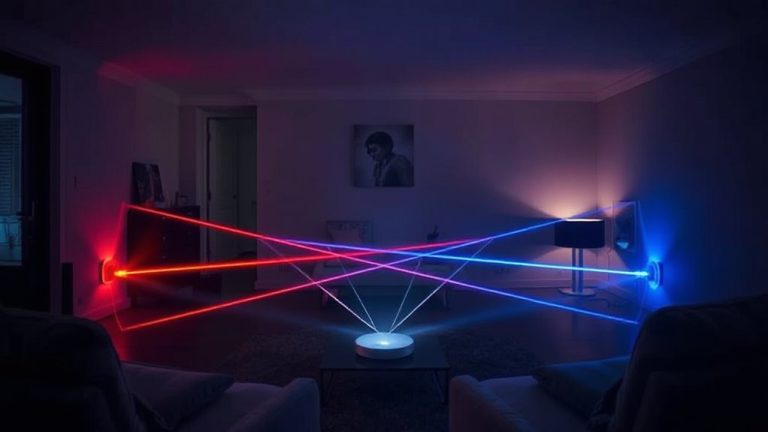
Guide to Installing Security Systems in Homes With Metal or Concrete Walls
You can install a reliable security system in homes with metal or concrete walls by choosing wired, wireless, or hybrid setups based on your needs. Wired systems offer strong signals but cost $800–$1,500 due to labor. Wireless systems using sub-GHz frequencies penetrate better than 2.4/5 GHz. Use Z-Wave LR or sub-GHz sensors to reduce interference from metal. Add signal repeaters, priced $50–$150, to boost coverage in large or multi-floor homes. For best results, combine wired connections in key areas like entry doors with wireless sensors in hard-to-wire spaces. Proper calibration and testing help prevent false alarms and signal drops. System performance improves notably when components are matched to your home’s structure and installed with attention to placement and interference sources-knowing the right setup makes all the difference.
Notable Insights
- Use wired security systems for reliable performance in metal and concrete environments to avoid signal interference.
- Choose low-frequency wireless sensors like sub-GHz or Z-Wave LR for better penetration through metal and concrete walls.
- Install signal repeaters to extend wireless range and overcome dead zones caused by thick, signal-blocking materials.
- Combine wired and wireless components in a hybrid system for flexibility, redundancy, and full coverage.
- Test and calibrate sensors after installation to ensure optimal signal strength and system reliability in challenging environments.
Why Metal and Concrete Block Security Signals
Although metal and concrete offer strong physical protection for your home, they can interfere with wireless security signals because these materials reflect or absorb radio waves. You’ll face signal reflection when Wi-Fi or radio frequencies bounce off metal surfaces, preventing them from reaching their intended devices. Concrete, especially when reinforced with metal, worsens electromagnetic interference, weakening or blocking communications between sensors and the control panel. This interference often leads to delayed alerts or system failures during critical moments. Wireless systems may struggle without signal boosters or mesh networks, increasing setup complexity and cost. Consider evaluating signal strength in each room before installation. Wired systems bypass these issues but require more labor and higher upfront pricing. Understanding how building materials affect performance helps you make informed choices and guarantees consistent, reliable security across your entire property.
Pick a Wireless or Wired System That Penetrates Concrete
You’ve seen how metal and concrete walls disrupt wireless signals, leading to spotty communication and potential security gaps. When choosing a system, pick wired options for reliable signal strength or wireless models designed for dense materials. Wired systems offer consistent performance and superior interference reduction but cost more to install. Wireless systems using 2.4 GHz or 5 GHz frequencies can work if labeled for use in concrete buildings-look for mesh networking or strong encryption. Check manufacturer specs for penetration ratings and real-world testing data. Systems with low-frequency sub-GHz bands often maintain better signal strength through thick walls. Consider upfront pricing: wired setups may run $800–$1,500, while wireless kits start around $300. Plan your layout early, matching device placement to structural features. Prioritize interference reduction to guarantee stable connections and dependable monitoring across all zones. For strong performance in challenging environments, consider a best wireless surveillance camera system that utilizes advanced signal penetration technology.
Boost Signals in Concrete Homes With Repeaters
How do you maintain strong security system signals in a home with thick concrete walls? You use signal repeaters to combat signal degradation caused by dense materials. Repeaters extend the range of wireless signals by receiving and retransmitting them, ensuring devices stay connected. Without them, signals weaken quickly, especially over multiple concrete floors or large open spaces. Interference sources like metal furniture, appliances, or Wi-Fi networks can also disrupt performance, so place repeaters strategically-away from these obstacles and midway between the hub and sensors. Most models are easy to install and connect to existing systems, typically boosting signal strength by up to 150%. While they require power outlets and may add $50–$150 to setup costs, the reliability boost is worth it. Use one or two depending on home size, testing placement before final installation.
Use Sensors That Work Through Metal Walls
Signal repeaters help overcome signal loss in concrete walls, but they can’t always fix connectivity issues when metal is involved-since metal reflects and blocks wireless signals more severely than concrete alone. For reliable performance, you’ll need sensors designed to reduce signal interference. Look for models with strong穿透 (penetration) capabilities and adaptive sensor calibration that adjusts to environmental obstacles. These features help maintain consistent communication through dense materials.
| Sensor Type | Best For Metal Walls? |
|---|---|
| Z-Wave LR | Yes – long range, less interference |
| Sub-GHz Wireless | Yes – better wall penetration |
| Standard Wi-Fi | No – high signal interference |
Choose systems operating on lower frequencies, as they’re less prone to disruption. Always perform sensor calibration after installation to guarantee peak sensitivity and connectivity. This small step greatly improves reliability in metal-rich environments. Popular Home Assistant motion sensors offer customizable sensitivity and integration with automation ecosystems.
Combine Wired and Wireless for Reliable Coverage
While wireless systems offer flexibility, combining them with wired components can considerably improve reliability in homes with metal or concrete walls, where signal blockage is common. You benefit from hybrid integration, which uses the strengths of both systems. Wired connections provide stable communication, while wireless sensors allow easy placement. This setup creates signal redundancy, meaning if one path fails, another carries the data. That boosts uptime and system responsiveness. You’ll find hybrid systems cost slightly more-typically $100–$300 extra-but the reliability is worth it for critical areas. Install wired elements for key zones like entry doors and wireless for windows or remote outbuildings. Make sure your control panel supports both. With hybrid integration, you get consistent coverage without dead zones. Plan your layout carefully, matching each tech to where it performs best. This smart mix gives you dependable security, tested in tough environments. For optimal hardwired performance, consider a best wired security camera system as part of your key zone coverage.
Run Wires Safely in Concrete Walls
When installing wired security components in concrete walls, you’ll need to plan carefully because drilling through dense material requires the right tools and safety precautions. Use hammer or rotary hammer drills with masonry bits-these drill techniques help penetrate concrete efficiently without damaging surrounding areas. Always wear safety goggles and gloves, and check for electrical lines or pipes before drilling. For wire concealment, route cables through baseboard channels or use surface-mounted raceways that blend with walls. Alternatively, drill small, strategic holes to feed wires into wall cavities, sealing gaps afterward. This keeps your wiring hidden and protected. While more labor-intensive than drywall, concrete allows durable, tamper-resistant wire concealment when done correctly. Plan your layout first to minimize drilling and reduce effort. Concrete-safe anchors and clips further secure cables. Though initial setup takes time, the result is a clean, permanent installation that supports long-term system reliability.
Test and Tune Your Security System
After installing your security system, especially in homes with metal or concrete walls that can interfere with signals, you’ll want to test each component thoroughly to guarantee full functionality. Walk through each sensor and camera, checking for consistent communication with the central hub, as signal interference can weaken wireless connections. Test door and window sensors by opening them while the system is armed, making certain alarms trigger promptly. Motion detectors should respond accurately to movement without delayed alerts. To reduce false alarms, adjust sensitivity settings and make certain sensors aren’t aimed at heat sources or moving objects like curtains. Confirm mobile alerts arrive in real time. Retest after repositioning any equipment. Document response times and performance issues. Regular tuning helps maintain system reliability, particularly in challenging environments. With proper testing, you’ll improve accuracy, minimize disruptions, and make certain your home remains securely protected using data-backed adjustments.
On a final note
You now know how metal and concrete walls weaken signals, so choose systems designed to overcome them. Wired setups offer reliability, while wireless models with repeaters boost range. Use sensors rated for dense materials and consider hybrid systems for full coverage. Run wires safely using conduits in concrete. Test all components after installation, then adjust placement if needed. Plan for extra costs like drills or professional help, and always check device specs before buying.