Restricting Footage Sharing Permissions to Pre-Approved Family Devices
You can restrict footage sharing to only approved family devices by verifying each one through your security app or website. Just add devices, confirm with a code sent to you, and label them for easy use. Only approved devices can view or share videos, thanks to encryption and secure logins. Unauthorized ones can’t access, download, or change settings. Keep your list updated when devices change. For deeper insights into managing access, explore the full guide.
Notable Insights
- Only pre-approved devices can access or share footage after verification via SMS or email.
- Device authentication ensures family members’ devices are verified before viewing or downloading videos.
- Unauthorized devices are blocked from sharing, syncing, or altering footage and system settings.
- Label and manage family devices in the app to control sharing permissions clearly.
- Regularly review and update the approved device list to include new devices and remove lost or sold ones.
How to Approve Devices for Family Video Access
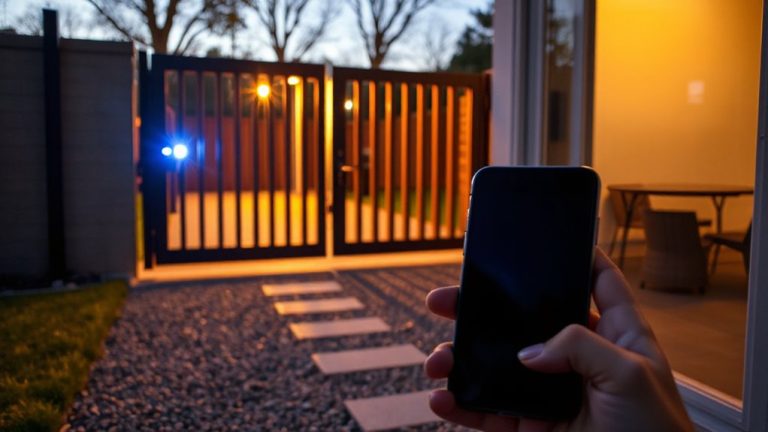
How do you guarantee only trusted devices can access your family’s private video footage? You start with device verification and access control. First, log into your security account through the app or website. Navigate to the devices menu, where you’ll see all connected hardware. Select “Approve New Device” when adding phones, tablets, or computers. The system sends a verification code via email or SMS-enter it to confirm authenticity. Only devices that pass this check gain access. You can label each device (e.g., “Mom’s iPhone”) for easier management. Disable access remotely if a device is lost. Enable two-factor authentication for stronger control. Review approved devices monthly. Most platforms support up to 10 trusted devices; premium plans may allow more. This structured process guarantees only your family’s gear can view sensitive footage, reducing unauthorized exposure without complexity. For seamless integration with your setup, consider using Home Assistant Security Cameras that support robust access controls and end-to-end encryption.
Why Only Approved Devices Can View Your Footage
You’ve taken the steps to verify and approve each device your family uses, and now it’s important to understand why only those trusted devices should ever access your private video footage. Device authentication guarantees that only recognized devices can connect to your security system, reducing the risk of exposure. Without verified access, unauthorized users might intercept your data. By limiting viewing privileges to pre-approved devices, you maintain control over who sees your footage and when. This approach uses encryption and secure login protocols to protect each session. It’s not about distrust-it’s about smart risk management. Systems that require device authentication help prevent breaches before they happen. You’ll want to review approved devices periodically and remove any no longer in use. Doing so strengthens your overall security posture and guarantees only the right people have access.
What Unauthorized Devices Can’t Do
Even if someone tries to access your security footage from an unknown phone or tablet, the system won’t let them through-without prior approval, unauthorized devices can’t view, download, or share any recorded video. You’re protected from device cloning attempts, where a hacker duplicates your device’s identity to trick the system; the platform detects and blocks these unauthorized copies automatically. There’s no risk of data leakage, because encryption stays active during transmission and storage, so even intercepted data stays unreadable. Unauthorized devices can’t alter settings or grant themselves access, and they won’t sync with your account history or cloud backups. This setup guarantees only trusted family devices remain in the loop. You maintain control, reduce vulnerabilities, and keep sensitive footage private. It’s a proactive layer of defense grounded in verified security protocols, not just convenience.
Update Access When Family Devices Change
When a family member gets a new phone or tablet, or when a device is lost or sold, it’s important to update which devices can access your security footage. Failing to do so risks unauthorized viewing and weakens your privacy controls. Most systems support device inheritance, allowing new gadgets to receive access after proper verification. Access expiration rules also help by automatically revoking permissions from inactive or outdated devices after a set time. A reliable home security camera with app ensures these controls are easy to manage from anywhere.
| Action | Benefit |
|---|---|
| Add new device | Enables access for current hardware |
| Remove old device | Prevents misuse after sale or loss |
| Enable device inheritance | Simplifies shifts between devices |
| Set access expiration | Enhances security over time |
| Review device list monthly | Guarantees only trusted devices remain |
Regular updates keep your system secure and guarantee only the right people see your footage.
Secure Footage With Trusted Device Settings
Trusted device settings give you direct control over which phones, tablets, or computers can view your security footage, building on the routine updates you already follow for device access. You approve each device manually, ensuring only family members you trust can connect. Once approved, device encryption protects the footage during transmission and storage, so even if a signal is intercepted, the data stays secure. Access logging tracks when and where someone views recordings, giving you a clear history of usage. This helps spot unfamiliar activity fast. Most systems update logs automatically and allow you to review them anytime through the app. While enabling these settings may take a few extra minutes during setup, the added control is worth it. Disable access remotely if a device is lost. No extra fees are typically involved. Plan to recheck settings after network changes.
On a final note
You can now control who sees your home footage by only allowing pre-approved family devices. This keeps your videos secure and limits access to trusted users. When devices change, simply update your settings to maintain protection. Using this feature strengthens privacy without complicating daily use. Consider enabling it as part of a broader plan to secure your home network and protect sensitive moments.