Using Zigbee Repeaters to Boost Signal Strength Between Smart Locks and Hub in Large Homes
You can use Zigbee repeaters to boost signal strength between your smart lock and hub in large homes by extending the mesh network. Place mains-powered repeaters like smart plugs or bulbs halfway between devices, avoiding metal and Wi-Fi interference. These devices relay signals reliably, improving coverage and stability. Best placement and compatible gear-typically $15–$30-ensure best performance. For even stronger connections, consider how layout and device choice shape your network’s effectiveness.
Notable Insights
- Zigbee repeaters extend signal range and improve reliability between smart locks and hubs in large homes.
- Place repeaters midway between lock and hub, avoiding metal objects and thick walls.
- Use mains-powered devices like smart plugs or bulbs, as they reliably act as repeaters.
- Position repeaters in high-traffic, elevated areas with minimal interference from Wi-Fi or microwaves.
- Ensure device compatibility and update firmware regularly to maintain mesh network performance.
Why Zigbee Signals Drop (And How Repeaters Help)
Ever wonder why your smart lock sometimes loses connection despite being on a Zigbee network? That’s often due to signal interference from other wireless devices like Wi-Fi routers or microwaves, which operate on similar frequencies. These disruptions weaken communication between your lock and the hub. Physical obstructions-such as thick walls, metal doors, or large appliances-also block or reflect Zigbee signals, reducing their range and reliability. Since Zigbee works best in open, uncluttered paths, even a single wall can degrade performance, especially in larger homes. Devices placed far from the hub are more vulnerable. While Zigbee is energy-efficient and secure, its low-power signals aren’t designed to travel long distances through barriers. These factors combine to create dead zones, leaving your smart lock temporarily unreachable.
How Zigbee Repeaters Fix Smart Lock Connections
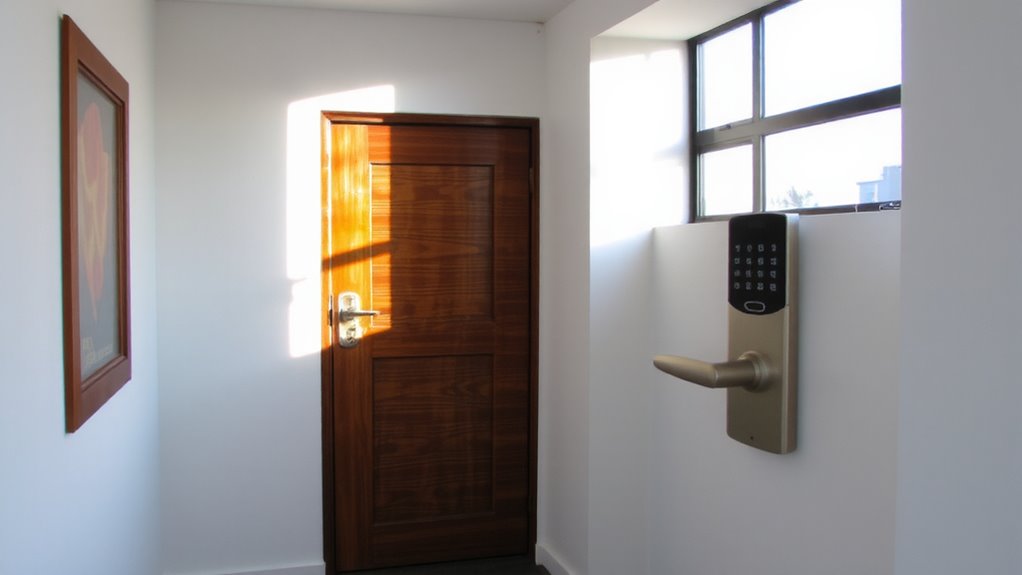
Zigbee repeaters solve connection problems by extending the network’s reach and improving signal stability, especially in homes where walls or distance weaken signals. You’ll notice fewer dropouts because repeaters actively relay messages between your smart lock and hub. Thick walls or metal structures often cause signal reflection, which distorts the path of communication-repeaters counteract this by providing alternate routes. Device interference from Wi-Fi routers or microwaves can also disrupt the 2.4 GHz band; placing a repeater away from these sources reduces conflicts. They operate on the same frequency but improve network resilience through mesh networking. You don’t need many-one well-placed repeater usually suffices. Look for models with low latency and strong compatibility with your existing ecosystem. Setup is simple and typically adds only $20–$40 to your system.
Zigbee Devices That Work as Repeaters
A smart home setup thrives on reliable connections, and many Zigbee devices double as repeaters to strengthen your network. You can use smart plugs, light bulbs, and sensors to extend the signal between your smart lock and hub. These devices actively relay data, reducing signal interference caused by walls or large spaces. Just make sure each one has strong device compatibility with your hub-check the manufacturer’s specs before buying. Devices that run on mains power work best as repeaters since they’re always on, unlike battery-powered sensors, which can’t relay signals. Look for models tested for mesh networking performance, and avoid cheap options with spotty firmware. While most cost $15–$30, investing in trusted brands improves reliability. This approach boosts range without extra hardware, as long as you plan placements wisely and confirm compatibility upfront.
Best Spots for Zigbee Repeaters in Large Homes
You already know that certain Zigbee devices can boost your network by acting as repeaters, but where you place them makes all the difference-especially in larger homes. Position repeaters midway between your smart lock and hub to reduce signal reflection from metal doors or appliances. Avoid corners and basements; instead, place them in high-traffic areas like hallways or living rooms, where devices stay powered and active. Keep repeaters at least 10–15 feet from Wi-Fi routers to limit network congestion. Brick walls and large furniture can block signals, so elevate devices on shelves for clearer paths. Don’t overload one room with repeaters-spreading them out improves overall coverage. Each repeater should have line of sight to another Zigbee device. Proper placement reduces dead zones and guarantees reliable lock communication. Plan locations using a site survey or signal testing app for best results. This strategy enhances performance without extra cost.
How to Add a Zigbee Repeater in 5 Minutes
Got a smart lock that’s slow to respond or drops connection? Adding a Zigbee repeater takes just 5 minutes and can fix signal gaps. First, confirm device compatibility-your repeater must work with your hub and smart lock. Plug the repeater in midway between your lock and hub, avoiding metal objects to reduce signal interference. Power it on and wait for it to sync-most hubs detect it automatically.
| Feature | Pros | Cons |
|---|---|---|
| Easy setup | No tools needed | Limited range extension |
| Works with lights | Doubles as room lighting | Dependent on outlet |
| Low cost | Under $25 | Varies by brand |
| Mesh support | Strengthens whole network | Needs stable power |
Check app alerts to confirm connectivity. Proper placement improves response.
Mistakes That Break Zigbee Repeater Signals
Poor placement of your Zigbee repeater can severely limit its effectiveness, turning a potential fix into a hidden culprit behind weak signals. You might install it too far from either your hub or smart lock, breaking the communication chain. Avoid placing it near metal objects, thick walls, or appliances like microwaves and fridges, as they cause signal interference. Keep it at least 6 feet from Wi-Fi routers to reduce network congestion. Don’t plug the repeater into power strips with surge protectors-power surges can damage the device or interrupt its performance. Instead, use a direct wall outlet for stable power. Also, guarantee the repeater isn’t overcrowded by too many connected devices, which can degrade response times. Each mistake adds up, reducing reliability and range. Correct positioning and stable power are essential for maintaining a consistent signal path across your home.
Why Your Repeater Isn’t Fixing the Signal?
Just because a Zigbee repeater is in place doesn’t mean it’s solving signal issues. You might still experience weak connections if the repeater isn’t properly positioned or powered. Many users overlook firmware updates, which are critical for performance and security fixes-check your manufacturer’s app regularly. Also, guarantee device compatibility between your smart lock, hub, and repeater, as not all Zigbee devices work seamlessly together, even if they’re labeled 3.0 or Zigbee HA. Some brands lock features to their ecosystem, limiting range extension. Test signal strength using your hub’s diagnostic tools before and after changes. Place repeaters halfway between the lock and hub, avoiding thick walls or metal obstructions. Hardwired repeaters, like smart plugs, often outperform battery-powered ones. If problems persist, a mesh network audit or professional setup may be needed.
On a final note
You can boost your smart lock’s Zigbee signal in large homes by adding a repeater every 30–50 feet, especially near walls or metal obstructions. Many Zigbee devices, like smart plugs or bulbs, double as repeaters. Place them in central, open areas for best results. Setup takes minutes, but avoid overcrowding or poor spacing. If the signal still drops, check for interference or incompatible devices. A well-planned repeater layout improves reliability, security, and response time across your system.