The Truth About Wi-Fi Dependency in Wireless Home Security Alarm Systems
Your wireless alarm relies on Wi-Fi, but that connection can fail-30% of homes face monthly outages from interference or power loss. When Wi-Fi drops, you lose remote alerts, camera feeds, and emergency notifications to authorities. Cellular backup fixes this, using a separate network to maintain connectivity even during internet or power failures, with most systems adding $10–$20 monthly. Dual-path systems combine Wi-Fi and cellular for reliability. Local storage and AI detection add resilience. The best systems prepare you for worst-case scenarios.
Notable Insights
- Wi-Fi-dependent alarms lose connectivity during outages, disabling remote alerts and live camera access.
- Signal interference from walls or appliances can degrade Wi-Fi performance, increasing false alarms.
- Power failures often disable Wi-Fi routers, cutting off security system communication entirely.
- Cellular backup provides reliable connectivity during internet outages, ensuring continuous alarm monitoring.
- Dual-path systems with Wi-Fi and cellular reduce alert delays by over 80% compared to Wi-Fi-only setups.
Why Wi-Fi Fails as Home Security’s Foundation
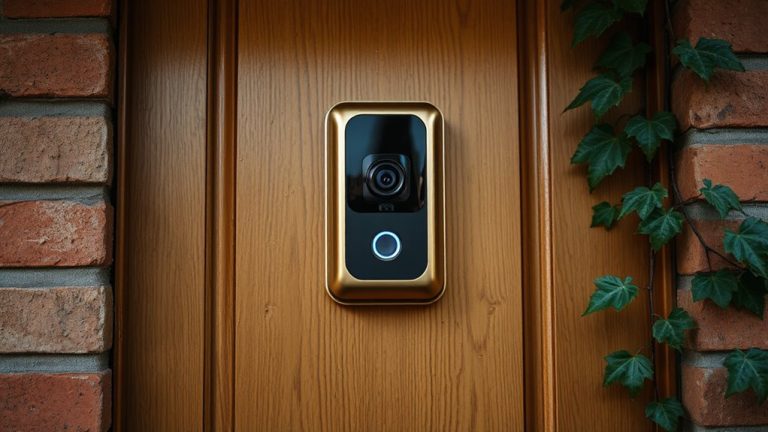
Have you ever wondered why your security camera cuts out during a storm or slows down when multiple devices are online? Your system relies on Wi-Fi, which is vulnerable to signal interference from walls, appliances, and neighboring networks. These disruptions weaken performance, causing lag or dropped connections when you need clarity most. Power outages also disable standard routers and modems, cutting your security feed entirely unless you have a backup power source. Unlike dedicated systems, Wi-Fi lacks guaranteed uptime, making it an unreliable foundation for home safety. While affordable and easy to install, its dependency on household electricity and shared bandwidth presents real risks. Consider pairing your system with a UPS battery backup and using devices that support low-bandwidth modes. For stronger reliability, explore systems with dual-path signaling, which use both Wi-Fi and cellular networks. Planning around these flaws improves resilience, ensuring your security doesn’t fail when it matters most. Top-rated doorbell cameras with Wi-Fi often include features to mitigate connectivity issues, such as local storage and mobile alerts.
What Happens When Your Alarm Loses Internet
What happens when your alarm loses internet during a break-in or emergency? Without a connection, your system can’t send alerts to monitoring centers or your phone, leaving you unaware of threats. Most Wi-Fi-dependent alarms stop functioning remotely, disabling app control and live camera feeds. You might still have local sirens, but authorities won’t get automatic notifications. Signal interference from walls or appliances can worsen connectivity issues, increasing the risk of undetected failures. Some systems may trigger false alarms due to unstable signals, causing frustration and potential fees. These disruptions highlight a critical weakness: internet outages equal security gaps. While convenient, Wi-Fi alone isn’t reliable during power or network failures. Consider that 30% of homes experience monthly internet interruptions. Relying solely on Wi-Fi increases vulnerability. For stronger protection, look beyond internet-based communication. A dependable system should work when the internet doesn’t.
Cellular Backup: How It Keeps Your System Online
Even if your home’s Wi-Fi goes down, a security system with cellular backup can still send alerts and maintain communication. This feature uses a separate cellular network, so your system stays online during outages. Most systems activate emergency protocols automatically, ensuring alarms reach monitoring centers without delay. When paired with backup power, like a built-in battery or UPS, the system keeps running during power failures-critical for uninterrupted protection. Cellular plans usually require a monthly fee, often $10–$20, but they’re reliable and low-maintenance. Coverage depends on your provider’s signal strength, so check local network performance before choosing a system. Some models include dual-path communication, combining Wi-Fi and cellular for maximum redundancy. Make sure your provider includes cellular monitoring in their service plan, and confirm backup power supports all key components, especially the control panel and communicator. This setup is essential for consistent, dependable security. Top-rated systems often feature cellular security cameras for enhanced off-grid surveillance.
Key Features of a Wi-Fi-Resilient Security System
If your Wi-Fi goes down, a truly resilient security system won’t leave you blind-look for models with built-in cellular backup, since that’s the most reliable way to maintain connection during outages. You’ll also want local storage, so video clips are saved directly on the device if cloud access fails. That way, you won’t lose critical footage during disruptions. Pair this with strong motion detection that uses AI to reduce false alarms from pets or shadows. These sensors should work even without internet. Systems with encrypted local storage protect your data better than cloud-only options. Most high-performing models cost $200–$400 upfront, with cellular plans adding $10–$15 monthly. Check for long battery life and tamper alerts. Choosing a system with these features means your alarms, recording, and detection keep working-whether or not your Wi-Fi’s online. Top wireless security cameras often include these built-in cellular backup capabilities for uninterrupted protection.
Are App Alerts Reliable During Connection Outages?
You’ve likely considered how your security system performs when the Wi-Fi drops, especially with features like cellular backup and local storage keeping recordings safe. When outages occur, app alerts may fail unless your system includes cellular connectivity. Without it, signal interference or a downed network can cause alert delays or missed notifications altogether. Systems with dual-path communication-Wi-Fi and cellular-deliver more reliable alerts, as they switch automatically during outages. Studies show cellular backup reduces alert delays by over 80% compared to Wi-Fi-only setups. While this feature increases upfront costs by $10–$20 monthly, the reliability boost is worth it for critical alerts. Always confirm whether your provider includes cellular in the base plan or charges extra. For maximum dependability, choose a system that supports local processing and push notifications through multiple channels. Test alerts monthly to guarantee responsiveness, even during network disruptions.
On a final note
You shouldn’t rely solely on Wi-Fi for home security, as outages can disable alerts and remote access. When internet fails, your system may not contact monitoring centers or notify you. Choose a system with cellular backup, which keeps your alarm online during Wi-Fi disruptions. Look for dual-path communication, low monthly fees, and reliable app integration. Cellular plans cost more but offer critical redundancy. Test connections regularly and confirm professional monitoring support.