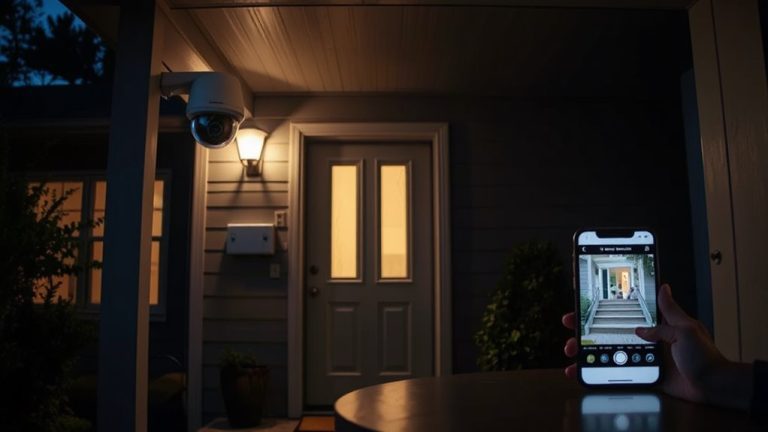
Best Doorbell Cameras That Keep Your Home Safe & Smart
You get clear 2K video, smart detection, and flexible power with top doorbell cameras. Models like the Google Nest and Tapo D225 offer high resolution and wide views, while Blink and Ring provide long battery life or dual power. Many support motion zones, instant alerts, and two-way talk. Some need subscriptions for full features, but Tapo and WYZE offer local storage to avoid fees. Choose based on wiring, weather resistance, and smart home compatibility. More details on each model follow.
We are supported by our audience. When you purchase through links on our site, we may earn an affiliate commission, at no extra cost for you. Learn more. Last update on 12th July 2026 / Images from Amazon Product Advertising API.
Notable Insights
- High-resolution 2K video and wide field of view ensure clear footage of visitors and packages.
- Color night vision and dual cameras provide head-to-toe visibility in low-light conditions.
- Smart detection with AI identifies people, vehicles, and packages to reduce false alerts.
- Local storage options eliminate subscription fees while keeping video secure and accessible.
- Easy wire-free installation and weather resistance make setup quick and reliable outdoors.
Google Nest Doorbell (3rd Gen) 2K Video
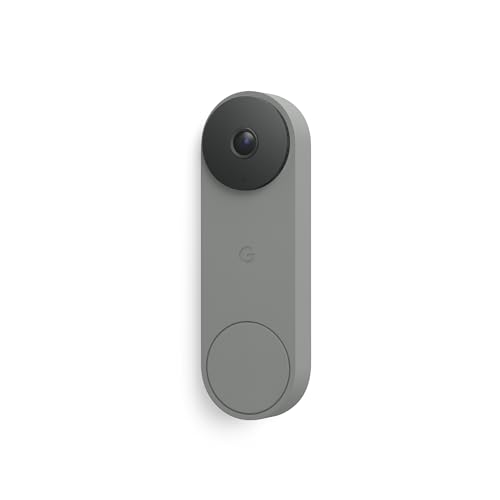
If you rely on Google’s ecosystem for smart home control, the Google Nest Doorbell (3rd Gen) with 2K HDR video is one of the strongest choices, especially for users who want sharp image detail and seamless app integration. I’ve found its 166° field of view captures more of your porch than most models, and the night vision stays clear in low light. It needs a 16-24VAC transformer, so you might have to upgrade your wiring. I use it with the Google Home app only-no Nest app support-and I appreciate the real-time alerts for people, packages, and animals. With a Google Home Premium plan, I search video clips using natural questions like “Who rang the doorbell at 8 p.m.?” and get accurate results.
Best For: Homeowners deeply integrated into Google’s smart home ecosystem who want high-resolution video, wide field of view, and AI-powered search and alerts.
Pros:
- Crisp 2K HDR video with night vision and a wide 166° field of view for comprehensive coverage
- Smart detection of people, packages, vehicles, and animals with customizable, detailed alerts
- Seamless integration with Google Home app and powerful AI search via Gemini with Premium subscription
Cons:
- Requires hardwired 16-24VAC power, potentially necessitating transformer upgrades
- Works only with Google Home app-no support for Nest app
- Advanced features like facial recognition and natural language search require Google Home Premium subscription
Blink Video Doorbell HD View & 2-Year Battery

The Blink Video Doorbell HD View & 2-Year Battery stands out for homeowners who prioritize long-term battery life and straightforward installation without sacrificing video quality. I appreciate its 1440p HD video, 150° field of view, and infrared night vision, all powered by three AA lithium batteries lasting up to two years. It works wire-free or with existing chime wiring, and includes a Sync Module Core for reliable connectivity. Two-way talk, Alexa integration, and person detection alerts add convenience. While cloud features require a subscription, the free trial lets me test storage and Blink Moments. It’s a practical, no-fuss choice for reliable, long-term monitoring.
Best For: Homeowners seeking a reliable, wire-free video doorbell with long battery life and easy installation without compromising on HD video quality.
Pros:
- Up to two years of battery life with removable AA lithium batteries for hassle-free maintenance
- Sharp 1440p HD video with a 150° field of view and infrared night vision for comprehensive coverage
- Works with existing doorbell wiring or wire-free, includes Sync Module Core and supports Alexa integration
Cons:
- Cloud storage and advanced features like person detection require a subscription
- No 5 GHz Wi-Fi support, limited to 2.4 GHz networks only
- Indoor chime requires separate purchase of Blink Mini 2 when not using wired setup
Ring Battery Doorbell (Newest Model)

What makes the Ring Battery Doorbell (Newest Model) stand out for me is its 66% greater vertical coverage, delivering head-to-toe video that captures more of each visitor-from ground-level packages to taller individuals-making it a strong choice for homeowners or renters wanting clearer visibility at their front door. I like that the built-in USB-C battery detaches quickly for charging, and setup is simple: just mount it and connect through the Ring app. I get instant motion alerts, use Live View and Two-Way Talk from my phone, and, with a Ring Protect plan, see smart alerts for people or packages. It works well with Alexa devices, letting me view the feed on an Echo Show or get voice announcements.
Best For: Homeowners or renters seeking a reliable, easy-to-install smart doorbell with enhanced vertical video coverage and seamless smartphone and Alexa integration.
Pros:
- 66% more vertical coverage with Head-to-Toe Video for better visibility of visitors and packages
- Built-in USB-C rechargeable battery with tool-free removal for convenient charging
- Instant motion alerts, Live View, Two-Way Talk, and smart detection features with Ring Protect
Cons:
- Requires a Ring Protect subscription for advanced features like smart alerts and video history
- Battery must be detached and charged separately, which may leave the doorbell unattended
- Limited functionality without compatible Alexa devices or a subscription plan
Ring Battery Doorbell Plus (Newest Model)

Who wouldn’t want clear, full-body video coverage and reliable alerts without a hardwired setup? I rely on the Ring Battery Doorbell Plus for its HD+ video and wider field of view, which captures visitors head to toe. It includes Color Night Vision, so I see details even in low light. Motion alerts are accurate, with customizable zones and Person or Package Detection-though a Ring Protect plan enables these smart features. The quick-release battery makes recharging simple, and I installed it myself using the Ring app. It works with Alexa, so I check the live feed or respond to visitors by voice. A subscription is needed for event history and advanced insights, which adds to long-term cost.
Best For: Homeowners seeking a wire-free smart doorbell with sharp HD+ video, color night vision, and smart alerts powered by AI.
Pros:
- Delivers head-to-toe HD+ video with an expanded field of view and clear Color Night Vision
- Offers accurate motion detection with customizable privacy zones and AI-powered Person and Package Alerts
- Easy to install and remove thanks to the quick-release battery and Wi-Fi setup via the Ring app
Cons:
- Advanced features like event history and AI insights require a paid Ring Protect subscription
- Battery needs regular recharging, especially with frequent use or cold weather
- Limited smart alert functionality without a subscription, reducing value for non-subscribers
Tapo 2K+ Smart Video Doorbell (D225)

If you’re looking for a doorbell camera that balances flexibility and long-term reliability without locking you into a subscription, the Tapo 2K+ Smart Video Doorbell (D225) stands out with its dual power options and local storage support. I can install it wired for continuous recording or use the 10,000mAh battery, which lasts up to 8 months. It captures sharp 2K video with a full-color 180° view, and its adjustable mounting fits most entryways. I get smart alerts for people, vehicles, or packages, and I can answer calls directly from my phone. I store videos on a microSD card, though cloud backup is optional. It works on 2.4GHz Wi-Fi, pairs with Alexa and Google, and includes two-way audio with quick response options.
Best For: Homeowners seeking a versatile, subscription-free smart doorbell with long battery life and reliable local storage.
Pros:
- Supports both wired and wireless installation with up to 8 months of battery life on a single charge
- Offers 2K QHD video with a 180° field of view and full-color night vision for comprehensive coverage
- Provides smart detection alerts for people, vehicles, and packages with local microSD storage (up to 512GB) and no mandatory subscription
Cons:
- Requires 2.4GHz Wi-Fi, limiting compatibility with dual-band routers on 5GHz networks
- MicroSD card not included, and cloud storage requires a separate Tapo Care subscription
- Adjustable mounting wedges may not accommodate extreme angles for all door or wall setups
Ring Battery Doorbell (Newest Model) Satin Nickel

The Ring Battery Doorbell (Newest Model) in Satin Nickel stands out for homeowners who prioritize wide video coverage and reliable motion detection without running wiring. I get 66% more vertical view, so I see visitors head-to-toe. Motion alerts notify me instantly, and Smart Alerts detect people or packages-though I need a Ring Protect subscription for those features. It runs on a built-in USB-C rechargeable battery, which I unplug and charge easily. Setup takes minutes: I mount it, connect via Wi-Fi and my phone, and it’s ready. I use Live View and Two-Way Talk from anywhere. It works with Alexa devices for voice and screen alerts, adding hands-free convenience.
Best For: Homeowners seeking a wire-free doorbell with expanded video coverage and smart detection features for convenient, real-time monitoring.
Pros:
- 66% more vertical video coverage captures visitors head-to-toe
- Built-in USB-C rechargeable battery enables easy charging without wiring
- Seamless integration with Alexa devices for voice alerts and hands-free monitoring
Cons:
- Smart Alerts for people and packages require a paid Ring Protect subscription
- Battery must be removed from the mount for charging, which may interrupt security
- Wi-Fi dependency means performance can be affected by weak network signals
eufy Security Video Doorbell E340 2K

I find the eufy Security Video Doorbell E340 2K ideal for homeowners who want reliable, high-quality monitoring without ongoing subscription costs. It uses two cameras-one facing forward, one downward-for full head-to-toe coverage, so you never miss anything at your doorstep. You’ll get sharp 2K video with clear color night vision up to 16 feet, thanks to its dual-light system. It works on battery or with a wired connection, offering flexibility during setup. I appreciate that it pairs with existing chimes and smart devices, including Alexa and Google Assistant. All footage stores locally, so you keep full control without cloud fees.
Best For: Homeowners seeking a reliable, subscription-free video doorbell with crisp 2K video, comprehensive head-to-toe coverage, and flexible power options.
Pros:
- Dual-camera system provides complete head-to-toe doorstep monitoring
- 2K Full HD video with color night vision up to 16ft for clear day and night visibility
- Local storage eliminates cloud fees and ensures full data control
Cons:
- Requires HomeBase or compatible hub for advanced features and extended connectivity
- Battery life may vary with usage and weather conditions when not wired
- Limited smart features compared to cloud-dependent competitors without subscription models
Blink Video Doorbell with HD View & 2-Year Battery

You’ll find the Blink Video Doorbell a strong choice if you want reliable, long-term monitoring without frequent charging or complex wiring. I appreciate its HD view and infrared night vision, which clearly capture visitors day and night. It runs up to two years on three included AA lithium batteries, or you can connect it to existing doorbell wiring. Two-way talk works smoothly through the Blink app, and real-time alerts keep me informed. I need a Blink Sync Module (sold separately) for full features. It works with Alexa and includes a 30-day subscription trial for person detection and cloud storage.
Best For: Homeowners seeking a wire-free, low-maintenance smart doorbell with long battery life and crisp HD video for reliable day and night security monitoring.
Pros:
- Up to two years of battery life with included lithium AA batteries for minimal maintenance
- HD video with infrared night vision ensures clear footage of visitors and packages in any lighting
- Seamless integration with Alexa and two-way talk through the Blink app for convenient monitoring
Cons:
- Requires a separate Blink Sync Module for full functionality, adding to the overall cost
- Cloud storage and advanced features like person detection require a paid subscription
- No built-in chime; needs existing wiring or a separate Blink Mini 2 camera for audible alerts
WYZE Duo Cam Video Doorbell (2K, Battery)

No need to choose between crystal-clear video and reliable detection-WYZe’s dual-camera setup gives homeowners both, making it ideal for anyone serious about monitoring entrances without monthly fees. I use one camera for spotting people and the other for doorstep activity, which improves package detection. It delivers 2K video with color night vision, even in low light. I save footage locally on a microSD card-no subscription needed. The removable battery lasts up to six months. I install it in under a minute with no tools. It works on both 2.4 and 5 GHz Wi-Fi, resists weather, and supports Alexa and Google Assistant.
Best For: Homeowners seeking a wire-free, high-resolution video doorbell with advanced detection and local storage options without mandatory subscription fees.
Pros:
- Dual-camera system enhances both person and package detection with 2K Full HD video and color night vision
- Supports local 24/7 recording via microSD card with no required subscription, plus optional Cam Plus for cloud
- Removable battery lasts up to six months and enables quick swaps, with easy tool-free installation and IP65 weather resistance
Cons:
- microSD card not included and must be purchased separately for local storage
- Battery-powered operation may require more frequent charging in high-traffic scenarios despite long battery life
- Advanced features like smart alerts and automation require compatible ecosystems (Alexa, Google Assistant, IFTTT)
Google Nest Doorbell (Wired, 3rd Gen)

The Google Nest Doorbell (Wired, 3rd Gen) stands out for homeowners who prioritize high-resolution video and seamless smart home integration. I get stunning 2K HDR footage and a wide 166° view, plus clear night vision. It runs on continuous power, so I never worry about battery life, but I’ll need a compatible 16-24VAC transformer. Video is end-to-end encrypted, and I appreciate the green LED that shows when it’s active. It detects people, packages, and more, sending instant alerts. With a Google Home Premium subscription, it recognizes familiar faces and gives descriptive alerts. I control everything through the Google Home app, not the Nest app. Gemini AI lets me search clips by voice and get event summaries. A free 1-month Premium trial helps me test advanced features.
Best For: Homeowners seeking a high-resolution, wired smart doorbell with advanced AI features and seamless integration into the Google Home ecosystem.
Pros:
- Delivers sharp 2K HDR video with a wide 166° field of view and reliable night vision
- Powered continuously with no batteries to charge or replace
- Offers advanced smart detection, end-to-end encryption, and Gemini AI-powered voice search with subscription
Cons:
- Requires a compatible 16-24VAC transformer and professional installation in some cases
- Google Home Premium subscription needed for facial recognition and descriptive alerts
- Works only with the Google Home app, not the Nest app, limiting legacy user compatibility
Factors to Consider When Choosing the Best Doorbell Cameras
You’ll want to take into account video quality and clarity, since a sharp image helps you identify visitors quickly and accurately. Think about power options and installation-wired models offer steady performance, while battery-powered ones give flexibility but need regular charging. Don’t overlook smart detection, alert timing, storage limits, and whether the app connects smoothly with your existing devices and Wi-Fi setup.
Video Quality And Clarity
Clarity in every frame starts with resolution, and higher-resolution sensors like 2K or 1440p deliver noticeably sharper images, helping you identify faces or packages from farther away. You’ll benefit from a wider field of view, up to 180°, which captures more of your porch and walkway, reducing blind spots. HDR technology balances bright skies and dark shadows in the same shot, so you see details in both areas. At night, infrared or color night vision maintains clear footage, with some models offering visibility up to 16 ft. For smooth motion, aim for 30 FPS-this guarantees fast-moving people or vehicles stay in focus. Don’t overlook these features when comparing models; together, they determine how well you’ll see and understand what’s happening at your door. Prioritize resolution, lighting adaptability, and frame rate for reliable, everyday clarity.
Power Options And Installation
While choosing a doorbell camera, considering how it’s powered can greatly impact convenience and performance. Wired models need a compatible transformer (16–24VAC) and provide constant power, so you never worry about charging. Battery-powered options last months to over a year, depending on motion frequency, temperature, and usage, but require regular recharging. Many offer USB-C charging or removable batteries, reducing downtime. Some cameras support dual power, letting you go wire-free or hardwire for continuous recording. Wire-free setups take minutes-just strong 2.4 GHz or dual-band Wi-Fi and basic tools. Wired installs may need an electrician to confirm compatibility. If you want easy DIY setup, go battery or dual-power. For uninterrupted power and reliability, choose wired. Plan based on your home’s wiring and how much maintenance you’re willing to handle-each option has clear trade-offs in effort, cost, and functionality.
Smart Detection And Alerts
When evaluating smart detection and alerts, focus on how accurately a doorbell camera identifies important activity using AI-driven object recognition, which distinguishes between people, vehicles, packages, and animals to reduce irrelevant notifications. You’ll want models that let you set customizable motion zones so alerts only trigger in key areas, like your front step or driveway. Real-time alerts reach your phone instantly, often with timestamps, so you can review events quickly. Some cameras process detection locally, giving you faster response times and better privacy than cloud-only systems. Keep in mind that advanced features like facial recognition or detailed labels-such as “Person with backpack”-usually require a paid subscription. While these add value, they also increase long-term costs. Choose a system that balances smart detection accuracy with your privacy needs and budget.
Storage And Subscription Needs
You’ve seen how smart detection trims down false alerts by identifying people, packages, and pets with precision, but those alerts only matter if you can review and store the footage effectively. You’ll want to choose between local and cloud storage based on your needs. Local storage, like a microSD card, lets you record continuously without monthly fees, keeping footage on the device. Cloud storage usually requires a subscription, giving you access to event history, AI alerts, and remote playback. Many brands offer free trials, but you’ll need to pay later to keep those features. Look for end-to-end encryption if you want your videos secure in transit and storage. Subscriptions often include perks like 30-day video history, customizable detection, and smart summaries. Weigh the long-term cost of subscriptions against the simplicity of local storage when planning your setup.
Connectivity And App Integration
Since seamless operation depends on stable connections, choosing a doorbell camera with strong Wi-Fi support and app reliability is essential. You’ll want 2.4 GHz or dual-band Wi-Fi compatibility to guarantee consistent signal strength. A dedicated mobile app lets you receive motion alerts, view live video, adjust settings, and use two-way audio smoothly. Some models need a sync module or hub to maintain secure, reliable communication between your doorbell and app. Make sure the camera works with your smart home ecosystem-like Alexa or Google Assistant-so you can check footage or respond to visitors using voice commands. During setup, the app guides you through Wi-Fi pairing, detection zone customization, and notification preferences. Pick a system that balances ease of integration with long-term stability for dependable, everyday use.
Frequently Asked Questions
Can Doorbell Cameras Work in Extreme Weather Conditions?
Yes, most doorbell cameras handle extreme weather if they’re rated for it. You’ll want one with an IP65 or IP66 weatherproof rating-those withstand rain, snow, and dust. They typically operate in temperatures from -4°F to 122°F. Cold won’t stop them, but heavy ice or snow buildup might block the view. Wipe the lens occasionally. Choose models with built-in heaters if you’re in a freezing climate.
Do These Cameras Support Local Video Storage?
Yes, some doorbell cameras support local video storage, but not all. You’ll need models with a microSD card slot or onboard storage to keep footage locally. Brands like Ring and Nest require cloud subscriptions for full access, while others like Eufy offer local-only options. Local storage gives you more control and avoids monthly fees, but it’s less secure if the device is stolen. Check specs carefully-compatibility, storage limits, and encryption matter.
Are There Monthly Fees for Basic Features?
you don’t always pay monthly fees for basic features-some doorbell cameras offer free motion alerts, two-way talk, and live viewing without a subscription. however, cloud storage for recorded footage usually requires a plan starting around $3–$4/month. models with local storage via microsd or home hub sync let you avoid fees entirely. check each brand’s tiered options, as free trials or limited clips may tempt upgrades. plan based on how much footage access you actually need.
Can I Install Them Without Existing Wiring?
Yes, you can install them without existing wiring. Many models run on rechargeable batteries, so you won’t need hardwiring. Just mount the unit with included hardware, connect it to your Wi-Fi, and sync it with the app. Battery-powered versions work well at first, but remember you’ll need to recharge every few months. For best results, pick a shaded spot to extend battery life and guarantee solid signal strength near your router.
Do They Integrate With Smart Home Assistants?
Yes, most doorbell cameras integrate with smart home assistants like Alexa, Google Assistant, and Siri, so you can get voice alerts or view your porch on smart displays. You’ll need compatible devices and a stable Wi-Fi connection. Check specs before buying-some models support broader ecosystems than others. Integration lets you control cameras with voice commands, but disable features if privacy’s a concern. Setup’s usually straightforward through the app.