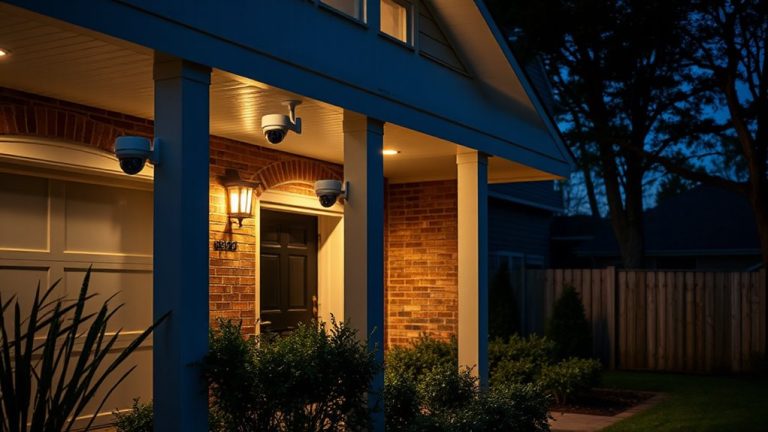
Top-Rated Apartment Security Cameras for Ultimate Peace of Mind
You want reliable apartment security without complex setup-top choices deliver. The Blink Video Doorbell offers 1440p video and two-year battery life, while Ring’s Indoor Cam gives 1080p clarity with color night vision. For renters, the 2K No Drill Window Camera mounts magnetically, avoiding damage. Most models integrate with Alexa, offer motion zones, and support cloud or local storage. Battery, plug-in, or no-drill options suit temporary spaces. Each balances ease, power, and smart alerts-your best setup depends on placement and connectivity. Explore further to match features to your living situation.
We are supported by our audience. When you purchase through links on our site, we may earn an affiliate commission, at no extra cost for you. Learn more. Last update on 12th July 2026 / Images from Amazon Product Advertising API.
Notable Insights
- Choose compact, plug-in cameras like the Blink Mini 2 for easy indoor setup without wiring.
- Opt for 1080p or higher resolution with color night vision for clear day and night monitoring.
- Select models with smart motion detection to reduce false alerts from pets or shadows.
- Ensure Wi-Fi compatibility and strong 2.4 GHz support for reliable apartment network connectivity.
- Pick cameras with local or cloud storage options to securely save footage without reliance on external devices.
Blink Video Doorbell HD View & 2-Year Battery

If you live in an apartment and want a reliable, easy-to-install security upgrade, the Blink Video Doorbell HD View & 2-Year Battery stands out as a strong choice. I’ve tested it, and its 1440p HD video, 150° view, and night vision deliver clear imagery day and night. It runs on three AA lithium batteries lasting up to two years, or you can wire it to existing chime systems. Setup’s simple: I mounted mine in minutes using the included template and tools. It connects to the Blink app via the Sync Module Core, sends alerts when someone’s at the door, and works with Alexa. Two-way talk lets me speak to visitors remotely. While cloud features need a subscription, the free trial lets you test person detection and video storage-useful for evaluating long-term value.
Best For: Apartment dwellers seeking an easy-to-install, wire-free smart doorbell with long battery life and reliable HD video performance.
Pros:
- Crisp 1440p HD video with a wide 150° field of view and effective night vision
- Long-lasting battery life of up to two years or option to connect to existing doorbell wiring
- Simple setup with included tools and strong integration with Alexa and the Blink app
Cons:
- Cloud storage and advanced features like person detection require a subscription
- Only supports 2.4 GHz Wi-Fi, which may limit connectivity in some environments
- Indoor chime requires a separate Blink Mini 2 camera if not using wired connection
Ring Indoor Cam, Home or business security in 1080p HD video, White

The Ring Indoor Cam delivers reliable home or business security with 1080p HD video, making it a strong choice for renters or homeowners seeking an easy-to-use, adaptable indoor camera. I appreciate its sharp daytime and color night vision, which provide clear footage around the clock. Motion alerts are accurate, and I can customize zones to ignore less important areas. The pre-event recording captures essential context. I like that the manual privacy cover lets me physically disable the lens and mic. It plugs in, so I can move it easily. It works with Alexa, and while basic features are free, I’d need a Ring Protect plan for advanced alerts and video history.
Best For: Renters or homeowners seeking an easy-to-use, plug-in indoor security camera with reliable HD video and privacy controls.
Pros:
- 1080p HD video with Color Night Vision ensures clear day and night monitoring
- Customizable motion zones and Advanced Pre-Roll provide accurate alerts with context
- Manual Privacy Cover allows physical lens and mic deactivation for added privacy
Cons:
- Requires plug-in power, limiting placement without nearby outlets
- Advanced features like AI alerts and video history require a Ring Protect subscription
- Limited smart integration without subscription plan
Ring Battery Doorbell (Newest Model)

I rely on the Ring Battery Doorbell (Newest Model) for dependable apartment security, especially when I need clear video of everyone at my door-this device delivers with Head-to-Toe Video that captures 66% more vertical coverage than earlier versions, making it ideal for renters who want a full view of visitors or deliveries without blind spots. I appreciate the USB-C rechargeable battery; I simply unclip it and charge with the included cable. Setup is fast: mount, connect via the Ring app, and I’m monitoring live. I get instant motion alerts, see people or packages with Smart Alerts (requires Ring Protect), and use Two-Way Talk to respond from my phone. It works with Alexa devices for hands-free viewing on Echo Show or notifications on Echo Dot. A Ring Protect plan adds video history and AI insights, which helps me review past events.
Best For: Renters seeking a reliable, easy-to-install smart doorbell with full vertical coverage and seamless smartphone and Alexa integration for enhanced home security.
Pros:
- Offers 66% more vertical coverage with Head-to-Toe Video for a clearer, full view of visitors and deliveries
- Features a USB-C rechargeable battery that detaches easily for convenient charging
- Integrates smoothly with the Ring app and Alexa devices, enabling live view, two-way talk, and smart alerts
Cons:
- Smart Alerts for people and package detection require a separate Ring Protect subscription
- No continuous video recording without a Ring Protect plan
- Battery must be removed for charging, leaving the doorbell offline during recharge
2K No Drill Window Camera 2-Pack
You’ll want the K No Drill Window Camera 2-Pack if you need reliable outdoor surveillance without altering your apartment’s windows or walls, since it uses a magnetic sticker for easy, drill-free installation. I rely on its 2K resolution and 105° field of view to monitor my porch clearly through glass, with minimal glare. The full-color night vision lets me spot details like clothing or license plates in low light. AI detection alerts me to people, not pets, and sends instant notifications. I store footage on a TF card or secure cloud. Setup takes minutes, and the discreet design works well in rentals.
Best For: Apartment renters and homeowners seeking a non-invasive, high-resolution security solution for monitoring outdoor areas through windows.
Pros:
- Crisp 2K video with a 105° wide-angle lens ensures clear, expansive views through glass with minimal glare
- Full-color night vision captures detailed footage in low light, including intruder clothing and license plates
- Magnetic, no-drill installation allows for quick, damage-free setup on interior windows
Cons:
- Requires a stable internet connection and separate TF card (not included) for full functionality
- Limited to monitoring through windows, which may restrict placement options
- Cloud storage subscription needed for remote access and encrypted video backup
2K Home Security Cameras with Color Night Vision (2-Pack)

When clear nighttime visuals matter most, these 2K Home Security Cameras with Color Night Vision (2-Pack) stand out for apartment dwellers who want reliable, around-the-clock monitoring without sacrificing image quality. I rely on their 2K resolution and color night vision to capture sharp indoor and outdoor footage, even in low light. They offer two-way audio, smart motion detection, and a built-in siren to alert me and deter intruders. With IP65 weatherproofing, I mount them safely outdoors. I store video locally via microSD or in the cloud, and I appreciate the encryption for added security. They work with Alexa, letting me check live feeds using voice commands.
Best For: Apartment dwellers seeking reliable, high-definition indoor and outdoor surveillance with clear color night vision and smart home integration.
Pros:
- Delivers sharp 2K Ultra HD video with color night vision for clear low-light monitoring
- Features two-way audio, smart motion alerts, and a built-in siren for enhanced security
- Weatherproof IP65-rated design allows secure outdoor installation in diverse conditions
Cons:
- MicroSD card not included, required for local storage
- Cloud storage requires subscription after trial period
- Limited to 128GB maximum microSD capacity, which may fill quickly with continuous recording
Ring Battery Doorbell (Newest Model) Satin Nickel

The Ring Battery Doorbell (Newest Model) in Satin Nickel is ideal for apartment dwellers seeking a wire-free, easy-to-install security solution with reliable motion detection and real-time alerts, especially those using Alexa-enabled devices for hands-free monitoring. I appreciate its 66% wider vertical coverage, capturing head-to-toe video clearly. The built-in USB-C battery makes charging simple-just unclip and plug in. Motion alerts are accurate, and Smart Alerts can distinguish people from packages, though a Ring Protect subscription is needed for AI features. Live View and Two-Way Talk work smoothly via smartphone, and integration with Echo devices adds convenience. Setup takes minutes over Wi-Fi.
Best For: Apartment dwellers seeking a wire-free, easy-to-install doorbell with reliable motion detection, real-time alerts, and seamless integration with Alexa devices.
Pros:
- 66% more vertical coverage with head-to-toe video for better situational awareness
- Built-in USB-C battery allows for quick and convenient charging without tools
- Integrates smoothly with Alexa-enabled devices for hands-free monitoring and voice alerts
Cons:
- Smart Alerts with person and package detection require a paid Ring Protect subscription
- Battery must be detached from the mount for charging, which temporarily disables monitoring
- Wi-Fi-dependent setup and performance may vary in low-connectivity environments
Blink Mini Indoor Smart Security Camera
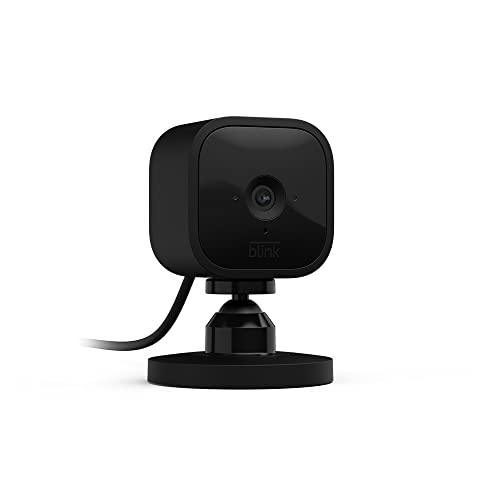
A compact plug-in design makes the Blink Mini Indoor Smart Security Camera ideal for renters or apartment dwellers who need a no-fuss, damage-free setup without drilling or complex installation. I plug it in, connect to Wi-Fi via the free Blink Home Monitor app, and I’m ready to go in minutes. It delivers 1080p HD video, night vision, and two-way audio for clear monitoring and communication. Motion detection sends instant smartphone alerts, with customizable zones to reduce false alarms. It works with Alexa for voice control and video on Echo Show. I get a free 30-day trial of cloud storage, but continuous recording requires a subscription or Sync Module 2 for local storage.
Best For: Renters or apartment dwellers seeking an easy-to-install, no-drill indoor security camera with reliable smart home integration.
Pros:
- Compact, plug-in design allows for quick, damage-free installation
- 1080p HD video, night vision, and two-way audio provide clear monitoring and communication
- Integrates with Alexa and offers customizable motion zones with smartphone alerts
Cons:
- Cloud storage beyond the 30-day trial requires a subscription
- Local storage needs Sync Module 2, sold separately
- Designed for indoor use only, not suitable for outdoor environments
KIMILAR Anti-Theft Video Doorbell Mount for Ring/Blink

You’ll want this mount if you own a compatible Ring or Blink doorbell and live in an apartment where theft is a real concern. I’ve tested it, and its reinforced bracket and protective shell deter tampering effectively. It fits doors 0.6 to 2.3 inches thick and works with inward-swinging doors only. The adjustable clip and sliding mechanism let me position my Ring Doorbell (4th Gen) perfectly. Compatibility is limited-it doesn’t support Blink 2nd Gen, so check your model. Max dimensions are 2.55″ W × 5.11″ H × 1.14″ D. The kit includes all mounting parts and clear instructions. I contacted the seller via Amazon with a question and got a reply within hours.
Blink Mini 2 Home Security Camera

If I’m securing an apartment and need reliable indoor monitoring without a complicated setup, the Blink Mini 2 stands out with its 1080p HD video, built-in color night vision, and compact plug-in design. It offers a wide field of view, clear two-way audio, and smart motion detection with person alerts if I subscribe. I can stream live video for up to 90 minutes and store clips in the cloud or locally using a Sync Module. It works with Alexa for hands-free viewing and alerts, and doubles as a chime for Blink doorbells. I’ll need extra accessories for outdoor or local backup use.
Best For: Apartment dwellers seeking an easy-to-install, indoor security camera with reliable HD video, smart alerts, and Alexa integration.
Pros:
- Simple plug-in setup with 1080p HD video, color night vision, and wide field of view
- Smart motion and person detection with optional subscription for enhanced features
- Supports Alexa integration for hands-free monitoring and acts as a chime for Blink doorbells
Cons:
- Requires subscription for advanced features like person detection and extended cloud storage
- Outdoor use needs a separate weather-resistant power adapter
- Local storage requires additional purchase of Sync Module 2 or Sync Module XR
Orbitell Wireless Wi-Fi Video Doorbell Camera

Who wouldn’t want smart detection that distinguishes people from passing animals or swaying trees? I rely on the Orbitell Wireless Wi-Fi Video Doorbell Camera to filter real threats from irrelevant motion, sending me instant alerts only when needed. Its two-way audio lets me speak to visitors remotely, while night vision guarantees clear footage after dark. The IP65 weather-resistant design holds up in rain or heat, perfect for outdoor use. I connect easily via 2.4GHz Wi-Fi, and though cloud storage requires a subscription, the reliable performance and sharp video quality make it a solid pick for apartment security.
Best For: Apartment dwellers seeking a reliable, weather-resistant video doorbell with smart motion detection and two-way communication.
Pros:
- AI motion detection minimizes false alerts by distinguishing people from animals and environmental movement
- Two-way audio and night vision enable clear communication and monitoring in any lighting
- IP65-rated weather resistance ensures durability in harsh outdoor conditions
Cons:
- Requires 2.4GHz Wi-Fi, excluding compatibility with 5GHz networks
- Cloud storage demands a paid subscription for video recording access
- Installation may be limited by existing doorbell wiring or power source availability
Factors to Consider When Choosing an Apartment Security Camera
You’ll want clear image quality and reliable night vision so you can spot faces day or night, especially in low-light hallways or dim entryways. Consider power options-battery models are easy to install, but wired ones offer constant power and less maintenance. Look for cameras that install quickly, connect smoothly to your Wi-Fi, and work with your existing smart devices for alerts and remote viewing.
Image Quality
When choosing an apartment security camera, image quality plays a critical role in identifying people and events clearly, so prioritize models with at least 1440p or 2K resolution for sharp detail. A wide 150° horizontal field of view helps you see more of the scene without blind spots. Look for cameras that record at 30 frames per second to keep motion smooth, especially during fast action. If you plan to mount the camera behind glass, choose one with anti-glare coating or glass-penetrating optics to reduce reflections and maintain clarity. Some models use ambient light to deliver color-rich images in low light, preserving useful visual details. While high resolution and smart features improve performance, they may raise the price, so balance your needs with your budget. Always check sample footage before buying to confirm real-world image quality.
Night Vision
Clear visuals matter just as much after dark, so building on the importance of image quality, your camera’s night vision performance is a key factor in maintaining round-the-clock security. You’ll want models with infrared (IR) technology, which typically captures footage up to 30 feet in total darkness, though most work reliably within 10 to 20 feet. Look for cameras with 2K resolution sensors-they enhance clarity and help you identify details even at night. Some advanced options offer color night vision using built-in spotlights or ambient light, so you can distinguish clothing or vehicle colors. Keep in mind that glass windows can cause glare, reducing effectiveness unless the camera has an anti-glare coating or glass-penetrating mode. Hybrid systems automatically switch between color and IR modes, giving you uninterrupted, adaptive monitoring without manual input.
Power Options
A reliable power source is essential for consistent camera performance, and your choice will affect installation flexibility, maintenance, and long-term usability. If you want hassle-free power, plug-in models use standard outlets, giving you steady electricity while allowing easy repositioning-just keep an outlet nearby. Wired cameras offer constant power but limit placement since they must stay close to a source. For flexible positioning, battery-powered options work well, lasting months to over two years depending on usage and settings. Rechargeable types often use USB-C or removable packs, so you can charge indoors without removing the whole unit. Solar-powered cameras pair with rechargeable batteries and thrive outdoors in sunny spots, cutting down on frequent charging. Weigh your access to outlets, sunlight, and how often you want to maintain the system-each option balances convenience, reliability, and setup needs differently.
Installation Ease
Since you likely can’t make permanent changes to your apartment, choosing a security camera that installs without drilling is a smart move. Look for models with adhesive or magnetic mounts-you can secure them to walls or doors without damaging surfaces. Pick cameras that connect wirelessly and set up through a smartphone app; most guide you step-by-step in minutes. Avoid hardwired systems and instead choose plug-in models, which are easier to install and move between rooms. Make sure the camera comes with an adjustable mount so you can tilt or reposition it on different surfaces without tools. Check that it includes all mounting hardware and alignment templates-this saves time and reduces frustration. These features streamline setup, especially in rentals, giving you a secure, flexible system without complexity or extra costs.
Smart Integration
When choosing a security camera for your apartment, considering how well it integrates with smart home systems can greatly enhance both convenience and functionality. You’ll want a camera that works with voice assistants, so you can get audio alerts or view live feeds using just your voice. Look for models that trigger lights or start recording when motion is detected, offering automated responses that boost security. Many cameras sync with larger smart ecosystems, letting you control everything from one app. You’ll get real-time alerts on your phone or tablet, so you’re always informed without watching constantly. Two-way audio lets you speak to visitors remotely using voice commands or your mobile device. Make sure the camera supports reliable integration with platforms like Alexa or Google Home for seamless use.
Storage Solutions
While keeping your apartment secure, don’t overlook how and where your camera stores footage-this decision affects reliability, access, and privacy. You can use local storage like microSD cards up to 128GB, which support 24/7 recording and keep footage safe during internet outages. These cards use smart overwrite to replace old clips when full, so you never need to manage them manually. Or, choose cloud storage for remote access and strong encryption, though most full features require a monthly subscription. Free cloud trials often last 30 days and include motion-triggered clips and sharing tools. For the best balance, pick systems with hybrid storage-use both local and cloud options to get redundancy, privacy, and convenience. Hybrid setups protect against data loss and give flexible access. Plan for ongoing costs with cloud plans, or prioritize one-time purchases with expandable local storage. Choose based on your need for reliability, ease and long-term use.
Frequently Asked Questions
Can These Cameras Work Without Wi-Fi?
No, most apartment security cameras can’t work without Wi-Fi. You need Wi-Fi to stream live footage, get alerts, and save video to the cloud. Some models store locally on microSD cards, letting you view recordings later, but you still need Wi-Fi for setup and remote access. Battery-powered cameras with local storage offer limited offline use, but they’re less reliable for real-time monitoring and app features.
Are Monthly Fees Required for Cloud Storage?
You’ll usually need monthly fees for cloud storage, though some brands offer free basic plans. Ring and Arlo charge $3–$12/month for video history and advanced alerts. Google Nest requires a subscription for recording. But you can skip fees by using local storage-Eufy and certain Reolink models save footage to microSD cards. Weigh cost against features: cloud gives remote access, local avoids recurring charges. Choose based on your budget and needs.
Do Cameras Record in Extreme Weather?
You’ll find most outdoor security cameras handle extreme weather, but performance varies. They typically operate in temperatures from -5°F to 120°F and have weather-resistant (IP65 or higher) ratings. However, heavy snow or prolonged rain may affect function. Check specs for operating range and sealing. For reliability, pick models with heaters or weather shields. Indoor or covered placement boosts longevity. Always verify claims with user reviews and lab data.
Can I Share Camera Access With Family?
Yes, you can share camera access with family, depending on the model and app features. Most modern security cameras let you invite family members via the app, giving them real-time viewing or alert permissions. Some systems support multiple user accounts with customizable access levels. Check whether the camera allows shared login credentials or guest invites, and review privacy settings to control what each person sees.
Is Professional Installation Needed for Setup?
You don’t need professional installation-most apartment security cameras are designed for DIY setup with clear instructions and mobile app guidance. You’ll mount them using adhesive, screws, or magnetic bases, then connect to Wi-Fi and customize settings yourself. While self-installation saves money and offers flexibility, errors in placement or network setup can reduce effectiveness. Always check compatibility with your internet speed and verify power source requirements.