Best Cameras for Your House That Keep Intruders Out
You want cameras that deter intruders with clear video, reliable night vision, and smart alerts. Models like the 2K K C1-White-2pack offer sharper detail, while TP-Link Tapo C100 and Blink Outdoor 4 provide solid 1080p, weather resistance, and easy setup. Look for dual-sensor motion detection, color night vision, and local or cloud storage-some require subscriptions for full features. Strong Wi-Fi, wide field of view, and two-way audio boost effectiveness. Your best setup depends on indoor or outdoor use, power access, and smart home compatibility. Choosing the right mix of features guarantees your home stays protected, and knowing how they compare helps you make a confident decision.
We are supported by our audience. When you purchase through links on our site, we may earn an affiliate commission, at no extra cost for you. Learn more. Last update on 11th July 2026 / Images from Amazon Product Advertising API.
Notable Insights
- Choose cameras with 1080p or higher resolution and a wide field of view to clearly monitor key entry points.
- Prioritize models with color night vision and at least 30-foot range to identify intruders in darkness.
- Opt for AI-powered motion detection that distinguishes people from pets to reduce false alerts.
- Select weather-resistant, outdoor-rated cameras with strong build quality to deter and withstand tampering.
- Use dual storage (cloud and local) with motion-triggered recording to ensure reliable evidence retention.
TP-Link Tapo Indoor Security Camera (C100)

Who wouldn’t want reliable, high-quality indoor security without breaking the bank? I’ve tested the TP-Link Tapo C100, and it delivers 1080p video at 15 fps with a 110-degree view, capturing clear footage day or night. It uses infrared for night vision up to 30 feet and even detects low-light motion. I like that it supports 2.4GHz Wi-Fi, works with Alexa and Google Assistant, and offers two-way audio. You can store videos on a microSD card (up to 512GB) or use Tapo Care cloud plans. It’s easy to mount, has a two-year warranty, and costs little upfront, though a subscription activates smarter alerts and 30-day cloud storage.
Best For: Budget-conscious users seeking a reliable, easy-to-install indoor security camera with solid HD video, smart home integration, and flexible storage options.
Pros:
- Delivers clear 1080p video with wide 110-degree field of view and dependable night vision up to 30 feet
- Supports both microSD card (up to 512GB) and cloud storage with advanced features via Tapo Care subscription
- Seamlessly integrates with Alexa and Google Assistant for voice control and live viewing on smart displays
Cons:
- Limited to 2.4GHz Wi-Fi with no 5GHz support, potentially affecting network performance
- Cloud features like 30-day video history and enhanced detection require a paid Tapo Care subscription
- Only 15 frames per second video capture may result in slightly choppy motion playback
2K Outdoor/Indoor Security Camera (C1-White-2pack)

I rely on the K Outdoor/Indoor Security Camera (C1-White-2pack) when I need sharp 2K resolution and reliable color night vision for both indoor and outdoor spaces, making it ideal for homeowners who want clear, detailed footage day and night. I appreciate its weather-resistant IP65 rating, which keeps it running in rain or heat. The two-way audio works well for talking to family or pets, and motion alerts with a built-in siren help deter intruders. I use local storage with a TF card, though cloud options add backup. It works with Alexa and smart home systems, letting me view live feeds by voice.
Best For: Homeowners seeking reliable, high-resolution indoor and outdoor surveillance with sharp 2K video, color night vision, and smart home integration.
Pros:
- Delivers crisp 2K resolution and vivid color night vision for clear day and night monitoring
- Weather-resistant IP65 design ensures durability in harsh outdoor conditions
- Supports two-way audio, motion alerts with siren, and seamless Alexa/smart home integration
Cons:
- Cloud storage is optional and requires a subscription after the 30-day trial
- Local storage requires a separate TF card (not included)
- Limited to 10-second alert clips in the app, which may miss extended events
LaView 4PC 1080P Indoor Security Cameras

If you’re looking for reliable indoor security with strong video quality and seamless remote access, the LaView 4PC 1080P Indoor Security Cameras offer a solid choice for homes or small offices. I get sharp 1080P HD video and clear 2.1MP images, even in low light, thanks to infrared night vision that reaches 33 feet. It connects via 2.4GHz Wi-Fi only, so check your network. I can watch up to nine live feeds at once through the app, anywhere, anytime. Motion alerts notify me instantly, and two-way audio lets me respond clearly. I store footage on a microSD card or use the free 30-day AWS cloud trial. I can share access with up to 20 people, all under one account.
Best For: Homeowners and small business owners seeking reliable indoor surveillance with high-quality video, easy remote access, and secure cloud or local storage options.
Pros:
- Crisp 1080P HD video with 2.1MP clarity and effective infrared night vision up to 33 feet
- Supports remote viewing of up to nine live feeds via the LaView app on multiple devices
- Offers flexible storage with microSD card support and a 30-day free AWS cloud trial, plus easy sharing with up to 20 users
Cons:
- Wi-Fi connectivity limited to 2.4GHz networks, excluding 5GHz compatibility
- No continuous video recording without a subscription after the cloud trial ends
- Motion alerts may trigger false notifications without advanced detection customization
Ring Indoor Cam, Home or business security in 1080p HD video, White

The Ring Indoor Cam delivers reliable home or business security with 1080p HD video, making it a strong choice for anyone seeking clear, consistent monitoring without complicated setup. I appreciate the sharp daytime footage and color night vision, which provide usable detail in low light. Real-time alerts respond quickly to motion, and customizable zones help reduce false alarms. With a Ring Protect plan, I can access video history and AI-powered event detection. The manual privacy cover gives me full control, while Alexa integration enables hands-free checks. It’s plug-in powered, so placement is flexible, though it needs a nearby outlet.
Best For: Homeowners or business owners seeking affordable, easy-to-use indoor security with reliable HD video and smart home integration.
Pros:
- Crisp 1080p video quality with color night vision for clear day and night monitoring
- Customizable motion zones and AI-powered alerts reduce false notifications with a Ring Protect subscription
- Manual privacy cover and simple plug-in setup offer user control and flexible placement
Cons:
- Requires constant power outlet access due to plug-in design, limiting placement options
- Advanced features like video history and event detection require a paid Ring Protect subscription
- Privacy reliance on manual cover means no automatic privacy mode when not in use
Blink Outdoor 4 Wireless Security Camera (3-Pack)

Blink’s Outdoor 4 Wireless Security Camera (3-Pack) is one of the most practical choices for homeowners wanting a reliable, wire-free setup without the hassle of frequent battery changes. I appreciate that each camera delivers 1080p HD video, infrared night vision, and two-way audio, all accessible through the Blink app. With dual-zone motion detection and built-in person recognition, alerts are fast and accurate, especially with the optional subscription. The included AA lithium batteries last up to two years, and setup takes minutes with no tools. While the Sync Module Core relies on cloud storage, local backup is possible with other sync modules sold separately. It also works seamlessly with Alexa.
Best For: Homeowners seeking a reliable, wire-free security camera system with long battery life and easy setup.
Pros:
- Delivers 1080p HD video, infrared night vision, and clear two-way audio for effective monitoring
- Long battery life of up to two years with included AA lithium batteries and tool-free installation
- Features dual-zone motion detection and person recognition for accurate, timely alerts
Cons:
- Sync Module Core does not support local storage, requiring cloud subscription for video retention
- Local backup options require purchasing additional sync modules and storage media separately
- Advanced features like person detection require an optional Blink Subscription Plan
Blink Mini 2 Home Security & Pet Camera

You’ll get sharp 1080p video and reliable indoor monitoring with the Blink Mini 2, especially if you want color night vision thanks to its built-in spotlight. I use it indoors, but with the weather-resistant power adapter, it works outdoors too. It has a wider field of view and clear two-way audio for checking on pets or kids. I connect through the Blink app and stream to my Echo Show using Alexa. Motion alerts include person detection with a subscription, which also enables continuous recording. I opted for local storage using a Sync Module 2 and USB drive to avoid monthly fees. Setup took under 10 minutes with the included mount and cables.
Best For: Homeowners seeking an affordable, easy-to-set-up indoor or outdoor smart security camera with color night vision and Alexa integration.
Pros:
- Delivers sharp 1080p video with color night vision using a built-in spotlight
- Integrates seamlessly with Alexa for voice control and video streaming on Echo Show
- Supports local storage with Sync Module 2 to eliminate monthly subscription fees
Cons:
- Requires a separate power adapter for outdoor use
- Advanced features like person detection and continuous recording require a subscription
- Two-way audio and motion detection performance can vary without a strong Wi-Fi signal
2K Home Security Cameras with Color Night Vision

Looking for a security camera that keeps watch day and night with clear, reliable footage? I’ve found the K Home Security Cameras with Color Night Vision deliver sharp 2K HD video both day and night. Their full-color night vision lets me clearly tell the difference between people and animals. These weatherproof, IP66-rated cameras work outdoors year-round, though I recommend placing them under eaves. They offer 2-way audio, instant motion alerts, and dual storage-local on microSD (up to 128GB) or cloud. Plus, they’re plug-and-play, backed by a 2-year warranty, and support is easy to reach during business hours.
Best For: Homeowners seeking a reliable, easy-to-install security camera system with clear 2K video and full-color night vision for monitoring family, pets, or outdoor spaces.
Pros:
- Delivers sharp 2K HD resolution with full-color night vision for clear day and night footage
- IP66-rated weatherproof design ensures durability in harsh outdoor conditions
- Offers dual storage options (local microSD up to 128GB and cloud) plus 2-way audio and instant motion alerts
Cons:
- MicroSD card not included, requiring an additional purchase for local storage
- Optimal outdoor performance requires placement under eaves or cover
- Limited customer support hours (Mon–Fri, 9 AM–6 PM ET)
Roku Indoor Security Camera 2-Pack

The Roku Indoor Security Camera 2-Pack stands out for anyone already invested in the Roku ecosystem, especially those who want seamless viewing on their Roku TV or player without juggling multiple apps. I appreciate its 1080p HD video and color night vision, which deliver clear footage day and night. With WiFi 6 support, the connection stays stable, and Wide Dynamic Range helps in tricky lighting. I get instant motion and sound alerts, and smart detection tells me if it’s a person, pet, or package. Using the Roku Smart Home app, I view live feeds or talk through two-way audio remotely. I can even watch on my TV with voice commands. An optional subscription provides 14-day cloud storage and better notification filtering, which I find useful but not essential for basic use.
Best For: Homeowners and renters deeply integrated into the Roku ecosystem who want seamless indoor security monitoring with easy TV viewing and smart detection features.
Pros:
- Delivers 1080p HD video with color night vision and Wide Dynamic Range for clear imaging in varied lighting
- Seamless integration with Roku TV and voice control via remote or app for convenient viewing
- Smart detection for people, pets, packages, and vehicles with instant motion and sound alerts
Cons:
- Requires a Roku Smart Home subscription for cloud storage and advanced notification filtering
- Limited compatibility outside the Roku ecosystem may frustrate non-Roku users
- Indoor-only design restricts use to interior spaces without weatherproofing
Blurams 5G Home Security Cameras (2-Pack)

Though some may prioritize lower cost or simpler setups, I find the Blurams 5G Home Security Cameras (2-Pack) best suits homeowners seeking reliable, high-resolution indoor monitoring with smart detection and no mandatory subscription. I appreciate its 2K video and 360° pan-tilt coverage, which deliver clear, full-room views. Its AI detection identifies people, pets, motion, and sound-tracking movement and saving 12-second clips automatically. Two-way audio and compatibility with Alexa and Google Assistant make communication easy. I recommend local storage via microSD for 24/7 recording, since it avoids subscription fees. Wi-Fi 6 guarantees stable performance, and the app supports up to four cameras with shared access.
Best For: Homeowners seeking high-resolution, subscription-free indoor security with AI detection and seamless smart home integration.
Pros:
- Delivers crisp 2K video with 360° pan-and-tilt coverage for full-room monitoring
- Offers free AI-powered human, pet, motion, and sound detection with automatic tracking and clip recording
- Supports local microSD storage for 24/7 recording, avoiding mandatory cloud subscription fees
Cons:
- MicroSD card not included, requiring an additional purchase for local storage
- Cloud features with AI highlights require a paid subscription for full functionality
- Optimal performance depends on Wi-Fi 6, which may not be available in all homes
Blink Outdoor 4 Security Camera (2-Pack)

Since clear video quality and long battery life matter most when monitoring outdoor areas, the Blink Outdoor 4 Security Camera (2-Pack) works best for homeowners who want a low-maintenance, wire-free setup with reliable performance. I get sharp 1080p daytime video and clear infrared night vision, plus two-way audio for real-time communication. The included lithium batteries last up to two years, and setup takes minutes. Dual-zone motion detection delivers fast alerts, while person detection needs a subscription. Cloud storage starts with a free 30-day trial; local backup requires a Sync Module XR or Sync Module 2 (sold separately). I also control it with Alexa.
Best For: Homeowners seeking a low-maintenance, wire-free outdoor security system with sharp video, long battery life, and seamless smart home integration.
Pros:
- Delivers clear 1080p HD video and reliable infrared night vision for 24/7 monitoring
- Long-lasting AA lithium batteries provide up to two years of power with minimal maintenance
- Quick, tool-free installation and supports Alexa integration for voice control and multi-camera viewing
Cons:
- Person detection requires an optional subscription plan for full functionality
- No local storage included; Sync Module Core relies on cloud storage or separate hardware for local backup
- Dual-zone motion alerts may generate false notifications without computer vision filtering
Factors to Consider When Choosing a Camera for House
You’ll want to check the video resolution first-1080p is standard, but 2K or 4K gives clearer details. Make sure the field of view covers key areas, ideally 130 degrees or wider, and that night vision reaches at least 30 feet with infrared or color clarity. Look for motion detection with adjustable zones and two-way audio so you can hear alerts and respond in real time.
Video Resolution Quality
Sharp video resolution gives you the clarity needed to identify faces, recognize objects, and monitor activity around your home. You’ll get better detail with 1080p or 2K resolution-2K, at 2560 x 1440 pixels, is noticeably sharper than 1080p’s 1920 x 1080. But higher resolution means larger files, which eat up more storage and bandwidth, possibly raising your cloud costs. Good lighting helps maximize clarity, though cameras with strong low-light sensors keep images clear at night. Don’t just look at resolution-balance it with solid frame rates and efficient compression to avoid motion blur and bloated file sizes. While 2K offers better detail, 1080p may be sufficient for many homes, especially if bandwidth or storage is limited. Choose based on your real needs and system capacity.
Field Of View
A camera’s field of view determines how much of your space you can monitor at once, and it plays a key role in how well your system covers entry points, rooms, or outdoor areas. You’ll want a wide view-110 degrees or more-to cover entire rooms with fewer cameras. Models with pan-and-tilt can scan 360 degrees horizontally and adjust vertically, giving you full dynamic coverage. Avoid narrow fields under 90 degrees; they miss side activity and need exact positioning. While wider angles increase coverage, they can distort edges with fisheye effects, reducing clarity. For indoor use, aim between 110 and 140 degrees to balance area and image sharpness. This range gives strong coverage without sacrificing too much detail. You’ll get effective monitoring, need fewer units, and maintain better awareness of movement near doors or hallways. Choose wisely to optimize security and value.
Night Vision Capability
How well can a camera see when the lights go out? It depends on its night vision capability. Most cameras use infrared (IR) technology to capture clear video in total darkness, often up to 30 feet or more. These IR cameras typically deliver black-and-white footage, which is reliable but lacks color detail. Some models offer color night vision by using advanced sensors and ambient light, helping you better identify people or objects. Performance hinges on the sensor type, lens quality, and built-in IR LEDs or supplemental lighting. Outdoor cameras need weather-resistant housings to keep moisture and debris from impairing the lens or IR emitters. Choose a camera with strong low-light performance, especially if you need clear identification. For best results, position it to minimize glare and obstructions.
Motion Detection Features
When choosing a home security camera, pay close attention to how it detects motion, since this directly affects alert accuracy and recording efficiency. Most cameras use passive infrared (PIR) sensors or pixel-based analysis to spot heat changes or movement. For better results, pick models with dual-sensor detection-combining PIR and video analytics-to reduce false alarms from shadows or swaying trees. Many systems let you set custom motion zones, so you can ignore areas like driveways or pet paths. AI-powered cameras go further by distinguishing humans, animals, and vehicles, cutting down unnecessary alerts. Look for event-triggered recording, which saves clips when motion starts and often includes a few seconds of pre-event footage for context. These features improve reliability and help you respond faster. While advanced detection costs more, it’s worth it for fewer false alarms and clearer evidence when something happens.
Two Way Audio
Beyond detecting movement with precision, another key feature to evaluate is two-way audio, which lets you communicate directly through the camera using a built-in microphone and speaker. You can talk to family, warn off intruders, or calm pets remotely using your mobile app. Look for models with noise-canceling tech-it cuts background sound so conversations stay clear. Audio quality varies: some cameras deliver sharp, long-range sound, while others sound muffled. Crisp audio guarantees you’re understood, even from another room or while traveling. A stable internet connection is essential to avoid lag or dropouts during live chats. App integration also matters-choose cameras with responsive, user-friendly apps. Don’t assume all models perform equally; check reviews for real-world audio performance. Prioritize clear sound, minimal delay, and solid app support so your two-way system works reliably when you need it most.
Storage Options Available
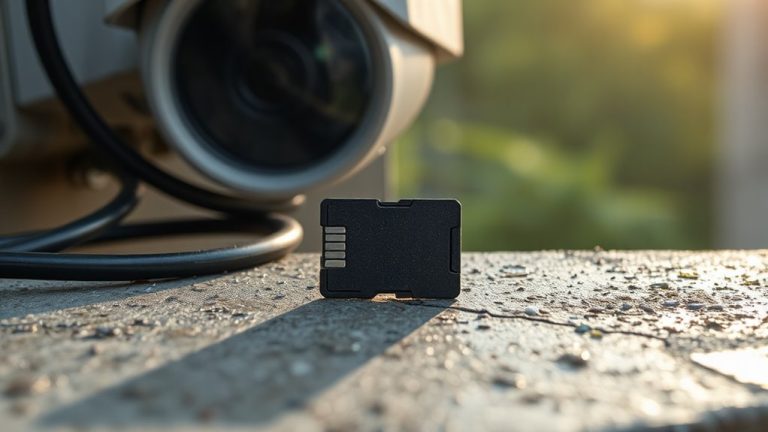
While some cameras keep recordings secure on-site, you’ll often need to choose between local and cloud storage based on your needs for access, reliability, and cost. You can store footage locally using a microSD card, with many cameras supporting 128GB to 512GB, allowing hours or days of continuous recording. Some models only save clips when motion or sound triggers them, which saves space but may miss key moments. Cloud storage usually requires a subscription, often after a 30-day free trial, and gives you access to videos from anywhere with up to 30 days of history. Your data stays protected through encryption, even if your camera is stolen. For best results, pick a system with dual storage so footage saves to both the microSD card and the cloud-this gives you backup and better security. Consider ongoing fees, your internet speed, and how long you want to keep videos when deciding.
Smart Home Compatibility
Choosing a camera with strong smart home compatibility can expand how you monitor and manage your home’s security. You’ll want devices that support voice assistants so you can use voice commands to view live streams on smart displays-no need to grab your phone. These cameras connect using standard Wi-Fi protocols, letting you control them through mobile apps or central hubs alongside other smart devices. Look for models that support automation, like turning on lights or sending alerts when motion is detected. That kind of integration strengthens your response to potential threats. Most systems use encrypted connections, so your data stays secure across devices. When choosing, confirm compatibility with your existing smart platform-like Alexa, Google Home, or Apple HomeKit-to avoid setup issues. Opting for a well-integrated camera simplifies monitoring while boosting overall home safety.
Weather Resistance Rating
A weather-resistant camera is essential if you plan to install it outdoors, where it will face rain, snow, dust, and temperature swings. You should look for an IP65 rating or higher to guarantee solid protection against dust and water, making the camera reliable in harsh conditions. An IP66 rating offers even better defense against heavy rain and strong water jets, which is ideal if you live in an area with extreme weather. Higher IP ratings mean tighter seals, reducing the risk of internal damage. These cameras operate well in temperatures from -10°C to 50°C, so they won’t fail in freezing winters or hot summers. Avoid using non-rated or low-rated models outdoors, as they often break down quickly when exposed to moisture or dirt. Choosing a high-rated camera upfront saves you money and hassle in the long run.
Frequently Asked Questions
How Long Do Camera Batteries Typically Last?
You’ll find battery life varies, but most last 3 to 6 months with average use. Some models go up to a year on a single charge, especially those with low power usage or solar charging. Motion settings and frequent alerts shorten battery life. You’ll need to check levels monthly and recharge or replace them proactively. Lithium-ion batteries are common and hold charge better in cold weather, giving you reliable performance year-round.
Can These Cameras Work Without Wi-Fi?
Yes, some cameras work without Wi-Fi, using cellular backup, local storage, or direct-to-monitor setups. You’ll still get motion alerts and record footage even during outages. Models with SD cards or onboard storage save clips locally. However, you’ll miss remote viewing, cloud alerts, and app control. For best results, pick a system that supports both Wi-Fi and offline modes. Expect to pay more for hybrid features, but it’s worth it for reliability and continuous protection.
Are There Monthly Fees for Cloud Storage?
Yes, you’ll usually pay monthly fees for cloud storage with most home security cameras. Plans typically range from $3 to $15 per month, depending on video quality, recording length, and how many cameras you use. Some brands offer free basic plans with limited features, but reliable access to footage often requires a subscription. You can avoid fees by choosing models with local storage options like SD cards or hard drives, giving you full control without ongoing costs.
Do Cameras Record Continuously or on Motion Only?
You can set most cameras to record on motion only or continuously, depending on your needs. Motion recording saves storage and battery, making it efficient for spotting suspicious activity. Continuous recording captures everything but requires more storage and often a paid cloud plan. Some systems offer both modes, letting you choose. Check your camera’s specs and storage options, since continuous recording usually means higher monthly fees for cloud backups or larger local storage needs.
Can I Access Footage From Multiple Devices?
You can access footage from multiple devices, as most modern security cameras support simultaneous logins across smartphones, tablets, and computers. Just download the brand’s app and sign in with the same account. Some apps let you share access securely with family. Check for multi-user permissions and two-factor authentication to protect your data. Not all systems handle multiple streams equally-higher-tier models perform better under load.