Top-Rated Security Camera Software That Keeps Your Home Safe
You get reliable home protection with security camera software that supports 2K video, like the Tapo C120, and pairs with encrypted cloud plans from YI/Kami for 24/7 recording. Opt for systems with AI detection, local or cloud storage up to 512GB, H.264 compression, and 2.4GHz Wi-Fi compatibility. Choose plans with no cooldown periods, end-to-end encryption, and multi-camera support. Smart features like motion zones and Alexa integration boost effectiveness. More details follow on maximizing coverage and data safety.
We are supported by our audience. When you purchase through links on our site, we may earn an affiliate commission, at no extra cost for you. Learn more. Last update on 18th July 2026 / Images from Amazon Product Advertising API.
Notable Insights
- Choose software with end-to-end encryption and 128-bit AES security to protect video feeds from unauthorized access.
- Ensure compatibility with H.264/H.265 compression and your camera’s resolution for smooth, high-quality playback.
- Opt for cloud storage with 24/7 recording, no cooldown periods, and encrypted backups to prevent data loss.
- Use AI-powered detection with custom zones to accurately identify people, vehicles, and specific events like glass breaking.
- Select software supporting ONVIF compliance and integration with Alexa or Google Assistant for broad device compatibility.
Tapo 2K+ Wired Security Camera C120

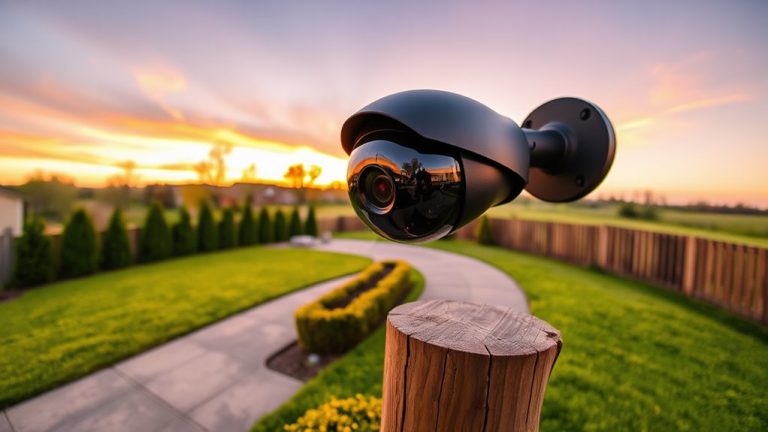
If you’re looking for a durable, weatherproof security camera that delivers sharp 2K video and reliable smart detection, the Tapo 2K+ Wired Security Camera C120 is a strong choice-especially for outdoor use where resilience and image clarity matter. I’ve found its IP66 rating guarantees it withstands rain, dust, and extreme conditions, while the compact dome design and magnetic base make mounting easy. It delivers 2K QHD video at 20fps with solid low-light performance, thanks to the starlight sensor and dual IR LEDs. I appreciate the local storage option, AI detection, and no mandatory subscription. The app is responsive, and integration with Alexa and Google Assistant works smoothly.
Best For: Homeowners seeking a weatherproof, easy-to-install outdoor security camera with sharp 2K video, smart detection, and no mandatory subscription.
Pros:
- Crisp 2K QHD video quality with strong low-light and full-color night vision performance
- IP66-rated weatherproof design with flexible magnetic mounting for outdoor durability
- Local storage support, AI-powered detection, and no required subscription for core features
Cons:
- Requires a constant power connection, limiting placement flexibility
- 2.4GHz Wi-Fi only, lacking 5GHz support for faster or less congested networks
- 20 fps frame rate may result in less smooth video during fast motion
YI/Kami 3-Month Cloud Plan

Who wouldn’t want peace of mind knowing their home is protected around the clock with secure, no-gap cloud storage? I rely on the YI/Kami 3-Month Cloud Plan for 24/7 coverage, and it delivers uninterrupted alerts with no cooldown delays. It stores 7 days of rolling footage securely using end-to-end encryption, similar to financial-grade protection, so only I can access my videos. The plan lasts 90 days for one camera, costs transparently with no hidden fees, and supports all YI and Kami Home models. I can even scale up to five cameras under one subscription, making it flexible as my needs grow.
Best For: Homeowners and renters seeking reliable, secure, and uninterrupted 24/7 cloud surveillance with scalable camera support and transparent pricing.
Pros:
- 24/7 continuous monitoring with no cooldown periods ensures real-time alerts and constant coverage
- End-to-end encryption provides financial-grade security, restricting video access to authorized users only
- Supports up to five YI or Kami Home cameras under one subscription, offering flexibility and scalability
Cons:
- Limited to 7-day rolling video retention, which may not suffice for long-term archival needs
- Requires a stable internet connection for uninterrupted cloud access and real-time functionality
- Plan is only valid for 90 days, requiring renewal for continued service
YI/Kami 3-Month Cloud Plan (5 Cameras)

I rely on the YI/Kami 3-Month Cloud Plan when I need dependable, no-gap monitoring across multiple cameras without worrying about hidden costs or interrupted coverage. It supports up to five YI Home or Kami Home cameras on one account, which makes it ideal for full-home surveillance. I appreciate the 15-day rolling cloud storage-it keeps recordings safe even if a camera is damaged or stolen. With financial-grade encryption, my data stays private and secure. There are no cooldown periods, so alerts and video recordings are continuous. I also value the transparent pricing-no extra fees, no surprises, just reliable service.
Best For: Homeowners seeking reliable, continuous surveillance across multiple cameras with secure cloud storage and transparent pricing.
Pros:
- Supports up to five YI Home or Kami Home cameras with uninterrupted monitoring and no cooldown periods
- Offers 15-day rolling cloud storage with financial-grade encryption for enhanced data security and privacy
- Transparent subscription model with no hidden fees or additional costs
Cons:
- Limited to YI and Kami brand cameras, reducing compatibility with other security systems
- Shorter retention period compared to some competitors offering 30-day storage
- Requires stable internet connection for continuous cloud syncing and access
Network Camera Software

Panasonic’s Network Camera Software stands out for users who rely on IP-based surveillance systems, especially those with multiple cameras spread across a property. I use it to monitor and record video and audio from all my Panasonic IP cameras simultaneously over my local network or the internet. The software supports remote access, so I can review footage or record in real time from a distant PC without delay. It captures both image and sound together, giving me clearer context during playback. Since it handles multiple cameras at once and integrates audio-visual data efficiently, I find it reliable for consistent, round-the-clock surveillance without extra costs.
Best For: Users with multiple Panasonic IP cameras seeking reliable, audio-integrated surveillance and remote access over a network or internet connection.
Pros:
- Supports simultaneous recording and monitoring of multiple Panasonic IP cameras
- Enables remote access for real-time playback and recording from distant locations
- Combines synchronized audio and video for richer contextual surveillance
Cons:
- Compatible only with Panasonic IP cameras, limiting use with other brands
- Requires stable network infrastructure for optimal remote performance
- Advanced features may be underutilized in small-scale or single-camera setups
YI/Kami 12-Month Cloud Plan

You get reliable, always-on protection with the YI/Kami 12-Month Cloud Plan, making it a strong choice if you own one to five indoor or outdoor cameras from the YI Home or Kami Home series and want consistent monitoring without gaps. I rely on its 24/7 coverage because it has no cooldown periods, so I never miss alerts. The plan uses financial-grade encryption, which keeps my footage secure and private. With 7-day rolling cloud storage, I can review recent events anytime, and my videos are safe even if my devices are damaged or stolen. I appreciate the transparent pricing-no hidden fees, just full features for one predictable cost.
Best For: Homeowners with one to five YI or Kami cameras who want reliable, 24/7 cloud monitoring with secure, rolling video storage.
Pros:
- Provides continuous, cooldown-free monitoring with real-time alerts for uninterrupted security coverage
- Uses financial-grade encryption to ensure video footage remains private and secure in the cloud
- Offers 7-day rolling storage accessible from anywhere, protecting recordings from device loss or damage
Cons:
- Limited to only 7 days of video history, which may not be sufficient for long-term monitoring needs
- Subscription supports up to five cameras but additional cameras may require extra planning or costs
- Dependent on stable internet connectivity for seamless cloud upload and access to footage
YI/Kami 3-Month Cloud Plan (1 Camera)

If you need reliable, round-the-clock surveillance without complex setup or long-term commitments, the YI/Kami 3-Month Cloud Plan for one camera is a strong choice for homeowners focused on continuous monitoring and data security. I use it for 24/7 coverage with no cooldown periods, so every moment is recorded. Real-time alerts keep me aware of activity, and financial-grade encryption guarantees my footage stays private. There are no hidden fees-just clear, upfront pricing. It works seamlessly with any YI Home or Kami Home camera. While limited to one camera by default, I can upgrade to the Standard Plan for up to five.
Best For: Homeowners seeking reliable, 24/7 camera surveillance with strong data security and no long-term commitment.
Pros:
- Provides continuous video recording with no cooldown periods for complete coverage
- Features financial-grade encryption to ensure private, secure video storage
- Offers clear pricing with no hidden fees and supports all YI Home and Kami Home cameras
Cons:
- Limited to one camera by default, requiring an upgrade for broader coverage
- Only a 3-month subscription, which may be less convenient than annual plans
- Continuous recording may result in higher cloud storage usage over time
Factors to Consider When Choosing Security Camera Software
You’ll want to check what video quality the software supports, since higher resolution gives clearer images but uses more storage. Make sure it offers flexible storage options, like cloud backups or local drives, and confirm it works with your existing devices for smooth setup. Look for strong encryption, smart detection to reduce false alerts, and features that balance security needs with ease of use.
Video Quality Support
Sharp video quality starts with the right software, and choosing one that supports high-resolution footage like 2K (2560 x 1440) makes a clear difference in identifying faces, objects, or license plates from a distance. You’ll want software that works with cameras offering at least a 120° diagonal field of view, so you cover more area and reduce blind spots. Look for advanced image processing like 3D DNR and WDR, which improve clarity in low light or mixed lighting. Frame rates of 20 fps or higher guarantee smooth playback when tracking movement. H.264 compression helps too-it keeps files smaller without sacrificing quality, so you can record longer. You get clearer, more reliable video when your software supports these features together. It’s not just about pixels-it’s about how well the video performs in real conditions. Plan around these specs for better, more useful surveillance.
Storage Options Available
While both local and cloud storage have distinct advantages, your choice will depend on how much control, accessibility, and reliability you need. If you prefer no monthly fees and full control, choose local storage with a microSD card-up to 512GB lets you keep hours of footage onsite. But if you want remote access and automatic backups, go with cloud storage. It typically retains recordings for 7–15 days and uses end-to-end encryption, similar to banking security, so your data stays protected. Cloud plans also support continuous video recording, meaning zero gaps in footage, and often allow multiple cameras under one subscription. While local storage avoids recurring costs, cloud offers better reliability during power outages or theft. Think about how long you want to keep videos, whether you want 24/7 recording, and if remote access matters. Then pick based on your priorities and budget.
Compatibility With Devices
When choosing security camera software, make sure it supports your camera’s video resolution and compression format-like H.264 or H.265-so you get smooth playback and efficient file storage. You’ll also want to confirm the software works with your camera’s network protocol, especially if it’s ONVIF-compliant, so devices from different brands sync without issues. Make sure the system can handle the number of cameras you’re using, particularly if you need to monitor and record from several at once. Don’t overlook audio-check that the software supports two-way audio and keeps sound in sync with video. Also, verify it matches your setup’s power and connection needs, whether that’s PoE or 2.4GHz Wi-Fi. Getting these details right guarantees stable, reliable performance across all your devices.
Security And Encryption
You’ve made sure your security camera software works with your devices, but protecting the data those cameras collect is just as important. Choose software that uses end-to-end encryption with at least 128-bit AES standards so video stays secure during transmission and storage. Make sure the system uses SSL/TLS protocols to protect live feeds and recordings from being intercepted. Go for platforms that apply financial-grade encryption to stored footage, reducing the risk of breaches. Always enable secure authentication like WPA2-PSK to block unauthorized network access. Check that cloud storage includes encrypted remote backups, safeguarding your data from theft, loss, or hardware damage. These measures guarantee your video isn’t just recorded, but truly protected. Look for these features in any system you consider-security and encryption are non-negotiables, not extras, when keeping your home safe.
Smart Detection Features
Since not all motion triggers are equal, look for security camera software with smart detection powered by AI to distinguish between real threats and everyday movements. You’ll want systems that use advanced algorithms to identify people, vehicles, and animals, cutting down false alerts from things like shadows or swaying trees. Many apps offer specialized triggers, including glass breaking or baby crying, so you respond only to what matters. Set up custom detection zones to focus on driveways or entryways, and ignore areas like busy streets. Some apps even support line-crossing detection, alerting you when someone crosses a virtual boundary. You can also define privacy zones to exclude windows or neighboring properties from monitoring. These features give you better control, reduce noise in alerts, and improve overall security without compromising convenience or privacy.
Remote Access Capabilities
How often do you worry about your home while you’re away? With strong remote access, you can check live footage or playback recordings anytime using your phone, tablet, or computer. Look for systems using 128-bit AES encryption and SSL/TLS protocols to keep your data secure during transmission. Most support 2.4GHz Wi-Fi, delivering speeds up to 72.2 Mbps for smooth, uninterrupted streaming. Cloud storage guarantees you still access footage even if your local device is damaged, stolen, or offline. Many platforms let you view multiple cameras at once through a single, easy-to-use interface. Make sure your software supports stable connections and real-time access across devices. Reliable remote viewing isn’t just convenient-it’s essential for timely alerts and verifying incidents. Choose a system that prioritizes security, speed, and multi-camera access to stay in control, no matter where you are.
Subscription Flexibility
What if your security needs change over time-will your subscription keep up? You can choose plans for one camera or scale up to cover multiple areas, adjusting as your home’s layout or security demands evolve. Flexible durations let you pick short 3-month terms or save with 12-month commitments, matching your budget and preferences. If you want recent footage without storing everything forever, rolling 7- or 15-day storage keeps access consistent. For constant monitoring, Continuous Video Recording (CVR) gives 24/7 coverage with real-time alerts and no gaps. Pricing is transparent-you pay only for the cameras you use and the plan length, with no hidden fees. This structure guarantees you’re not overpaying or locked into features you don’t need, giving you control, clarity, and long-term adaptability.
Frequently Asked Questions
Can I Use Multiple Camera Brands With the Same Software?
Yes, you can use multiple camera brands with the same software, but only if the software supports ONVIF or RTSP protocols. You’ll need to check compatibility before buying. Some platforms like Blue Iris or Milestone XProtect handle mixed brands well, while others lock you into one ecosystem. Using mixed brands adds flexibility but may complicate setup and reduce seamless integration. Always confirm firmware support and streaming standards for reliable, unified monitoring across devices.
Does the Software Work Without Internet Access?
No, most security camera software won’t work without internet access. You need it for remote viewing, alerts, and cloud storage. Some systems offer limited local storage, so you can still record footage to an SD card or hard drive. But you can’t check cameras from your phone or get motion alerts offline. If internet reliability is a concern, pick systems with strong local storage and edge recording to keep your home monitored.
Are There Any Hidden Fees After the Free Trial?
You won’t face hidden fees after the free trial, but you must review the auto-renewal terms. Most top-rated apps charge a monthly or annual subscription for cloud storage, advanced alerts, or multi-camera support. The base software stays free, yet full functionality usually requires payment. Always check the pricing plan before signing up, as some companies offer steep discounts initially. Read the fine print to avoid unexpected charges during renewal.
Can I Share Camera Access With Family Members?
Yes, you can share camera access with family members using most top-rated security camera apps. You’ll invite them via email or text, and they’ll create their own login for secure access. Most apps let you assign user roles, so you control what each person sees or does. Sharing works in real time, and multiple users can view feeds simultaneously. Check your app settings under “Sharing” or “Users” to get started-just confirm two-factor authentication is on.
Is There a Limit to How Much Footage I Can Store?
You’re limited by your storage plan and device type. Most cloud services offer 7–30 days of rolling footage, depending on subscription tier. Higher plans give more retention time and support multiple cameras. Local storage on SD cards or hard drives lets you keep footage longer, but you’re constrained by physical capacity-usually 32GB to 2TB. Always check upload frequency and overwrite settings to avoid losing key events.