How to Receive Real-Time Alerts When a Window Sensor Is Triggered While You’re Traveling
Choose a security system with instant alerts, cellular backup, and 24/7 monitoring to get notified fast when a window sensor triggers while you’re away. Install sensors on ground-level or basement windows using tamper-resistant screws and proper alignment. Connect the system to your smartphone via Wi-Fi or cellular for alerts in under 10 seconds. Use dual-sensor verification and lithium batteries to reduce false alarms. Set up customized notifications so only key events alert you. Test everything before traveling and make certain firmware is updated. Faster response starts with reliable setup and smart configuration.
Notable Insights
- Choose a security system with cellular backup and 24/7 monitoring to ensure alerts reach you during travel.
- Install window sensors on all ground-level and basement windows for maximum coverage and early intrusion detection.
- Connect your security system to a smartphone app with instant push notifications via Wi-Fi or cellular.
- Enable customizable alert settings to receive notifications only from specific sensors and reduce false alarms.
- Test the system before traveling to confirm sensor alignment, battery life, and reliable alert delivery.
Pick a Security System That Sends Instant Alerts
While you can’t prevent every break-in, choosing a security system that sends instant alerts markedly increases your chances of stopping intruders early. You need a system with high system reliability so alerts aren’t delayed or lost. Look for features like cellular backup and 24/7 monitoring to maintain connectivity, even during outages. Alert accuracy matters just as much-frequent false alarms make you less likely to respond. Systems using dual-sensor verification reduce mistakes by confirming triggers through multiple signals. Leading platforms deliver notifications in under 10 seconds, backed by independent testing. When comparing options, check third-party reviews and reliability ratings. Expect to pay $20–$40 monthly for professional monitoring with real-time alerts. DIY setups may save upfront costs but require careful setup to maintain alert accuracy and system reliability. Choose wisely to guarantee fast, dependable protection. Our top picks include systems with proven performance in real-world conditions, such as those featured in the Best Security Systems roundup.
Install Window Sensors Where They Work Best
Since window sensors are only effective when placed correctly, focus on installing them at all accessible ground-level and basement windows first, as these are the most common entry points for break-ins. Proper sensor placement increases detection accuracy and reduces false alarms. Install the sensor and magnet on the fixed and moving parts of the window frame, guaranteeing tight window alignment when closed. Gaps or misalignment can prevent the circuit from closing, making the sensor unreliable. Test each window’s operation before finalizing installation. Use tamper-resistant screws to secure the sensor housing. For sliding windows, place sensors at the lock point where lifting or forcing open is most likely. Double-hung windows need sensors on both upper and lower sashes if either can be accessed. Consistent window alignment over time guarantees long-term functionality. Avoid locations near heat sources or vibrating surfaces.
Connect Sensors to Instant Phone Notifications
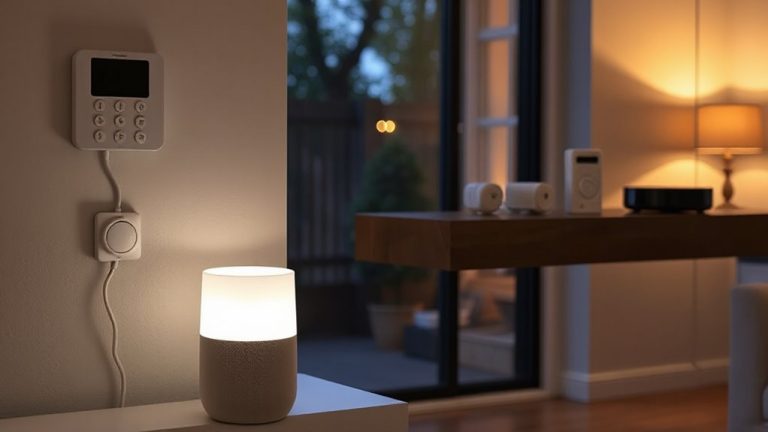
You’ve installed your window sensors in the right spots, but their real value comes when they actively alert you to potential threats. To get instant phone notifications, guarantee your system supports sensor compatibility with your smartphone OS. Most modern hubs connect via Wi-Fi or Bluetooth, sending alerts through dedicated apps. Enable alert customization to choose which sensors trigger notifications and adjust sensitivity. Below is a comparison of common connection methods:
| Connection Type | Speed (seconds) | Mobile OS Support |
|---|---|---|
| Wi-Fi | 2–5 | iOS, Android |
| Bluetooth | 5–10 | iOS, Android |
| Z-Wave | 3–6 | iOS, Android* |
| Cellular Backup | 2–4 | iOS, Android |
*Requires compatible hub.
Faster response times support timely action, while broad sensor compatibility guarantees you can mix devices. Use alert customization to reduce false alarms from less critical windows. Always test notifications after setup to confirm delivery. For optimal performance, consider pairing your system with Best Motion Sensors for Home Assistant.
Set Up Real-Time Alerts for Openings and Motion
How do you guarantee you’re alerted the moment a window opens or motion is detected? You’ll need sensors that support both contact and motion detection, synced to a smart hub or security system. These devices send real-time alerts directly to your phone, so you’re notified instantly. To reduce false alarms, adjust sensitivity settings and place motion sensors away from heat sources or pets. Check your device’s battery life regularly-most last 1–3 years, but low power can delay alerts. Lithium batteries typically outlast alkaline ones. Make sure your system allows customizable alert zones, so you’re only notified for relevant activity. Wi-Fi stability matters too; weak signals may cause missed notifications. Choose models with proven reliability and strong app integration. Test the system monthly. With the right setup, you maintain awareness without excess noise or maintenance.
Take Immediate Action When Alerts Arrive
What happens the instant you get an alert about a window opening or motion detected in your home? You need to act fast. Use your smartphone to activate remote access and check live camera feeds, confirming whether it’s a real threat or a false alarm. If it’s suspicious, don’t confront it yourself. Immediately contact local authorities and initiate emergency response protocols through your security provider. Systems with professional monitoring typically dispatch help faster than self-monitored setups. Remote access lets you lock smart doors, turn on lights, or sound alarms remotely, potentially deterring intruders. However, delays in response reduce effectiveness-studies show that breaking in within 60 seconds is common. Plan ahead: know your system’s alert-to-action timeline. Subscription plans often include faster emergency response features, usually for $20–$60 monthly. Always verify alert accuracy to avoid unnecessary dispatches. A reliable setup includes Alexa-compatible security cameras to streamline monitoring and alerts through voice-enabled devices.
Test Your Alert System Before You Leave
A fast response starts with a reliable system, and that means testing it before you walk out the door. Check each window sensor to guarantee alerts trigger correctly and reach your phone. Perform a battery check on all sensors to avoid weak signals or missed alerts. Testing helps prevent false alarms caused by misaligned sensors or connectivity gaps. Confirm your app settings allow immediate push and sound alerts. Below is a quick reference for common issues and fixes:
| Issue | Solution |
|---|---|
| Delayed alert | Re-pair sensor, check Wi-Fi |
| False alarms | Adjust sensor alignment |
| No alert | Perform battery check, replace if low |
Run this test at least 24 hours before leaving. That way, you’ll catch issues early and travel with confidence in your system’s accuracy and speed.
Fix Notification Delays or Sensor Problems
Why does your window sensor sometimes lag when sending alerts? Delays often stem from outdated firmware or weak signal interference. Firmware updates guarantee your sensor and hub communicate efficiently, fixing bugs that could slow response times. Check the manufacturer’s app regularly-most notify you when an update is available. Signal interference from thick walls, large appliances, or competing wireless devices can also block transmission. Try relocating the hub closer to the sensor or remove obstructions. If problems persist, consider a mesh network or signal repeater to strengthen the connection. Sensors using Z-Wave or Zigbee tend to handle interference better than Wi-Fi-only models. Test after each fix to verify improvements. Consistent monitoring and maintenance reduce delays, keeping your real-time alerts reliable whether you’re home or traveling.
On a final note
Choose a reliable security system with real-time alerts and test it before traveling. Place window sensors strategically and link them to your phone for instant notifications. Confirm alerts include both opening and motion detection, then respond quickly when triggered. Fix delays or sensor issues early. Systems range from $200–$600, with monthly plans from $15–$50. Prioritize ease of use, fast response times, and strong cellular backup.