How to Design a Video Retention Policy for Home Surveillance Based on Legal Requirements
You should set your home surveillance retention policy based on local laws, which often limit how long you can keep footage and restrict audio recording or filming private areas. Keep videos 7 to 30 days, depending on storage and risk needs, and use auto-overwrite features. Limit access to trusted family members with strong passwords and encryption. Delete old clips securely using overwrite methods. Clear signage and smart camera placement help guarantee compliance-adjust rules if you have shared or public-facing spaces. Further details clarify how to balance security with privacy and legal safety.
Notable Insights
- Research local laws to ensure compliance with privacy regulations and audio recording consent requirements.
- Set retention periods between 7 and 30 days based on camera usage and legal expectations.
- Automatically overwrite old footage to minimize data storage risks and maintain policy consistency.
- Restrict access to authorized household members using strong passwords and multi-factor authentication.
- Avoid recording sidewalks or neighboring properties to prevent privacy violations and legal disputes.
Know Your Local Surveillance Laws
While laws can vary considerably depending on where you live, knowing your local surveillance regulations is essential before setting up a home security system. You must guarantee legal compliance to avoid fines or forced removal of cameras. Privacy rights are protected in many areas, especially in places where recording audio or filming private property like a neighbor’s yard is restricted. Some states require two-party consent for audio recording, while others allow one-party consent. Outdoor cameras generally face fewer restrictions, but pointing them at sidewalks or adjacent homes may violate privacy rights. Check your city or homeowners association rules, as they may impose additional limits. Researching these laws helps you balance security with respect for others’ privacy. When in doubt, consult local law enforcement or a legal professional. Making informed choices now prevents legal issues later.
Set a Retention Period for Home Video
Most homeowners keep video footage for 7 to 14 days, a window that balances storage needs with practical security monitoring. This typical storage duration gives you enough time to review incidents without overloading your system. You should choose a retention period based on your camera’s capacity, recording frequency, and privacy needs. Shorter periods reduce data risks but limit review time; longer ones increase storage costs and privacy exposure. Striking a privacy balance means keeping only what you need, when you need it. Many systems automatically overwrite old footage, helping maintain this balance. Cloud plans often cap storage duration at 30 days unless you pay more, while local storage lets you control retention longer. Assess your security goals and legal rules before deciding. A clear, consistent retention period supports both safety and responsible data use.
Restrict Access to Family Members
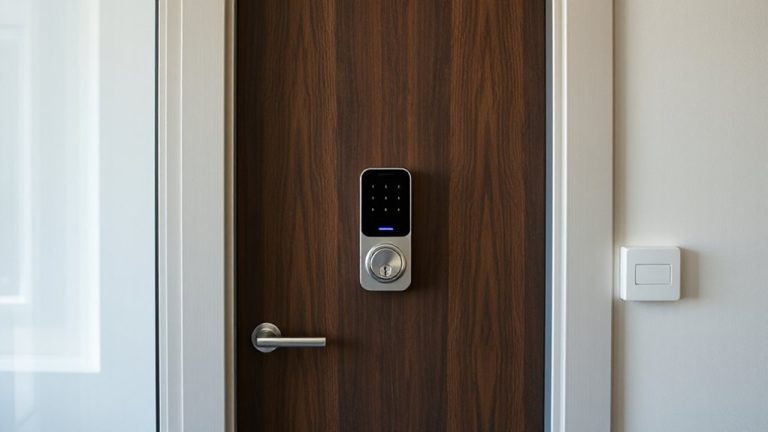
Who should have the keys to your home’s digital eyes? Only trusted family members should access your surveillance footage, and you can control that through user authentication. Set unique login credentials for each person, so you know who’s viewing the data and when. This reduces the risk of misuse or accidental sharing. Enable data encryption to protect the video both in transit and at rest, meaning even if someone intercepts the feed, they can’t view it without the decryption key. Most modern systems offer end-to-end encryption and multi-factor authentication-use them. Limit access to devices within your household, and avoid sharing accounts. While it may seem convenient to grant access freely, restricted entry through strong authentication and encryption keeps your family’s privacy intact. It’s a simple step that greatly strengthens your system’s security. For added protection, consider integrating your surveillance system with a best smart lock, ensuring only authorized individuals can physically and digitally access your home.
Delete Old Footage Securely
Digital clutter can be just as risky as physical disorganization-old surveillance footage may expose your family to unnecessary privacy risks if not handled properly. You should delete outdated videos regularly to limit data exposure and comply with privacy laws. Use data encryption to protect stored footage until deletion, ensuring only authorized access. When removing files, simple erasure isn’t enough-deleted data can often be recovered. Instead, apply secure overwrite methods that write random patterns over old footage multiple times, making recovery nearly impossible. Many modern systems offer built-in auto-delete with encryption and overwrite features. Check your device specifications for these options. Manual deletion works too, but requires more diligence. Plan retention periods based on need-typically 14 to 30 days suits most homes. Balancing security, storage costs, and privacy, automated encrypted deletion with overwrite methods is your most effective, reliable choice.
Adjust Rules for Shared or Public Spaces
Why should your camera rules differ in a driveway versus a backyard? Because driveways are semi-public spaces where visitors and passersby appear, raising privacy concerns. In shared or public-facing areas, you must consider visitor consent. While explicit consent isn’t always required, clear signage notifying people of surveillance supports legal compliance and transparency. Data ownership remains with you, but footage containing others may limit how long you can retain or share it. Retain video from these zones no longer than necessary-typically 14 to 30 days-unless an incident requires preservation. Public areas increase exposure to legal scrutiny, so shorter retention reduces risk. Use motion-triggered recording to minimize unnecessary data. Adjust settings to avoid capturing sidewalks or neighboring homes. These steps balance security needs with privacy rights, ensuring your policy respects both your ownership and others’ expectations in shared spaces.
On a final note
You should always follow your local laws when setting video retention for home surveillance. Keep footage only as long as needed, usually 7 to 30 days, to balance security and privacy. Restrict access to family members, delete old videos securely, and apply stricter rules for shared spaces. Regularly review settings, use encrypted storage, and consider costs for longer retention. Planning guarantees compliance and effectiveness.