Integrating Doorbell Cameras Into Your Monitoring Protocol for Full Perimeter Surveillance
Choose a doorbell camera that matches your system’s protocol-like Wi-Fi, Z-Wave, or Zigbee-to guarantee smooth integration with your security hub. Connect it via the app for live video, synced audio, and instant alerts. Link it to motion sensors and alarms so they trigger together, boosting perimeter response. Set custom mobile and hub notifications to reduce false alarms. Add the camera to your multi-camera setup for full property coverage, and review footage weekly to improve detection zones. You’ll get a clearer picture of your home’s security patterns.
Notable Insights
- Ensure your doorbell camera supports your security system’s protocol like Z-Wave, Zigbee, or Wi-Fi for seamless integration.
- Connect the doorbell camera to your security hub for synchronized video, audio, and real-time dashboard access.
- Link the doorbell with motion sensors and alarms to trigger automated responses like recordings or lights during detection.
- Configure customized mobile and hub alerts by motion zones and schedules to minimize false alarms and enhance awareness.
- Integrate the doorbell into a multi-camera system for full perimeter coverage and centralized cloud-based footage review.
Choose a Doorbell Camera That Works With Your Security System
While some doorbell cameras work standalone, picking one that integrates with your existing security system guarantees smoother monitoring and centralized control. Camera compatibility is key-check that your camera supports your system’s protocol, like Z-Wave, Zigbee, or Wi-Fi, to avoid connection issues. System integration lets you view footage, get alerts, and manage devices through a single app, reducing confusion. Look for models labeled as compatible with platforms like Ring, Nest, or SimpliSafe if you already use them. Poor compatibility can mean delayed alerts or manual operation, which weakens perimeter surveillance. Always verify specs before buying. Integrated cameras often cost slightly more, but the long-term benefits outweigh the price. Plan your setup around existing devices to guarantee seamless operation and maximize coverage without gaps in monitoring. For reliable power and data transfer, consider POE doorbell cameras that utilize Power over Ethernet technology.
Connect Your Doorbell Camera to Your Security Hub
Once you’ve chosen a compatible doorbell camera, the next step is linking it to your security hub so alerts and video feeds sync properly. Proper video integration guarantees you receive real-time footage on your dashboard, while audio synchronization keeps two-way communication clear and delay-free. Follow your system’s app instructions to pair the devices via Wi-Fi or Zigbee. Confirm the connection by testing a live feed and checking for synced notifications. For enhanced safety, consider integrating a best panic button with your security system to ensure immediate alerts during emergencies.
Link Your Doorbell to Motion Sensors and Alarms
When you connect your doorbell camera to motion sensors and alarm systems, you create a unified security network that reacts faster to potential threats. Smart integration lets devices communicate, so when a sensor detects movement, your doorbell camera activates and triggers the alarm. This setup enables automated responses, like turning on lights or sounding alerts, even when you’re not home. Most modern systems support this through compatible hubs or apps, requiring minimal wiring. Look for models with low latency to guarantee timely reactions. While some setups may cost more upfront, the added coordination improves detection accuracy and reduces false alarms. Make sure all devices use the same protocol, like Z-Wave or Wi-Fi, for smooth operation. Check manufacturer guidelines to confirm compatibility before purchasing. This layered approach strengthens perimeter surveillance with reliable, data-driven automation. For optimal performance, consider using best motion sensors that are proven to work seamlessly with Home Assistant.
Set Up Real-Time Alerts on Your Phone or Hub
You’ve linked your doorbell to motion sensors and alarms to build a responsive security network, and now you can extend that system’s reach by setting up real-time alerts on your phone or hub. Push notifications guarantee you’re informed instantly when activity occurs, even if you’re not home. With alert customization, you can filter alerts by motion zones, time of day, or visitor type-cutting down on unnecessary pings. Most systems let you adjust sensitivity and choose which devices receive alerts.
| Feature | Benefit |
|---|---|
| Push notifications | Instant mobile alerts |
| Alert customization | Fewer false alarms |
| Multi-device sync | Alerts on phone and hub |
| Scheduled alerts | Quiet hours support |
| Free vs. paid plans | Varies by brand and storage |
Choose a system that supports both iOS and Android, and consider subscription costs for advanced features.
Add Your Doorbell to Your Multi-Camera Monitoring System
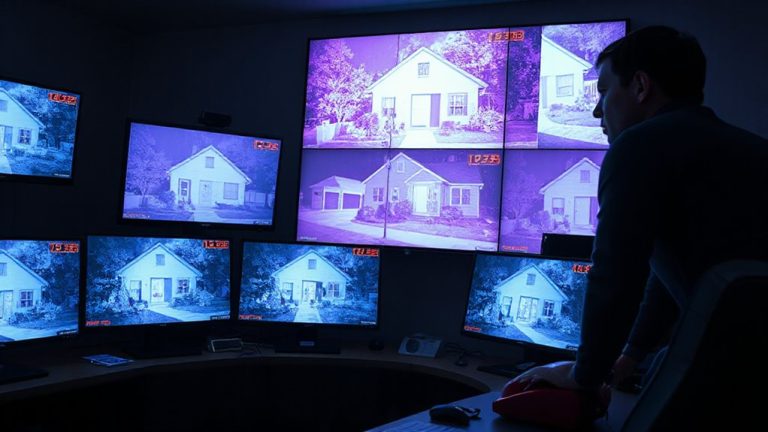
A doorbell camera works best when it’s part of a broader security setup, so integrating it into your multi-camera monitoring system gives you a complete view of your property. With proper video integration, you can monitor all camera feeds from one dashboard, making it easier to track activity around your home. Most modern systems support live streaming across devices, letting you see who’s at the door while checking side gates or backyards in real time. Use a system that supports centralized recording and unified login-this simplifies access and improves response times. Guarantee your network can handle multiple high-resolution video streams without lag. Look for compatibility between your doorbell and existing cameras to avoid added costs or limited features. While some brands offer seamless integration, others may restrict functionality, so review specs carefully. Consistent video integration enhances situational awareness and strengthens overall perimeter surveillance.
Review Footage to Spot Risks and Improve Coverage
Though it might seem routine, regularly reviewing your doorbell camera footage can reveal patterns you’d otherwise overlook, helping you identify security gaps and adjust your coverage plan. This practice supports effective risk identification-spotting unfamiliar visitors, repeated loitering, or blind spots not captured on video. By analyzing when and where activity occurs, you can prioritize high-traffic zones or vulnerable access points. Use this data for coverage optimization, repositioning cameras or adjusting motion settings to reduce gaps. Review clips weekly; focus on timing, clarity, and detection range. Note footage limits during low light or bad weather, and consider upgrades if necessary. Many systems offer motion zone tagging and cloud timestamps, making analysis easier. Consistent review turns raw video into actionable insight, strengthening your perimeter plan with minimal cost.
On a final note
You can strengthen your home’s security by integrating a doorbell camera into your existing system. Choose one that’s compatible, connect it to your hub, and link it with motion sensors and alarms. Set up real-time alerts and include the camera in your broader monitoring network. Regularly review footage to identify gaps and improve coverage. This data-driven approach boosts effectiveness, offers clear evidence of activity, and helps you make informed, practical security upgrades over time.