Evaluating the Reliability of GSM Communication in Home Security Monitoring
You can rely on GSM for home security because it uses cellular networks, so your system stays connected even if Wi-Fi or landlines fail. Unlike internet-dependent systems, GSM works during outages, but signal strength matters-thick walls or interference from electronics may weaken it. A backup battery and dual-path communication boost reliability. Position the antenna near a window for best results, and test monthly. See what factors affect performance and how to optimize them.
Notable Insights
- GSM provides reliable home security monitoring by using cellular networks independent of Wi-Fi or landlines.
- Signal strength, measured in dBm, should be tested during installation to ensure consistent communication with cell towers.
- Physical barriers like thick walls and electronic interference from appliances can weaken GSM signal reliability.
- A backup battery is essential to maintain GSM alarm function during power outages and network disruptions.
- Dual-path communication combining GSM and broadband enhances reliability by providing failover during network congestion.
What Exactly Is GSM: And Why It’s Used in Home Security
Why do so many home security systems rely on GSM technology? Because it uses cellular networks to send alerts, guaranteeing your system stays connected even if internet or power fails. You get cellular backup, a critical feature when landlines are cut or Wi-Fi drops. GSM doesn’t depend on your home internet, so signal strength matters more in areas with weak coverage. Providers test signal strength during installation to guarantee reliable transmission. Most modern systems include GSM as a standard or optional feature, often for a small monthly fee. It’s more reliable than traditional landlines and avoids Wi-Fi’s vulnerabilities. Though rural areas might face lower signal strength, technology like signal boosters can help. Always confirm your provider checks signal strength before setup. Choosing a system with cellular backup means your alarms reach monitoring centers consistently, giving you verified protection without single points of failure. That’s why GSM remains a trusted choice.
GSM vs. Wi-Fi vs. Landline: Which Is More Reliable?
While each connection type has its place, GSM generally offers the most reliable communication for home security when compared to Wi-Fi and landline options. You can count on GSM because it uses cellular networks independent of your home internet or phone lines. Unlike Wi-Fi, which fails if your router crashes or service drops, GSM keeps working. Landlines are vulnerable to physical cuts and outages, while Wi-Fi lacks signal redundancy. GSM systems often include backup protocols, automatically switching to alternative towers if one fails, improving uptime. Most modern security systems with GSM also support dual-path communication, combining cellular with internet for added resilience. You’ll pay a bit more for GSM monitoring, but the cost is justified by stronger reliability. For long-term peace of mind, choose a system with built-in signal redundancy and tested backup protocols to guarantee your home stays protected, no matter what happens to your network.
What Weakens Your GSM Security Signal?
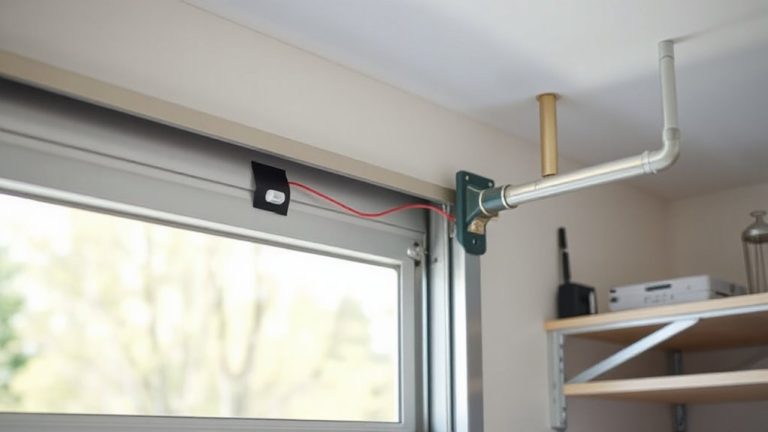
How often does your security system actually connect when it needs to? Your GSM signal might not be as strong as you think. Signal interference from nearby electronics, like microwaves or cordless phones, can disrupt communication between your alarm and the monitoring center. These devices emit radio frequencies that clash with your GSM module, causing delays or missed alerts. Physical obstructions also play a big role-thick walls, metal framing, or even large appliances can block or weaken the signal. Basements and garages are especially prone to poor reception. To help, install your security panel near a window or exterior wall for clearer line-of-sight to cell towers. Avoid placing it behind metal objects or in enclosed cabinets. Using a system with a signal strength indicator lets you check performance during setup and over time. Strong placement improves reliability without extra cost.
Can Network Outages Disable Your GSM Home Alarm?
If your home alarm relies on GSM communication, you might wonder whether a network outage could leave you unprotected. Yes, it can-especially during events causing cell tower congestion or widespread power grid dependency. When towers are overloaded or local power fails without backup, your system may lose its connection. While GSM is often reliable, it’s not immune to infrastructure failures.
| Situation | Risk Level | Peace of Mind |
|---|---|---|
| Normal Conditions | Low | High |
| Cell Tower Congestion | Medium | Reduced |
| Power Grid Down (no battery) | High | Low |
Always guarantee your alarm has a backup battery and consider systems with dual-path communication-GSM plus another method like landline or broadband-to maintain coverage when networks falter. Planning reduces vulnerability and keeps your home secure, no matter the outage.
When GSM Holds Up (And When It Doesn’t) in Emergencies
GSM networks often stay online during emergencies when landlines or internet fail, giving your home alarm a better chance to send alerts. You can rely on GSM when power failures knock out broadband, as long as your alarm system has a battery backup. However, signal interference from thick walls, metal structures, or remote locations might block transmission, leaving you unprotected. Natural disasters like storms or earthquakes can damage cell towers, limiting coverage when you need it most. While GSM is more resilient than wired options, it’s not foolproof. You should confirm your provider’s network redundancy and guarantee your system includes fail-safes. Monitoring plans with cellular backup typically cost $10–$30 more per month. Weigh this added expense against the benefit of continued communication during outages. Planning for both signal interference and power failures improves your system’s real-world reliability.
How to Test and Boost Your Home Security’s GSM Signal
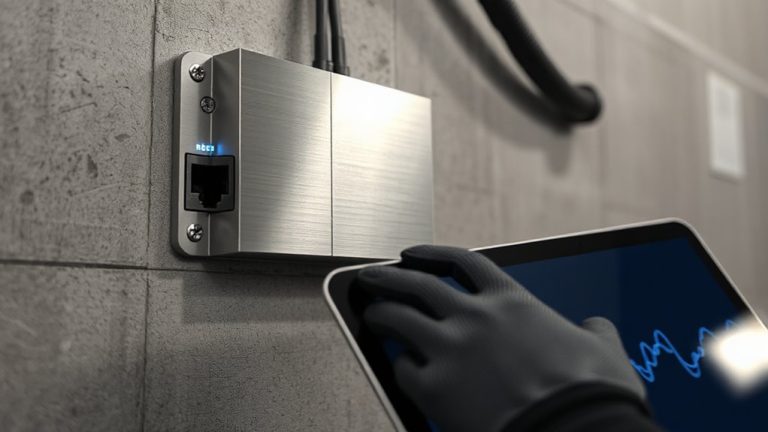
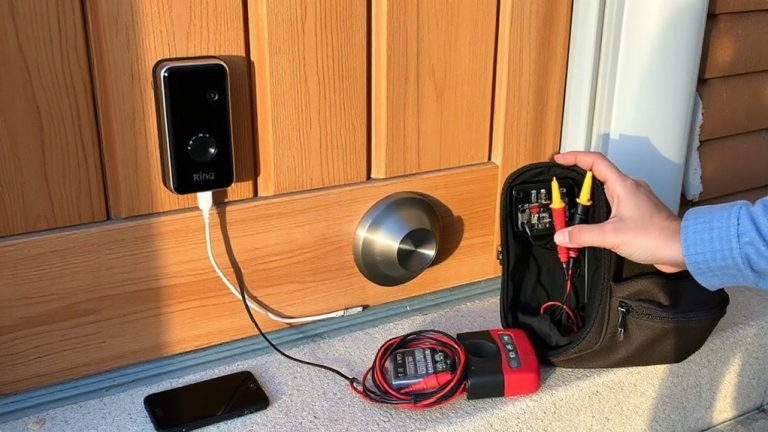
Ever wonder why your security system’s alert failed during a storm, even though it has cellular backup? Signal interference and poor antenna placement are common culprits. To test your GSM signal, run a signal strength diagnostic through your system’s app or control panel-most modern systems show bars or dBm values. For stronger reception, reposition the antenna near a window, away from metal objects or appliances that cause interference. Avoid basements or interior walls.
| Location | Signal Strength (dBm) | Interference Risk |
|---|---|---|
| Near window | -75 | Low |
| Interior wall | -95 | High |
| Near router | -88 | Medium |
| Attic | -70 | Low-Medium |
Boosters can help, but correct antenna placement often solves the issue. Test monthly and after major weather.
Is GSM Reliable Enough for Your Home Security System?
How dependable is your home security system when the power goes out or the internet cuts off? GSM can keep your home connected during outages, acting as a reliable backup when landlines or Wi-Fi fail. Unlike broadband-dependent systems, GSM uses cellular networks, reducing the risk of backup failures. Still, signal strength varies by location-weak coverage can lead to delayed alerts or false alarms. To guarantee reliability, test your signal early and consider a system with dual-path communication, combining GSM and internet for redundancy. Most professional monitoring services recommend this setup. While GSM isn’t flawless, it markedly improves uptime. Systems with 4G LTE support offer better performance, though upgrades may increase costs. Avoid outdated 2G-dependent devices due to network sunsetting. For most homes, GSM is reliable enough-especially when planned wisely, monitored regularly, and paired with modern equipment.
On a final note
You can rely on GSM for home security, but with caveats. It typically works during power or internet outages, unlike Wi-Fi or landlines. Still, signal strength depends on your location and carrier coverage. Weak signals or network congestion can delay alerts. To boost reliability, place your unit near a window and check coverage maps. Consider models with dual-path communication-GSM plus internet-for backup. Monthly fees apply, usually $10–$30. Test your system monthly and confirm emergency contacts are up to date.