Fine-Tuning Motion Activation Zones in Doorbell Cameras to Trigger Pre-Entry Face Verification
You can fine-tune your doorbell’s motion zones to detect only people approaching your door by adjusting the detection areas in the app. Focus zones on walkways and the doorstep, while excluding traffic or swaying trees to cut false alerts. Set the camera 4–5 feet high and angle it slightly down for better face capture. Enable person detection to trigger face verification only when needed. Optimize sensitivity and lighting to improve accuracy-then see how small tweaks boost performance.
Notable Insights
- Position motion zones to cover entry paths like walkways for reliable pre-entry detection.
- Exclude areas with trees or traffic to reduce false triggers and improve face verification timing.
- Set camera angle and height to capture facial details as visitors approach the door.
- Use person detection to filter non-human motion and initiate face verification only for people.
- Adjust sensitivity and test at different times to ensure consistent face scan activation before entry.
Use Motion Zones to Stop False Doorbell Alerts
While your doorbell camera is designed to keep you informed, it can quickly become frustrating if every passing car or swaying tree triggers an alert. Using motion zones lets you focus detection only on key areas, like your front walkway, reducing false alarms. This improves battery usage, since the camera isn’t constantly recording irrelevant motion. It also minimizes unnecessary footage, addressing privacy concerns by limiting data collection to essential zones. Most systems let you adjust sensitivity and define active regions through a simple app interface. High motion activity in unrestricted areas can drain power and flood your notifications, so targeted zones enhance efficiency. Though wired models have fewer power limits, optimizing zones still reduces bandwidth and storage use. Overall, setting custom detection ranges balances security with practicality, ensuring reliable alerts without excess drain or exposure. Top models featured in the best doorbell cameras roundup offer advanced motion activation settings for precise control over detection areas.
Set Up Custom Motion Detection Areas
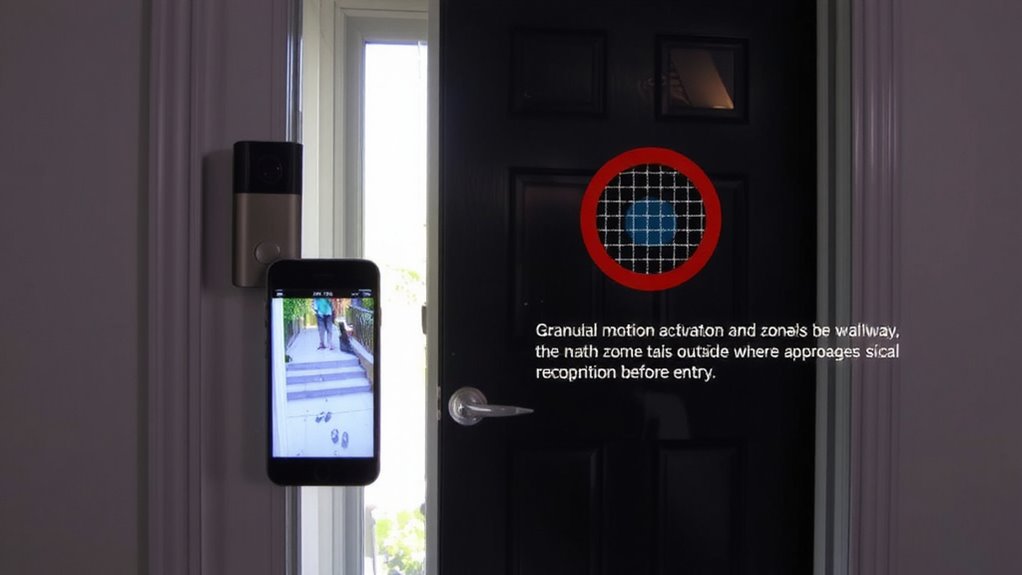
How do you make sure your doorbell camera alerts actually matter? By setting up custom motion detection areas, you focus on activity that’s relevant-like someone approaching your door-while reducing unnecessary notifications. Proper zone calibration guarantees your camera responds accurately to movement in key locations. This also supports important privacy considerations by avoiding recording sensitive areas like neighbors’ windows or public sidewalks. Most systems let you draw active zones directly in the app, giving you control over detection sensitivity and coverage. Choosing models with advanced motion detection features can further enhance how effectively your camera distinguishes between people, animals, and vehicles.
| Detection Area | Purpose |
|---|---|
| Front porch | Capture visitors before entry |
| Sidewalk edge | Monitor approach without public overreach |
| Driveway start | Detect vehicle or pedestrian arrival |
Custom zones improve alert accuracy, enhance security monitoring, and balance awareness with privacy considerations.
Block Car Traffic and Tree Movements From Alerts
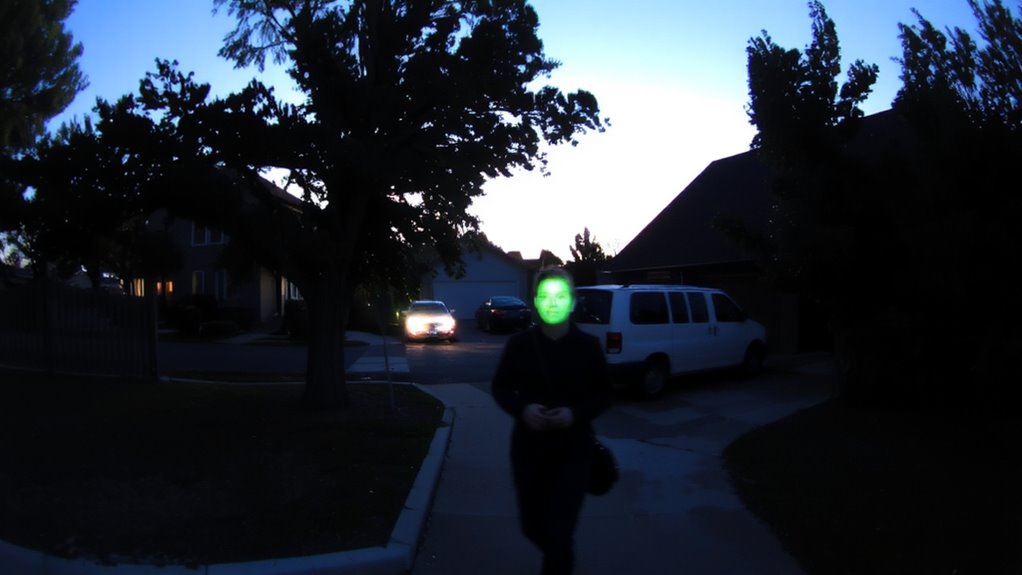
Since you want your doorbell alerts to focus on people and not distractions, you can adjust motion zones to exclude areas with frequent false triggers like passing cars or swaying trees. Use environmental masking to disable detection in zones where unwanted motion occurs, such as tree branches or busy sidewalks. This reduces false alerts and improves system efficiency. Pair this with background filtering, which helps the camera distinguish between constant environmental motion and actual human movement. Most modern doorbells offer app-based zone editing, letting you draw exclusion zones with precision. While this setup takes a few minutes, it greatly increases alert relevance. Higher-end models provide smarter filtering, though they may cost more. Avoid over-blocking; make certain key entry paths remain active. Regularly review logs to confirm only intended areas trigger alerts. Proper configuration enhances reliability without sacrificing coverage. For POE-powered setups, consider models from the best POE doorbell cameras list to ensure reliable power and data transmission.
Fine-Tune for Reliable Face Detection
You’ve already reduced false alerts by blocking out car traffic and tree movements, so now it’s time to make sure the motion that does trigger your camera is used effectively-especially for identifying who’s at your door. Adjust the camera angle so it’s pointed slightly downward to capture faces clearly, not just the tops of heads. Position it 4 to 5 feet high for the best results. Poor lighting conditions can hinder detection, so add soft outdoor lighting near the entryway to reduce shadows and glare. Avoid backlighting from bright windows or porch lights behind visitors. Most modern doorbell cameras use AI to detect faces, but they work best when lighting conditions are consistent and the camera angle provides a full frontal view. Test the detection at different times of day, and tweak settings if faces aren’t registered consistently.
Trigger Face Scan When Someone Approaches
When someone walks up to your door, you want the camera to catch their face clearly and right away. Set motion sensitivity high enough to detect approach but not so high that passing cars or swaying trees trigger false alerts. Adjust the motion zones to focus on the walkway and doorstep, which increases accuracy. Enable person recognition to filter human-shaped movement from pets or shadows, ensuring only relevant motion starts the face scan. This combo of motion sensitivity and person recognition reduces unnecessary recordings while prioritizing identifiable visitors. Most modern doorbells process person recognition on-device or in the cloud, though cloud options may require a subscription. For best results, position the camera at eye level and avoid backlighting. Test settings during different times of day to verify consistent triggers. With proper calibration, you’ll get timely, accurate face scans the moment someone approaches.
Test Detection With Real-Life Scenarios
How well does your doorbell actually perform when someone walks up the driveway or lingers near the door? Test it using real-life scenarios to guarantee accurate face verification triggers. Walk toward the door from different angles, checking if motion zones detect you consistently. Try during varied weather conditions-rain, fog, or bright sunlight-to see if performance drops. You might notice delayed responses in low visibility, so adjust sensitivity if needed. Also, monitor how the camera handles pet movements; large dogs or outdoor cats can trigger false alerts. Position motion zones above ground level to reduce this. Test at night using infrared modes and verify the camera captures clear facial features. Real-world testing reveals gaps specs won’t, helping you fine-tune zones, improve accuracy, and avoid missed detections or unnecessary notifications.
On a final note
You’ll reduce false alerts by fine-tuning motion zones to exclude streets and trees. Set custom detection areas near your door so movement triggers a face scan only when someone approaches. Testing confirms reliability, helping verify visitors before entry. This method improves security with minimal delays. Cameras with adjustable sensitivity and smart detection cost more, but offer long-term value. Plan placement carefully, and update settings as needed for best results.