How to Implement Cold Storage for Long-Term Archival of Surveillance Footage
Use tape drives for cost-effective, high-capacity storage up to 18TB per cartridge, or choose durable optical discs like M-DISC for 100-year archival life. Automate retention policies to meet legal requirements, such as 90-day storage, and encrypt footage in transit and at rest. Apply strict access controls and log all access events. Store copies on different media, in separate locations, and test retrieval quarterly. Checksums and monthly scans help maintain integrity-there’s more to optimizing your setup.
Notable Insights
- Choose tape or optical media based on capacity, longevity, and environmental resilience for long-term surveillance archive storage.
- Automate retention policies to enforce compliance with legal requirements and reduce manual errors in footage management.
- Encrypt footage both in transit and at rest to secure sensitive data against unauthorized access and potential breaches.
- Maintain fast retrieval with indexed catalogs, timestamps, and regular testing to ensure investigative readiness.
- Ensure data integrity by using checksums, redundancy across media types, and storing copies in geographically separate locations.
Choose the Right Cold Storage Media
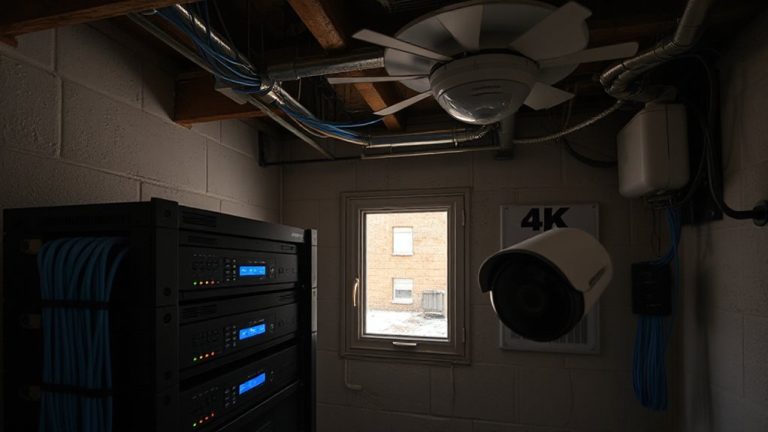
Digital footage longevity starts with picking the right cold storage media, and your choice shapes how well evidence holds up over time. You’ll mainly consider tape drives or optical discs. Tape drives offer high capacity-up to 18TB per cartridge-and are cost-effective for large archives, with low annual power needs. They’re widely used in enterprise systems but require clean handling and specific drives. Optical discs, like M-DISC, resist heat, humidity, and UV exposure, lasting up to 100 years under proper storage. They’re cheaper per unit but hold less-typically 25 to 100GB-making them better for smaller, critical archives. You should store both types in cool, dry places away from direct light. While tape drives give you scalability, optical discs offer unmatched longevity for small setups. Pick based on your data volume, budget, and access frequency-each has trade-offs in durability, cost, and retrieval speed.
Automate Retention for Surveillance Compliance
Once you’ve picked the right cold storage media-whether tape drives for large-scale archives or long-lasting optical discs for smaller setups-the next step is making sure that footage stays secure and compliant without constant manual oversight. You should automate retention policies so files are stored, moved, or deleted based on preset rules, like keeping footage for 90 days or aligning with legal requirements. Automation reduces human error and guarantees consistency. Use data encryption to protect stored footage, both at rest and during transfers. Enable access logging to track who views or retrieves videos, and when. These logs help verify compliance and deter misuse. Most modern systems support these features, though enterprise-level tools offer more control. Setup takes time, but after that, it runs reliably. Plan your retention periods carefully-too short risks missing critical footage, too long increases storage costs.
Protect Footage From Breaches and Legal Risks
While keeping surveillance footage secure starts with storage, you also need to shield it from unauthorized access and legal exposure. Data encryption guarantees your archived videos can’t be read if intercepted or stolen, making it essential for both cloud and physical media. Always enable encryption at rest and in transit. Pair this with strict access controls, limiting who can view or manage footage-assign user roles and require strong passwords. This reduces internal risks and supports compliance with privacy laws. Without these, you risk breaches that lead to legal action or fines. Consider systems that log access attempts, giving you an audit trail. Though encryption and access tools may add slight costs or complexity, they’re worth it for long-term protection. Plan your security setup early, and verify these features are built into your cold storage solution.
Test and Retrieve Archives Quickly
If you ever need to pull up old footage, waiting shouldn’t be part of the process-slow retrieval can delay investigations or cost you critical evidence. You need fast access speed when pulling archived video, especially during time-sensitive situations. Regularly test your cold storage system by retrieving sample footage to check performance and guarantee retrieval accuracy. Use timestamps and clear indexing so you can locate files quickly without errors. Systems with automated catalogs improve accuracy and reduce human mistakes. While cloud solutions often offer better access speed, physical drives may lag without proper maintenance. Balance cost and efficiency-some services charge extra for faster retrieval. Always confirm your setup allows dependable, rapid access when needed. Test quarterly, document results, and note any delays or corruption. This guarantees your archived footage remains both secure and actionable over time.
Build a Reliable Cold Storage Workflow
Because cold storage protects video footage over the long term, setting up a reliable workflow means combining the right hardware, software, and routines to keep data safe and accessible. You’ll want to guarantee data integrity by using checksums and regular scans to catch corruption early. Implement backup redundancy with at least two copies stored on different media types-like HDDs and LTO tapes-preferably in separate physical locations. Automate transfers from your surveillance system to your cold storage using reliable software to reduce human error. Schedule monthly integrity checks and annual test restores so you know footage is retrievable. While HDDs are cheaper upfront, tapes last longer and use less power. Plan for growth by budgeting for expanded storage every few years. A solid workflow isn’t just about capacity-it’s about trust, consistency, and long-term protection of your critical video archives.
On a final note
You’ll keep footage secure and accessible by choosing reliable cold storage like encrypted hard drives or cloud archives. Automate retention to meet legal requirements, and test retrieval regularly to guarantee data integrity. Protect against breaches with strong passwords and offline storage. Balance cost, capacity, and durability when planning your system, and document every step for consistency. A well-structured workflow guarantees long-term reliability and compliance.