How to Use Smart Plugs to Randomize Appliance Usage and Deter Burglars
Use smart plugs compatible with Alexa or Google Assistant to randomize lamp and TV operation while away. Plug devices near windows, use dimmable bulbs, and vary schedules to mimic real activity. Set custom on/off times matching your routine, and enable voice commands for real-time control. Test the full schedule for at least two days, check app logs, and update firmware. Most units cost $15–$30, with bulk discounts available-reliability improves when paired with cameras and proper outlet management. You’ll find optimized setups increase effectiveness.
Notable Insights
- Choose smart plugs compatible with Alexa or Google Assistant to enable voice control and remote access for realistic automation.
- Plug lamps and TVs into smart plugs near windows to create visible and audible signs of occupancy when away.
- Program custom on/off schedules that mimic your daily routine to make activity patterns appear natural and unpredictable.
- Use dimmable bulbs and soundbars with smart plugs to simulate realistic light changes and TV audio for greater believability.
- Test the full setup for at least two days and check app logs to ensure all devices operate correctly before leaving.
Choose Smart Plug Models That Work With Your Voice Assistant
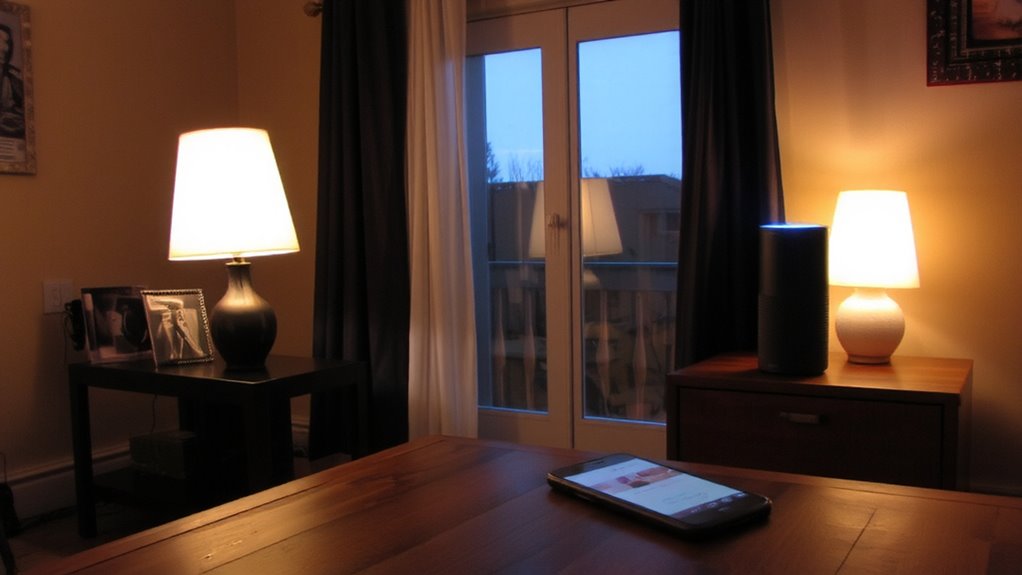
A smart plug that works with your voice assistant gives you greater control over your home’s lighting and appliances, making it easier to create the impression that someone is home. You need to take into account voice compatibility when choosing a model-most support Amazon Alexa or Google Assistant, but not all work with Apple HomeKit. Check your existing ecosystem before buying. During model selection, compare features like app reliability, energy monitoring, and scheduling options. Some models offer remote access, a major plus for security. Others lack strong encryption, which could pose risks. Prices range from $15 to $30 per unit, and bulk discounts are common. Choose devices with strong reviews and regular firmware updates. Reliable voice compatibility guarantees seamless automation, letting you turn devices on or off using simple voice commands, boosting your home’s perceived occupancy efficiently.
Plug in Lamps and TVs to Fake Occupancy
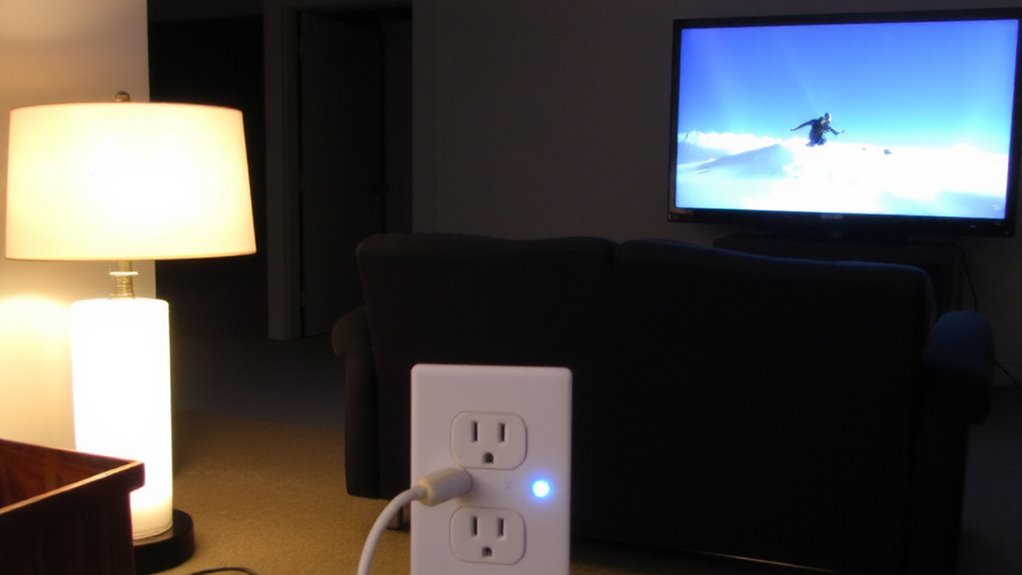
Now that you’ve picked a smart plug compatible with your voice assistant, it’s time to put it to work by creating realistic signs of occupancy. Connect lamps and TVs to simulate activity inside your home. Strategic lamp placement near windows or entry points increases visibility from the outside, making it seem like someone’s home. Use tv programming to mimic viewing habits-people expect background noise and fluctuating light in living areas. Avoid predictable patterns; vary timing and duration to appear authentic. A well-timed lighting routine can be further enhanced by integrating best plug-in security cameras to monitor and verify the effectiveness of your simulated occupancy.
| Device | Recommendation |
|---|---|
| Lamps | Use dimmable bulbs for natural light shifts |
| TVs | Pair with soundbars for realism |
| Smart Plug | Guarantee scheduling and randomization support |
Proper lamp placement and realistic tv programming enhance effectiveness, helping deter potential intruders without drawing suspicion.
Schedule On/Off Times to Match Your Habits
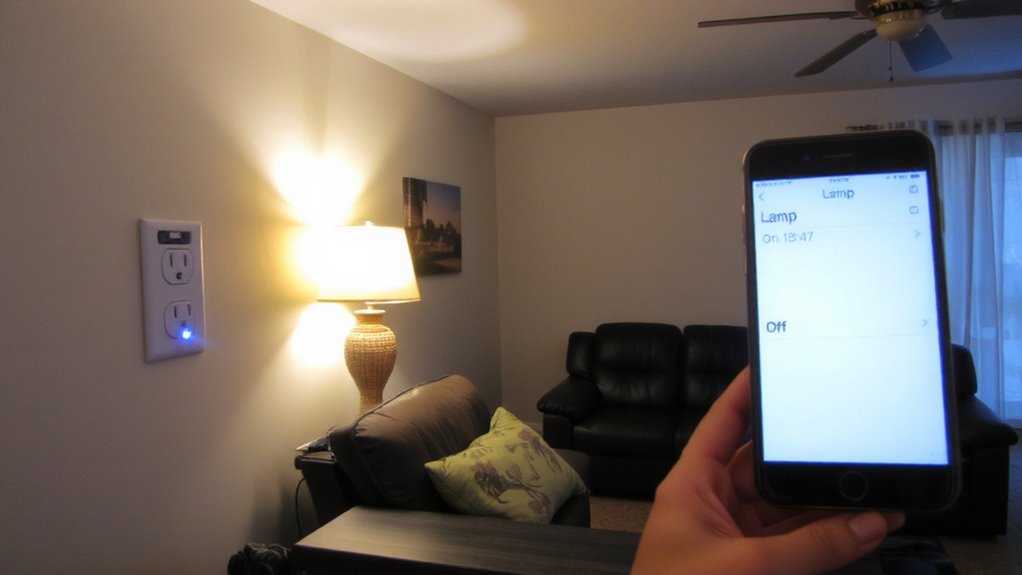
While you’re away, your smart plug should work just like you would-turning devices on and off at times that reflect your usual routine. Setting consistent time patterns helps create believable habit simulation, making it seem like someone’s home. For example, if you typically turn on the living room lamp at 7 p.m. and switch off the bedroom TV at 11 p.m., program your smart plugs to follow those same hours. Most models let you schedule multiple events across days, so you can match weekdays and weekends separately. This precision increases realism, deterring potential intruders who watch for signs of vacancy. While fully random modes exist, they can appear unnatural. Custom schedules based on your actual behavior are more effective. Check your smart plug app’s calendar feature to fine-tune timing. It takes minutes to set up, costs nothing extra, and markedly boosts home security through realistic, data-backed automation.
Control Devices by Voice for Easy Automation
How much easier would it be to manage your home’s security if you could activate lights or appliances without even touching a switch? With voice integration, you can use smart speakers like Alexa or Google Assistant to enable hands free control over your smart plugs. Simply say a command to turn devices on or off, which helps simulate activity inside your home while you’re away. This adds convenience and strengthens deterrence, especially when combined with scheduled routines. Most systems respond accurately within seconds, though performance depends on Wi-Fi reliability. For best results, pair voice commands with automated schedules to avoid predictable patterns. Setup is straightforward, usually taking under ten minutes, and compatible devices start around $25. While voice control improves accessibility, it should complement-but not replace-scheduled automation for maximum security effectiveness.
Test Your Smart Plug Schedule Before You Leave
If you want your smart plug schedule to work reliably while you’re away, test it thoroughly before leaving home. Proper device calibration guarantees each appliance turns on and off exactly when planned. Conduct schedule validation by running your programmed routine for at least two full days. Check every device during both daylight and evening hours to confirm timing and function.
| Day | Device | Status |
|---|---|---|
| 1 | Lamp | On Time |
| 1 | Fan | Delayed |
| 2 | Radio | On Time |
| 2 | Heater | Off |
| 3 | Lamp | On Time |
Adjust delays or malfunctions immediately. Use your smart home app to verify automation logs. Testing prevents false security and guarantees realistic occupancy simulation. Never assume setup is flawless-manual checks boost reliability. Correct calibration now avoids failures later. This step is essential for effective, automated home presence.
Pair With Smart Lights and Cameras for Stronger Security
Since smart plugs alone can’t fully secure your home, pairing them with smart lights and security cameras creates a more effective deterrent by simulating real human activity. You can use motion syncing to trigger lights when cameras detect movement, making it seem like someone’s home. This coordination enhances ambient awareness, as varied lighting patterns and recorded activity signals discourage intruders. Most systems let you schedule lights through apps, while cameras provide live feeds or alerts. For best results, sync devices on the same network and use a hub if needed. Look for models with strong encryption and local storage options to protect privacy. While setup costs range from $100–$300 depending on your home size, the investment improves overall security. Avoid relying solely on automation-review camera footage regularly. Top systems integrate seamlessly with smart plugs and offer advanced features like wireless home security systems with cameras.
Avoid These Common Smart Plug Mistakes
You’ve set up smart lights and cameras to mimic activity and boost your home’s defenses, but overlooking simple smart plug errors can weaken that protection. Plugging in high-wattage appliances like space heaters can lead to overheating risks, especially with older or low-quality models. Always check the plug’s power rating and never exceed it. Avoid using smart plugs with devices that draw heavy loads, such as air conditioners or refrigerators, unless the plug explicitly supports them. Power surges can damage smart plugs or connected devices, so consider using surge-protected outlets. Don’t overload outlets with multiple plugs, as this increases fire hazards. Place plugs in open areas for ventilation. Regularly update firmware to fix security flaws. Choosing reputable brands may cost more, but it reduces failure risks and enhances reliability over time.
On a final note
You can use smart plugs to deter burglars by scheduling lights and TVs to turn on and off when you’re away. Choose models compatible with your voice assistant for easier control. Test the schedule first to guarantee timing feels natural. Pair with smart lights or cameras to boost security. Avoid leaving high-wattage appliances on unattended. Planning helps save energy and improve safety without raising suspicion.