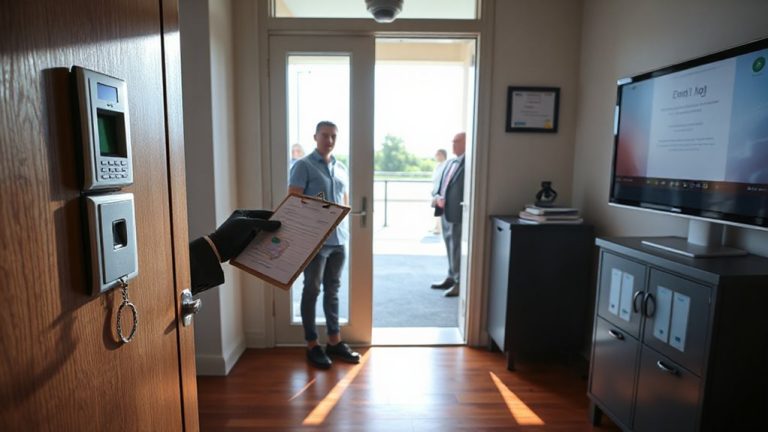
Creating User-Specific Access Codes for Granular Control Over Home Alarm Functions
You can create user-specific access codes to control exactly who disarms your alarm and when. Assign unique, non-reusable codes to each person-most systems support 20+ users and log 100+ events. Give adults full access, but limit kids to arming and disarming. Use time or zone restrictions for teens or workers, and set temporary codes that expire automatically. Revoke access remotely when needed, guarantee encryption is enabled, and avoid weak codes like “1234.” Proper setup takes under 15 minutes and often costs nothing extra-knowing who enters and when makes your home markedly more secure. You’ll also learn how to tailor alerts and permissions for complete control.
Notable Insights
- Assign unique access codes to individuals for precise tracking of who disarms or unlocks doors.
- Set user-specific access levels to limit functions like arming or adjusting settings by role.
- Apply time-based restrictions to control when users can access the system, such as after school hours.
- Use zone-based limits to restrict entry to specific areas like garages or private rooms.
- Generate temporary, auto-expiring codes for guests or workers with scheduled access and audit trails.
Set Up User-Specific Access Codes
While setting up user-specific access codes might seem like a small step, it’s one of the most effective ways to strengthen your home security system. You gain clearer insight into who enters and exits your home through code personalization, assigning unique codes to each person. This isn’t just convenient-it enables precise access tracking, letting you monitor activity by individual, not just timing. Most modern systems log each code used, offering data you can review weekly or after incidents. That means if a door unlocks at 3:15 a.m., you’ll know exactly which code was used and who it belongs to. Systems with access tracking often include mobile alerts, so you’re notified in real time. Setting up codes takes minutes but greatly improves accountability. Look for systems that support at least 20 user codes and store at least 100 access events. This small step delivers measurable control and long-term peace of mind.
Give Family Members the Right Access Level
You’ve set up unique access codes for everyone, and now it’s time to make sure each person has the right level of access. With parental permissions, you can give full system control to adults, including the ability to disarm alarms, change settings, or add new users. Kids or teens might only need to arm or disarm the system, so assigning limited access reduces risk. Use sibling settings to differentiate between younger children and older teens, especially if their routines or maturity levels vary. This approach improves security without complicating daily use. Most home alarm systems let you adjust access levels in the app, often under a user or permissions tab. Review these settings every few months, or after big changes like a new driver’s license. Proper setup today prevents misuse later, and it gives peace of mind knowing each family member has exactly the access they need.
Control Access by Time or Zone
If your teen comes home from school at 3 p.m. and your partner works late, setting access by time or zone guarantees each person only interacts with the system when needed. You can apply time restrictions so your teen disarms the alarm only between 2:30 and 6 p.m., for example, reducing after-hours access. Zone limitations let you restrict entry to certain areas-like the garage or basement-so users only access necessary spaces. This is useful if you have a home office or storage room you’d rather keep private. Most smart alarm systems support both features through the app, requiring minimal setup. Time restrictions improve security by limiting exposure, while zone limitations help enforce household boundaries. Together, they offer precise control without complicating daily routines. Expect setup in under 15 minutes, depending on your system. These tools are often included at no extra cost with monitored plans.
Grant Temporary Access for Guests and Workers
Setting time and zone limits gives you control over regular household access, but there are times when someone only needs short-term entry-like a houseguest staying for a weekend or a plumber arriving for a one-day repair. You can create temporary access codes that expire automatically, reducing risk. Use guest check in features to assign codes valid only during expected arrival times. For worker scheduling, set codes that work just on the service day, limiting access to necessary zones. These codes leave an audit trail, so you know who entered and when. Most systems allow up to 50 unique codes, with pricing plans starting around $10 monthly. While convenient, temporary codes require accurate timing-if someone arrives early or late, access fails. Plan carefully, align codes with schedules, and monitor usage in the app. This method balances security with flexibility, giving trusted visitors access without sharing permanent codes.
Update and Revoke Codes Securely
While temporary access codes offer convenience, keeping them current and secure means regularly updating or revoking access as situations change. You should disable codes for guests who no longer need entry or workers who’ve finished a job-this reduces the risk of unauthorized access. Most modern systems let you revoke codes remotely through a mobile app or web portal, giving you immediate control. Always make certain your system uses code encryption so stored and transmitted codes can’t be intercepted or read by hackers. Enable audit logging to track when and how each code is used, helping you spot suspicious activity. Review these logs weekly to stay aware of access patterns. Updating codes regularly, especially after a security concern, maintains system integrity. These steps, though simple, greatly strengthen your home’s protection when consistently applied.
Avoid Common Access Code Mistakes
How often do you reuse the same access code for multiple people or leave default factory settings unchanged? That’s a common mistake that weakens your home security. Reusing old codes-especially for former residents or workers-gives unauthorized people potential access. Sharing personal codes with family or roommates might seem convenient, but it removes accountability and makes it harder to track who disarmed the system. Default codes are easily found online, making them risky if never updated. Instead, assign unique codes to each user so actions are traceable. Avoid simple sequences like “1234” or birthdays, which are easy to guess. Regularly audit your system, remove inactive users, and never write codes near the keypad. Small steps like these reduce vulnerabilities without extra cost.
Why Custom Access Codes Boost Home Security
You’re more likely to keep your home secure when each family member or guest has a unique access code, because personalized codes make it easier to monitor who enters and disarms the system. Custom codes support reinforced authentication by reducing code sharing, ensuring only authorized users access your home. They also enable behavioral monitoring, letting you spot unusual patterns-like late-night entries or frequent alarm overrides. With this insight, you can adjust permissions or investigate concerns early. Below is a comparison of standard versus custom code benefits:
| Feature | Standard Code | Custom Access Code |
|---|---|---|
| User Identification | Not possible | Precise tracking |
| Authentication Level | Basic | Reinforced authentication |
| Monitoring Capability | Limited | Full behavioral monitoring |
| Security Response | Delayed or reactive | Proactive and data-driven |
Custom codes offer clear advantages in visibility, control, and long-term protection.
On a final note
You boost home security by setting unique access codes for each user, limiting access by time or zone as needed. Temporary codes work well for guests or service workers, and you can revoke them anytime. Avoid shared or simple codes like “1234,” which are easy to guess. Updated systems offer logs and remote control, helping track activity. Custom codes give clear, data-backed control-improving safety without complexity.