What Happens to Your Surveillance Footage During a Cloud Service Outage—And How to Prepare
During a cloud outage, you lose access to live feeds and playback if your system relies only on remote servers. Your footage may be safe, but unreachable without internet. Set up edge recording with a microSD card so cameras keep recording locally. This avoids downtime gaps and cuts long-term costs. For best results, use a hybrid system with both local storage and encrypted cloud backup. You’ll get redundancy, lower risk of data loss, and uninterrupted coverage-even during outages-while balancing cost, convenience, and control. There’s more to contemplate when choosing the right setup for your home.
Notable Insights
- Camera footage may continue recording locally during cloud outages but won’t be accessible remotely.
- Systems without local storage lose all recording and playback access during cloud connectivity issues.
- Edge recording to microSD cards ensures continuous footage capture even when the internet is down.
- Hybrid setups store video both locally and in the cloud, preventing data loss during service outages.
- Regularly test failover systems and enable automatic backup sync to minimize surveillance blind spots.
What Happens During a Cloud Outage: And Why You Lose Footage
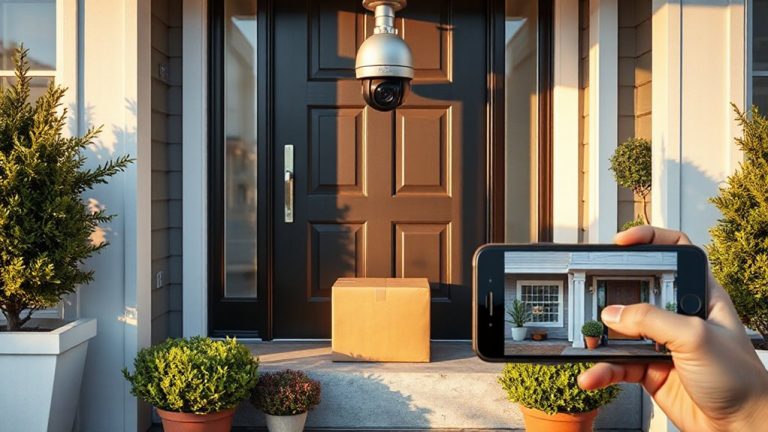
When the cloud goes down, your camera might still record, but you won’t have access to that footage unless your system includes local storage. Without it, you’re relying solely on remote servers, and during an outage, live feeds and playback become unavailable. Data encryption protects your video in transit and at rest, but if you can’t reach the server, even encrypted footage is out of reach. Access control settings also depend on cloud connectivity, meaning you might not be able to grant or revoke user permissions when needed. This creates a gap in both security oversight and response capability. Systems without local backup fundamentally leave you blind during downtime. That’s why choosing a setup with edge storage-like SD cards or local hubs-matters. It guarantees you retain access to encrypted footage and maintain access control, even when the internet falters. Plan accordingly, as outage resilience affects both safety and system reliability. For reliable local recording, consider models offering continuous recording on SD cards.
Keep Recording With Local Storage When the Internet Drops
Even if the internet goes out, your security system can still keep recording-as long as it has local storage built in. Systems with local caching save footage directly to an SD card or hard drive inside the camera or recorder, so you don’t lose critical moments during an outage. This guarantees continuous capture without relying on cloud connectivity. Local storage is reliable and often more affordable over time since it avoids monthly subscription fees. However, if someone steals the device, you could lose the footage. To reduce that risk, use tamper alerts and secure enclosures. While local caching doesn’t offer remote viewing during outages, it guarantees your system keeps working. For most homes, combining local storage with cloud backup later offers the best balance of resilience and accessibility. Plan your setup based on how much downtime you can afford. A reliable option for continuous recording is using a Best DVR Recorders system that supports both local and cloud storage.
Set Up Edge Recording on Your Security Cameras
You can keep your security footage safe during internet outages by using edge recording, a feature that stores video directly on the camera’s built-in storage instead of relying solely on the cloud. This method uses edge caching to save footage locally, so you don’t lose critical data when service drops. With continuous buffering, your camera constantly records over older clips until an event triggers longer-term storage, ensuring you capture what matters. Most cameras support microSD cards, typically up to 256GB, letting you store days or even weeks of video. Setup is usually simple through the device app, where you enable local storage and choose your retention period. While edge recording reduces cloud costs and bandwidth use, it’s less secure if the camera is stolen. Still, it’s a reliable backup that keeps your system running, even offline. For optimal performance, choose a microSD card rated for surveillance use, such as those with high endurance ratings.
Choose a Hybrid System That Works Offline
A hybrid security system gives you the best of both worlds-local storage for reliability during outages and cloud backup for long-term access. You maintain system autonomy when the internet drops, ensuring continuous recording. With data redundancy built in, your footage is saved both on-site and off-site, reducing loss risks. This setup gives you flexibility without sacrificing security.
| Feature | Benefit | Consideration |
|---|---|---|
| Local SD/NVR storage | Works during outages | Limited retention without expansion |
| Cloud syncing | Remote access & backups | Requires stable internet |
| System autonomy | Continuous recording | Depends on local power |
| Data redundancy | Dual storage protection | Higher initial cost |
| Scalability | Expand as needed | May need professional setup |
Choose wisely-balance cost, storage, and reliability.
Prevent Blind Spots in Cloud Surveillance
Cloud outages don’t have to mean gaps in your security coverage, especially if you’ve set up a system that keeps recording locally when the internet fails. You maintain continuous footage because local storage acts as a buffer during downtime. To strengthen reliability, enable data redundancy by saving recordings both in the cloud and on local devices like NVRs or microSD cards. This dual approach guarantees you won’t lose critical video even if one system fails. Backup synchronization should be automatic and frequent, so your offsite and local copies stay current. Check your system’s sync intervals and configure it to update every few minutes. While cloud storage is convenient, it’s not foolproof-local backups are essential. The upfront cost may be higher, but the peace of mind is worth it. Always test failover settings regularly to confirm they work when needed.
On a final note
You lose cloud footage during outages unless your system keeps recording locally. Choose cameras with edge storage or a hybrid setup to avoid blind spots. These continue saving video even when internet drops. Look for models with SD cards or local servers-pros include reliability, cons may be higher upfront cost. Plan for both online and offline performance. Test your system regularly, and budget for storage options that match your security needs.