Syncing Smart Lock Status With Alarm Arming Sequences for Seamless Automation
You can sync your smart lock with your alarm system for seamless automation by using devices that share the same protocol, like Z-Wave or Wi-Fi, and work with a common hub. Locking the door can trigger the alarm to arm automatically after a 30–60 second exit delay, reducing false alarms. Make sure both systems support integrations like Apple HomeKit, Google Home, or Alexa, and keep firmware updated. For best results, use a lock-first routine and test monthly. A reliable setup guarantees your doors lock when the alarm activates-and now you’ll see how to fine-tune each step.
Notable Insights
- Sync smart locks and alarms via a shared hub to enable unified automation and real-time status updates.
- Ensure all devices use compatible protocols like Z-Wave or Zigbee to maintain reliable, low-latency communication.
- Configure the system so locking the door triggers automatic alarm arming with a customizable exit delay.
- Use lock-first routines to verify door status before arming, reducing false alarms from motion sensors.
- Automate locks to secure doors when the alarm triggers, provided door sensors confirm they are closed.
Understand How Smart Locks Sync With Alarms
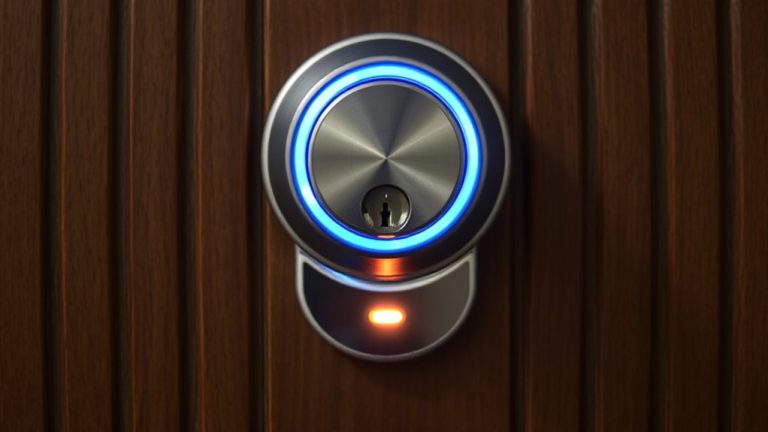
While smart locks and alarm systems operate independently by default, syncing them creates a unified security network that responds to access events in real time. You’ll want to guarantee the lock status triggers the alarm automatically when needed, like disarming when unlocked or sounding if forced. Lock latency-the delay between sending a command and the lock responding-can impact how quickly your alarm reacts, so look for devices with response times under one second. Signal interference from walls, appliances, or distance may weaken communication, especially with Wi-Fi or Bluetooth. For reliability, use a hub-based system on a less crowded frequency, like Z-Wave. Syncing works best when both devices support the same protocol. Check manufacturer specs for compatibility and test the system after setup. Lower latency and strong signal integrity mean faster, more consistent automation with fewer false alarms or missed triggers. Top models such as the Aqara U200 offer seamless Home Assistant integration for reliable syncing.
Choose Devices That Work Together
Because compatibility determines how smoothly your smart lock and alarm system operate together, you’ll need to pick devices that share the same communication protocol-like Z-Wave, Zigbee, or Wi-Fi-so they can exchange signals without delays or dropouts. Device compatibility isn’t just about brand names; it’s about whether systems can actually talk to each other using standardized languages. Look for products certified by the same ecosystem, such as Apple HomeKit, Google Home, or Amazon Alexa, which often guarantees smoother performance. Check manufacturer specs for supported integrations and confirm whether firmware updates are regularly provided. Integration testing by third-party labs or user communities can reveal hidden issues. Don’t assume two smart devices work together just because they’re both “smart.” Taking time to verify connectivity before buying saves frustration and money. Plan your setup around tested, interoperable gear. For Z-Wave compatibility, consider top-rated models like the Top Z-Wave Smart Locks for reliable integration with home security systems.
Arm Your Alarm Automatically When You Lock the Door
When you lock your smart lock, having your alarm system arm automatically can streamline your home security routine and reduce the chance of forgetting a critical step. This integration relies on your smart lock sending a signal to the alarm panel, which then initiates arming after any set entry delay. Most systems allow you to customize this delay-typically 30 to 60 seconds-giving you time to exit before full activation. During this period, motion detection is usually disabled to prevent false triggers. Once the delay ends, motion detection turns on, and the system is fully armed. Guarantee your devices support this automation through a hub or platform like SmartThings or Home Assistant. Some systems may require a monthly service fee for advanced features. Review compatibility and test the sequence regularly to confirm reliability. A reliable setup often depends on choosing the right smart home hub for seamless communication between devices.
Avoid False Alarms With a Lock-First Routine
If you lock your door before arming the alarm, you’re less likely to set off a false alert, especially if your system uses motion sensors during the arming delay. This lock-first routine guarantees lock verification happens while you’re still near the entry point, reducing errors. By confirming the door is secure early, the system avoids triggering during the alarm delay due to a door closing afterward. It’s a simple step that improves reliability.
| Step | Action | Benefit |
|---|---|---|
| 1 | Lock door manually | Starts secure sequence |
| 2 | Wait for lock verification | Confirms door is closed |
| 3 | Arm alarm | Begins monitoring safely |
| 4 | Use auto-delay | Allows exit time |
| 5 | Stay clear during alarm delay | Prevents motion sensor trips |
This sequence minimizes false alarms and strengthens overall security.
Lock Doors Automatically When the Alarm Triggers
Though you can manually secure each door before arming your system, modern smart locks and security setups now let you automate the process so doors lock the moment the alarm triggers. This integration guarantees no door is left unsecured, even if you forget. When the alarm activates, it signals the smart locks to engage, provided door sensors confirm the doors are closed. If a door is open, the system waits but won’t arm until it’s shut. Entry delay settings give you time to exit before the alarm fully engages-usually 30 to 60 seconds. During this period, the system won’t lock doors until the countdown ends. Make certain your door sensors and locks are on the same network for reliable syncing. This feature works best with professional-grade systems, though some DIY kits offer it too. Plan for battery backups and test monthly.
Fix Common Syncing Issues Fast
Because smart locks and alarms rely on wireless communication, signal interference or weak network connections can prevent them from syncing properly-so it’s important you check your system’s connectivity first. Wi-Fi interference from appliances or thick walls often degrades performance. Reboot your router and relocate devices closer to the hub if needed. Also, firmware glitches can disrupt synchronization-always install the latest updates for both lock and alarm systems. If issues persist, review the integration settings in your smart home app.
| Issue | Common Cause | Quick Fix |
|---|---|---|
| Failed sync | Wi-Fi interference | Reposition hub or add extender |
| Delayed response | Firmware glitches | Update device firmware |
| Lock not arming | Configuration error | Re-link lock and alarm in app |
On a final note
You can streamline home security by syncing smart locks with alarm systems. Choose compatible devices to guarantee reliable communication. Automating locks to engage when you arm the alarm-or disarm when you open-reduces human error. A lock-first routine prevents false alarms. Some systems even trigger locking when the alarm activates. Address delays or sync failures promptly through firmware updates or hub reboots. Consistent setup improves safety and convenience.