Essential Components of a Basic Home Alarm Control Panel and Their Functions
Your home alarm control panel connects sensors, keypad, and communication systems to keep your home secure. It uses a control board to process sensor data in real time, with encryption for security. The keypad lets you arm or disarm the system with a PIN, while backlighting guarantees visibility. A built-in battery keeps it running during outages, typically for several hours. Alerts go to your phone via Wi-Fi or cellular backup, guaranteeing you stay informed even if one connection fails-knowing how each part works helps you choose the right setup for your needs.
Notable Insights
- The control panel serves as the central hub, connecting sensors and enabling system control via an intuitive interface.
- The control board processes sensor data in real time, ensuring secure and reliable communication with encryption and diagnostics.
- The keypad allows local arming, disarming, and access control through PIN entry and user authentication.
- A built-in power backup ensures continuous operation during outages with automatic battery switch and low-power alerts.
- Communication modules send alerts via Wi-Fi and cellular networks, supporting encrypted, dual-path signaling for reliable notifications.
What Is a Home Alarm Control Panel?
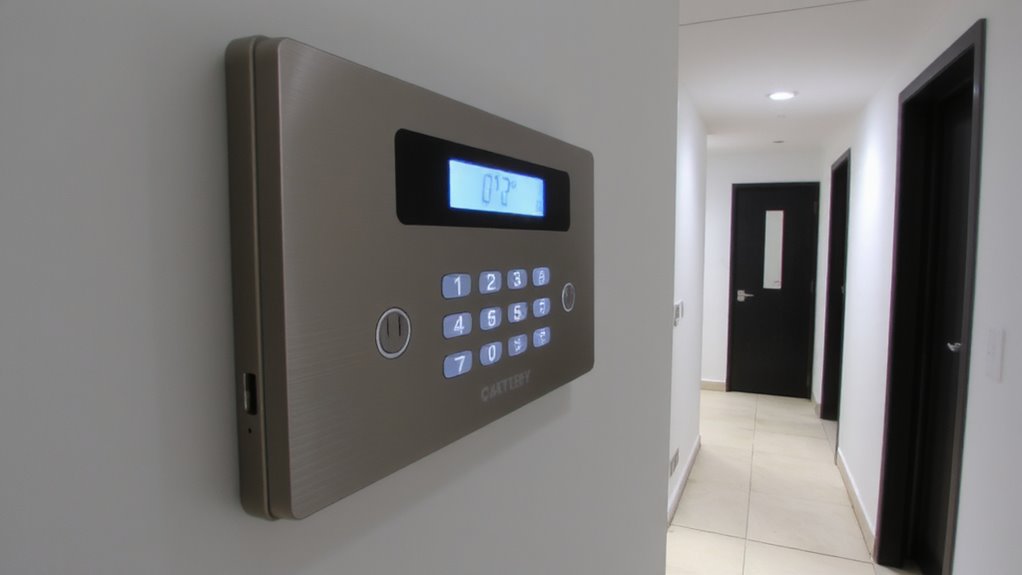
At the heart of your home security system sits the control panel, the central hub that connects and manages all your alarms, sensors, and smart devices. It’s where system design matters most-well-organized layouts guarantee reliable communication between components. You interact with the panel daily, so the user interface must be intuitive, with clear menus and responsive touch controls. Modern panels offer mobile integration, letting you arm, disarm, or monitor your system remotely. A good interface reduces errors and speeds up responses during emergencies. When choosing a panel, consider ease of use, screen size, and customization options. Some models support voice control and home automation, enhancing convenience. Panels vary in price from $100 to $400, depending on features. Look for one with expandability, strong encryption, and 24/7 monitoring compatibility to guarantee long-term reliability and security.
The Control Board: How It Processes Sensor Data
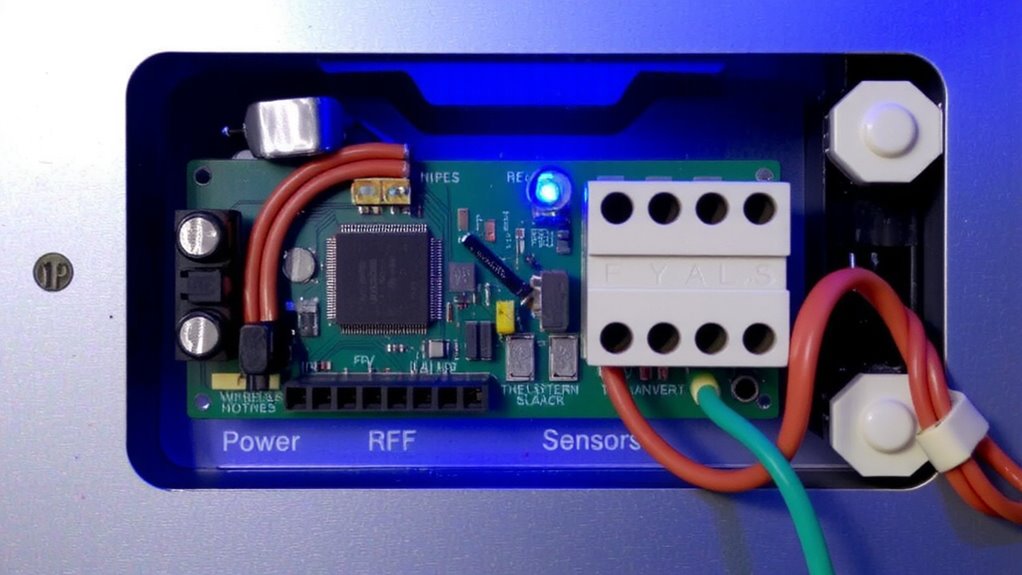
You already know the control panel acts as the central hub of your security system, but beneath that user-friendly interface lies the real engine: the control board. It handles sensor integration by constantly receiving signals from door, motion, and window sensors. When a sensor is triggered, the board processes the data instantly, determining if it matches alarm conditions. Modern boards use data encryption to secure communication between components, preventing tampering or signal interception. This guarantees your system remains reliable and private. The control board also verifies signal strength and sensor status, alerting you to low batteries or connection issues. Built-in diagnostics help maintain performance over time. While wired boards offer stability, wireless models provide easier installation. Choose based on your home’s layout and security needs. Always opt for boards with strong encryption protocols. For homeowners seeking convenience and professional monitoring, many top-rated systems offer cellular backup to ensure connectivity during power outages or internet disruptions, a feature highlighted among the best home alarm systems.
Keypad: Local Access and System Control
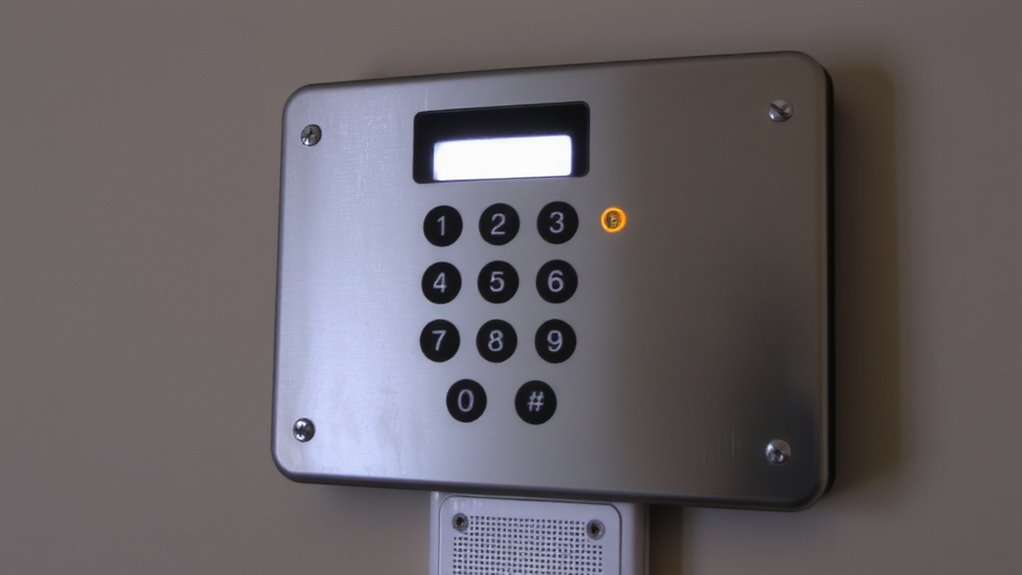
While the control board runs the system behind the scenes, the keypad is where you interact with your alarm setup every day. You use it to arm, disarm, and check the system status. It supports user authentication by requiring PIN codes, ensuring only authorized access. Modern keypads also enable access logging, tracking who entered and when-great for family safety or monitoring caregivers. Your daily routine relies on its responsiveness and clarity.
| Feeling | Reason |
|---|---|
| Security | You know only trusted people can disarm the system |
| Control | You see who enters via access logs |
| Confidence | Correct PIN entry confirms user authentication |
| Peace of mind | Real-time feedback confirms system state |
| Reliability | Consistent interface builds daily trust |
Choose a keypad with backlighting and clear buttons for best results.
Power Backup: Staying Active During Outages
Even the most responsive keypad won’t help if the power goes out and your system shuts down. That’s where power backup comes in. Your control panel relies on battery operation to keep running during electrical outages. Most systems include a built-in rechargeable battery that automatically takes over when power fails. This guarantees continuous protection, often for several hours, depending on battery capacity and usage. Power monitoring is active at all times, alerting you if the main power drops or if the backup battery is low. You’ll get a notification, so you can respond before the system fails. While battery operation provides peace of mind, it must be maintained-check it regularly and replace every 3–5 years. Quality panels integrate seamless power monitoring and long-lasting battery operation, making them reliable during emergencies. Never skip testing this feature-it’s essential for round-the-clock security.
Communication and Alarms: Sending Alerts Automatically
If the alarm detects a break-in, it’s not enough for the siren to sound-your system must notify you and emergency services automatically, which is where reliable communication comes in. Modern control panels use Wi-Fi connectivity to send instant alerts to your smartphone, so you’re always in the loop. If your internet goes down, cellular alerts act as a backup, keeping the system online. Cellular is more reliable during outages, though it often requires a monthly fee. Wi-Fi is cost-effective but vulnerable to service interruptions. For best results, choose a system with both options. Dual-path communication guarantees alerts go through even if one network fails. Test your system monthly to confirm all pathways work. Look for panels with encrypted signals to prevent hacking. Reliable alert delivery means faster response times and real peace of mind. Plan for ongoing service costs when budgeting. A reliable system often includes professional monitoring, which ensures that a best home alarm systems provider responds to alerts even when you’re unavailable.
On a final note
You’ll need a control panel with a reliable control board to process sensor data and manage system responses. The keypad lets you arm or disarm the system locally. A built-in power backup guarantees operation during outages, while communication modules send alerts via phone, cellular, or internet. Together, these components provide consistent monitoring. For best results, choose models with encrypted signals and 24/7 professional monitoring to balance cost, reliability, and security.