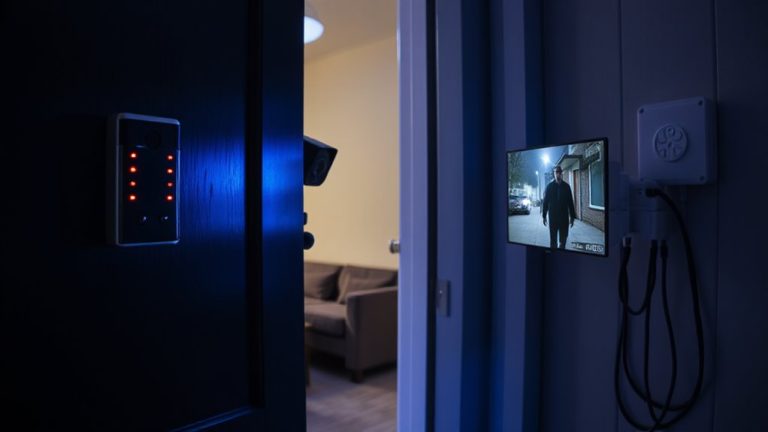
Why Private Cloud Solutions Are Overkill for Most Home Surveillance Environments
You don’t need a private cloud for home surveillance-most consumer cameras offer secure cloud storage with encryption, redundancy, and remote access. Public options are reliable, cost less than $10 monthly, and avoid the $400+ server costs and technical upkeep. Local storage like SD cards or NVRs cuts hacking risks while keeping footage private. For average users, modern systems provide strong privacy without complexity. Stronger solutions exist if your needs grow.
Notable Insights
- Most homes don’t need private clouds, as consumer surveillance systems already offer robust security and cloud reliability.
- Public cloud services provide strong encryption, data redundancy, and lower latency than underpowered home networks.
- Private cloud setups require expensive hardware, continuous maintenance, and technical expertise unsuitable for average users.
- Consumer cameras with end-to-end encryption and local storage offer strong privacy without added complexity.
- Local storage options like SD cards or NVRs are cheaper, secure, and reduce reliance on third-party cloud infrastructure.
Why a Private Cloud Isn’t Necessary for Most Homes
While a private cloud might sound like a secure option for storing your home surveillance footage, most households don’t actually need one. You likely already use cloud services that offer strong data redundancy, automatically backing up your videos across multiple servers so they’re safe even if one fails. These public options are reliable and cost-effective. Plus, they’re optimized to minimize network latency, ensuring your footage streams smoothly without frustrating delays. A private cloud can actually increase latency if your home network isn’t high-powered, leading to buffering or slow response times. For most families, the complexity and technical demands outweigh the benefits. You’re better off choosing a reputable provider with encryption, regular backups, and low latency. Stick with proven systems that balance security, performance, and ease of use-no custom setup required. A reliable alternative is using a high-quality micro SD card, such as those designed for continuous video recording.
What a Private Cloud for Surveillance Actually Costs
You might be thinking a private cloud gives you full control over your home surveillance footage, but that control comes with real costs most people underestimate. Setting up your own system means significant hardware expenses, ongoing maintenance, and higher network bandwidth usage than expected. Below is a breakdown of key cost factors:
| Component | Upfront Cost | Ongoing Expense |
|---|---|---|
| Storage Server | $400–$800 | Power & cooling |
| Cameras (4K) | $200–$600 | Firmware updates |
| Network Upgrade | $100–$300 | Bandwidth usage |
Hardware expenses add up quickly, especially if you want high-resolution video. Upgraded internet plans may be necessary to handle network bandwidth demands. You’ll also manage backups and security yourself, increasing time and technical effort. While some value the control, most homeowners find these costs hard to justify when simpler options exist. A more affordable alternative is choosing top-rated surveillance devices that integrate with existing cloud services securely and efficiently.
How Consumer Cameras Securely Store Video Without It
How do most consumer cameras store video securely without a private cloud? They rely on cloud services with strong video encryption, both in transit and at rest, so only you can access your footage. Many use end-to-end encryption, meaning the camera encrypts video before sending it, and only your device can decrypt it. Data redundancy is built into these platforms by storing copies across multiple servers and locations, reducing the risk of permanent loss. Some models also support local storage via microSD cards or hubs like a Network Video Recorder, combining convenience with extra layers of protection. While subscription plans vary, top brands offer transparent pricing and reliable uptime. You don’t need a private cloud to get secure, durable video storage-consumer options already provide robust protection through encryption and redundancy, balancing cost and performance for everyday home use. A key factor in choosing the right system is understanding the options for wireless video transmission, including best Wi-Fi cameras that integrate seamlessly with these secure cloud and local storage solutions.
Do Privacy Concerns Warrant a Private Cloud?
Is the extra effort of setting up a private cloud really necessary for better privacy? For most home users, it’s not. Modern consumer cameras use strong encryption standards that protect your footage both in transit and at rest, minimizing exposure to third parties. You retain data ownership even with cloud-based services, as long as you control access and manage settings properly. Major brands offer end-to-end encryption, meaning only you can decrypt the footage. While a private cloud gives you full control, it requires technical skill and ongoing maintenance. Unless you have specific compliance needs or high-risk surveillance requirements, consumer solutions already deliver strong privacy protections. Weigh the actual risks, consider encryption standards carefully, and verify how data ownership is enforced in each service. The peace of mind you want may already be within reach-without the complexity.
Best Alternatives to Home Private Cloud Setups
What if full control isn’t the only path to secure home surveillance? You don’t need a private cloud to protect your privacy. Many modern systems use local storage, keeping footage on an SD card or a connected hard drive instead of sending it to remote servers. This reduces hacking risks and keeps your data in your hands. Look for cameras with strong device encryption so recorded video stays secure even if someone accesses the storage. These setups are easier to install, cost less, and often support mobile alerts and remote viewing. While they offer fewer customization options than private clouds, they deliver reliable performance for most homes. Choose models from reputable brands that provide regular firmware updates. You’ll get solid security without the complexity. For the average user, local storage and device encryption strike the right balance between safety, simplicity, and savings.
Who Really Needs a Private Cloud for Home Security
Your home’s security needs depend on how much control and customization you actually require. If you’re managing sensitive data or running a high-risk environment, you might benefit from enterprise grade security and a dedicated infrastructure. These setups give you full control over access, storage, and encryption, reducing reliance on third-party clouds. However, most homeowners don’t need this level of complexity. The cost, maintenance, and technical skill involved are often too high for average use. You’ll face higher upfront costs-sometimes over $1,000-for hardware and ongoing power and bandwidth expenses. For typical surveillance, reliable alternatives like local NVRs or encrypted commercial cloud services offer strong protection. Consider your threat model, budget, and technical capacity. Unless you have specific privacy demands, a private cloud is likely overkill.
On a final note
You likely don’t need a private cloud for home surveillance. Most consumer systems offer strong encryption, local storage, and reliable cloud backups at a fraction of the cost. Private clouds demand technical setup, ongoing maintenance, and higher upfront pricing-often $500 or more. For typical households, reputable brands provide sufficient privacy and ease of use. Stick with tested solutions that balance security, cost, and simplicity.