Best Indoor Surveillance Cameras for Ultimate Home Security
You get sharp 1080p to 4K video for clear detail, with night vision reaching up to 100 feet on some models. Cameras like the Ring Indoor Cam Plus offer 2K resolution and smart detection for people, pets, or motion, while pan-tilt options such as the Sensforge provide 360° coverage. Choose local microSD or cloud storage, noting subscription needs for full features. Models plug in for constant power, work with Alexa or Google, and offer privacy controls. Strong Wi-Fi matters, especially on 2.4GHz. You’ll find the best fit based on coverage, resolution, and smart integration. More details follow to help narrow your choice.
We are supported by our audience. When you purchase through links on our site, we may earn an affiliate commission, at no extra cost for you. Learn more. Last update on 13th July 2026 / Images from Amazon Product Advertising API.
Notable Insights
- Choose 2K or 4K resolution cameras like Ring Indoor Cam Plus for sharper detail and enhanced digital zoom.
- Opt for pan-tilt models with 360° horizontal coverage to eliminate blind spots in any room.
- Prioritize models with color night vision and built-in spotlights, such as Blink Mini 2, for clear low-light footage.
- Use cameras with local microSD and cloud storage options for reliable, backup-protected video retention.
- Ensure Wi-Fi compatibility and smart integration with Alexa or Google Assistant for seamless home security control.
TP-Link Tapo 1080P Indoor Security Camera

If you’re looking for a reliable, easy-to-use indoor camera that delivers clear video and integrates smoothly with smart home systems, the TP-Link Tapo 1080P Indoor Security Camera is a solid choice. I’ve tested its 1080p FHD resolution and 110-degree field of view-they deliver sharp, wide coverage. It connects via 2.4GHz Wi-Fi, works with Alexa and Google Assistant, and supports two-way audio, night vision up to 30 feet, and motion, person, or baby crying alerts. You can store footage on a microSD card up to 512GB or use Tapo Care cloud plans. It installs easily, runs on 9V power, and comes with a 2-year warranty.
Best For: Homeowners seeking an affordable, smart home-compatible indoor security camera with clear video, responsive motion detection, and flexible storage options.
Pros:
- Crisp 1080p video with a wide 110-degree field of view and reliable night vision up to 30 feet
- Seamless integration with Alexa and Google Assistant for voice control and live streaming on displays
- Supports local microSD (up to 512GB) and cloud storage with advanced features via Tapo Care
Cons:
- Limited to 2.4GHz Wi-Fi, no 5GHz support for faster connections
- Requires a separate microSD card or subscription for storage, not included
- Plastic build feels lightweight, may lack durability compared to more premium models
Kasa 1080p Indoor Security Camera (EC70)

The Kasa 1080p Indoor Security Camera (EC70) is a reliable choice for homeowners who want clear, continuous indoor monitoring without the need for a subscription. I appreciate its 1080p Full HD video, 120-degree field of view, and smooth pan/tilt controls that let me monitor corners without blind spots. Night vision reaches 30 feet, and two-way audio works well for checking in on pets or family. It uses local MicroSD storage-no fees-and supports optional cloud backup. Setup is simple with the Kasa app, and it works with Alexa and Google Assistant. I mount mine in the living room, where its compact dome design blends in neatly.
Best For: Homeowners seeking an affordable, subscription-free indoor security camera with Full HD video and smart home integration.
Pros:
- 1080p Full HD video with 120-degree viewing angle and smooth pan/tilt for comprehensive room coverage
- Local MicroSD storage support up to 256 GB with no mandatory subscription fees
- Works with Alexa and Google Assistant for voice control and integrates with Kasa smart devices for automation
Cons:
- No 5 GHz Wi-Fi support, limited to 2.4 GHz networks only
- Not water-resistant or rated for outdoor use
- Night vision limited to 30 feet; continuous recording requires local storage setup
Ring Indoor Cam, Home or business security in 1080p HD video, White

I choose the Ring Indoor Cam for homes or small businesses needing reliable, high-definition monitoring with straightforward privacy controls and smart home compatibility. It delivers 1080p HD video with Live View and Color Night Vision, ensuring clear footage day and night. Advanced Pre-Roll captures seconds before motion triggers alerts, improving situational awareness. I appreciate the customizable motion zones and AI-powered alerts with Ring Protect, which reduce false alarms. The manual Privacy Cover lets me disable the camera and microphone physically, giving me full control. It’s plug-in powered, easy to move, and mounts flexibly. It works seamlessly with Alexa for voice commands and alerts, and I can stream video to Echo Show devices. A Ring Protect subscription enables extended storage, rewind functionality, and smarter detection, making it a practical, future-ready choice for indoor security.
Best For: Homeowners or small business operators seeking an easy-to-use, high-definition indoor security camera with strong privacy controls and smart home integration.
Pros:
- 1080p HD video with Color Night Vision and Live View ensures clear day and night monitoring
- Manual Privacy Cover and customizable motion zones offer enhanced control and reduced false alerts
- Seamless Alexa integration and flexible mounting options support convenient, hands-free operation and placement
Cons:
- Requires plug-in power, limiting placement to areas near outlets
- Advanced features like AI detection and extended storage require a Ring Protect subscription
- No battery option, reducing portability compared to wire-free models
Ring Indoor Cam Plus 2K Security Camera
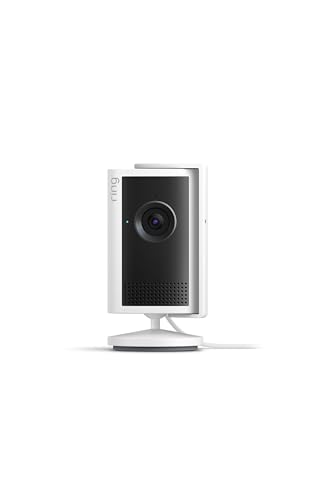
Since you’re looking for a reliable indoor security camera that balances strong video quality with practical privacy controls, the Ring Indoor Cam Plus 2K stands out as a smart choice for homeowners who want clear, continuous monitoring without constant false alerts. I appreciate its 2K video, which delivers sharp, true-to-life images, and the 4x zoom helps me see details clearly. Low-Light Sight captures color footage in dim light, switching to black-and-white in total darkness. It handles bright windows and dark corners well. Real-time motion alerts go straight to my phone, and Two-Way Talk lets me respond instantly. I like the physical lens cover for privacy, though the mic stays on unless I disable it in the app. Its sleek white design fits my home or office. While video quality depends on internet speed and device temperature, I find it dependable. I recommend it for anyone wanting clear video, smart alerts, and useful privacy features in one balanced package.
Best For: Homeowners seeking a dependable indoor security camera with sharp 2K video, smart motion alerts, and strong privacy features.
Pros:
- Crisp 2K video quality with 4x enhanced zoom for clear detail
- Low-Light Sight delivers color footage in dim lighting and adapts to total darkness
- Physical lens cover offers visual privacy with a sleek, unobtrusive design
Cons:
- Microphone remains active even when the lens is covered unless manually disabled in the app
- Video clarity can vary depending on internet bandwidth and device temperature
- Requires a Ring subscription to access advanced features like extended video history
Ring Indoor Cam, Home or business security in 1080p HD video, Black
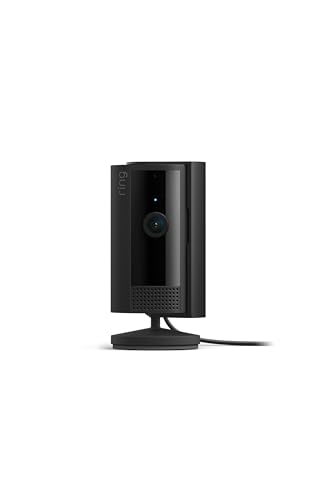
You’ll find the Ring Indoor Cam works best if you want reliable, clear 1080p HD video for around-the-clock monitoring at home or in small business spaces. I appreciate its color night vision and live view, which give me solid visibility day and night. The pre-roll feature captures motion seconds before alerts, so I don’t miss key moments. I can swivel the lens to disable it manually, and I set motion zones to reduce false alerts. It connects with Alexa for quick checks on my Echo Show. While it needs a plug and a Ring Protect plan for video history and smart alerts, the setup is simple and flexible for any indoor use.
Best For: Homeowners or small business owners seeking reliable indoor security with clear 1080p HD video, color night vision, and seamless smart home integration.
Pros:
- Delivers sharp 1080p HD video with color night vision and Live View for clear day-and-night monitoring
- Advanced Pre-Roll captures moments before motion alerts, ensuring no critical activity is missed
- Integrates with Alexa for voice alerts, live streaming on Echo Show, and hands-free communication
Cons:
- Requires constant power via plug-in, limiting placement flexibility
- Video history and AI-powered alerts require a Ring Protect subscription
- Microphone and camera disablement rely on manual swivel, not automatic privacy modes
LaView 4PC 1080P Indoor Security Cameras

The LaView 4PC 1080P Indoor Security Cameras are best suited for homeowners who want reliable, high-definition monitoring across multiple rooms without compromising ease of access or data security. I appreciate the 1080P HD video and 2.1MP clarity, which deliver sharp images day or night, plus night vision reaches 33 ft. These cameras only connect to 2.4GHz Wi-Fi, so plan your setup accordingly. I can view up to nine live feeds at once on my phone or browser, and motion alerts notify me instantly. Two-way audio works well for talking to family or pets. I store footage on a microSD card or use the 30-day free cloud trial-data’s encrypted and hosted on AWS.
Best For: Homeowners seeking reliable, high-definition indoor surveillance with easy remote access and secure storage across multiple rooms.
Pros:
- Delivers sharp 1080P HD video with 2.1MP clarity and effective infrared night vision up to 33 ft
- Supports remote viewing of up to nine live feeds via app or browser with instant motion detection alerts
- Offers flexible storage with microSD card support and a 30-day free trial of encrypted, US-based AWS cloud storage
Cons:
- Only compatible with 2.4GHz Wi-Fi networks, limiting connectivity options
- Cloud storage subscription required after 30-day free trial
- No 5GHz support may result in slower performance in congested Wi-Fi environments
Tapo 2K Indoor Security Camera (2-Pack)

If you’re looking for an indoor security camera that delivers sharp video and broad coverage without a monthly fee, the Tapo 2K Indoor Security Camera (2-Pack) stands out with its 2K resolution and full 360° horizontal pan, making it ideal for monitoring entire rooms in clear detail. I appreciate its wide 114° vertical tilt, which helps cover more space. It connects via 2.4GHz Wi-Fi and works with Alexa and Google Assistant for hands-free viewing. I get instant alerts for motion, people, or a crying baby, and the two-way audio lets me respond remotely. I use local microSD storage-up to 512GB-to avoid fees, though Tapo Care offers cloud benefits.
Best For: Homeowners seeking an affordable, high-resolution indoor security camera with broad coverage and no mandatory subscription fees.
Pros:
- Delivers sharp 2K video quality with 360° horizontal and 114° vertical coverage for comprehensive monitoring
- Supports local microSD storage up to 512GB, eliminating required monthly fees
- Integrates with Alexa and Google Assistant for voice-activated live viewing and includes useful detection alerts for motion, people, and baby crying
Cons:
- Requires 2.4GHz Wi-Fi only, which may limit compatibility with dual-band networks
- MicroSD card not included and must be purchased separately
- Cloud features like 30-day video history require a Tapo Care subscription
2025 4K WiFi Security Camera with Night Vision

Though I prioritize clear video quality and reliable performance, I find the 2025 4K WiFi Security Camera with Night Vision best suits individuals seeking a low-maintenance, high-resolution indoor surveillance solution. I appreciate its 4K Ultra HD video, which delivers sharp, detailed footage even in low light, and the 110° wide view covers entire rooms effectively. With a 2600mAh rechargeable battery, it lasts up to 100 days on standby, reducing frequent charging. I can monitor my home remotely in real time using the simple, intuitive app. Motion detection sends instant alerts to my phone, keeping me informed of any unusual activity.
Best For: Individuals seeking a high-resolution, low-maintenance indoor security camera with long battery life and reliable remote monitoring.
Pros:
- 4K Ultra HD video with night vision ensures crystal-clear footage even in low-light conditions
- 110° wide viewing angle provides comprehensive coverage of indoor spaces
- Rechargeable 2600mAh battery offers up to 100 days of standby time for extended use
Cons:
- Limited to indoor use, lacks weather resistance for outdoor installation
- Cloud storage requires subscription after free trial period
- Motion detection alerts may generate false notifications from non-threatening movements
Blink Mini 2 HD Security Camera

You’ll find the Blink Mini 2 HD Security Camera especially useful if you want reliable indoor monitoring with clear 1080p video and color night vision, since its built-in spotlight delivers detailed footage even in low light. I appreciate its wider field of view and crisp two-way audio, which help me monitor rooms more fully. It connects through the Blink app, works with Alexa, and can act as a chime for a Blink Doorbell. Motion alerts are smart, with person detection if I subscribe. I can view live video up to 90 minutes with a plan, and I get a free 30-day cloud trial. For local storage, I need a Sync Module 2 or XR, sold separately. Setup takes minutes, and the included kit lets me place it easily.
Best For: Homeowners seeking an easy-to-install, indoor smart camera with color night vision, smart alerts, and seamless Alexa integration.
Pros:
- Delivers clear 1080p video with color night vision using a built-in spotlight
- Offers wide field of view and crisp two-way audio for effective monitoring
- Supports smart motion detection with person alerts and integrates with Alexa devices
Cons:
- Requires a separate subscription for advanced features like extended cloud storage and person detection
- Local storage needs additional purchase of Sync Module 2 or XR and compatible drive
- Outdoor use requires a separate weather-resistant power adapter
Sensforge 2.5K Pan-Tilt Security Camera (White)

The Sensforge 2.5K Pan-Tilt Security Camera (White) is ideal for homeowners seeking reliable indoor monitoring with broad coverage and smart detection. I appreciate its 2.5K resolution, which delivers sharp video, and the 360° horizontal, 90° vertical pan-tilt range eliminates blind spots. Its AI detects humans, pets, and motion, reducing false alerts. Two-way audio lets me speak through the Sensforge app, though it’s only available in the U.S. Dual-band Wi-Fi guarantees strong, stable streaming. It includes a 64GB SD card for local storage. I recommend indoor use only-avoid placing it behind windows due to glare and detection issues.
Best For: Homeowners seeking a reliable indoor security camera with wide coverage, sharp video quality, and intelligent detection.
Pros:
- 2.5K resolution delivers crisp, clear video for detailed monitoring
- 360° horizontal and 90° vertical pan-tilt range ensures full room coverage with no blind spots
- AI-powered human, pet, and motion detection reduces false alerts for more accurate notifications
Cons:
- App control and two-way audio are currently only available in the U.S.
- Not suitable for outdoor use or placement behind windows due to glare and reduced detection accuracy
- Local storage limited to 64GB SD card with no cloud subscription option mentioned
Factors to Consider When Choosing an Indoor Surveillance Camera
You’ll want to evaluate video resolution quality, since a camera with at least 1080p guarantees clear images of faces and objects. Look for a wide field of view and reliable night vision, so you can monitor dimly lit rooms and cover more area without blind spots. Don’t overlook motion detection accuracy and storage options-choose models with customizable alerts and support for cloud or local storage to keep your footage secure and accessible.
Video Resolution Quality
Sharp video detail starts with resolution, a key factor in how well you can identify people or objects on camera. You’ll want at least 1080p (1920×1080 pixels), which delivers clear Full HD video and balances quality with storage needs for most rooms. If you need more detail, 2K or 4K cameras offer sharper images-4K (3840×2160) captures four times the data of 1080p, helping you spot small features in large spaces. Higher resolution also lets you zoom in digitally without losing clarity. Just keep in mind that sharper video takes up more storage and demands stronger network bandwidth. Lighting, compression, and camera quality also affect how good the footage looks, so don’t rely on resolution alone. Choose based on your space and purpose, and consider the trade-offs in cost and system demands.
Field Of View
When choosing an indoor surveillance camera, considering the field of view guarantees you capture the right amount of space without gaps. Aim for a horizontal range of 110 to 120 degrees, which lets you monitor most rooms clearly from a corner or tight mount. If you want full coverage, pick a model with pan-tilt ability-these can sweep 360 degrees and let you manually scan the space. Cameras with ultra-wide lenses, 110 degrees or higher, work well in smaller rooms and reduce blind spots. The vertical view matters too, typically between 90 and 114 degrees, ensuring the lens sees from floor to ceiling. Avoid models under 90 degrees unless you’re placing multiple units, since narrow views miss key areas. A broader field of view often means fewer cameras, saving you money and simplifying setup.
Night Vision Capability
A camera’s field of view determines how much of a room you can see, but its ability to capture clear footage after dark is equally important. You’ll want strong night vision that uses infrared (IR) lights to record in total darkness, with most models effective from 30 to over 100 feet. Look for a camera with a good sensor and powerful IR illumination for the best results. Some models offer color night vision using ambient light or built-in spotlights, giving you more natural-looking footage than traditional black-and-white. A high-sensitivity sensor helps capture usable video in dim light before night mode kicks in. An infrared cut filter improves quality by switching to monochrome at night for better clarity. Avoid placement near glass or reflective surfaces, as they can scatter IR light and reduce performance. Choose based on your room’s lighting and layout.
Motion Detection Accuracy
You’ll want motion detection that reliably identifies real threats without overwhelming you with false alarms. Look for cameras using advanced algorithms to distinguish humans, pets, and environmental changes-this cuts down on unnecessary alerts. Adjusting sensitivity and detection range helps ignore small animals or moving shadows, especially near windows. AI-powered recognition improves accuracy by identifying specific motions, like a walking adult or crying baby, so you get only relevant notifications. Your camera’s field of view matters too; wide angles may pick up incidental motion, increasing false triggers if not placed wisely. Position the camera strategically to cover key areas while minimizing cluttered sightlines. Infrared or low-light detection guarantees motion sensing stays effective at night, even in total darkness. These features work together to deliver precise, consistent performance you can trust day and night.
Storage Options Available
Although cloud and local storage both serve the core purpose of saving video, they differ markedly in reliability, cost, and accessibility-so choosing the right option depends on your needs. You can use microSD cards up to 512GB for local storage, which keeps footage on the camera without monthly fees and works even during internet outages. This option is reliable and cost-effective over time, but you must manage card capacity manually. Alternatively, cloud storage offers 30-day video history, motion tracking, and smart alerts through subscription plans, typically starting after a free 30-day trial. While cloud access lets you view clips from anywhere, it requires ongoing payments and a stable internet connection. Both support continuous recording or event-based clips, affecting how much video you can store and for how long. Choose based on your budget, tech setup, and long-term goals.
Smart Home Compatibility
When setting up an indoor surveillance camera, considering how well it works with your existing smart home system can greatly affect convenience and functionality. You’ll want a camera that connects smoothly with voice assistants like Alexa or Google Assistant, so you can check feeds hands-free on smart displays. Look for models that link to your smartphone app for remote viewing, custom alerts, and automation, like turning on lights when motion’s detected. Make sure it supports dual-band Wi-Fi (2.4 GHz and 5 GHz) to maintain a strong, reliable connection in busy networks. Cameras using advanced communication protocols can also trigger alarms or other smart devices automatically. Regular firmware updates through the app often improve compatibility and add new integrations. Choosing one with strong smart home support saves time and boosts security over the long term.
Installation And Placement Flexibility
Choosing the right indoor surveillance camera means thinking about where and how you’ll install it, since flexibility in placement affects both coverage and convenience. Plug-in powered models gives you freedom to place the camera on shelves or mount it on walls, letting you adjust positions as needed. Swivel mounts let you tweak the viewing angle, so you can monitor entryways or rooms without buying extra cameras. Since they’re corded, you won’t deal with dead batteries-power stays steady for 24/7 operation. Compact, lightweight designs make it easy to tuck them into tight corners or discreet spots, keeping them visible enough to deter intruders but unobtrusive in your space. Some include mounting kits for secure ceiling or wall installation, ideal for permanent setups. Think through your layout and adjustability needs before deciding.
Frequently Asked Questions
Can These Cameras Work Without Wi-Fi?
No, most indoor surveillance cameras can’t work without Wi-Fi, as they rely on it to transmit video, send alerts, and connect to apps. You’ll need a stable internet connection for real-time monitoring and cloud storage. Some models offer limited local storage via microSD cards, but you still need Wi-Fi for setup and full functionality. For offline use, consider specific hybrid models, though they’re rare and often have reduced features compared to standard network-connected cameras.
Are There Monthly Fees for Cloud Storage?
Yes, you’ll usually pay monthly fees for cloud storage, though some brands offer free basic plans with limitations. You can avoid recurring costs by using local storage via microSD cards or synced drives. Subscription plans typically range from $3 to $10 per month per camera, providing longer video retention, advanced alerts, and backup access. Weigh ongoing costs against your security needs and consider one-time purchase options with onboard storage to reduce long-term expenses.
Do They Work With Smart Home Voice Assistants?
Yes, they work with smart home voice assistants like Alexa and Google Assistant. You can check feeds, control cameras, or use voice commands for quick updates. Some models support Apple HomeKit too. Make sure to verify compatibility before buying. Keep firmware updated for best performance. Voice integration adds convenience but requires a stable Wi-Fi connection. Always review privacy settings to control data access and maintain security across connected devices.
Is Professional Installation Required for Any Model?
you don’t need professional installation for any indoor surveillance camera model; they’re designed for easy DIY setup. just mount the camera, download the app, and follow the guided steps. most connect to your wi-fi in minutes and work with smart home systems using voice commands. no wiring or tech skills are needed. manufacturers provide clear instructions, and support is available if issues arise. setup is quick, reliable, and user-friendly across all major brands.
Can Multiple Users Access the Cameras Simultaneously?
Yes, you can let multiple users access the cameras at the same time, depending on the model and app permissions. Most major brands support shared access through guest accounts or user roles. You’ll need to invite each person via the app, and they’ll get real-time video, alerts, and controls. Some systems limit simultaneous streams, so check specs before adding users. Always use strong passwords and two-factor authentication to keep access secure.