How to Restrict User Access to Sensitive Home Surveillance Footage by Role
Set up a surveillance system with role-based access to control who sees sensitive footage. Assign custom user roles-like family, guests, or cleaners-with permissions limited to specific cameras and areas. Disable access to private rooms like bedrooms and bathrooms, and use scheduling for temporary viewing rights. Enable audit logs to track access by user and device, ensuring accountability. Choose systems with encryption, two-factor authentication, and cloud storage for added security. Updating roles as needed keeps your system both flexible and secure-details on optimizing each step follow.
Notable Insights
- Assign user roles with access limited to specific cameras based on necessity and responsibility.
- Disable camera access in private areas like bedrooms and bathrooms for all non-essential users.
- Use temporary, time-limited access for guests or service providers to minimize exposure.
- Enable audit logs to monitor who accessed footage and when, ensuring accountability.
- Implement strong authentication and encryption to protect sensitive footage from unauthorized access.
Choose a Surveillance System That Supports Role-Based Access
Most modern surveillance systems offer role-based access, so you’ll want to pick one that lets you assign specific permissions to different users. Look for systems that integrate cloud storage, ensuring footage is securely saved and accessible only by authorized individuals. This minimizes risks if the local device is damaged. Mobile alerts should also be customizable by role, so only relevant people receive notifications. Systems with strong encryption and two-factor authentication add extra protection. While higher-end models cost more upfront, they often include better access controls and longer retention in cloud storage. Avoid systems that give all users full access by default. Instead, choose platforms that allow granular control from the start. Planning now prevents unauthorized viewing later. A well-structured system saves time and improves security for everyone in your home.
Create User Roles With Custom Camera Permissions
Start by defining clear user roles tailored to who’s accessing your cameras-like family members, guests, or caregivers-so you can assign precise permissions. Use permission templates to streamline setup and guarantee consistency across users with similar needs. Most modern systems let you create camera grouping-such as exterior, common areas, or office spaces-so you can control access efficiently. A caregiver might only see common areas, while family members view more. Assign each role access based on necessity, reducing exposure of sensitive footage. Camera grouping supports easier management, especially in larger homes. Consider how often roles change and whether your system allows quick updates. Some platforms charge more for advanced role customization, so check pricing before committing. With well-structured roles and smart use of permission templates, you gain better control, improve privacy, and reduce unauthorized access risk. Always review permissions periodically.
Restrict Access by Room (e.g., Bedrooms, Bathrooms)
You’ve already set up user roles with custom camera permissions, giving the right people access to the right areas-now take it a step further by restricting views based on specific rooms like bedrooms and bathrooms. This helps protect private areas where privacy matters most. Most smart systems let you disable camera access per room, so only authorized users can view footage from sensitive zones. Enforce clear viewing policies, especially for family members or frequent visitors, to guarantee everyone understands boundaries. Some platforms allow scheduling, so cameras in private areas activate only when needed, reducing unnecessary exposure. While advanced, this feature may require a premium subscription or compatible hardware. Weigh the cost against your privacy needs. Proper setup takes time but strengthens trust and security. Always review logs periodically to confirm policies are followed. This targeted control balances safety with respect for personal space. For maximum privacy, consider models supporting continuous recording with local storage options to maintain full control over footage access.
Give Nannies, Cleaners, and Guests Limited Access
A growing number of households use smart cameras to monitor activity while family members are away, and giving nannies, cleaners, or guests some level of access can be both practical and safe-if done right. You should grant limited viewing rights only to necessary areas like the living room or kitchen, never bedrooms or bathrooms. Use temporary access features to guarantee permissions expire after a set time, reducing long-term risk. Most modern systems let you create user profiles with role-based restrictions, so a cleaner might view footage only during scheduled visits. This protects guest privacy and prevents unauthorized monitoring. Temporary access also helps you maintain control-once the visitor leaves, their access ends automatically. Check your camera platform’s sharing settings and set clear start and end times for each user. This method balances security and trust while limiting exposure to sensitive footage. For added discretion, consider installing a best nanny cam with audio that blends into the environment and captures clear sound for accurate monitoring.
Track Who Viewed Which Cameras and When
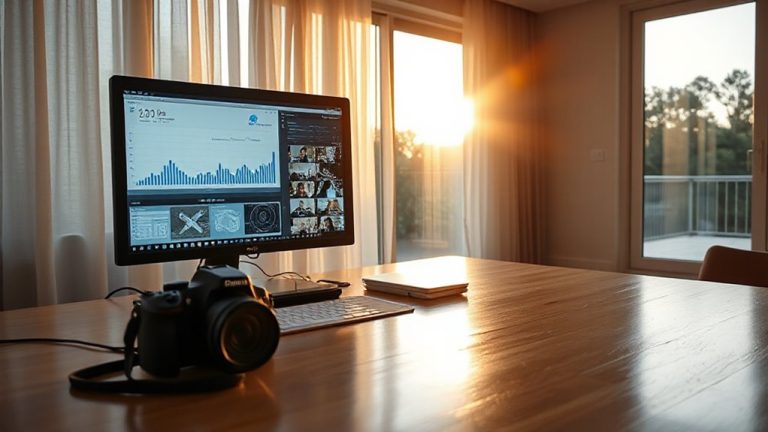
How can you stay confident about who’s seeing what in your home? By using audit logs and access reports to track exactly who viewed which cameras and when. These tools record every login, camera accessed, and viewing time, giving you a clear timeline of activity. Most modern systems automatically generate access reports, so you can review them daily or weekly. Check these regularly to spot unusual access, like someone viewing feeds late at night or from unfamiliar devices. Audit logs help you catch misuse early, especially important if you’ve given limited access to helpers. While some systems charge extra for detailed logs, the added oversight is worth it for sensitive homes. Make sure your security system supports these features and keeps logs securely stored. Regular monitoring turns raw data into actionable insight-so you stay in control, not just informed. Top-rated systems often include robust audit logging features as part of their software package.
Update or Remove Access When Roles Change
When someone’s role in your household changes-like a babysitter leaving or a family member moving out-it’s essential to update their access right away. Delaying access revocation puts your footage at risk, exposing private moments to people who no longer need to see them. Most smart home security systems let you remove or adjust user permissions in seconds through a mobile app. Make permission auditing a monthly habit: review who has access, what they can view, and whether their role still requires it. This proactive check guarantees only trusted individuals see sensitive areas. Some systems even log access history, helping you spot unusual activity. While built-in tools vary by brand, higher-tier models often include role-based access controls and automated alerts for changes. Though these features may cost more, they add critical protection. Update roles promptly, audit permissions regularly, and maintain control over your home’s privacy.
On a final note
You should choose a system that supports role-based access to keep your home surveillance secure. Create custom roles so only trusted users can view sensitive areas like bedrooms or bathrooms. Give temporary workers limited access, and track who sees what and when. Update permissions promptly when roles change. These steps help protect privacy without sacrificing security.