Securing Your Smart Home: A Comprehensive Guide to Network Security for Maximum Protection
Use WPA3 encryption on your Wi-Fi, or WPA2 if needed, and change default router logins to keep your network secure. Split your network with a guest VLAN to isolate smart devices like cameras and bulbs. Set strong, unique passwords with a password manager, turn on 2FA, and label devices for easier tracking. Enable automatic firmware updates to patch flaws. Consider a smart home hub for centralized control-most cost $50–$150 and improve monitoring. There’s more to optimizing each step effectively.
Notable Insights
- Enable WPA3 encryption on your Wi-Fi network, or use WPA2 if WPA3 is unavailable, to prevent unauthorized data access.
- Segment your network using guest networks or VLANs to isolate smart devices from primary devices like laptops and phones.
- Enforce strong, unique passwords for all smart devices and enable two-factor authentication where available for added security.
- Automatically update device firmware to patch vulnerabilities and maintain protection against emerging security threats.
- Use a secure smart home hub to centralize control, enforce encryption, and monitor device activity across your network.
Secure Your Router With Strong Encryption
Most modern routers support strong encryption protocols, and using one is essential to protect your smart home network. You should enable Wi Fi encryption like WPA3, or WPA2 if WPA3 isn’t available, to secure your connection and block unauthorized access. These protocols scramble data so outsiders can’t read it. Without encryption, your devices are vulnerable. Check your router settings to confirm encryption is turned on and set to the strongest option. Default settings often lack full protection. Accessing router settings usually requires typing the router’s IP address into a browser and logging in. Update the default username and password to something secure. It only takes a few minutes but greatly improves security. Routers with outdated firmware may not support modern encryption, so verify compatibility. This step is a basic but critical layer of defense.
Split Your Network to Isolate Smart Devices
If you’re serious about keeping your personal data safe, splitting your home network to isolate smart devices is a smart move. You can use your router’s built-in guest network or VLAN support to achieve device segregation, keeping phones and laptops separate from smart bulbs, cameras, and voice assistants. This reduces risk-if one smart device gets compromised, attackers won’t automatically reach your private data. It also simplifies traffic monitoring, letting you track what each device communicates and flag unusual patterns. Many modern routers support this feature for free, while high-end models offer advanced controls via apps. There’s little downside, though setting it up may take 10–15 minutes. No extra fees are involved in most cases. Device segregation improves security by design, and consistent traffic monitoring helps detect issues early. It’s a practical, effective step everyone should consider.
Lock Down Devices With Strong Passwords and 2FA
Every smart device on your network is a potential entry point, so locking each one down with strong, unique passwords and two-factor authentication (2FA) is essential for real security. Use a password manager to generate and store complex credentials-don’t reuse passwords across devices. Enable 2FA wherever possible, especially for hubs or apps controlling multiple systems, as it adds a critical second layer of verification. Label each device clearly during setup; proper device labeling helps you monitor activity and quickly spot unknowns. Restrict guest access by creating a separate login with limited permissions, so visitors can connect without exposing your main network or core devices. Avoid default settings, which often include weak or shared credentials. Regularly review access logs if your system allows, and remove unused or outdated accounts. These steps reduce attack risks markedly, giving you better control without requiring technical expertise.
Update Firmware Automatically for Ongoing Protection
You’ve secured your devices with strong passwords and two-factor authentication, but that’s just the starting point-keeping firmware up to date is how you maintain that protection over time. Manufacturers regularly release automated updates that include critical vulnerability patches, fixing security flaws you might not even know exist. Without these updates, your devices remain exposed to known threats. Enabling automated updates guarantees your smart home systems receive the latest protections without requiring manual checks. Most modern devices offer this feature in their settings, making it easy to turn on. While some updates might occasionally cause minor glitches, the security benefits far outweigh the risks. Plan to review update logs occasionally to stay informed. Devices that don’t support automated updates may need replacing, as ongoing patch support is essential. Don’t rely on outdated firmware-consistent updates are a cornerstone of real, lasting security.
Use Hubs to Centralize Smart Home Security
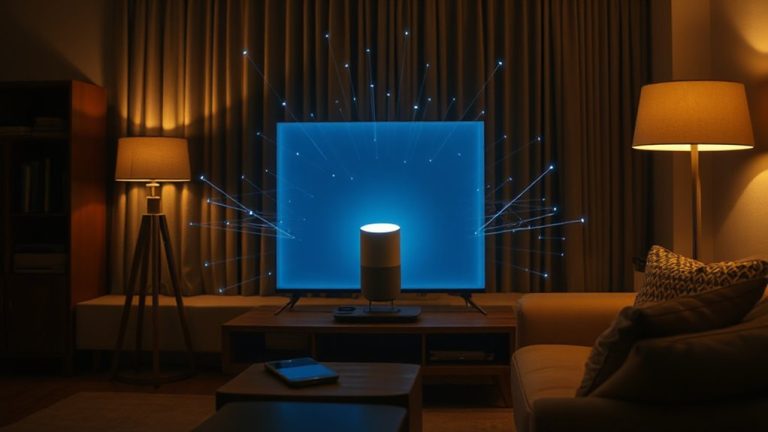
While managing multiple smart devices individually can lead to security gaps, using a smart home hub allows you to centralize control and strengthen your overall defenses. You gain a single interface to monitor and manage device authentication, ensuring only trusted devices connect to your network. Hubs enforce consistent access control so you can set permissions based on user or device, limiting who can view or interact with your systems. Many hubs support encryption and require secure login methods, reducing the risk of unauthorized entry. Though hubs vary in price-typically $50 to $150-they often pay for themselves in improved reliability and protection. Some work only with specific brands, so check compatibility before buying. Overall, a hub simplifies security management, reduces configuration errors, and helps maintain strong, consistent rules across all connected devices. Top models like the best smart home hubs offer advanced security features and broad device compatibility.
Spot Common Smart Home Security Threats
-using weak passwords, unpatched software, or devices with known security flaws. You expose your smart home to malware attacks that can hijack devices or steal data. Cybercriminals often exploit outdated firmware, so always enable automatic updates. Phishing attempts are another common threat-these fake emails or messages trick you into revealing login details. Never click suspicious links or share credentials. Check that your devices use encryption and have a solid track record for security patches. Some brands offer built-in antivirus features, which help but aren’t foolproof. A firewall and network monitoring add extra layers. Consider investing in a security-focused hub that logs unusual activity. Free tools exist, but premium services often provide faster alerts and better support. Stay proactive: review device permissions monthly and segment your network to limit damage if a breach occurs.
On a final note
You’ve taken key steps to protect your smart home by securing your router, isolating devices, and using strong passwords with 2FA. Regular firmware updates and centralized hubs add layers of defense. Watching for common threats helps you respond early. These measures are proven to reduce risks markedly. While no system is flawless, combining them gives you strong, practical protection without high costs or complexity. Stay consistent.