The Importance of Entry Delay Settings in Home Alarm System Usability
Your alarm’s entry delay gives you 30 to 60 seconds to disarm the system after entering, preventing false alarms from everyday moments like fumbling with keys. It balances security and convenience, especially for homes with kids or pets. Too long a delay-over 60 seconds-can create a security gap, while shorter delays may trigger unnecessary alerts. Many systems let you customize delays per door, like longer times for the garage. You can adjust settings using your master code or app. Ideal setup depends on your household’s habits and entry patterns, so consider testing different durations to find what works best for your routine.
Notable Insights
- Entry delay provides a grace period to disarm the system after entry, preventing false alarms during normal comings and goings.
- A 30 to 60-second delay balances security and convenience, reducing errors for families or individuals with varying entry speeds.
- Customizable delays per entry point allow tighter security on rarely used doors and longer times for high-traffic areas like garages.
- Properly adjusted entry delay minimizes false alarms caused by key fumbling, assisting children, or sensor sensitivity to environmental factors.
- Excessively long delays increase security risks, so optimal settings prioritize both timely system response and real-world usability.
What Is Entry Delay in a Home Alarm System?
Think of entry delay as a built-in grace period that gives you time to disarm your home alarm after opening the front door. When sensor activation occurs at entry points like doors or windows, the system doesn’t immediately trigger a full alarm. Instead, it starts a countdown-typically 30 to 60 seconds-allowing you to enter the code and stop the alert. This feature plays a key role in alarm arming logic, balancing security with everyday convenience. Without entry delay, you’d risk false alarms every time you walked in. It only applies after sensor activation when the system was already armed, not during alarm arming itself. Properly configured, entry delay reduces stress and increases usability. It’s a small but critical detail that supports reliable home security, especially in households with children or pets.
How Long Should Entry Delay Be?
You’ve probably experienced the rush of juggling groceries, keys, and kids while the alarm blinks down from 30 seconds-enough time for some, but tight for others. The ideal timing for entry delay typically ranges from 30 to 60 seconds, balancing security and convenience. Too short, and you risk false alarms; too long, and intruders gain more access time. Most systems allow user customization, so you can adjust based on your household’s routine. Families with children or pets often benefit from longer delays, while single occupants might prefer quicker arming. Consider your entry habits, mobility needs, and how many people come and go. Testing different settings helps identify what works best. Reliable systems offer easy adjustments via app or keypad, giving you control without complexity. With proper setup, user customization guarantees both safety and daily usability. Top smart home alarm systems provide customizable entry delays alongside robust security features.
Can Different Doors Have Different Delays?
Some modern alarm systems let you assign separate entry delay times to different doors, giving you greater control over security and convenience. With custom programming, you can set longer delays for frequently used entrances like the garage door, while keeping shorter delays on less-used doors for tighter security. This flexibility relies on zone independence, meaning each door is treated as a separate sensor zone in the system. You’ll need a control panel that supports advanced settings, which may cost more upfront but adds long-term usability. Not all systems offer this feature, so check specifications before purchasing. Proper setup guarantees family members aren’t rushed while maintaining protection. Custom programming also helps match your household’s routine, improving overall system effectiveness without compromising safety. It’s a smart upgrade for homes with multiple entry patterns.
How Entry Delay Prevents False Alarms
Entry delay plays a key role in reducing false alarms by giving you a brief window to disarm the system after entering through a monitored door. Without it, high sensor sensitivity might trigger an alert even during normal user behavior, like fumbling with keys or rushing in with groceries. Most systems offer 30 to 60 seconds, which balances convenience and security. This short grace period accounts for slight delays in entering your code, especially in households with children or elderly residents. Adjusting entry delay helps match the system to your lifestyle while minimizing unnecessary alerts. Proper setup reduces false alarms caused by overly sensitive door sensors responding to vibrations or drafts. When calibrated with realistic user behavior in mind, entry delay improves reliability. It’s not just about timing-it’s about aligning system response with real-world patterns.
Why Too Long a Delay Is a Security Risk
While a longer entry delay might seem convenient, it can create a security gap that intruders could exploit. If someone enters your home shortly after you do, a long delay gives them time to move through the house before the alarm triggers. This increases security vulnerabilities, especially if you’re distracted or slow to disarm the system. A typical 30- to 60-second delay is enough for most people to enter and input their code. Delays longer than that often lead to a delayed response from both you and monitoring services. That extra time may seem minor, but it reduces the system’s effectiveness during a real threat. Experts recommend balancing convenience with protection. Keep your delay short enough to limit exposure, but long enough to prevent false alarms. This small adjustment strengthens your home’s overall security without sacrificing usability. Choosing the right system ensures you can customize settings like entry delay to match your lifestyle and security needs, with many top-rated systems offering flexible alarm system configurations.
How to Change Entry Delay on Your System
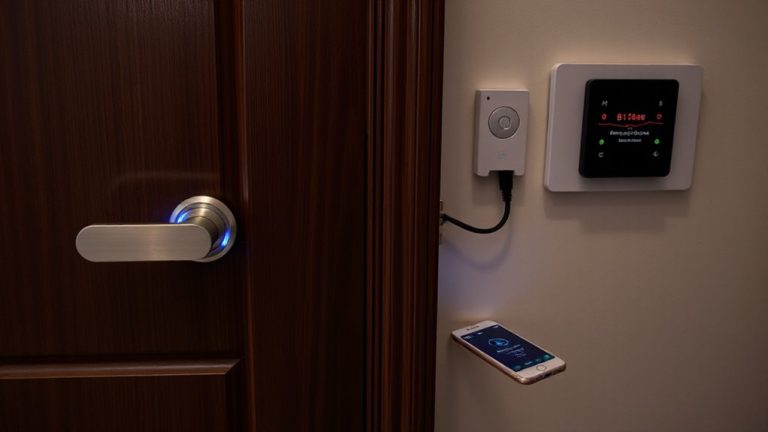
Why does your entry delay matter, and how do you adjust it to match your routine? Most systems let you set delays between 30 and 120 seconds via the main menu. Access settings using your master code, then navigate to entry delay under system configuration. A shorter delay improves alarm sensitivity by reducing the window for intruders, but too short may cause false alarms if you’re slow entering. Balance is key. Check your keypad responsiveness-older keypads may lag, affecting timing. Modern touchpads offer quicker feedback and smoother adjustments. Test the new setting a few times to confirm it fits your entry speed. Some systems sync changes automatically; others need syncing via the app. Always verify the update by triggering the system briefly. Keep your user manual handy-models vary in steps and options. Adjusting properly guarantees both security and usability.
Does Entry Delay Affect Daily Convenience?
How often do you fumble with keys while the alarm counts down? A well-configured entry delay can ease that daily stress, offering user flexibility so you’re not racing against a timer. Most systems allow 30 to 60 seconds, giving you time to disarm the alarm without panic. This feature supports routine integration, aligning with your household’s comings and goings. If the delay’s too short, you may feel rushed; too long, and security gaps emerge. Studies show adjustable delays improve compliance, as users are more likely to arm their systems when they know they have time to enter safely. Modern systems let you customize delays per entry point, enhancing both convenience and protection. For families with kids or elderly members, longer delays add accessibility. Choose a system that allows personalized timing, balancing security needs with daily flow. Proper setup guarantees reliability without disruption. A reliable Top Picks & Buying Tips resource can guide you toward systems with optimal entry delay customization.
On a final note
You should set your entry delay to 30–60 seconds-it gives enough time to disarm the system without raising false alarms. Longer delays increase break-in risks, so avoid settings over 90 seconds. Some systems let you assign different delays per door, improving convenience and security. Check your alarm manual or app to adjust settings, and test the timing with all household members. A well-tuned entry delay balances safety, usability, and peace of mind.