Battery Life Expectations Across Different Types of Wireless Alarm Sensors
Your wireless alarm sensors typically last 3 to 5 years, with motion, door, and glass break sensors all falling within this range under normal use. Frequent triggering, signal interference, or extreme temperatures can shorten battery life. Use lithium batteries for better performance, especially in harsh conditions, and test sensors every six months. Proper placement and calibration help reduce false alarms and power drain. You’ll find more tips to optimize each sensor type just ahead.
Notable Insights
- Motion detector batteries typically last 3–5 years, with pet immunity and proper placement helping preserve lifespan.
- Door sensor batteries last 3–5 years, but frequent door use and misalignment can increase battery drain.
- Glass break sensor batteries last 3–5 years, with monthly testing and smart calibration improving efficiency.
- Signal interference from walls or electronics increases power consumption across all sensor types.
- Using high-quality lithium batteries and routine maintenance every six months extends battery life reliably.
How Long Do Motion Detector Batteries Last?
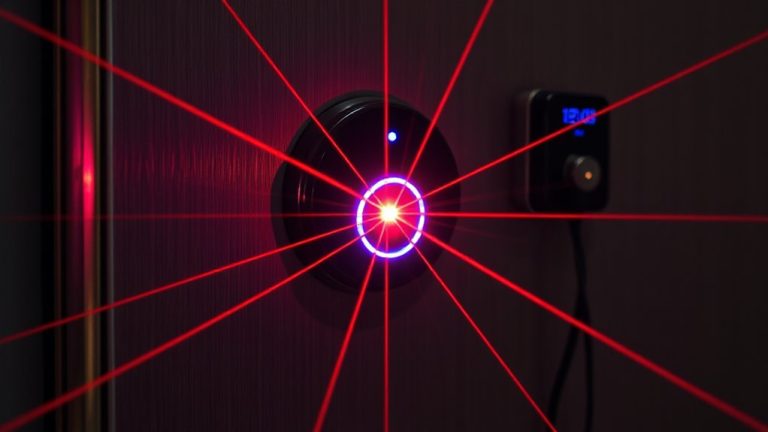
Most motion detector batteries last between three and five years, depending on usage and environment. You can expect longer life if the sensor isn’t triggered often and operates in moderate temperatures. Many modern detectors include pet immunity, so you won’t get false alarms from cats or dogs under a certain weight-this feature reduces unnecessary signaling, preserving battery sheduling. However, signal interference from thick walls or nearby electronics can force the device to transmit more powerfully, draining the battery faster. To minimize this, install sensors within clear line-of-sight of the control panel when possible. Use lithium batteries for more stable performance in extreme conditions, though they cost slightly more. Check your system’s low-battery alerts regularly, and replace batteries proactively to maintain reliable protection. Proper placement and maintenance guarantee peak efficiency and fewer disruptions over time. For reliable performance, consider choosing from the Best Motion Sensor Alarms based on verified user feedback and expert testing.
How Long Do Door Sensor Batteries Last?
Door sensor batteries typically last between three and five years, much like motion detectors, but actual lifespan depends on usage patterns and installation environment. You’ll find that frequent door use increases signal transmission, draining batteries faster. Installation frequency matters-if you move or retrofit sensors often, you risk misalignment, which can force devices to work harder. Proper sensor calibration guarantees the magnet and switch align correctly, reducing false alerts and unnecessary power use. Poorly calibrated units may send repeated signals, shortening battery life. For best results, test your sensors every six months and replace batteries proactively. Lithium batteries tend to outperform alkaline ones in longevity. Most systems will send a low-battery alert, but don’t rely on it alone. Check manufacturer guidelines for specific recommendations on maintenance and parts. Planning for timely replacements keeps your system reliable without unexpected gaps in coverage.
How Long Do Glass Break Sensor Batteries Last?
Glass break sensors, often overlooked in home security setups, typically deliver three to five years of battery life under normal conditions-comparable to other wireless sensors. You can expect reliable performance if you maintain proper glass sensitivity settings, which help the device detect breaking glass without triggering false alarms. Sound calibration is key-most models use dual-frequency detection to identify both the low thud of impact and high-frequency shattering noise. This guarantees accuracy, but if set too high, it may drain power faster or miss alerts. Modern sensors use efficient circuitry, so battery waste isn’t common. Test your unit monthly, and replace the battery every four years as a precaution. While some premium models cost more upfront, their smart calibration features improve both safety and battery efficiency over time.
Why Alarm Sensor Batteries Drain Fast
While wireless alarm sensors are designed to last several years on a single battery, you might find yours draining faster than expected due to a few common, avoidable issues. Signal interference from nearby electronics or thick walls forces your sensor to work harder, using more power to maintain a strong connection. If devices like routers or microwaves are nearby, they can disrupt transmission and increase energy use. Power surges, even small ones, can also damage battery efficiency or degrade internal components over time, leading to quicker drain. Poor battery quality or extreme temperatures play a role, too. You’ll want to install sensors away from interference sources and use surge protectors for connected hubs. Though you can’t control every factor, being aware of these issues helps explain why performance drops.
7 Ways to Extend Security Sensor Battery Life
You can take control of your security system’s efficiency by making smart choices that directly impact battery longevity. Simple steps in battery conservation and power optimization go a long way. Place sensors thoughtfully-avoid extreme temperatures and humidity that strain performance. Use high-quality lithium batteries for stable output. Many systems allow you to adjust transmission frequency, reducing unnecessary power use. Regularly clean sensor contacts to maintain conductivity.
| Strategy | Benefit | Consideration |
|---|---|---|
| Reduce signal frequency | Improves power optimization | Slight delay in response |
| Use energy-efficient sensors | Extends battery life | Higher initial cost |
| Schedule routine checks | Enhances battery conservation | Requires user discipline |
| Install in stable environments | Minimizes battery drain | Limited placement options |
These data-driven choices help maximize uptime and reliability across your wireless network.
When to Replace Alarm System Batteries
How do you know when it’s time to replace your alarm system batteries? Most systems send low-battery signals, usually with a chirp or alert on the control panel. Don’t wait-replace them promptly. Yearly voltage testing helps catch weak batteries before failure. Check each sensor’s power level, especially after extreme temperatures. If you notice sluggish response or inconsistent signals, test the voltage immediately. Also, inspect for battery corrosion, which can damage contacts and reduce performance. Clean any residue with a dry cloth or cotton swab before inserting new batteries. Always use the manufacturer-recommended type to guarantee reliability. While some sensors last 3–5 years, regular maintenance extends life and prevents gaps in coverage. Plan to test batteries twice a year and replace proactively, not reactively. This small effort keeps your system secure and avoids unexpected downtime.
On a final note
You can expect motion detector batteries to last 3–5 years, while door and glass break sensors typically run 4–5 years. Battery life depends on usage, signal frequency, and environment. To extend performance, choose lithium batteries, reduce sensor triggers, and check connections yearly. Replace batteries proactively, even if the system shows no low-battery alerts, to avoid unexpected failures and maintain reliable home security.