Setting Up Text and Call Notifications for DIY Self-Monitored Alarm Systems
Connect your DIY alarm to Wi-Fi (2.4 GHz recommended) or add cellular backup for reliable alerts, as strong signals guarantee faster notifications. Enable SMS in the app to get texts even when it’s closed, though carrier rates may apply. Turn on call alerts for emergencies like break-ins, with escalation to family if you don’t answer. Customize triggers based on sensor type and location, and set schedules-like calls only at night-to reduce false alarms. You’ll learn how to test and fine-tune each alert type for full control.
Notable Insights
- Connect your alarm system to a 2.4 GHz Wi-Fi network or add cellular backup for reliable remote alert delivery.
- Enable SMS alerts in the alarm app to receive instant text notifications without needing the app open.
- Activate call alerts for critical events like break-ins or fires to ensure immediate phone notification.
- Customize trigger conditions to reduce false alarms, such as arming alerts only when the system is active.
- Set scheduled notification rules to match your routine, like calls only during nighttime hours.
Connect Your Alarm to Wi-Fi or Cellular
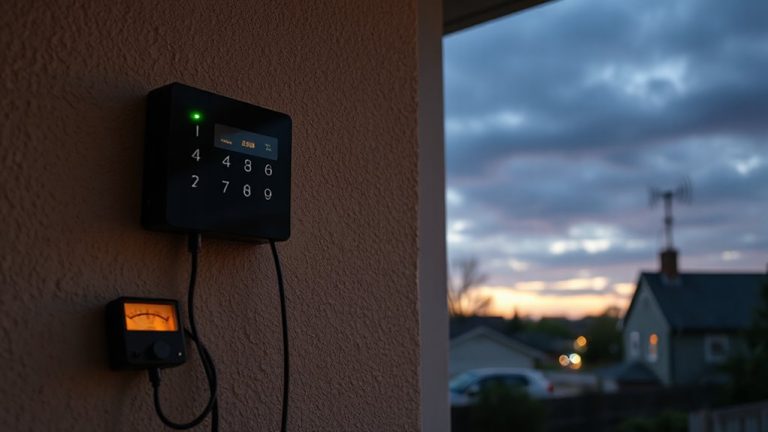
While you can set up a DIY alarm system without internet, connecting it to Wi-Fi or cellular gives you remote alerts and real-time monitoring, which are essential for fast response. Wi Fi pairing lets you manage your system via an app, receive instant notifications, and view sensor data from anywhere. Most kits support 2.4 GHz networks, so check compatibility before setup. A strong signal guarantees reliable communication. However, if your internet fails, cellular backup keeps the system online, maintaining alert delivery. Systems with built-in cellular backup typically require a subscription, ranging from $10–$30 monthly, but prevent downtime during outages. Always enable both Wi-Fi and cellular options if available to maximize reliability. This dual connection guarantees alerts reach you no matter what. Plan for data usage and verify coverage in your area.
Enable SMS Alerts in Your App
Text messages add a reliable layer of notification when alarms trigger, especially if you’re not actively checking the app. To set this up, open your alarm system’s app and go to the notifications section. Enable SMS alerts through SMS configuration so you receive texts when sensors detect motion, door openings, or system faults. Most systems let you customize which events send alerts, using alert filtering to reduce noise from non-critical triggers. This helps avoid overwhelm while ensuring important events aren’t missed. SMS delivery typically works even if your app isn’t open, as long as cellular service is available. Keep in mind carrier messaging rates may apply. For best results, verify your phone number is current and test the alert flow after setup. Balance immediacy with relevance by choosing only key events for SMS delivery.
Turn On Call Alerts for Critical Events
What if you could get a phone call the moment a critical security event occurs, even if you’re not looking at your phone? Enabling call alerts guarantees you’re notified immediately when alarms are triggered, adding a reliable layer to your DIY self-monitored system. Unlike texts, calls demand attention, reducing the chance you’ll miss a critical event. Most systems use call routing to send alerts directly to your phone, often within seconds. If you don’t answer, alert escalation can forward the call to another trusted contact, such as a family member or neighbor. This redundancy improves response time. Call alerts usually cost a bit more than SMS-only plans, but they’re worth it for high-priority events like break-ins or fire alarms. Make sure your app supports multiple call destinations and allows you to set up staggered escalation paths. Test the system monthly to confirm call routing works as intended.
Customize When Alerts Trigger
Since not every alarm event demands your immediate attention, customizing when alerts trigger guarantees you stay informed without unnecessary interruptions. You can adjust alert timing so notifications align with actual risks, like setting longer delays for motion sensors in low-traffic areas. By refining trigger conditions, you reduce false alarms from pets or routine activity. For example, configure door sensors to send instant alerts only when the system is armed. Some systems let you set different trigger conditions based on your location-alerts go off only if you’re away. This level of control improves reliability and user experience. Consider models with customizable rules; they often cost slightly more but save time and stress over the long run. Plan around your household patterns and choose platforms offering flexible programming for smarter, more accurate notifications.
Set Schedules for Smarter Notifications
You’ve already fine-tuned when alerts trigger based on activity and system state, but timing can go even further with scheduled notification rules. Setting notification timing by the day or night helps align alerts with your routine. By defining alert preferences in advance, you avoid unnecessary pings during work hours or late at night. Below is a sample schedule to guide your setup.
| Time Period | Notifications On? | Alert Preferences |
|---|---|---|
| 7:00 AM – 6:00 PM | Yes | Text only for motion alerts |
| 6:01 PM – 11:00 PM | Yes | Text and call for all triggers |
| 11:01 PM – 6:59 AM | No (except alarms) | Emergency calls only |
These rules reduce alert fatigue and improve response. Smart scheduling supports consistent monitoring without disruption. Plan your notification timing around family habits and safety needs for best results. A reliable DIY system integrates seamlessly with your daily life, and choosing the right home alarm systems ensures dependable performance and compatibility with smart notification features.
Test and Fix Alert Issues
How reliable are your current alerts when it matters most? Test them regularly to guarantee they arrive promptly and consistently. Poor signal strength can delay or block notifications, so check your device’s connection-especially in basements or garages where reception weakens. Use your system’s diagnostic tools to measure signal strength and reposition hardware if needed. Alert timing is just as critical: alarms should notify you within seconds of triggering. Simulate events like door openings or motion detection to verify response speed. If alerts are slow or missing, review your network, carrier settings, or app permissions. Some systems offer backup cellular modules, which help maintain signal strength during Wi-Fi outages. Consider this feature if reliability is a concern. Fixing these issues early improves overall performance and keeps your self-monitored system effective.
On a final note
You’ve set up text and call alerts, customized triggers, and tested them for reliability. Wi-Fi or cellular connectivity guarantees your system stays online, while scheduled alerts reduce false alarms. SMS and call notifications offer fast updates, though messaging delays can happen. Consider cellular backup for stability. Most systems cost $20–$50 monthly for monitoring and alerts. Always verify local laws and test monthly to keep your DIY alarm effective and responsive.