How Mobile App Controls Let You Arm and Disarm Your Home Security System From Anywhere
You can arm or disarm your security system from anywhere using a mobile app, which connects via Wi-Fi or 4G/5G with an active internet connection. Authorized users access the system through secure login methods like passwords, biometrics, or two-factor authentication. A simple tap takes about 5 seconds and offers high reliability. Most services require a $10–$30 monthly subscription, with limited free options. Advanced features like geofencing and voice control improve convenience. Strong encryption protects your data, and regular updates fix security flaws. System logs track every action for accountability. Automation reduces false alarms while keeping your home protected. Next, you’ll discover how these functions integrate with daily routines.
Notable Insights
- Use a mobile app to arm or disarm your security system with a tap, from anywhere with internet access.
- Real-time alerts keep you informed of system status changes and detected activities instantly.
- Geofencing automatically arms the system when you leave and disarms when you return home.
- Two-factor authentication and encryption ensure secure, authorized access to app controls.
- Sync sensors, cameras, and smart locks for unified remote control via a single app interface.
How Mobile App Controls Work for Home Security
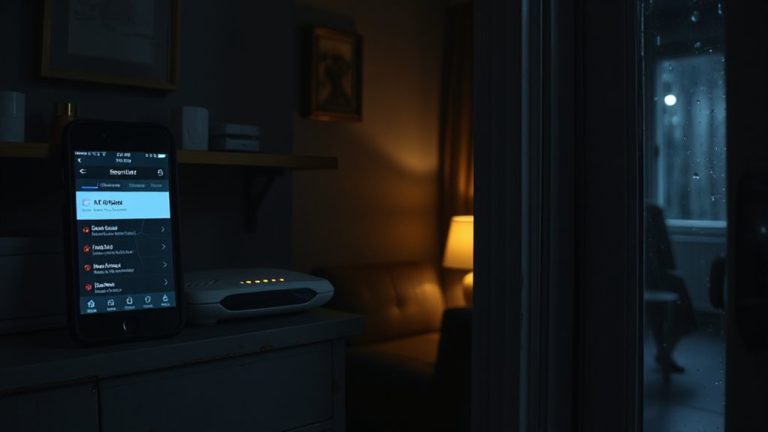
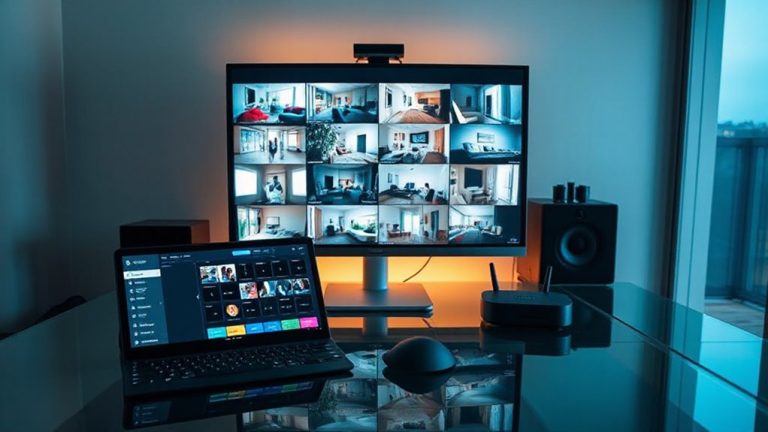
While you might think managing your home security requires manual checks and on-site controls, most modern systems let you monitor and operate key functions remotely using a mobile app. You can arm or disarm your system with a tap, check camera feeds, and receive real-time alerts. User authentication guarantees only authorized individuals access your system through passwords, biometrics, or two-factor verification. This adds a necessary layer of security, especially if your phone is lost or stolen. Geofencing triggers automatically adjust system settings based on your smartphone’s location, arming the system when you leave and disarming it when you return. These features reduce false alarms and improve convenience. Most apps work with 4G/5G or Wi-Fi, though reliable internet is essential. Subscription plans vary, typically starting around $10–$30 monthly, with some offering limited free tiers. Look for strong encryption and regular updates when choosing a platform.
Why Remote Arming Matters for Modern Homes
You can arm your home security system with a few taps from anywhere, and that level of control is more than just convenient-it’s a practical necessity for today’s lifestyles. Whether you’re at work, on vacation, or already in bed, remote arming gives you the ability to secure your home instantly. The peace of mind it offers is measurable: knowing your system is active reduces anxiety about forgotten locks or open windows. The convenience factor shines when plans change-no need to double back just to arm the system. Busy households benefit most, with multiple users able to monitor and control settings through a single app. Most modern systems include activity logs and real-time alerts, so you’re always informed. Reliable internet and app performance are essential, so choose a provider with strong uptime and customer support. Remote arming isn’t a luxury-it’s a smart, practical layer of home protection. Top systems offer professional monitoring services to enhance responsiveness during emergencies.
How to Arm Your System From Your Phone
What does it actually take to arm your home security system from a smartphone? Not much-just a stable internet connection, the right app, and proper setup. You can arm your system in seconds with a tap, use a voice command via smart assistants, or apply manual override if automation fails. Most apps let you choose between “away” or “stay” modes depending on whether you’re home or not. Top-rated systems often include advanced remote access features for enhanced control and monitoring.
| Method | Speed | Reliability |
|---|---|---|
| Tap to arm | 5 sec | High |
| Voice command | 8 sec | Medium |
| Manual override | 10 sec | High |
Use voice commands for convenience, but rely on manual override when signals are weak. Check app permissions and Wi-Fi strength regularly. Some systems charge extra for remote features, so review pricing before committing. Consistent testing guarantees it works every time.
How to Disarm Your System Remotely
How hard is it to disarm your home security system from afar? Not hard at all-most apps let you disable your system with just a tap. Open the app, log in, and select the disarm option to stop the alarm. This helps prevent false alarms when you’re delayed or someone else enters the home. If you’ve forgotten to arm it earlier, you can still control it remotely. Some systems include emergency overrides, letting you disarm even during an active alert if you’ve been verified. These overrides guarantee access during urgent situations without compromising security. Make sure your internet or cellular connection is stable to avoid delays. Two-factor authentication adds safety, but don’t enable it if it slows down access too much. Check your app permissions regularly. Always test the feature so you’re prepared. With the right setup, remote disarming is reliable, efficient, and secure. Top-rated systems like the best wireless home security systems offer intuitive mobile controls for seamless remote access.
Top App Features for Remote Security Control
While securing your home from afar, the best mobile apps offer more than just basic controls-they provide a streamlined, user-friendly experience backed by reliable technology. Real time alerts keep you informed of activity, so you know instantly if a door opens or motion is detected. With device synchronization, all your sensors, cameras, and locks work together seamlessly, whether you’re across town or overseas. You can arm, disarm, or check status with just a tap, and custom modes let you set routines for daily use.
| Feature | Peace of Mind |
|---|---|
| Real time alerts | Know immediately if something’s wrong |
| Device synchronization | Everything works together, no delays |
| Remote access | Stay in control, no matter where you are |
Keep Your System Secure: Best Practices for Remote Access
You’ve set up your home security system to receive alerts, sync devices, and manage access from anywhere, but remote control comes with its own risks if not properly secured. To protect your system, always guarantee your app uses strong data encryption, which safeguards your information as it travels between your phone and the security hub. Without it, hackers could intercept access details. Also, never underestimate the importance of password strength. Use long, unique passwords with a mix of letters, numbers, and symbols, and avoid reusing passwords across apps. Enable two-factor authentication when available-it adds an extra verification step. Regularly update the app and your devices to patch security flaws. While convenient, remote access requires ongoing attention to digital hygiene. Treat your security system like any sensitive account: protect it with the same care you would your bank login.
Fix Common App Problems
When your home security app isn’t working as expected, the issue often stems from simple causes like poor internet connectivity, outdated software, or misconfigured device settings. App crashes are usually fixed by restarting your phone or reinstalling the app, which clears glitches and restores stability. Login failures often happen due to incorrect credentials or forgotten passwords, so double-check your input or use the “reset password” feature. Make sure your app is updated-older versions lack support and may not sync with newer systems. If sync issues persist, log out and back in, or check your Wi-Fi signal strength. Avoid using public networks, as they can block secure connections. Most manufacturers offer troubleshooting guides and customer support, so consult them if problems continue. Regular maintenance reduces future issues and keeps your system running smoothly.
On a final note
You can now manage your home security with a tap, using apps that let you arm or disarm your system remotely. These tools offer real-time alerts, access logs, and video feeds, all backed by encryption for safety. For best results, use strong passwords and enable two-factor authentication. While convenient, app reliability depends on internet stability and proper setup. Always check app permissions and update firmware to prevent vulnerabilities. Remote control gives peace of mind, especially when confirming your system is active while away.