Strategies for Managing Multi-Location Home Surveillance in a Single Cloud Account
Use one cloud platform to manage all your home surveillance locations. It simplifies control, cuts long-term costs, and guarantees consistent navigation, firmware updates, and centralized alerts. Name and group cameras by property and use-like “Front_Porch” or “Garage”-for faster searches. Set clear user permissions: full access for family, limited for guests. Prioritize strong, reliable internet with 5–10 Mbps per camera and wired or mesh Wi-Fi where needed. Adjust storage per location-30 days for high-traffic areas, 7 for low-use ones. Regular checks keep everything running smoothly, and smart alerts reduce false alarms. You’ll find even more ways to fine-tune your system with a closer look at each feature.
Notable Insights
- Use a single cloud platform to centralize control, simplify navigation, and ensure consistent firmware updates across all locations.
- Label and group cameras by property and use case for quick filtering and efficient footage retrieval.
- Assign role-based user permissions to limit access, enhance security, and tailor visibility by location or camera.
- Ensure reliable connectivity at each site with adequate bandwidth, QoS settings, and network redundancy.
- Customize storage settings per location, adjusting retention and quality based on activity levels and security needs.
Choose One Platform for Multi-Location Surveillance
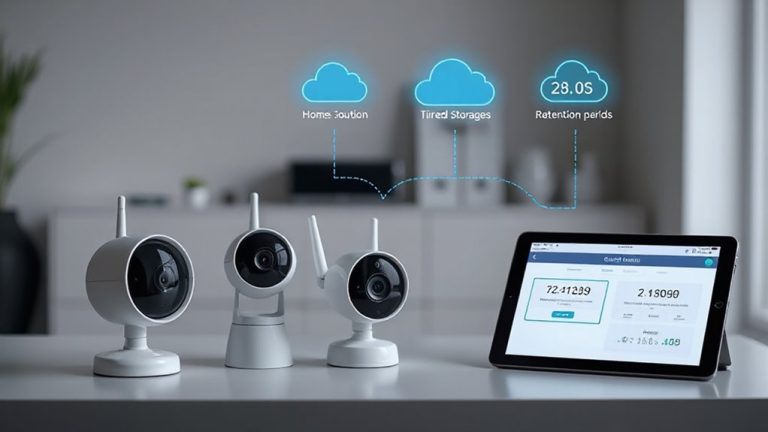
While managing cameras across several properties might seem easier with different systems, sticking to one platform actually simplifies control and reduces long-term costs. You’ll benefit from consistent interface navigation, centralized alerts, and unified firmware updates. Platform integration guarantees all devices communicate efficiently, minimizing compatibility issues. When doing a feature comparison, you can clearly assess tools like motion zones, recording quality, and sharing permissions across locations. Mix-and-match systems may offer short-term savings but often lead to higher support needs and operational gaps. A single platform supports scalable growth, especially if you add properties later. Look for cloud plans that bundle multiple cameras at lower per-unit rates. Avoid locking into contracts without testing reliability first. Always verify retention periods, encryption standards, and customer service responsiveness. Your long-term efficiency depends on smart planning now. Consider starting with Best Security Cameras for Your Home to ensure high-quality, compatible devices from the outset.
Organize Your Cameras by Property and Use Case
How do you make sense of footage from multiple properties without getting overwhelmed? Start by using camera labeling and location tagging to bring clarity. Assign clear, consistent names to each camera based on property and use case-like “Backyard_Pool” or “Garage_Entrance.” Group cameras by location tagging so you can filter views by house or building instantly. This makes reviewing footage faster and reduces confusion. Labeling also helps when searching for clips later. Most cloud platforms support these features at no extra cost. It’s a small step that pays off in daily use. Without organization, finding events takes longer and critical moments might be missed. Proper structure improves response time and system efficiency. Build this habit early, whether managing two homes or five. A reliable indoor security camera can enhance monitoring consistency across all locations.
Set User Permissions for Security and Access
You’ll want to set up user permissions to keep your multi-location surveillance system secure and functional for everyone involved. By assigning user roles, you can control who sees what and who can make changes. For example, family members might have full access, while guests or housekeepers get limited access levels. Most cloud platforms let you customize permissions by location or camera, so someone can view the vacation home but not your primary residence. Admins should be restricted to trusted users since they can change settings or delete footage. Lower access levels help reduce risks from accidental or intentional misuse. Setting these permissions early prevents confusion and enhances security. Regularly review and update roles as needs change. Proper planning now saves time and improves safety.
Ensure Reliable Connections Across All Sites
Since stable internet connections are essential for uninterrupted video streaming and remote access, it’s important to assess the network quality at each location. You’ll want to test upload speeds, as video feeds rely heavily on consistent upstream performance. Guarantee each site has sufficient bandwidth allocation dedicated to surveillance, ideally 5–10 Mbps per camera for HD streaming. Prioritize security devices on your router using quality of service (QoS) settings to prevent interruptions during high network usage. Consider network redundancy by using dual internet providers or cellular backup so your system stays online if the primary connection fails. This minimizes downtime and maintains continuous monitoring. While wired connections offer more reliability, strong Wi-Fi with mesh extenders can work if properly configured. Investing in backup connectivity may increase upfront costs, but it improves long-term reliability across all locations.
Stop False Alarms With Smarter Alert Rules
A stable connection keeps your cameras online, but smart settings keep them useful. You can reduce false alarms by adjusting motion sensitivity for each location’s environment. High sensitivity might catch every leaf blow, while lower settings focus on actual movement. Most systems let you customize zones and schedules, so you’re not alerted during routine activity. Environmental triggers like shadows, rain, or pets often set off cameras, but smarter alert rules help filter them out. Use detection filters to ignore small objects or specific areas. For example, set backyard cameras to ignore motion near bushes where wind moves branches. Check logs to see when false alerts happen, then tweak rules accordingly. These adjustments take little time but greatly improve accuracy. Consistent review and fine-tuning across locations guarantee alerts stay relevant, saving you time and keeping security effective without unnecessary notifications.
Apply Storage Settings by Location
Not every site needs the same retention period or video quality, so tailoring storage settings by location can save bandwidth and lower costs. You can adjust storage allocation based on how often activity occurs-high-traffic areas may need longer retention policies, while quieter spots require less. For example, a busy front entrance might use 30-day retention with high-resolution storage, but a garage accessed weekly could run on 7-day retention with lower resolution. This targeted approach optimizes cloud usage and reduces monthly fees. Most platforms let you set custom retention policies per camera group or site, giving you control without complexity. Consider each location’s security needs and internet capacity when planning. Efficient storage allocation isn’t just about saving space-it’s about smart resource use. Review your settings quarterly to guarantee they still match your household’s habits and security goals.
Run Monthly System Checks for Peak Performance
While your surveillance system runs in the background daily, skipping routine maintenance can silently degrade its performance over time-so committing to monthly checks guarantees everything operates as designed. You should prioritize camera calibration and firmware updates to maintain accuracy and security. Regular calibration assures your feeds capture the correct angles and motion zones, while updates patch vulnerabilities and improve functionality. A reliable security camera software ensures seamless integration across all your locations and enhances cloud-based management. Use the table below to stay organized:
| Location | Camera Calibration Done? | Firmware Updated? |
|---|---|---|
| Primary Home | Yes | Yes |
| Vacation Cabin | No | Yes |
| Rental Unit A | Yes | No |
| Warehouse | No | No |
| Parent’s House | Yes | Yes |
Review each site systematically. Missing updates or misaligned cameras compromise coverage. Set calendar reminders and document results each month. This small effort sustains reliability across all locations and maximizes your cloud account’s efficiency.
On a final note
You can manage multiple properties efficiently in one cloud account by choosing a compatible platform and organizing cameras by location and purpose. Set user permissions to control access, guarantee strong, stable internet at each site, and customize alert rules to reduce false alarms. Adjust storage per location, and run monthly checks to maintain performance. These steps save time, improve security, and support reliable, long-term surveillance across all your homes.