Automated Deletion of Redundant Motion-Only Clips in Home Security Storage
You save storage and time by automatically deleting motion clips with no people, vehicles, or real threats-fewer than 5% of events are actual security concerns. Smart systems use motion patterns, duration, and image recognition to filter out false triggers like shadows or swaying trees. Adjust sensitivity, clip length, and scheduling to reduce junk footage. Top cameras learn over time, keeping only what matters. You’re already cutting clutter-see how simple refinements boost efficiency even further.
Notable Insights
- Automated deletion removes non-essential motion clips triggered by environmental factors like wind or shadows.
- Smart systems use motion analysis and image recognition to retain only footage with people, vehicles, or animals.
- Machine learning improves accuracy by learning normal patterns and filtering out recurring false triggers.
- Adjusting motion sensitivity and clip duration reduces junk clips while capturing meaningful events.
- Local edge processing minimizes storage use and enhances privacy by avoiding unnecessary cloud uploads.
Why Automated Deletion Beats Saving Every Motion Clip
Why save every motion clip if most show nothing useful? You’re wasting storage and time reviewing footage triggered by environmental triggers like swaying trees or passing headlights. Automated deletion helps by removing clips with false positives before they clutter your system. Most home security cameras capture hundreds of motion events weekly, yet fewer than 5% involve actual security concerns. Without automation, you’d manually sift through hours of irrelevant clips. Systems that analyze motion context reduce this burden markedly. They use sensor data and image recognition to distinguish between real threats and harmless movement. This means you keep only meaningful footage, saving space and improving playback speed. Reliable models flag probable false positives, giving you the option to review before permanent deletion. While setup may require initial configuration, long-term benefits outweigh the effort. Storage costs drop, and your security system becomes more efficient, focusing on what truly matters.
How Auto-Delete Systems Spot Meaningless Motion
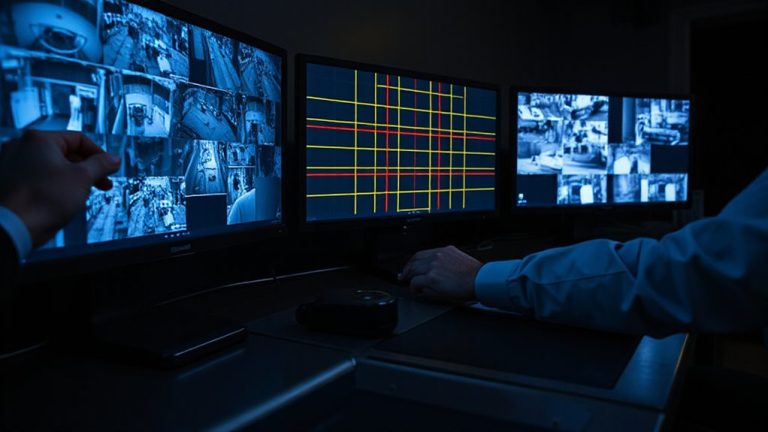
How do auto-delete systems know which motion clips to toss? They analyze each clip using motion patterns, duration, and visual content to separate real events from false triggers. If a clip shows brief movement with no identifiable object-like leaves blowing or shadows shifting-it’s flagged as likely environmental noise. These systems use pixel analysis and time-of-day data to learn typical false triggers in your area. For example, consistent morning wind or passing car lights often create repeat noise you don’t need. Clips under a few seconds with no human or vehicle shapes are usually marked redundant. Advanced models apply machine learning to improve accuracy over time, reducing unnecessary saves. This keeps storage free for important footage while minimizing review time. You benefit from efficient space use and faster searches, though occasionally a borderline clip might be deleted.
Key Settings for Smarter Automatic Clip Deletion
While motion detection technology handles the basics, fine-tuning your system’s settings guarantees it deletes only what’s truly redundant. You should adjust the motion sensitivity so your camera ignores small movements like leaves blowing, which reduces false triggers. If sensitivity is too high, you’ll keep clips you don’t need; too low, and you might miss important activity. Set your clip duration to match typical event lengths-15 to 30 seconds is usually enough for most doorbell or yard motion. Shorter clips help avoid storing extended idle footage, while longer ones risk saving empty video. Pairing ideal motion sensitivity with a precise clip duration improves auto-delete accuracy. This means more relevant footage stays, storage fills slower, and review time drops. You’ll save space without sacrificing security. These settings are often found in your camera’s app under recording preferences-checking them monthly keeps performance consistent. For those prioritizing uninterrupted surveillance, consider systems that support continuous recording indoor cameras.
What Makes a Security Camera’s Auto-Delete Smart
Fine-tune your security camera’s auto-delete feature, and you’ll cut clutter without compromising coverage. Smart auto-delete uses motion analysis and event tagging to distinguish important clips from junk. It learns what normal activity looks like, so it doesn’t save every passing shadow or tree branch sway. You keep only what matters-actual events tied to people, animals, or vehicles. Choosing the right software can significantly enhance how effectively these features work, with top options offering advanced best security camera software capabilities for smarter storage management.
| Feature | Pro | Con |
|---|---|---|
| Motion analysis | Reduces false saves | Needs calibration |
| Event tagging | Prioritizes real threats | Uses more storage short-term |
| Auto-delete rules | Frees space automatically | Risk of early deletion if misconfigured |
Set rules based on tagged events, and let motion analysis guide what gets deleted. That way, you maintain a lean, effective footage -without losing important moments.
Keep Real Alerts, Lose the Junk: Balancing Storage and Safety
When your security camera saves footage continuously, storage fills up fast-often with clips showing nothing but wind-blown bushes or flickering lights. You need a system that keeps real alerts while deleting junk, reducing false positives that waste space and attention. Smart algorithms now distinguish between actual threats and routine motion, so you’re not overwhelmed by irrelevant clips. This selective retention supports data privacy by minimizing unnecessary recording of your daily life. Systems with edge processing analyze motion on the device, ensuring less data travels to the cloud and reducing exposure risks. Look for cameras with customizable sensitivity settings and schedule-based recording to further refine results. While higher-tier models improve accuracy, they often require a subscription. Balance cost and control by choosing one that offers local storage and transparent data use policies. You’ll save space, protect privacy, and stay alert to what truly matters.
On a final note
You save storage and time when your security system automatically deletes motion-only clips without people or threats. Smart cameras use person detection to keep important alerts while removing false triggers from shadows or animals. This cuts clutter, extends storage life, and keeps review simple. Balance depends on accurate AI, proper settings, and regular checks. Choose models with customizable retention and motion zones for best results.