Automatically Tagging Footage When Doorbell Is Pressed in Smart Home Systems
When your doorbell is pressed, smart systems automatically tag the exact moment in the video timeline, aligning the event with timestamped metadata for quick review. These tags organize footage by incident, prioritize clips, and reduce manual search time. AI enhances accuracy by distinguishing people from animals and cutting false alerts by over 60%. For best results, make certain devices are on the same network and updated. Top models like Ring Video Doorbell 4 and Google Nest offer seamless tagging. Cloud storage helps preserve events securely. Proper setup improves reliability and keeps tags synced with footage. You’ll find how to optimize each step with the right tools and settings.
Notable Insights
- Doorbell presses automatically tag video footage with precise timestamps and event metadata.
- Integrated motion detection and AI reduce false alerts by identifying people, animals, and vehicles.
- Tags sync doorbell triggers with camera recordings for searchable, event-based video review.
- Smart home compatibility with Alexa, Google Assistant, and Ring enables seamless automation.
- Cloud or local storage preserves tagged clips with metadata, ensuring reliable backup and retrieval.
Why Doorbell-Triggered Tags Boost Home Security
When someone presses your doorbell, an automatic tag created by your security system marks that exact moment in the video timeline, making it easier for you to review important events later. This feature supports enhanced surveillance by ensuring you never miss critical interactions at your front door. With real time alerts, you’re notified instantly, whether you’re at home or away, so you can respond quickly. These tags streamline footage review, letting you jump straight to relevant clips instead of scanning hours of video. Most systems use motion detection alongside doorbell triggers, reducing false alarms. For best results, pair your doorbell with cloud storage to preserve tagged events securely. While some plans require a subscription, basic features often come free. Look for models with high-resolution video and two-way audio to maximize value. Overall, doorbell-triggered tags offer a reliable, data-backed way to strengthen your home’s security setup. Top models like the best doorbell cameras combine sharp video, smart alerts, and seamless integration for optimal performance.
How Smart Doorbells Auto-Tag Doorbell Events
Smart doorbells use built-in sensors and integrated software to automatically tag events the moment the doorbell is pressed. You get a timestamped label on the video clip, making it easy to find later. These tags rely on precise motion alignment, syncing the button press with detected movement in the camera’s view. This guarantees video verification is reliable, reducing false alerts from passing cars or shadows. Most systems store tagged events in the cloud or locally, depending on your plan. Higher-tier models offer advanced motion alignment to distinguish between a person pressing the bell and incidental movement nearby. While basic plans include tagging, subscription fees for cloud storage can add up over time. Look for doorbells with free local storage options if you want to avoid recurring costs. Tag accuracy is key-check reviews for consistent performance. You’ll save time during playback and improve your home security monitoring with properly synced, verified events. Top models in the best doorbell cameras list often include these advanced tagging and storage features.
How AI Makes Doorbell Event Detection Smarter
Though basic motion sensors can trigger recordings, AI takes doorbell event detection further by analyzing video content in real time. You get smarter alerts because the system distinguishes between people, animals, and vehicles. Using facial recognition, it can identify frequent visitors-like family or delivery drivers-and label them automatically. This helps you know who’s at the door without reviewing every clip. Motion prediction improves response accuracy by anticipating movement patterns, reducing false alarms from swaying trees or passing cars. AI processes footage locally or in the cloud, depending on your camera model, balancing speed and privacy. Cameras with AI use more power and may require a subscription for full features, so consider long-term costs. Look for models that let you customize detection zones and sensitivity. In testing, AI-enhanced systems reduced irrelevant alerts by over 60% compared to standard motion triggers. Top models in the best doorbell cameras roundup offer advanced AI features alongside reliable performance and easy smart home integration, making it easier to choose a top-rated doorbell camera based on your needs.
Top Cameras With Doorbell-Triggered Tags
AI-powered doorbell cameras now go beyond simple motion alerts by automatically tagging footage the moment the doorbell is pressed, giving you clearer insight into who’s at your door and why. When choosing a model, consider camera resolution and brand compatibility to guarantee clear video and smooth integration with your existing smart home system. Below are top options that deliver reliable tagging and solid performance.
| Model | Camera Resolution | Brand Compatibility |
|---|---|---|
| Ring Video Doorbell 4 | 1536p | Alexa, Ring Alarm |
| Google Nest Doorbell | 1080p | Google Home, Nest Hub |
| Arlo Essential Wired | 1536p | Amazon Alexa, Google Assistant |
Higher camera resolution means sharper images, while broad brand compatibility simplifies automation. The Ring model offers strong video and seamless Alexa use. The Nest doorbell provides built-in Google Assistant but has lower resolution. Arlo balances both features with flexible integration. Each supports automatic doorbell-triggered tags.
How to Set Up Automatic Doorbell Event Tags
Why do some doorbell cameras tag events automatically while others don’t? It comes down to proper doorbell integration and motion synchronization. You’ll need a smart doorbell that connects directly with your security camera system or home hub. Once linked, the system detects when the doorbell is pressed and automatically tags the corresponding video clip. For reliable tagging, guarantee both devices are on the same network and updated to the latest firmware. Motion synchronization helps align recordings with doorbell events, reducing missed tags. Check your app settings to enable event triggers and verify the timeline matches actual presses. Most systems support this feature out of the box, but some require manual configuration. Brands like Ring, Nest, and Eufy offer strong integration, though compatibility varies. Always confirm before purchase. Setup usually takes under 15 minutes.
Fix Missing or False Doorbell Event Tags
If your doorbell camera isn’t tagging events when the doorbell is pressed, the first thing to check is the connection between the doorbell and your camera system. Make sure both devices are on the same network and firmware is up to date. Weak signals or outdated software often cause missing tags. If tags appear too frequently without actual presses, you’re likely seeing false positives. This usually stems from poor sensor calibration or electrical interference. Adjust the doorbell’s sensitivity settings and verify the wiring or power source is stable. Recalibrate the sensor through your app to align trigger signals with actual button presses. Some systems let you set delay intervals to reduce false positives. Test after each change. Reliable tagging depends on precise sensor calibration and strong integration-don’t ignore small glitches, as they affect long-term accuracy and review efficiency. A few minutes of troubleshooting improves performance markedly.
Search Footage Faster With Tagged Doorbell Events
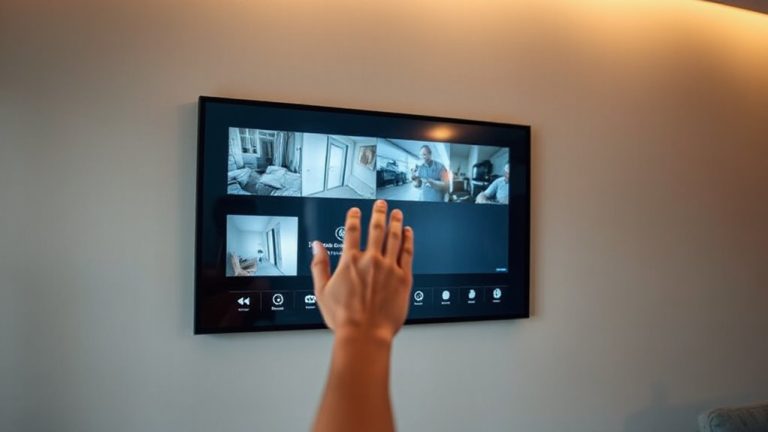
How much time do you spend scrolling through hours of security footage just to find a single visitor? With tagged doorbell events, you can cut through your video archives in seconds. Each time the doorbell rings, the system automatically saves a clip with precise time stamps, so you can jump directly to relevant moments. No more guessing when someone arrived or left. These tags organize your footage chronologically and by event type, making searches fast and accurate. Most smart systems let you filter by date, time, or activity, giving you control without complexity. Time stamps guarantee records are reliable, which helps if you need evidence. The setup costs range from $100 to $300, depending on the system. While internet outages may delay tags, local storage usually preserves clips. Tagged events save time and improve home security-just make sure your system syncs correctly and backs up regularly.
On a final note
You can improve home security by using smart doorbells that automatically tag footage when the doorbell is pressed. These tags make it easier to find important events quickly. Systems with AI reduce false alerts and improve accuracy over time. Setting up tags is usually simple through the camera’s app. Check your settings regularly, update firmware, and choose models with reliable detection and reasonable subscription costs for the best results.