How to Apply Geographic Tags to Multi-Camera Home Surveillance Systems
You can apply geographic tags by manually assigning locations in your camera app or using a Video Management System (VMS) to sync GPS data across all cameras. Choose models with built-in GPS for 3–5 meter accuracy and automatic tagging. Fix missing tags by repositioning cameras, calibrating sensors, or using reference maps. A stable network and proper setup guarantee reliable, timestamped tracking-key for evidence and monitoring. More details on optimizing each step follow.
Notable Insights
- Assign geographic tags manually in the camera app by labeling each camera with its exact location, such as “Front Door” or “Backyard.”
- Use a Video Management System (VMS) to automatically sync geotags across all cameras based on preconfigured positions.
- Install GPS-enabled cameras to ensure precise location data is embedded directly into each video stream.
- Calibrate camera positions regularly and correct inaccurate geotags using property maps or physical landmarks.
- Minimize GPS signal interference by repositioning cameras away from metal structures and ensuring strong network connectivity.
Why Geotagging Matters for Home Security
Geotagging your home surveillance system helps you track exactly where each camera is located and when footage was recorded, giving you a clearer picture of activity around your property. You gain precise data on who accessed which area and when, making it easier to spot suspicious behavior. This supports crime prevention by deterring intruders and alerting you to threats quickly. If an incident occurs, geotagged footage strengthens evidence verification, helping law enforcement confirm timelines and locations. Unlike systems without location data, geotagging reduces confusion when reviewing multiple camera feeds. Most modern apps include this feature automatically, though you should verify GPS compatibility. While setup might require minor configuration, the payoff in accuracy is worth it. Geotagging doesn’t replace strong passwords or encryption, but it adds a critical layer of context. For reliable home security, it’s a practical, data-driven tool you shouldn’t overlook.
Assign Locations Manually in Your Camera App
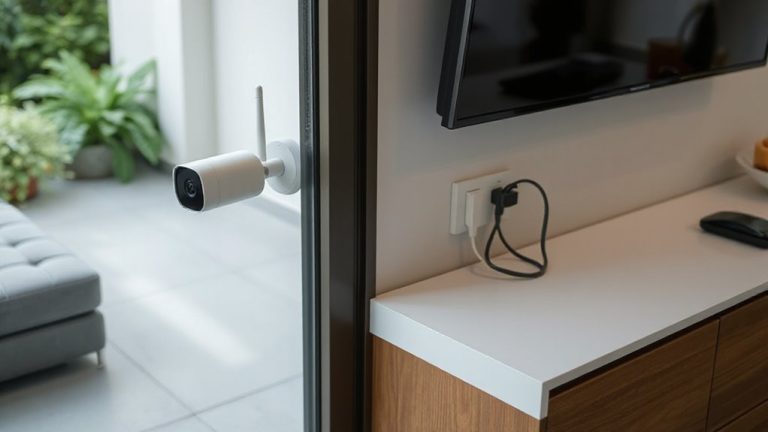
If your surveillance system doesn’t automatically assign geographic tags, you can still guarantee accurate location tracking by manually assigning each camera’s position through your app. Start by reviewing your camera placement to make certain each device is correctly labeled with its physical location, like “Front Yard” or “Garage.” This step improves clarity during playback and helps identify where events occur. Open your camera app, select each device, and assign its geographic coordinates or predefined zone. Accurate inputs enhance system reliability. Be sure you have the right user permissions, as administrative access is usually required to modify location settings. Limited users may not be able to update camera placement or geotags. Double-check all entries to avoid confusion. Manual tagging takes more time upfront, but it’s a reliable workaround when automatic geotagging isn’t available. For optimal results, consider using a best security camera system that supports advanced geotagging and centralized management features.
Use VMS to Sync Geotags Across All Footage
While managing multiple camera feeds, you’ll find that a Video Management System (VMS) streamlines geotag synchronization across all recordings. It guarantees data synchronization and precise time alignment, so every clip matches its location and moment. This is key when reviewing events across cameras. Most VMS platforms auto-assign geotags based on preconfigured camera locations, reducing errors and saving time. For best results, pair the system with GPS-enabled devices and a stable network. When selecting your hardware, consider choosing from the Best Security DVRs for reliable performance and seamless integration with your VMS.
| Feature | Benefit |
|---|---|
| Centralized control | Manage all cameras in one interface |
| Real-time tagging | Accurate geotags with no delay |
| Data synchronization | Consistent metadata across devices |
| Time alignment | Match footage precisely across cameras |
| Export flexibility | Share geotagged videos securely |
Fix Missing or Inaccurate Location Tags
How do you guarantee your surveillance footage accurately reflects where it was recorded when location tags are missing or wrong? Start by checking for signal interference from walls, appliances, or nearby networks that might disrupt GPS syncing. You’ll want to reposition cameras or use shielding to reduce this issue. Next, perform camera calibration to align each unit’s internal sensors with its physical position. This step guarantees the system records precise coordinates, especially if mounts shift over time. Review footage logs regularly to spot inconsistencies early. Manually correct errors using trusted reference points like property maps or known landmarks. Keep in mind that indoor cameras are more prone to inaccurate tags due to weaker signals. Accurate tagging improves incident tracking and strengthens evidence reliability over time.
Pick Cameras That Support Built-in GPS Tagging
Since accurate location data is essential for reliable surveillance, choosing cameras with built-in GPS tagging can save time and improve evidence quality. You’ll want models that offer high GPS accuracy, typically within 3 to 5 meters, so timestamps and locations align correctly. Cameras without this feature rely on external devices or manual tagging, which can introduce errors. Built-in GPS reduces setup complexity and guarantees consistent tagging across all footage. Check for hardware compatibility with your existing system-some cameras require specific network video recorders or software platforms. While GPS-enabled cameras may cost more, they save time during investigations. Look for weather-resistant models with strong encryption for secure data. Always test GPS signal acquisition during installation, as indoor placement or obstructions can weaken reception. Confirm firmware supports automatic location updates to maintain accuracy over time.
On a final note
You should assign geographic tags to your cameras using the app or a VMS for accurate, consistent tracking. Manually setting locations works for most systems, while VMS offers centralized control across multiple devices. Built-in GPS is rare but helpful if available. Check tags regularly, as incorrect data can delay incident response. Proper geotagging improves evidence quality, especially in legal cases. Plan your setup early to save time and guarantee reliable, searchable footage across all cameras.