Creating a Comprehensive Family Cybersecurity Plan for Smart Homes
You can secure your smart home by updating outdated devices-cameras, thermostats, and doorbells-since unpatched flaws leave you exposed, and some older models no longer receive updates. Use WPA3 encryption on your Wi-Fi, or WPA2 with plans to upgrade, and enable firewalls to block attacks. Always use strong, unique passwords with multi-factor authentication through a trusted password manager. Parental tools like Apple Screen Time or Google Family Link help manage screen time and content, while device tracking keeps tabs on lost electronics. Network-level filtering with OpenDNS boosts protection. Monthly check-ins catch issues early, and monitoring tools, including antivirus software and router alerts, help detect threats. Paid platforms offer extra features like family tracking and breach alerts for $60–$120 a year. Each step strengthens your defense, and there’s more to contemplate for thorough protection.
Notable Insights
- Regularly update firmware on all smart devices to patch vulnerabilities, especially for cameras, thermostats, and doorbells.
- Secure your home Wi-Fi with WPA3 encryption and enable firewalls to block unauthorized network access.
- Use strong, unique passwords for each device and enable multi-factor authentication to prevent unauthorized access.
- Set up parental controls and device tracking to manage screen time, filter content, and locate lost devices.
- Conduct monthly cybersecurity check-ins to review updates, discuss threats, and reinforce safe online habits.
Find Security Gaps in Your Smart Home
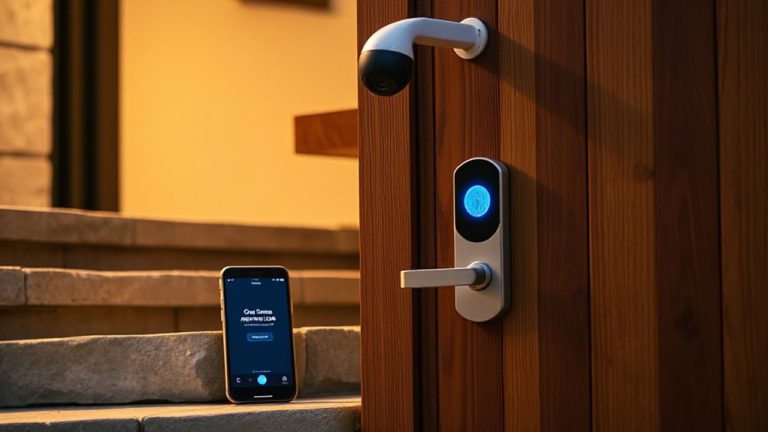
Where do hackers start when targeting smart homes? They look for unpatched device vulnerabilities, often in products you don’t think about-like cameras, thermostats, or doorbells. Many of these devices run outdated software, making them easy targets. You can reduce risk by checking for firmware updates regularly; manufacturers release them to fix known flaws. Don’t assume your devices update automatically-verify the settings. Some systems notify you, but others require manual checks. Make it a habit to review each device every few months. Older models may no longer receive firmware updates, meaning they’re permanently exposed. Consider replacing them with newer, supported versions. Built-in security varies, so research before buying. Prioritizing updated firmware and understanding device vulnerabilities gives you a clear advantage. This step is low-cost and high-impact, forming the foundation of a practical cybersecurity routine. A reliable best security camera software can further protect your home by detecting threats and enabling timely responses.
Shield Your Family’s Network From Hackers
How secure is your home network, really? Hackers often target unsecured Wi-Fi, making network encryption a must. You should enable WPA3 encryption on your router-it’s the latest standard and keeps data safe as it moves between devices. If your equipment doesn’t support WPA3, use WPA2, but plan to upgrade soon. Pair encryption with strong firewall protection, either built into your router or via a separate security appliance. Firewalls block suspicious traffic before it reaches your devices, reducing risk. Most modern routers include basic firewalls, but higher-end models offer advanced settings for greater control. Consider investing in a mesh system with enterprise-grade security if you have many smart devices. Regularly update firmware to fix vulnerabilities. These steps create a solid foundation, keeping your family’s digital life shielded from outside threats.
Use Strong Passwords and Multi-Factor Authentication
Even if your network is encrypted, weak passwords can still give hackers an easy way in, so it’s critical to use strong, unique passwords for all your smart home devices and accounts. Focus on password strength by combining at least 12 characters with uppercase letters, numbers, and symbols-avoid common words or personal info. Reusing passwords across accounts increases risk, so each device or service should have a distinct one. Use a reputable password manager to keep track securely. Multi-factor authentication (MFA) adds an essential layer by requiring a second verification step-like a text code or app approval. This substantially reduces unauthorized access. While some authentication methods, like SMS, are less secure than authenticator apps or hardware keys, all MFA options improve protection. Enable MFA wherever possible. Planning now limits long-term vulnerability with minimal effort.
Protect Your Kids’ Devices and Online Activity
You’ve locked down your network with strong passwords and multi-factor authentication, but your kids’ devices might still be wide open. To reduce risks, enable parental controls on all devices-they let you set time limits, restrict content, and monitor apps. Built-in tools like Apple Screen Time or Google Family Link are free and effective. Pair them with device tracking to locate lost or stolen phones and tablets instantly. Most operating systems include this at no extra cost. While parental controls help manage behavior, they aren’t foolproof-some apps may bypass filters. Device tracking works best when location services stay on, which slightly increases battery use. Consider using managed DNS services like OpenDNS to add filtering at the network level. Together, parental controls and device tracking give you visibility and response options, strengthening your family’s digital safety without complex setups or ongoing fees.
Keep up With Family Cybersecurity
Why do some families stay ahead of cyber threats while others struggle to recover from a single breach? The key lies in consistent cybersecurity education and strong digital trust. You can’t set up protections once and forget them. Tech changes fast, and so do threats. Schedule monthly check-ins to review device updates, smart home permissions, and family habits. Involve everyone-talk about phishing, password hygiene, and safe sharing. These conversations build digital trust, ensuring kids and adults feel safe reporting mistakes. Use automated tools like updated antivirus software and router alerts, but don’t rely on tech alone. Pair tools with ongoing learning. Free resources from government sites offer solid cybersecurity education. Paid cybersecurity platforms often include family tracking and breach alerts-typically $60–$120 per year. Combine both for balance. Stay proactive, not reactive.
On a final note
You’ve taken the right steps to secure your smart home by finding security gaps, strengthening passwords, and using multi-factor authentication. Protecting your network and your kids’ devices helps reduce risks. Staying updated on software and security practices matters, because threats evolve. A solid family cybersecurity plan is ongoing, not one-time. Consistent habits, like regular updates and open communication, keep your household safer online.