How to Create Searchable Keywords for Suspicious Activity in Home Footage
Look for unusual movements like pacing near windows or lingering at doors, and tag these clips with clear keywords like “suspicious loitering” or “unknown individual.” Use motion zones to focus on entry points and reduce false alerts from pets or trees. Label repeated visits or crouching behavior consistently so you can quickly filter footage. Pair timestamps with your system’s search tools for faster review. You’ll find it easier to spot patterns over time.
Notable Insights
- Tag suspicious behaviors like loitering or crouching with specific keywords such as “unusual movements” for quick filtering.
- Use consistent, searchable terms like “unknown individual” or “abandoned object” across all video clips.
- Flag repeated visits by person or vehicle using timestamps and custom tags for pattern recognition.
- Create motion detection zones at entry points and label activity logs with relevant keywords.
- Combine automated alerts with manual tags for behaviors like face covering or fast yard movement.
Identify Suspicious Activity in Security Footage
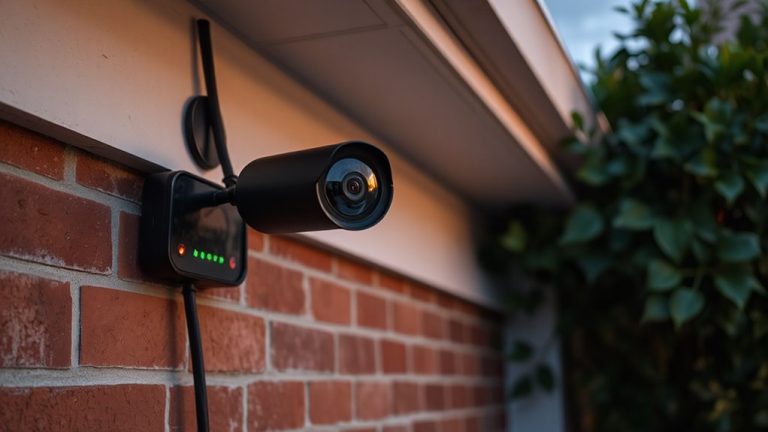
While reviewing your security footage, you’ll want to focus on patterns that stand out from normal daily activity, since those often signal something’s off. Unusual movements, like someone pacing near your windows or repeatedly approaching your door, can indicate testing your security. You should also watch for unknown individuals lingering in your yard or moving cautiously near entry points, especially at odd hours. These aren’t always threats, but they warrant closer review. Use timestamp filters to compare behaviors across days, helping you spot recurring incidents. Many systems let you tag clips with keywords like “unusual movements” or “unknown individuals,” making future searches faster. Consider systems with motion zones and activity logs, which improve accuracy. Though advanced features help, manual checks are still essential. Pricing varies, but models with searchable tags typically cost $100–$200. Planning around key entry areas increases detection reliability. Top-rated systems often include best home security cameras with apps for enhanced monitoring and alert customization.
Spot Common Signs of Suspicious Behavior
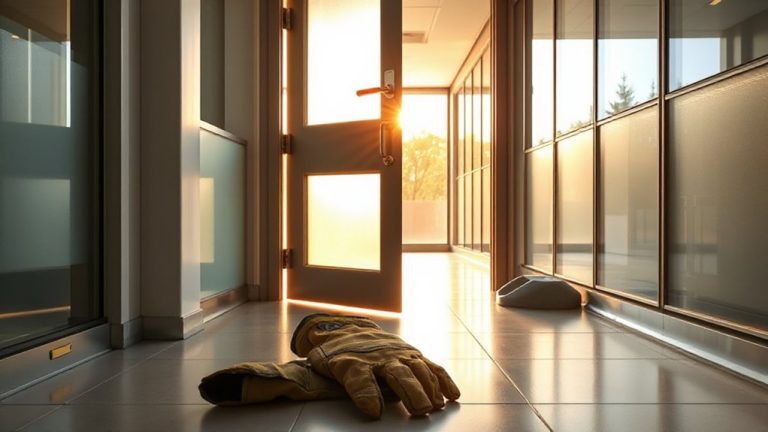
What do most burglars have in common? They often display predictable behaviors before striking, like unusual loitering near doors or windows. You might notice someone walking around your property without a clear purpose or repeatedly passing by your home. These actions aren’t always obvious, but they’re red flags when combined with abandoned objects-like a backpack or tools-left near entry points. These items may serve as distractions or be used later in a break-in. High-quality indoor security cameras can help capture crucial details even in low-light conditions.
Check this table for key indicators:
| Behavior | What to Watch For | Why It Matters |
|---|---|---|
| Unusual loitering | Lingering without purpose | May indicate scouting for vulnerabilities |
| Abandoned objects | Bags, tools, or packages left behind | Could signal preparation for entry |
| Avoiding cameras | Covering face or turning away | Suggests intent to hide identity |
Stay alert and trust your instincts when something feels off.
Link Suspicious Actions to Searchable Keywords
When you’re reviewing home security footage, connecting suspicious behaviors to specific search terms can speed up investigations and improve accuracy. You’ll want to tag actions like unusual movements-such as someone crouching near a window or moving quickly through the yard-so you can filter clips efficiently. These movements often stand out from normal household activity and may indicate intent. Similarly, flag repeated visits by the same person or vehicle, even on different days, since patterns suggest surveillance or testing security. Labeling these instances with searchable keywords lets you review them quickly and share evidence clearly. Most modern systems allow custom tags, so use clear, consistent labels. Though manual tagging takes time, it boosts reliability. Automating keyword detection is helpful but can miss subtle cues, so a mix of both methods works best. Plan your tagging strategy early to save effort later. Systems with advanced best security camera systems features often include AI-powered search tools that can recognize and categorize suspicious behavior automatically.
Pinpoint High-Risk Times and Locations
You’ve already linked suspicious actions to searchable keywords, making it easier to find specific events in your footage. Now, pinpoint high-risk times and locations by analyzing motion patterns and access frequency. Review your clips to determine when unusual movement happens-late nights or workday afternoons, for example. These recurring motion patterns help identify vulnerable time windows. Locations near doors, windows, or dark corners often show higher access frequency, signaling potential entry points. Use your system’s timeline and heatmapping features, if available, to visualize activity concentration. Data from the past 1–2 weeks gives a reliable baseline. While cameras with AI improve accuracy, they may cost more. Prioritize monitoring zones with both high motion patterns and frequent access. This focused approach reduces false alerts and speeds up review. Mark these times and areas for routine checks, improving response time without constant surveillance.
Use Camera Zones to Focus Searches
While your camera system captures wide views, narrowing your focus to specific zones can make searches faster and more accurate. You can set up motion detection in zones like entryways or driveways, helping the system flag only relevant activity. This reduces false alerts from trees swaying or passing cars. Defining zones also improves blind spot coverage by directing attention to areas where intruders might otherwise go unseen. Most modern systems let you draw these zones in the app, so you can customize them based on your home’s layout. Keep in mind that too many zones may slow processing, especially on lower-end models. For best results, prioritize high-risk areas you identified earlier. Cameras with advanced motion detection often cost more, but they save time during searches. Use zones wisely to balance thorough coverage and system performance.
Optimize for Your System’s Search Tool
Setting up camera zones helps narrow down where to look, but making the most of your system’s search tool takes the process further by leveraging built-in features designed to speed up review. You can filter footage by motion detection to quickly find activity, reducing time spent scanning empty scenes. Most systems let you adjust motion sensitivity, so you avoid false alarms from pets or swaying trees. Pairing motion clips with audio alerts adds another layer-you’ll see and hear when something unusual happens, like glass breaking or a voice. Some platforms even let you search by sound type, which helps pinpoint incidents faster. Look for systems with timestamped logs and tagging options, so you can mark important events. Higher-end models offer cloud tagging and smart search, though they may cost more. Check if your system supports these features, and use them consistently to make searches faster and more accurate.
Update Keywords as Threats Change
As threats evolve over time, so should the keywords you use to search your home footage, ensuring your system remains effective against current risks. Threat evolution means new dangers appear-like package theft or drone surveillance-while old ones fade. Relying on outdated terms reduces your system’s accuracy and response speed. That’s where keyword adaptation comes in. Review your security logs every few months and note any suspicious patterns you wouldn’t have anticipated earlier. Update your keyword list to include new behaviors, such as “lurking near garage” or “unusual backpack.” Most modern systems allow easy updates, often through apps or cloud dashboards. Balance specificity and flexibility-not too broad, not too narrow. While free tools offer basic search, premium plans provide advanced filtering, which supports better adaptation. Regular keyword updates aren’t just helpful, they’re essential for staying ahead of emerging threats.
On a final note
You can spot suspicious activity by watching for loitering, unusual movements, or repeated visits near doors and windows. Use these behaviors to create specific keywords your system supports, like “person near garage” or “motion after midnight.” Focus searches on high-risk zones and times. Update keywords regularly as patterns change. This method saves time, improves accuracy, and strengthens your home security with clear, actionable data-no guesswork needed.