Second-Floor Alarm Keypad: Placement, Cost & Compatibility Guide
You can install a second-floor keypad for easier access to your alarm system, especially at night or if mobility is a concern. Make sure your system supports add-ons-Honeywell, DSC, and Napco do, but Bosch doesn’t. Choose a wired, wireless, or hybrid model that matches your panel’s protocol. Wireless units cut down on drilling but need battery changes every 1–2 years. Place it near a bedroom or hallway, within three feet of bedroom doors and at eye level. A backlit, slim design blends with décor and works well in low light. Test arming and disarming with your user code to confirm it’s synced. Signal interference from routers or microwaves may require repositioning. Models with extra features like panic buttons cost $20–$50 more. Compatibility, placement, and power type affect reliability and ease of use. The right setup saves time during emergencies and daily routines-you’ll see how a few thoughtful choices improve both security and convenience.
Notable Insights
- Install a second-floor keypad for easy arming and disarming without stairs, especially useful at night or for mobility-limited users.
- Ensure the keypad matches your alarm system’s brand and communication protocol to avoid compatibility issues.
- Choose a wireless model for simple DIY installation or a hardwired option for reliable, consistent connectivity.
- Mount the keypad near bedrooms or hallways at eye level, within three feet of bedroom doors but not inside rooms.
- Test functionality after installation, check for signal interference, and maintain with regular battery and firmware updates.
Add a Second-Floor Keypad for Easier Access
Why limit yourself to controlling your security system from just one location? Adding a second-floor keypad boosts user convenience, letting you arm or disarm the alarm without stairs. It’s especially helpful at night or for anyone with mobility concerns. Modern keypads blend function and keypad aesthetics, offering slim designs and backlit buttons that fit discreetly into upstairs hallways. Wireless models simplify installation, often needing no drilling or major wiring. Most systems support multiple keypads, but check your control panel’s limits before buying. Expect to pay $50–$150 per unit, plus potential labor if hiring a pro. Guarantee the model matches your system brand for seamless integration. With improved access and clean visuals, a second-floor keypad isn’t just practical-it strengthens routine security use. Plan placement near bedrooms or common areas for fastest response. This small upgrade delivers measurable gains in daily usability and peace of mind.
Check Your Alarm System Compatibility
Before buying a second-floor keypad, confirm it’s compatible with your existing alarm system-most brands don’t support third-party keypads, so matching the model to your panel is essential. Alarm protocols and system limitations can restrict which devices work together, so check your panel’s specs first. Using an incompatible keypad could disable system functions or prevent arming/disarming. A reliable option for expandable systems is best home alarm systems in the UK, which often support multi-zone setups and additional keypads. Below is a comparison of common system types:
| Brand | Supports Add-on Keypads | Common Alarm Protocols |
|---|---|---|
| Honeywell | Yes | SIA, Contact ID |
| DSC | Yes | Ademco, Contact ID |
| GE-Panasonic | Limited | Proprietary |
| Napco | Yes | Multi-Point, SIA |
| Bosch | No | Proprietary; strict limitations |
Choose the Right Second-Floor Keypad Model
While selecting a second-floor keypad, you’ll need to match the model precisely to your alarm system’s brand and protocol to guarantee full functionality. Keypad design matters-choose one with durable materials and a clear layout that fits your home’s style. Look for models with a backlit display for nighttime use and tactile buttons for easy feedback. The user interface should be intuitive, with labeled functions and simple navigation so all household members can operate it quickly. Wireless keypads offer easier installation but may require battery replacements. Wired models provide consistent power but need professional setup. Check manufacturer specs for compatibility with your control panel. Some keypads include extra features like panic buttons or temperature displays, though these may raise the price by $20–$50. Prioritize reliability and ease of use over aesthetics. Always verify warranty and support availability before purchasing.
Pick a Location Near Bedrooms or Hallways
Since you want the secondary keypad to be both convenient and functional during emergencies, placing it near bedrooms or along main hallways makes the most sense. Bedroom proximity guarantees you can arm or disarm the system quickly at night or early in the morning, reducing fumbling in the dark. Hallway visibility increases the chance of seeing alerts, especially for household members passing through. Choose a spot within three feet of bedroom doors for easy access, but avoid placing it inside a bedroom where smoke or threats might block entry. Mount the keypad at eye level in a central hallway, where it’s visible and reachable. Guarantee it’s not behind furniture or around tight corners. This balance of bedroom proximity and hallway visibility improves response times and daily usability, making your security setup more effective without unnecessary complexity.
Wire or Pair Your Second-Floor Keypad
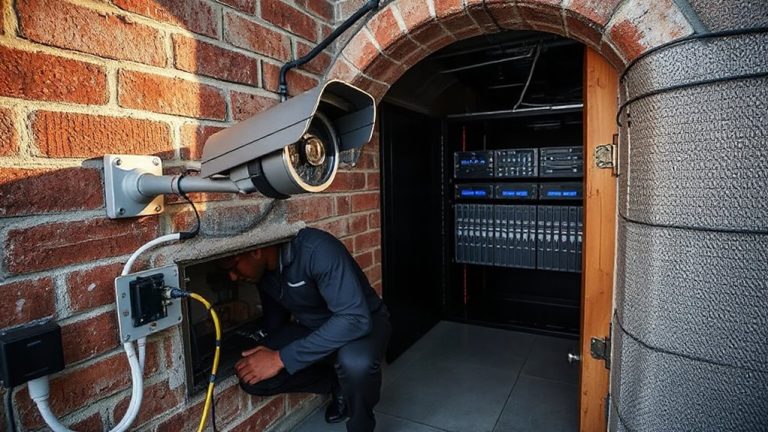
If your alarm system supports wireless communication, pairing the second-floor keypad is usually quick and doesn’t require tearing open walls, though wired setups offer more reliability in large homes with interference. Choose the right pairing methods based on your system-some use dip switches, while others rely on encrypted radio signals. Always verify wiring compatibility before connecting hardwired keypads, as mismatched voltages or protocols can damage components. A good budget camera can complement your alarm system by providing visual verification of alerts. Below is a comparison to guide your choice:
| Type | Installation Effort | Signal Reliability |
|---|---|---|
| Wireless | Low (DIY friendly) | Moderate (can be disrupted) |
| Hardwired | High (tools needed) | High (stable) |
| Hybrid | Medium | High |
Consider your home’s layout and system specs when deciding. Wired options suit new constructions; wireless works well for retrofits.
Test Your Second-Floor Keypad and Set Codes
How do you know your second-floor keypad is ready to use? Test it by entering your access code and verifying the system responds correctly-arming and disarming as expected. Check keypad sensitivity by pressing buttons lightly and firmly to guarantee consistent input recognition. Too sensitive, and false alarms may occur; not sensitive enough, and it could frustrate user convenience. Confirm all programmed user codes work, including master and secondary codes for family members. Set unique codes per user to improve accountability and security tracking. Use a mix of numbers that are easy to remember but hard to guess. After setup, test battery backup and signal strength to the main panel. Proper coding and responsiveness guarantee reliable performance. A well-programmed keypad improves user convenience while maintaining strong security. Regular testing maintains peak function. For added peace of mind, consider systems that offer best home alarm systems with remote monitoring and smart home integration.
Fix Common Second-Keypad Problems
What could be disrupting your second-floor keypad’s performance? First, check for signal interference from nearby electronics like Wi-Fi routers or microwaves-they can weaken communication between the keypad and main panel. Relocating the keypad just a few feet may resolve connectivity issues. If the keypad responds slowly or not at all, a battery replacement is often the fix. Most keypads use standard batteries that last 1–2 years; test voltage annually. Also, guarantee firmware is up to date to support stable operation. Confirm that the keypad is within the system’s recommended range of the control panel. Consider adding a signal repeater if walls or distance impede performance. Always verify wiring connections if the unit is hardwired. Addressing these issues promptly keeps your second-floor access reliable and your home security consistent.
On a final note
Adding a second-floor keypad improves access and response during emergencies. Confirm compatibility with your system before buying, as models vary by brand and wiring needs. Wired keypads offer reliability, while wireless ones simplify installation. Place it near bedrooms or hallways for quick reach. Test it after setup, verify all codes work, and check for signal delays or power issues. A well-placed keypad boosts security without high costs.