Synchronizing Biometric Fingerprint Locks With Home Alarm System Triggers
You can sync your biometric fingerprint lock with a home alarm system through a central smart hub using Z-Wave, Zigbee, or Thread for reliable communication. When the lock detects forced entry or tampering, it triggers instant alarms and sends real-time alerts via SMS, email, or push notification. Advanced sensors reduce false alarms by distinguishing real fingers from spoofs, while encryption secures your data. For best results, choose compatible, high-end models with battery backup and test the system monthly-further insights await.
Notable Insights
- Connect biometric fingerprint locks to a central smart home hub for synchronized alarm triggering.
- Use secure protocols like Z-Wave, Zigbee, or Thread to ensure reliable lock-alarm communication.
- Enable instant alarms and real-time alerts for unauthorized access or tampering attempts.
- Automatically disarm the alarm upon successful fingerprint authentication to prevent false triggers.
- Test system sync weekly and update firmware to maintain performance and fix connectivity issues.
Enable Instant Alarms When Fingerprint Locks Are Breached
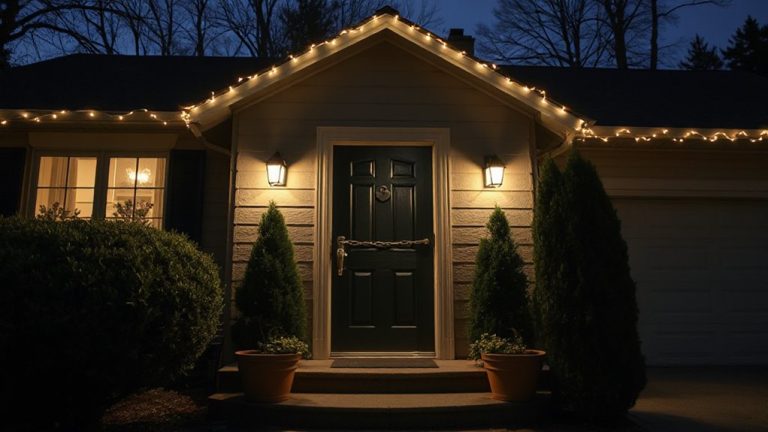
What happens if someone tries to force their way into your home using a fake fingerprint or by tampering with the lock? Your biometric lock detects the breach and instantly triggers the alarm, alerting you and potentially dispatching help. Modern systems minimize false alarms by verifying attempted access against stored templates and checking for signs of tampering. Only authorized users with proper user permissions can gain entry, and any unrecognized attempt sets off the alarm. These locks use advanced sensors to distinguish real fingers from replicas, reducing spoofing risks. You’ll want a model with encryption and anti-tamper sensors. While premium units cost more, they offer better reliability and fewer false alarms. Plan for battery backup and test monthly. Instant breach alerts make this a smart layer in any security strategy. Top-rated models often feature best smart lock compatibility for seamless integration with existing home security ecosystems.
Pick a Hub That Syncs Fingerprint Locks and Alarms
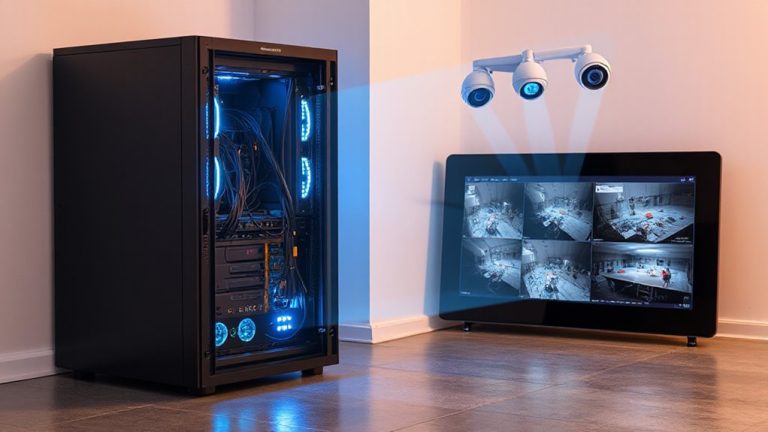
While having a biometric lock and alarm system work independently offers basic protection, you’ll get far better security when they’re connected through a central hub. Choosing the right hub guarantees device compatibility so your fingerprint lock communicates reliably with your alarm. Look for systems that support major smart home protocols like Z-Wave or Zigbee, since these improve brand interoperability across different manufacturers. Some hubs work only with specific brands, which limits your options and could increase costs. A versatile hub lets you mix trusted components without sacrificing performance. Check for mobile app support, remote access, and encryption standards to maintain system integrity. While higher-end hubs cost more upfront, they often reduce long-term hassle and expansion costs. Prioritize reliability and future-proofing over initial price. Always verify compatibility lists before buying. Consider reviewing a smart home hubs buying guide to compare top models and protocol support.
Link Your Fingerprint Lock to the Alarm System
How do you guarantee your fingerprint lock and alarm system work together seamlessly? Start by connecting both devices to your chosen hub, ensuring they communicate using secure protocols. Use a lock with biometric encryption to protect fingerprint data, reducing the risk of unauthorized access. Once linked, enable access logging so every entry attempt-successful or not-is recorded and time-stamped. This helps you monitor activity and identify potential security issues. Confirm the system disarms the alarm automatically when a recognized fingerprint opens the door, for convenience and consistent protection. Check compatibility beforehand, as mismatched brands may limit functionality. Most integrated systems cost between $200 and $500, depending on features. Test the connection daily for the first week, then monthly afterward. For optimal performance, choose one of the best smart locks that are designed to integrate easily with major home security systems.
Set Up Real-Time Alerts for Forced Entry
After linking your fingerprint lock and alarm system to guarantee smooth operation, the next step is setting up real-time alerts for forced entry. You’ll want immediate notifications if someone tries to force the door or tamper with the lock. Most systems let you enable push, email, or SMS alerts through a mobile app. Use alert customization to set specific triggers, like break-in attempts during certain hours or repeated failed access. This helps reduce false alarms from accidental bumps. Advanced models detect biometric spoofing-fake fingerprints-so you’re warned if someone tries to trick the sensor. Choose a system with encryption and two-factor authentication for better protection. Test alerts monthly to confirm reliability. While premium features may cost more, they’re worth it for accurate, real-time updates. Proper setup guarantees you stay informed without unnecessary notifications.
Fix Common Sync Problems in Seconds
If your fingerprint lock isn’t responding when the alarm system is armed, a sync issue is likely to blame-especially after a recent power outage or Wi-Fi disruption. Start by reboot游戏副本ing both systems to restore communication. Signal interference from nearby electronics or thick walls can block the connection, so verify devices are within ideal range and free from obstructions. Check for firmware updates on both the lock and alarm panel, as manufacturers often release fixes for known sync bugs. If recognition fails, perform fingerprint calibration through your lock’s app-this clears corrupted print data and improves sensor accuracy. Avoid using metal cases or covers that may disrupt wireless signals. Test the system after each fix to confirm proper sync. Most issues resolve within minutes using these steps, requiring no professional help or hardware replacement.
Best Platforms for Lock and Alarm Integration
Why do some smart home platforms handle lock and alarm integration more smoothly than others? It often comes down to cloud compatibility and user scalability. Platforms like Samsung SmartThings and Hubitat offer strong local control, reducing lag and reliance on the cloud. They sync biometric locks with alarm triggers reliably, even during internet outages. Others, like Google Home and Alexa, depend more on cloud processing, which can slow responses but improve user scalability for larger households. Apple’s HomeKit emphasizes encryption and seamless device pairing, though it requires all components to be HomeKit-compatible. For best results, choose a platform that balances real-time performance with expandability. Make sure your lock and alarm system support the same protocols-ideally Zigbee, Z-Wave, or Thread-and check for firmware updates regularly. Plan for future devices to avoid compatibility issues down the line.
Add a Second Lock Layer: Combine Fingerprint and Alarm Rules
While a fingerprint lock adds convenience and a personalized layer of access, pairing it with alarm system rules creates a more robust security strategy that’s harder to bypass. You can set your alarm to trigger if the fingerprint isn’t recognized, adding a second layer that relies on multi factor authentication. This means even if someone gains physical access to the lock, they’ll still need the correct biometric signature, protected by biometric encryption, to avoid setting off the alarm. Devices using AES-256 encryption are best for securing fingerprint data. Look for systems that allow automation rules, like arming the alarm when the door locks. Initial setup may cost $200–$500, depending on compatibility. Pros include stronger security and remote monitoring; cons involve dependency on power and potential false rejections. Plan careful placement and regular updates for best performance and long-term protection.
On a final note
You can sync fingerprint locks with your home alarm for stronger security. Pick a reliable hub that supports both systems, like SmartThings or Home Assistant. Link the lock to trigger the alarm on forced entry. Set real-time alerts to your phone. Fix sync issues by checking Wi-Fi, updating firmware, or re-pairing devices. Always test the system monthly.