How to Ensure Privacy Compliance With Video Analytics and Facial Recognition Solutions
You must design your system with privacy built in, not added later. Follow GDPR, CCPA, and AI laws by mapping where video data goes and limiting third-party access. Get clear, opt-in consent before using facial recognition, and explain how data is stored and used. Use automatic face blurring and role-based access to protect identities. Encrypt data and audit logs regularly. Choose systems with built-in compliance tools to stay protected-your next steps depend on how well these features are implemented.
Notable Insights
- Obtain clear, informed, opt-in consent before using facial recognition, ensuring users understand data usage and retention practices.
- Implement on-device processing and automated face blurring to minimize personal data exposure and enhance privacy by design.
- Limit access to unblurred video footage to authorized personnel only, using encryption and role-based access controls.
- Conduct regular compliance audits to identify risks in data storage, sharing, and processing under GDPR, CCPA, and AI regulations.
- Map all data flows and maintain documented contracts to ensure transparency and legal control over third-party data sharing.
Know GDPR, CCPA, and AI Surveillance Laws
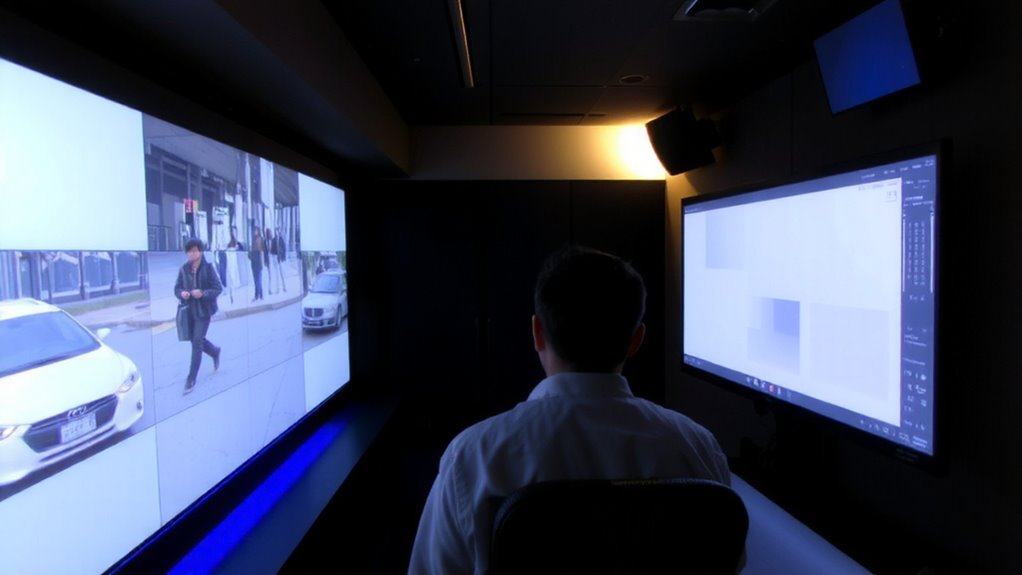
While you’re setting up cameras to keep your home safe, it’s important to understand how privacy laws like GDPR, CCPA, and emerging AI surveillance rules affect what you can do. These regulations protect personal data and limit how video footage is collected, stored, and used. You must respect data ownership-individuals captured on camera may have rights to access or delete their information. AI-powered tools like facial recognition increase risk, especially if algorithm bias leads to inaccurate identifications across age, gender, or ethnicity. Such bias can reduce system reliability and increase legal exposure. Always check local laws before enabling analytics. Opt for systems that allow clear consent measures, on-device processing, and easy data deletion. Though cloud storage is convenient, it raises compliance concerns. Plan for privacy by design, considering both effectiveness and legal safety.
Map Where Video Data Goes: and Who Sees It

Where does your video footage really end up? You might think it’s secure on-site, but without tracking, your data could be flowing to cloud servers, third-party vendors, or even offshore analytics firms. Understanding data ownership is critical-know who legally controls and accesses the footage. Many systems allow third party sharing for analytics, support, or AI training, often buried in fine print. Map every endpoint: storage, processing, and viewing access.
| Destination | Risk Level |
|---|---|
| On-premise servers | Low |
| Cloud storage | Medium |
| Vendor analytics | High |
| Third-party APIs | High |
| Employee devices | Medium |
Audit access logs regularly, limit viewing rights, and clarify in contracts who owns the data. Avoid surprise third party sharing by reading terms carefully. Control starts with visibility-track every mile your video travels.
Get Consent Right for Facial Recognition Use

You need clear, informed consent before using facial recognition in your video system, because without it, your setup could become a legal and privacy risk. Always use opt in consent-this means users must actively agree, not just accept by default. It’s not just fair; many laws require it. Make sure your consent process explains exactly how faces will be used, stored, and shared. People should know they retain data ownership unless they explicitly agree otherwise. This builds trust and keeps you compliant. Avoid pre-checked boxes or vague terms. Instead, use simple language and direct prompts. Document each consent to prove compliance if questioned. Real-world cases show companies that skip this step face fines and public backlash. Getting consent right isn’t just policy-it’s a foundation for responsible, lasting use of facial recognition technology in any home or business setting.
Anonymize Faces and Limit Access Automatically
Most video systems today can automatically blur or anonymize faces unless someone needs to see them, giving you control without effort. Face blurring keeps identities hidden in real time, which helps protect privacy by default. You can set access controls so only authorized staff view unblurred footage, reducing misuse risks. These systems often use encryption and role-based permissions, meaning your janitor won’t see what only a manager should. Automated face blurring lowers legal exposure and builds trust with visitors who don’t want to be identified. Access controls also create logs showing who viewed sensitive data-helping enforce accountability. While some systems cost more upfront, the compliance benefits often justify the price. Make sure your provider offers configurable blurring and granular access settings. This way, you get security without sacrificing privacy.
Audit Compliance Before Problems Arise
While waiting until a breach or legal issue occurs might seem manageable in the short term, auditing your video system’s compliance early and often can save time, money, and reputational damage down the line. You should conduct regular risk assessment to identify gaps in how data is collected, stored, and shared. This includes reviewing who has access and whether facial recognition is used appropriately. Pair this with ongoing compliance monitoring to guarantee policies align with current laws like GDPR or CCPA. Automated audit logs help track system changes and user activity, making reviews faster and more accurate. Not all systems offer built-in auditing tools, so check features before purchasing. While manual checks work, they’re time-consuming and prone to error. Planning for routine audits now reduces legal risks later, guaranteeing your home security setup stays both effective and lawful without surprise penalties.
On a final note
You must understand GDPR, CCPA, and local AI laws before using video analytics. Map data flows and limit who sees footage. Get clear consent for facial recognition, especially in private areas. Use built-in tools to blur faces and restrict access automatically. Regular audits help catch issues early. These steps reduce legal risks and protect privacy. Plan carefully-some systems cost more but offer better compliance features.