How DIY Home Alarm Kits Compare to Professionally Installed Security Systems
You can save $100–$500 upfront with a DIY alarm kit and avoid contracts, but professional systems offer expert installation and faster police response through 24/7 monitoring. DIY works well if you’re tech-savvy and want smart home integration, though improper setup increases security gaps. Professional systems cost more monthly-often $40+-but reduce false alarms and guarantee ideal sensor placement. Both have pros and cons, so your choice depends on budget, home layout, and how much control you want. The best option fits your lifestyle and security priorities.
Notable Insights
- DIY kits are more affordable upfront and allow customization, while professional systems cost more but include expert installation.
- Proper sensor and camera placement is critical; DIY systems risk gaps without professional assessment.
- DIY systems offer flexible smart home integration, whereas professional setups often support fewer third-party devices.
- Professional monitoring responds in under 60 seconds and verifies alarms, reducing false dispatches.
- DIY installation is simple and tool-light, but complex layouts or uncertainty may require professional expertise.
Why the DIY Vs Professional Security Debate Matters Now
A growing number of homeowners are reevaluating how they protect their homes, and for good reason-recent data shows that security system adoption has increased by over 30% in the past five years, driven by advances in smart home tech and rising burglary concerns. You need to know that going DIY might save money, but it can also create a false sense of security if not installed correctly. Cameras and sensors require proper placement, and mistakes are common without experience. Professional systems offer expert setup and consistent monitoring, which reduces vulnerability gaps. Yet, both options raise privacy concerns, especially with cloud storage and third-party access to video feeds. You should review data encryption, retention policies, and user control features carefully. Weigh reliability against autonomy, and remember: a system that’s poorly configured, whether DIY or pro-installed, may fail when you need it most. Top-rated systems often include features like 24/7 monitoring and smart home integration, making best home alarm systems a key consideration for long-term security.
Upfront and Ongoing Costs: DIY Vs Professional Systems
Most DIY home alarm kits cost between $200 and $500 upfront, with no installation fees since you set them up yourself, while professional systems often require $300 to $1,000 for equipment and installation, sometimes hidden in bundled pricing. When comparing hardware pricing, DIY systems usually offer lower initial costs and let you buy only what you need. Professional setups may include high-end components, but you’re often locked into long-term contracts. That’s where contract flexibility matters-DIY services typically use month-to-month monitoring plans, so you can switch or cancel any time. Pro-installed systems tend to require 24- to 36-month agreements, making them less adaptable. Monthly monitoring for DIY systems averages $20 to $30, compared to $40 or more for professional services. Consider your budget and how much control you want over upgrades, pricing, and terms.
DIY Installation: Can You Really Do It Yourself?
How hard is it to install a home security system on your own? Most DIY kits are designed for average homeowners, with wireless components that minimize wiring complexity. You’ll rarely need to run cables through walls, which reduces tool requirements-usually just a drill, screw concealer, and ladder. Manufacturers provide clear instructions, and many apps guide you step by step. However, placement matters: sensors must align properly, and cameras need stable mounts and Wi-Fi access. Poor setup can lead to false alarms or blind spots. While DIY installation saves money and offers flexibility, mistakes can compromise effectiveness. If your home has unique layouts or you’re uncomfortable drilling or mounting devices, professional help may still be worth considering. Planning ahead guarantees your system operates as intended, without overlooking key entry points or connectivity issues.
Monitoring: 24/7 Pro Support Vs Self-Managed Alerts
What happens when your alarm goes off at 3 a.m.? With professional monitoring, a trained agent receives the alert instantly and contacts emergency services, ensuring fast response time. If you self-manage, you get a notification-then decide what to do. This delay can affect outcomes, especially if you’re asleep or unreachable. False alarms are common in DIY systems, often triggered by pets or user error, and repeated ones may lead to fines or ignored alerts. Professional services verify alarms first, reducing false dispatch risks. Top-rated systems often include 24/7 professional monitoring as a core feature for maximum security.
| Feature | Pro Monitoring | Self-Managed Alerts |
|---|---|---|
| Response Time | <60 seconds | Depends on user |
| False Alarm Handling | Verified by pros | User responsible |
| Peace of Mind | High | Moderate to low |
Where DIY Systems Fall Short (And Where They Shine)
While DIY home alarm systems offer convenience and lower upfront costs, they often lack the robust support and reliability of professionally installed and monitored systems. You’re responsible for setup, troubleshooting, and maintenance, which can lead to false alarms if sensors aren’t placed correctly. These frequent false alarms may frustrate you and reduce trust in the system over time. DIY kits also have customization limits-you can’t always integrate advanced features like commercial-grade motion detection or fire monitoring. However, they shine in flexibility and affordability, especially if you rent or move often. You keep ownership, avoid long-term contracts, and install components yourself in minutes. For low-risk homes with basic needs, DIY is a practical choice. For higher security demands, professional systems offer better accuracy, support, and extensive coverage.
Smart Home Compatibility: Which Works Better?
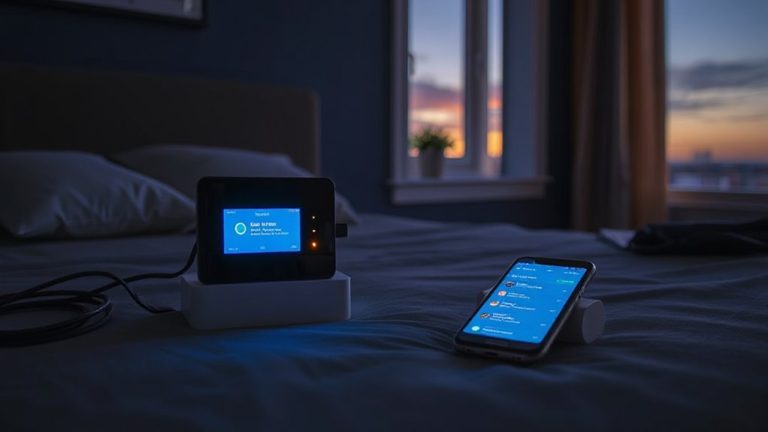
Modern home security isn’t just about alarms and cameras-it’s about how well your system connects with the rest of your smart home. DIY kits usually offer stronger device integration, letting you link lights, locks, and thermostats effortlessly. Many work with Alexa, Google Assistant, and Siri, giving you reliable voice control. You can arm your system, check camera feeds, or lock doors hands-free. Professionally installed systems often limit compatibility to select brands, reducing flexibility. While they sometimes include voice control, it’s typically through proprietary apps or hardware. DIY platforms use open ecosystems, so adding new devices is simpler and often app-based. Most support IFTTT or Alexa Routines for custom automation. Setup is intuitive, and there’s little extra cost. For seamless smart home compatibility, DIY wins-especially if you value voice control and broad device integration without long-term contracts or extra fees. Some top-performing sensors in DIY systems, like those compatible with Home Assistant, offer enhanced automation and monitoring capabilities.
How to Choose Based on Your Lifestyle and Needs
How much control do you really want over your home security? If you value flexibility and hands-on involvement, a DIY kit offers a better lifestyle fit. You install it yourself, adjust sensors as needed, and customize alerts based on your routine. These systems give you personalized security without long-term contracts, often at lower upfront costs. But if you prefer expert setup and 24/7 monitoring with immediate response, professionally installed systems may suit you better. They integrate well with existing infrastructure and often include maintenance, though they can be more expensive over time. Consider your schedule, tech comfort, and home layout. Renters might prefer portable DIY options, while homeowners might invest in permanent professional systems. Both provide reliable protection when matched to your lifestyle fit and need for personalized security.
On a final note
You can save money upfront with a DIY alarm kit, but professional systems offer reliable installation and 24/7 monitoring. DIY works well if you’re tech-savvy and want smart home integration, while pros suit those needing hands-off support. Consider long-term costs, your living situation, and security needs. Evaluate features like cellular backup, customer service, and contract terms before deciding. Both options have strengths, so choose based on your lifestyle and priorities.