Understanding Different Levels of Encryption Used in Secure Home Networks
Your home Wi-Fi uses encryption to protect data from hackers, and most modern networks rely on WPA2 with AES for strong security. While reliable, WPA2 lacks protection against future threats. WPA3 improves on this with better encryption, forward secrecy, and quantum resistance, though it requires compatible routers and devices, typically from 2018 onward. If your router still uses outdated WEP, upgrade immediately. You can check your encryption type in your router settings. Switching to WPA3 boosts security and stability, especially in crowded areas. A router upgrade may cost $80–$200, but it’s a smart long-term move. Knowing your current setup helps you make informed choices about protection and compatibility. The next steps reveal how to verify your system and shift smoothly.
Notable Insights
- WEP is outdated and insecure, making it easy for hackers to breach home networks.
- WPA2 uses strong AES encryption and a secure handshake to protect data on most modern routers.
- WPA3 enhances security with stronger encryption, forward secrecy, and quantum resistance.
- Forward secrecy in WPA3 prevents hackers from decrypting past traffic even if the password is compromised.
- Upgrading to WPA3 requires compatible routers and devices, typically from 2018 onward.
What Is Wi-Fi Encryption and Why It Matters
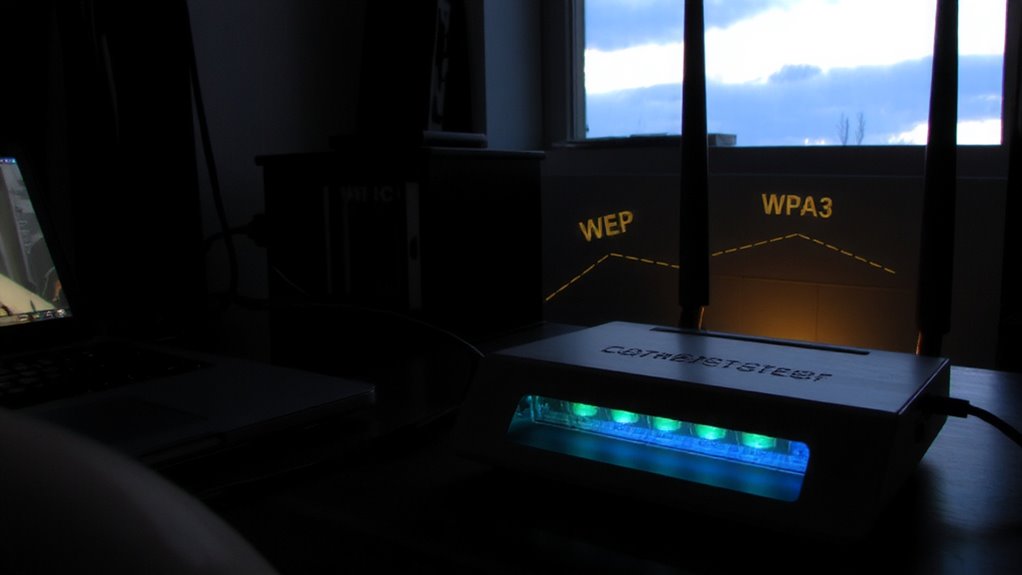
While you might not think about it every time you stream a video or check email, the security of your home Wi-Fi network depends heavily on encryption, which protects your data from unauthorized access. Encryption scrambles the information sent over your network, making it unreadable to outsiders. Without it, you’re exposing yourself to network vulnerabilities that hackers can exploit. Common threats include data breaches, where sensitive info like passwords or financial details are stolen. Older encryption methods like WEP are especially weak and easily cracked. Using strong encryption guarantees only authorized devices connect and communicate safely. It’s not just about personal privacy-it also safeguards smart home devices and prevents misuse of your internet connection. Enabling modern encryption is a simple, effective step anyone can take to reduce risk substantially. It should be the foundation of every home network setup.
How WPA2 Keeps Your Wi-Fi Safe With AES
One major reason your Wi-Fi stays secure comes down to WPA2, the most widely used encryption standard for home networks over the last decade. It relies on Advanced Encryption Standard (AES) to protect your data, making it extremely tough for hackers to intercept or read your online activity. When you connect to your network, WPA2 uses a secure handshake process to verify your device and encrypt the connection. This prevents unauthorized access and keeps your personal information safer. While not unbreakable, WPA2 has proven reliable for years when paired with a strong password. It’s built into nearly every modern router, so you’re likely already using it. Setup is automatic, and there’s no extra cost. For most homes, WPA2 with AES offers solid protection, especially if you avoid weak passwords and update router firmware regularly.
Why WPA3 Is the Future of Wi-Fi Encryption
Since security threats have evolved, so too has Wi-fi encryption, and that’s why WPA3 is now the better choice for protecting your home network. It offers stronger protection by using modern encryption methods that are harder to crack. One key feature is forward secrecy, meaning even if an attacker captures your data today, they can’t decrypt it later if they get your password. WPA3 also improves security for devices without screens, like smart home gadgets, by simplifying safe setup. Though not yet everywhere, it’s built to resist future threats, including early signs of quantum resistance-helping shield your network from emerging tech risks. Upgrading to a WPA3-compatible router may cost a bit more, but it’s a smart step for long-term safety. Check device compatibility, since older gadgets may work slower or need updates. Overall, WPA3 delivers stronger, more future-ready protection than older standards.
Which Wi-Fi Encryption Is Your Router Using?
You can check your router’s encryption type through its settings page, and doing so helps you understand how well your home network is protected. Most modern routers use WPA2 or WPA3, but older models may still rely on outdated WEP, which has known router vulnerabilities. If your network uses WEP, upgrading is essential for security. WPA2 is reliable but can be prone to interference if not configured properly, especially in crowded areas where signal interference weakens performance. WPA3 improves both security and connection stability, reducing the risk of unauthorized access. To find your setting, log into your router’s admin page-usually via a web browser-and look under wireless security options. Check your device documentation or manufacturer’s website if unsure. Ensuring you’re using WPA2 or WPA3 helps protect your data while maintaining strong, consistent signal quality.
The Evolution of Wi-Fi Security
Though early Wi-Fi networks offered little regarding security, they laid the groundwork for the robust encryption standards you rely on today. As wireless standards evolved, so did protection against unauthorized access. You’ve likely encountered WEP, WPA, and WPA2, each improving encryption and addressing flaws in earlier versions. Network compatibility remains key-newer protocols must support older devices seamlessly.
| Protocol | Encryption Type | Key Weakness |
|---|---|---|
| WEP | RC4 | Easily cracked |
| WPA | TKIP | Vulnerable to attacks |
| WPA2 | AES-CCMP | Requires stronger hardware |
| WPA3 | AES-GCMP | Limited device support |
Each step forward enhanced data integrity and confidentiality. You benefit from stronger wireless standards that balance security with performance. Ensuring network compatibility helps maintain protection across all your connected devices without sacrificing speed or reliability.
Upgrading to WPA3: What You Need to Do
WPA3 represents a major step forward in securing home Wi-Fi networks, offering stronger encryption and better protection against common attacks. You’ll need to check your router’s firmware updates, as most older models require them to support WPA3-or may not support it at all. Device compatibility is also key: phones, laptops, and smart home gadgets must support WPA3 to connect securely. Many devices from 2018 onward do, but older ones might only work with WPA2. If your router doesn’t support WPA3, consider upgrading to a newer model, which could cost between $80 and $200 depending on features. While WPA3 improves security, especially against brute-force attacks, it won’t boost speed. Plan your upgrade carefully: verify all critical devices are compatible and check your ISP’s equipment options.
On a final note
You should use WPA3 encryption if your devices support it, as it offers stronger protection than WPA2. WPA2 with AES is still secure for most homes, but WPA3 resists brute-force attacks better and encrypts data even on open networks. Check your router settings to see which type you’re using. Upgrading may require new equipment, but it’s a smart long-term step for better security.