Installing a Door Contact Sensor on a Basement Entry for Secondary Escape Route Monitoring
You should install a door contact sensor on your basement entry to monitor both security and escape route accessibility. Use a magnetic or smart wireless sensor-$15 to $30-with sealed casing for moisture resistance. Mount the sensor on the frame and magnet on the door, aligned within 1/8 inch. Pair with a smart hub for real-time alerts via Alexa or Google Home. Test regularly and adjust if misaligned. Choosing the right model guarantees reliable monitoring, especially during emergencies. There’s more to optimizing placement and connectivity for long-term reliability.
Notable Insights
- Install the sensor on the basement entry door frame and align the magnet within 1/8 inch for reliable contact detection.
- Choose a wireless smart sensor with moisture resistance to ensure durability and real-time alerts during emergencies.
- Position the sensor to avoid interference from metal surfaces and ensure unobstructed signal transmission to the hub or network.
- Integrate the sensor with a smart home system like Alexa or Google Home for remote monitoring and instant escape route status alerts.
- Test the sensor’s functionality regularly and confirm alignment after door movement to maintain accurate escape route monitoring.
Why You Need a Basement Door Sensor
Why wait until a break-in occurs to secure your basement? You’re already protecting main entry points, so don’t overlook the basement door. A sensor helps monitor unauthorized access and supports fire prevention by integrating with alarm systems that detect smoke or heat changes. Many modern sensors also include moisture detection, alerting you to leaks or flooding before damage spreads. That’s critical, since damp conditions can weaken structures and encourage mold. These sensors are easy to install, often using adhesive or screws, and typically cost between $15 and $30 each. While wired models offer reliability, wireless ones provide flexibility without retrofitting. Some systems require a hub, adding to upfront costs. Consider compatibility with your existing security setup. With both intrusion alerts and environmental monitoring, a basement door sensor isn’t just about security-it’s a practical investment in long-term home safety and maintenance. For added protection, pair your sensor with one of the best household alarms, which can enhance overall home security through integrated monitoring and smart alerts.
Pick the Best Sensor for Basement Entry
You’ve got options when it comes to choosing a sensor for your basement door, and picking the right one means balancing performance, convenience, and cost. Look for strong sensor durability and solid moisture resistance, since basements tend to be damp. Evaluate power source, connectivity, and build quality to guarantee long-term reliability.
| Sensor Type | Pros | Cons |
|---|---|---|
| Magnetic Contact | Easy install, low cost | Less durable in high-moisture areas |
| Wireless Smart Sensor | Remote alerts, integrates with systems | Requires battery changes, higher upfront cost |
| Hardwired Sensor | Reliable, constant power | Professional install needed, more expensive |
Choose a model with sealed casings for better moisture resistance. Prioritize sensor durability if the basement floods occasionally. Read warranties and user reviews closely-these reveal real-world performance. A mid-range smart sensor often offers the best balance for most homeowners.
Install the Sensor in 5 Easy Steps
Now that you’ve selected a durable, moisture-resistant sensor suited to your basement’s environment, it’s time to get it installed. Start with proper sensor placement-mount the sensor on the door frame and the magnet on the moving door, aligning them within 1/8 inch when closed. This gap ensures reliable triggering. Next, choose your wiring methods: wireless sensors offer quick setup with adhesive strips, while hardwired options provide continuous power but require routing cables through trim or walls. Use a level to keep components straight, and test alignment before securing fully. Drilling pilot holes helps with screw-based mounting in wood frames. Avoid placing sensors near metal surfaces that could interfere with signals. Follow manufacturer spacing guidelines to maintain detection accuracy. Proper installation ensures consistent monitoring of your secondary escape route, supporting reliable long-term performance without false alerts.
Connect It to Your Smart Home
Once the sensor is securely mounted, connecting it to your smart home system lets you monitor the basement door remotely and receive instant alerts. Smart integration allows the sensor to work with platforms like Alexa, Google Home, or Apple HomeKit, giving you real-time status updates. Thanks to wireless connectivity, you won’t need extra wiring-just pair the sensor via Bluetooth or a hub using the manufacturer’s app. This setup supports reliable communication over distances up to 30 feet, even through walls. For the best results, choose from the top smart home devices that are highly rated for reliability and ease of setup.
| Feature | Benefit |
|---|---|
| Wireless connectivity | Easy installation, no drilling or cables |
| Smart integration | Works with existing home automation systems |
| Real-time alerts | Immediate notifications if door opens |
Make sure your hub is nearby for strong signal reception. Choose sensors that support your preferred ecosystem to avoid compatibility issues.
Test and Fix Common Sensor Issues
What happens if your sensor doesn’t respond when the basement door opens? First, check for wiring faults-loose or damaged connections often interrupt signal transmission. Make sure the wires are securely fastened and not pinched or frayed. If wiring looks fine, the issue might be sensor calibration. Misaligned magnets or sensor components prevent accurate door position detection. Adjust the magnet so it lines up within 1/8 inch of the sensor when the door is closed. Test the door’s full range of motion to confirm consistent response. Use your smart home app to verify real-time status updates. Repeat testing after adjustments. If problems persist, replace the sensor with a model designed for high-humidity areas, as basement conditions can degrade electronics. Regular checks guarantee reliable escape route monitoring.
Improve Safety With Real-Time Alerts
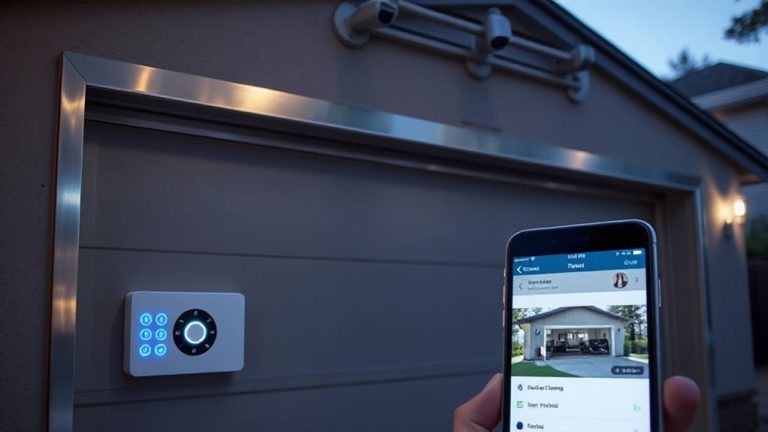
While monitoring your basement door is useful, getting immediate notifications when it opens makes a bigger difference in home safety. Real-time alerts instantly notify you if the door opens, which supports emergency preparedness and helps confirm escape routes are accessible during crises. With remote monitoring, you stay informed even when offsite-perfect for renters, travelers, or large homes. Most smart sensors send alerts via apps, offering customizable settings like time-based alerts or integration with security systems. Pros include faster response times, integration with other smart devices, and peace of mind. Cons may involve reliance on Wi-Fi, potential false alarms, or subscription fees for cloud features. For best results, choose a sensor with low-latency connectivity and battery backup. Set up push notifications, test alert delivery monthly, and guarantee your phone settings allow alerts to come through. This simple upgrade boosts security and situational awareness effectively. Top-rated models often feature advanced garage door sensor technology for reliable performance.
On a final note
You’ve installed a reliable basement door sensor, enhancing home security and emergency preparedness. This simple upgrade provides real-time monitoring, alerts you to unexpected entries, and supports safe escape route planning. Most systems cost under $50 and integrate easily with existing smart hubs. Test monthly, align sensors properly, and use tamper-resistant mounts for best results. Data shows monitored entry points reduce break-in risks, making this a practical, evidence-backed safety improvement.