Installing Security Systems in Vacation Homes With Remote Management
Your vacation home faces up to 70% more break-in risk when empty, so installing a remote security system makes sense. Use smart cameras, door sensors, and locks with motion detection, Wi-Fi, and cloud storage. Choose platforms with mobile alerts, encryption, and person recognition to cut false alarms. DIY setup works well-just check power, signal, and placement. Test quarterly and integrate with smart tools for stronger protection; there’s more to optimize your setup the longer you explore.
Notable Insights
- Install smart cameras with motion detection and night vision to monitor vacant vacation homes remotely.
- Use smart locks and door/window sensors to detect unauthorized access and receive instant alerts.
- Choose a system with reliable cloud storage and mobile app access for real-time monitoring and management.
- Opt for wireless, battery-powered devices with Wi-Fi to simplify installation in remote or seasonal properties.
- Integrate geofencing and automated alerts to enhance security and streamline access for guests or property checks.
Are Vacation Homes at Higher Risk?
A vacation home can be more vulnerable to break-ins than a primary residence, simply because it sits empty for long stretches. Empty homes attract unwanted attention, increasing theft frequency. Criminals often target places that appear unoccupied, especially in areas with heavy seasonal exposure. When you’re not there regularly, mail piles up, trash isn’t collected, and lights stay off-clear signs no one’s home. Statistics show vacation properties face break-in rates up to 70% higher than occupied homes. Seasonal exposure means higher risk during off-months when neighborhoods thin out. You can’t rely on neighbors noticing issues if they’re also away. Without an alarm or someone checking in, problems go undetected longer. That’s why evaluating risk early matters. Consider how often you visit, local crime data, and whether your property is isolated. Knowing these factors helps choose the right protection. Upgrading to the best security cameras for your home can significantly improve remote monitoring and deter potential intruders.
Best Smart Devices for Vacation Home Security
The most effective way to secure your vacation home starts with choosing smart devices that offer reliable monitoring, remote access, and strong deterrence. Opt for security cameras with motion detection to catch intruders early, and place them at entry points and driveways. Look for models with night vision and weather resistance for around-the-clock operation. Smart doorbells give you live video feeds and two-way talk, letting you respond to visitors remotely. Use smart locks for keyless entry and to monitor access. For package monitoring, choose a video doorbell or porch camera with package detection alerts, so you know when deliveries arrive. Sensors on doors and windows add another layer, triggering alarms when opened. Consider battery-powered devices if wiring is impractical. Most systems work with Wi-Fi, so guarantee strong internet at the property. Costs range from $100 to $400 per device, depending on features.
Choosing a Remote Security Platform for Your Vacation Home
How do you guarantee your vacation home stays protected when you’re miles away? Choose a remote security platform with reliable cloud storage and motion detection. Cloud storage keeps your footage safe and accessible, even if a camera is damaged or stolen, and most plans offer 7 to 30 days of rolling video history. Look for platforms with accurate motion detection to reduce false alerts-advanced systems use person detection to ignore pets or swaying trees. Make sure the system supports mobile app access so you can check cameras, receive alerts, and adjust settings remotely. Reliable platforms often require a subscription, typically $10–$30 per month, depending on video quality and retention time. Avoid free services with limited features or poor data encryption. Prioritize systems with strong encryption and two-factor authentication to protect your privacy. For optimal coverage, consider integrating best wireless security cameras into your remote security setup.
DIY Installation: Step-by-Step Setup Guide
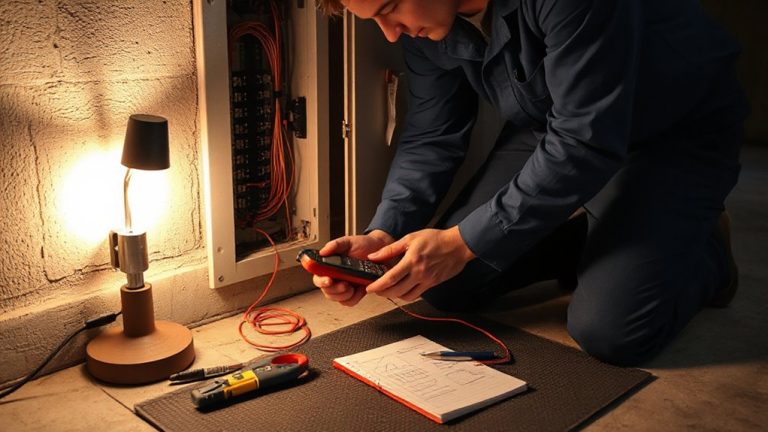
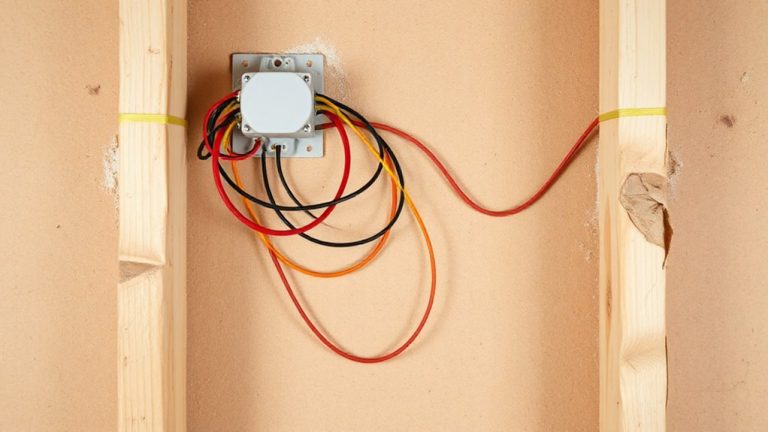
Wondering where to begin when setting up your vacation home’s security system yourself? Start by reviewing the wiring basics-most modern systems are wireless, but you’ll still need power sources and signal range in mind. Plan your sensor placement carefully: install door and window sensors on all primary entry points, and motion detectors in high-traffic areas, avoiding heat sources or moving objects like fans. Follow the manufacturer’s instructions for syncing devices, and use included mounts for secure positioning. Test each component after installation to confirm connectivity. Keep a labeled inventory of devices and their locations. While DIY systems save money upfront, poor setup can reduce effectiveness. Allocate time for planning and double-check placements before finalizing. A well-executed installation guarantees reliable performance and prepares your system for seamless remote management later. Top systems offer features like wireless home security systems with easy integration and reliable app-based controls.
Get Alerts on Your Phone: Remote Access Made Easy
What good is a security system if you can’t know what’s happening at your vacation home while you’re miles away? With remote access, you’ll get real time notifications whenever motion is detected or doors open. These instant alerts arrive straight to your phone, so you’re always in the loop. Most modern systems use Wi-Fi and cloud connectivity to deliver updates reliably. You can check cameras, lock doors, or sound alarms from anywhere using a simple app. Look for systems with push notifications and customizable alert settings to avoid unnecessary pings. While cellular backup increases reliability during outages, it may raise monthly costs. Real time notifications typically work best with strong internet at your property. Choose a system that supports two-way communication and encrypted data transfer to protect your privacy. Instant alerts are essential-without them, delays could mean bigger risks.
Maintain Your System: Key Tips
You’ve set up remote alerts so you can monitor your vacation home from anywhere, but keeping the system running smoothly over time demands regular upkeep. Perform routine device maintenance every few months, including cleaning sensors, checking camera lenses, and testing batteries. Dust and weather exposure can impair performance, so inspect outdoor units especially. Enable automatic system updates to guarantee firmware stays current-these often include security patches and feature improvements. Manually check for updates if auto-updates aren’t available. Test alarm functions quarterly to confirm proper operation. Review user access logs periodically, removing guests or contractors no longer needing entry. Store passwords securely and change them annually. Most manufacturers recommend inspecting wiring and power sources yearly. A well-maintained system reduces false alarms and increases reliability. Neglecting updates or maintenance can lead to gaps in coverage, leaving your property vulnerable even when alerts are enabled.
Smart Integrations That Boost Vacation Home Security
While standalone security devices offer basic protection, linking them into a unified smart ecosystem greatly strengthens your vacation home’s defenses. You can integrate cameras, locks, and alarms to respond together when threats arise. Facial recognition lets you identify known guests automatically, reducing false alerts while improving access control. Paired with geofencing automation, your system can detect when your phone is nearby, opening doors as you arrive and arming the alarm when you leave. This guarantees consistent security without manual input. Most platforms support major brands, but check compatibility before purchasing. Systems with these features typically cost $500–$1,200, plus potential subscription fees for cloud storage. Though facial recognition raises privacy concerns, local processing options keep data on-device. Geofencing reliability depends on your phone’s GPS, so guarantee location services are active. These integrations provide measurable improvements in response time and convenience.
On a final note
You’ve secured your vacation home with smart devices, remote alerts, and a reliable platform. Regular maintenance keeps the system working, while integrations like smart lighting add extra protection. Choose systems with strong encryption and mobile access, balance upfront costs with long-term value, and plan for Wi-Fi reliability. A well-maintained setup reduces break-in risks, gives real-time updates, and offers peace of mind-no matter how far you are.