Creating Custom Alert Schedules Based on Home Occupancy Patterns
You can create custom alert schedules by using motion sensors and smart doorbells that detect when your home is occupied. Set up systems to arm only when everyone leaves, reducing false alarms. Use Wi-Fi devices with apps to monitor activity and adjust sensitivity for pets or busy times. Test alerts at different hours to verify timing. Battery-powered sensors cost $10–$30, while doorbells run $100–$250. Further details on optimizing these setups are available.
Notable Insights
- Use smart motion sensors to detect activity patterns and determine when the home is occupied or vacant.
- Configure security systems to arm automatically when all occupants leave, using geofencing or manual modes.
- Set custom alert schedules that activate only during unoccupied periods to reduce false alarms.
- Adjust sensor sensitivity and notification timing based on daily routines and pet activity.
- Test alert logic regularly by simulating entry scenarios to verify proper system response.
Track When Your Home Is Occupied
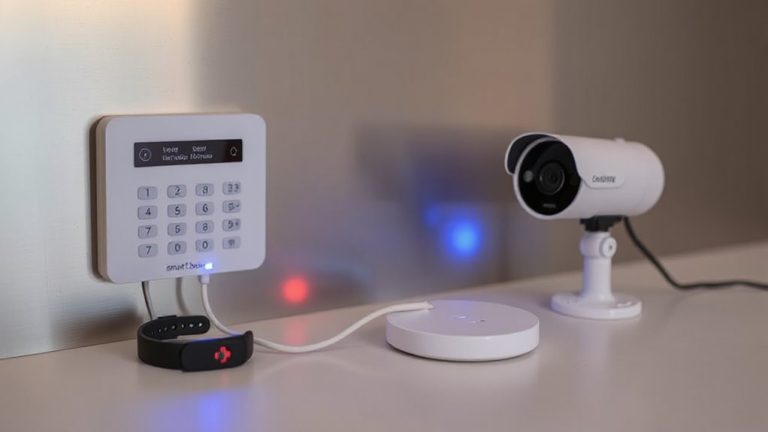
You can improve your home security by tracking when your home is occupied, using smart sensors and connected devices to monitor activity patterns over time. Motion tracking helps detect movement in key areas, sending alerts when activity occurs during unusual hours. Window sensors add another layer, notifying you if a window opens while the system is armed. Together, these tools gather data on daily routines, letting you identify normal versus suspicious behavior. Most systems store logs for review, helping you adjust settings based on actual use. Installation is typically simple, with battery-powered sensors that adhere magnetically. While upfront costs range from $10–$30 per sensor, long-term value comes from accurate alerts and reduced false alarms. Choose reliable models with strong app integration to guarantee consistent performance. Planning placement carefully boosts effectiveness across entry points and high-traffic zones. For Home Assistant users, integrating best motion sensors ensures seamless automation and precise occupancy detection.
Choose Devices That Detect Presence Automatically
Smart sensors that track motion and entry points lay the groundwork for awareness, but taking security a step further means selecting devices capable of detecting presence automatically. Motion sensors help confirm activity inside your home, triggering alerts when movement occurs. Smart doorbells add another layer, using built-in cameras and motion detection to identify people near entry points. Many models now include AI that distinguishes between people, animals, and vehicles, reducing false alerts. For best results, place motion sensors in high-traffic interior areas and pair them with smart doorbells at all main entrances. Most systems work with Wi-Fi and apps that show real-time status. While prices vary-motion sensors typically cost $20–$50 and smart doorbells $100–$250-combining both improves accuracy. Choose devices with reliable detection ranges and privacy controls to guarantee consistent, useful monitoring. Outdoor cameras with advanced analytics offer even greater insight, especially when integrated with occupancy detection, providing comprehensive coverage of your property’s perimeter and improving alert customization.
Best Outdoor Security Cameras are essential for creating a layered security approach that adapts to your home’s occupancy patterns.
Create Alerts That Activate When No One’s Home
When the house is empty, that’s when security risks rise, so setting up alerts to activate only when no one’s home makes smart use of your sensors. You can configure your system to switch on specific security triggers once all occupants leave, guaranteeing you’re notified only when necessary. This is especially useful when you enable vacation mode, which arms exterior and interior sensors according to preset rules. With vacation mode active, doors, windows, or motion detected inside the home generate alerts, even during typical daytime hours. These custom alerts reduce unnecessary notifications while maintaining oversight. Most smart systems support occupancy-based automation, letting you tailor responses using geolocation or manual triggers. While this feature improves responsiveness, guarantee all devices are tested before relying on it during extended trips. Setup usually takes under 10 minutes through your security app, and it’s included at no extra cost with most monitoring plans. Top systems offer reliable performance and easy integration, making best smart home alarm systems a key consideration for comprehensive protection.
Adjust Notifications to Stop False Alarms
Because false alarms can lead to notification fatigue and reduced trust in your system, fine-tuning alerts to match real threats is essential. You can adjust alarm sensitivity to reduce triggers from pets or minor environmental changes, ensuring only significant events prompt alerts. Lower sensitivity works well during busy household hours, while higher sensitivity suits nighttime or when you’re away. Pair this with smart notification timing-delaying non-urgent alerts until you’re likely to respond reduces interruptions. For example, non-critical motion alerts at night can be silenced or queued for morning. Most modern systems let you customize these settings per device and schedule. While fine-tuning takes initial effort, it improves reliability. Overly sensitive alarms may cause annoyance; too little sensitivity could miss threats. Balance is key. Review your alert logs weekly to identify patterns and adjust settings accordingly.
Test Alerts With Real-Life Scenarios
How do you know your alerts will work when you need them most? You don’t want to wait for a real break-in to find out something’s wrong. That’s why response testing and scenario simulation are essential. Run tests during different times-day, night, and while you’re away-to check if your system reacts as expected. Use realistic situations like a family member entering a restricted zone or a delayed departure to mimic actual events.
| Scenario | Expected Alert Response |
|---|---|
| Front door opened at 2 AM | Instant push notification |
| Motion detected in living room at noon | No alert (occupied mode) |
| Back window triggered while away | Alarm and SMS sent |
These checks confirm your custom schedule functions accurately. Scenario simulation reveals gaps in logic or timing, letting you fix issues before they matter. Response testing guarantees reliability and helps you trust your system when it counts.
Update Schedules as Routines Change
Most home routines shift over time, and your alert schedules should adapt just as quickly. If you’ve started working remotely, your usual away-at-work settings may trigger unnecessary alerts. Adjust them to reflect your new presence patterns during the day. Similarly, family vacations can leave your home unoccupied, so you’ll want more frequent alerts or motion-based notifications while you’re gone. Failing to update schedules might mean missing real threats or facing alert fatigue from false alarms. Review your settings every few months, or whenever there’s a major change like a new work routine or trip. Most smart systems let you create temporary or recurring schedules, making it easy to switch between remote work days and office days. Use these features to stay protected without excess noise. Regular updates keep your system accurate, efficient, and aligned with real-life occupancy.
On a final note
You can improve home security by aligning alerts with actual occupancy patterns. Use smart sensors or app-based detection to track presence accurately, then set custom schedules that trigger alerts only when the house is empty. Adjust sensitivity and test scenarios to reduce false alarms. As routines shift, update settings to maintain effectiveness. This data-driven approach saves money, reduces distractions, and enhances real-time protection without complexity or expensive upgrades.